Hi, the following is an introduction to the use of HTTP API interface, which is convenient for you to quickly and easily call API for system integration. Thank you for using it!
1. Debugging Process
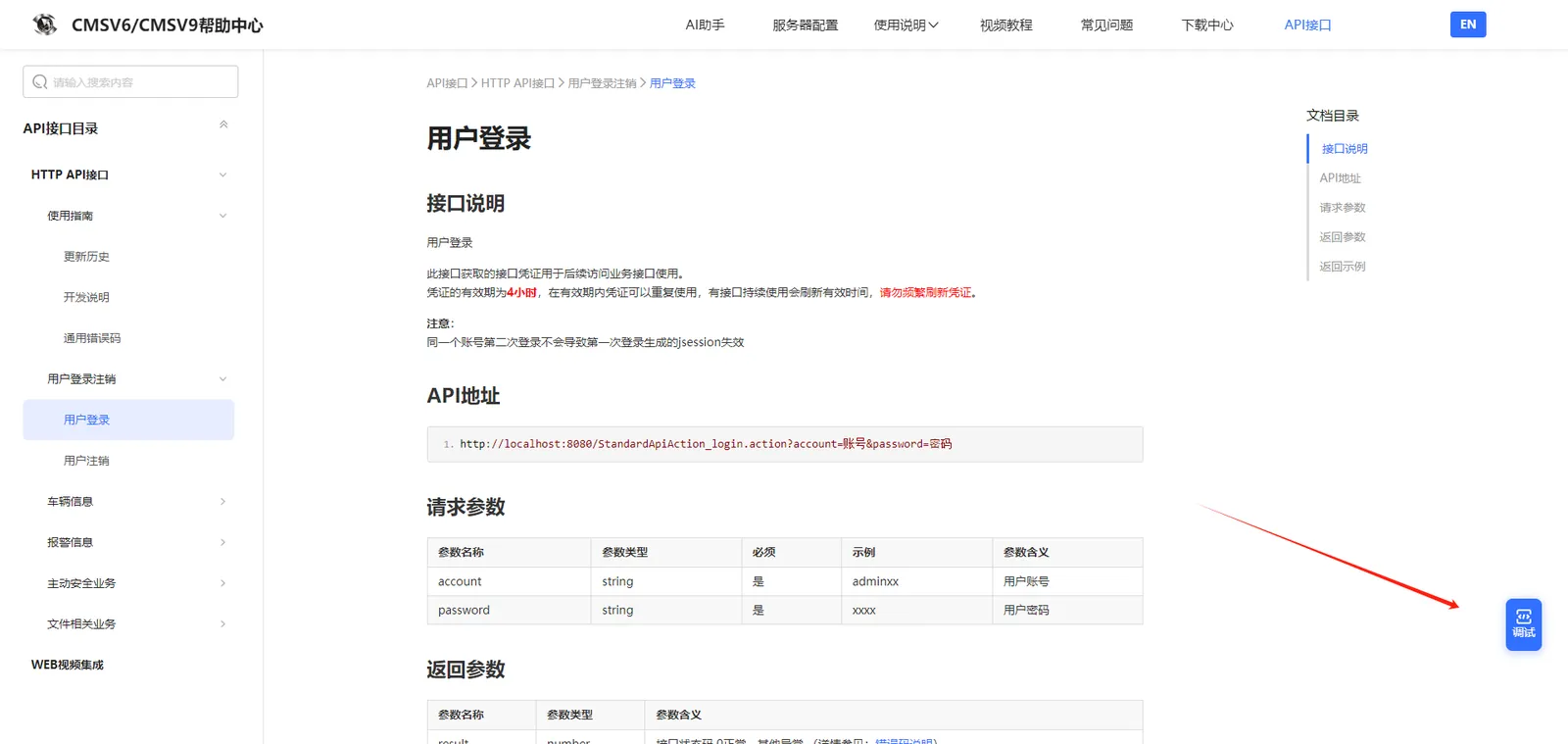
Step 1: Find the user login interface and click Debug
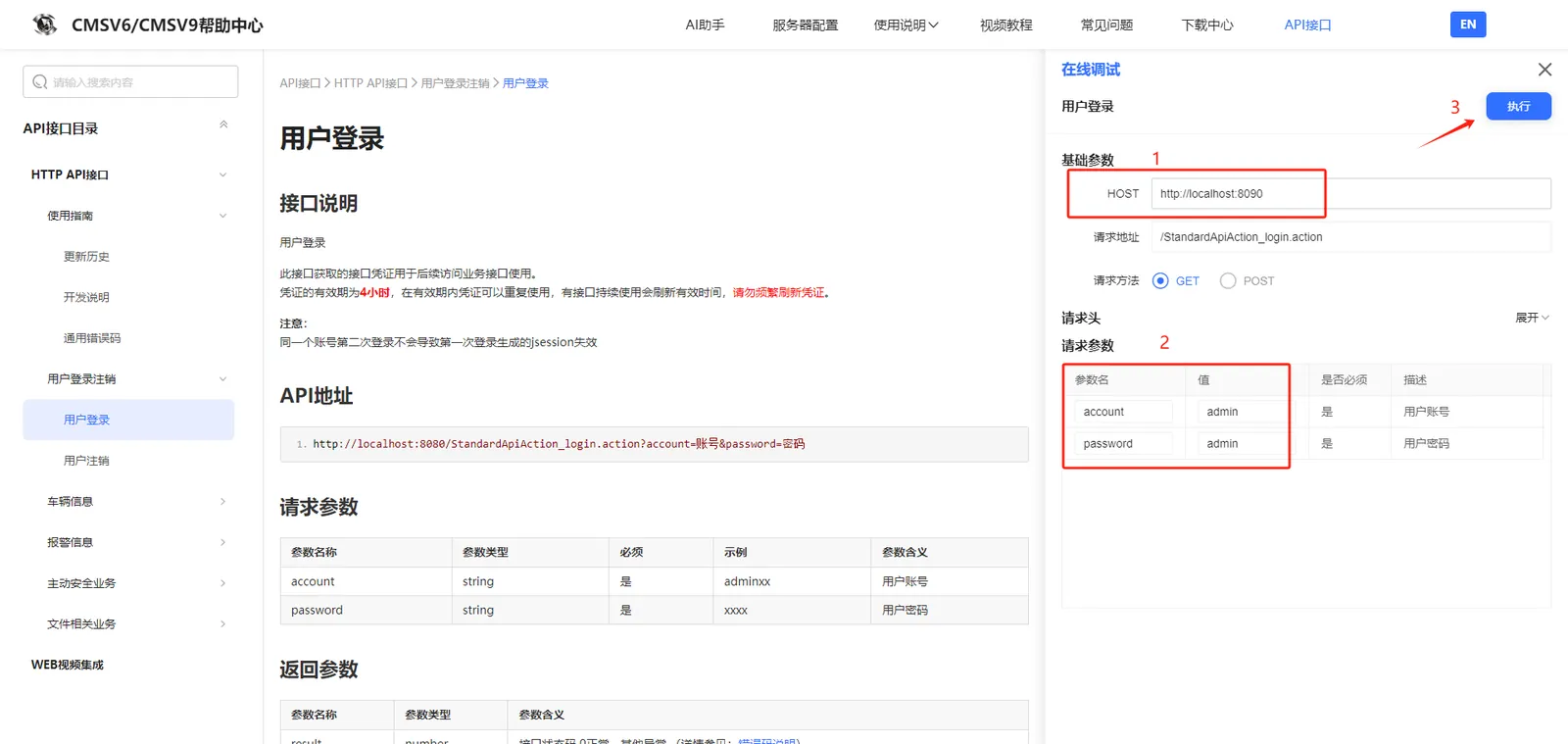
Step 2: Fill in the web service host, fill in the account password information in the request parameter column, click execute, and then get the login user session number.
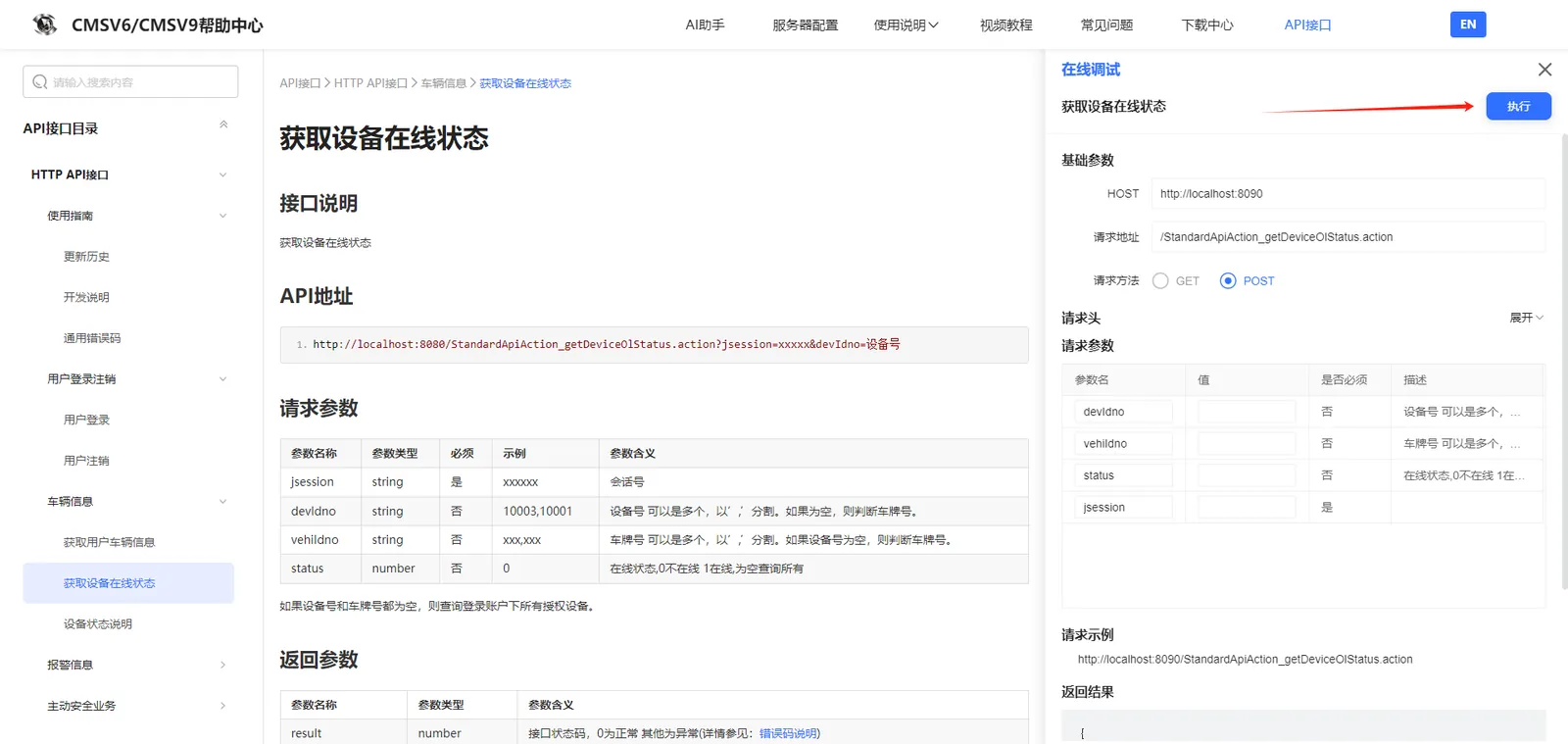
Step 3: Debug the interface [Obtain the online status of the device]. At this time, host is not required. After filling in the parameters required by the interface, click Execute
NOTE :
Interface calling process: 1. Login (get session number) → 2. Call other interfaces → 3. Logout
All interfaces need to be logged in before they can be called normally.
2. Parameter coding
All request and response data are encoded in utf- 8 format, please URIEncode all parameter values in the URL;
Please perform URL encoding (UTF- 8) for each parameter, and please comply with RFC 1738 when encoding.
**Example of Chinese Transmissions **
1. url Direct Reference encodeURI(encodeURI(URIstring))
http://localhost:8080/StandardApiAction_marginGroup.action?value=encodeURI(encodeURI(URIstring))
- ajax's data parameter (recommend) encodeURI(URIstring)
var data = {}
data.value = encodeURI(URIstring)
$.ajax ({
url: 'http://localhost:8080/StandardApiAction_marginGroup.action
data: data
cache:false
dataType:'json ',
success: function (json) {
if(json.result == 0) {
alert('Success');
} else {
alert('Failure');
}
},error:function(XMLHttpRequest, textStatus, errorThrown) {
}
});
3.HTTP MIME Type
JSON
Content- type: application/json;charset=utf- 8
JSONP
Content- type: text/javascript; charset=utf- 8
4.JSONP call example
When a third party calls the Open API through JS, you can specify callback parameters to require the platform to return JSONP code to solve the cross- domain problem.
callback parameter values can only be alphanumeric underscores
$.ajax ({
type:'POST ',
url: 'http://localhost:8080/StandardApiAction_loginEx.action?callback=getData ',
data: data
cache:false
dataType:'JSONP ',
success: getData=function (data) {
if(data.result == 0) {
alert('Success');
} else {
alert('Failure');
}
},
});
