1. Function description
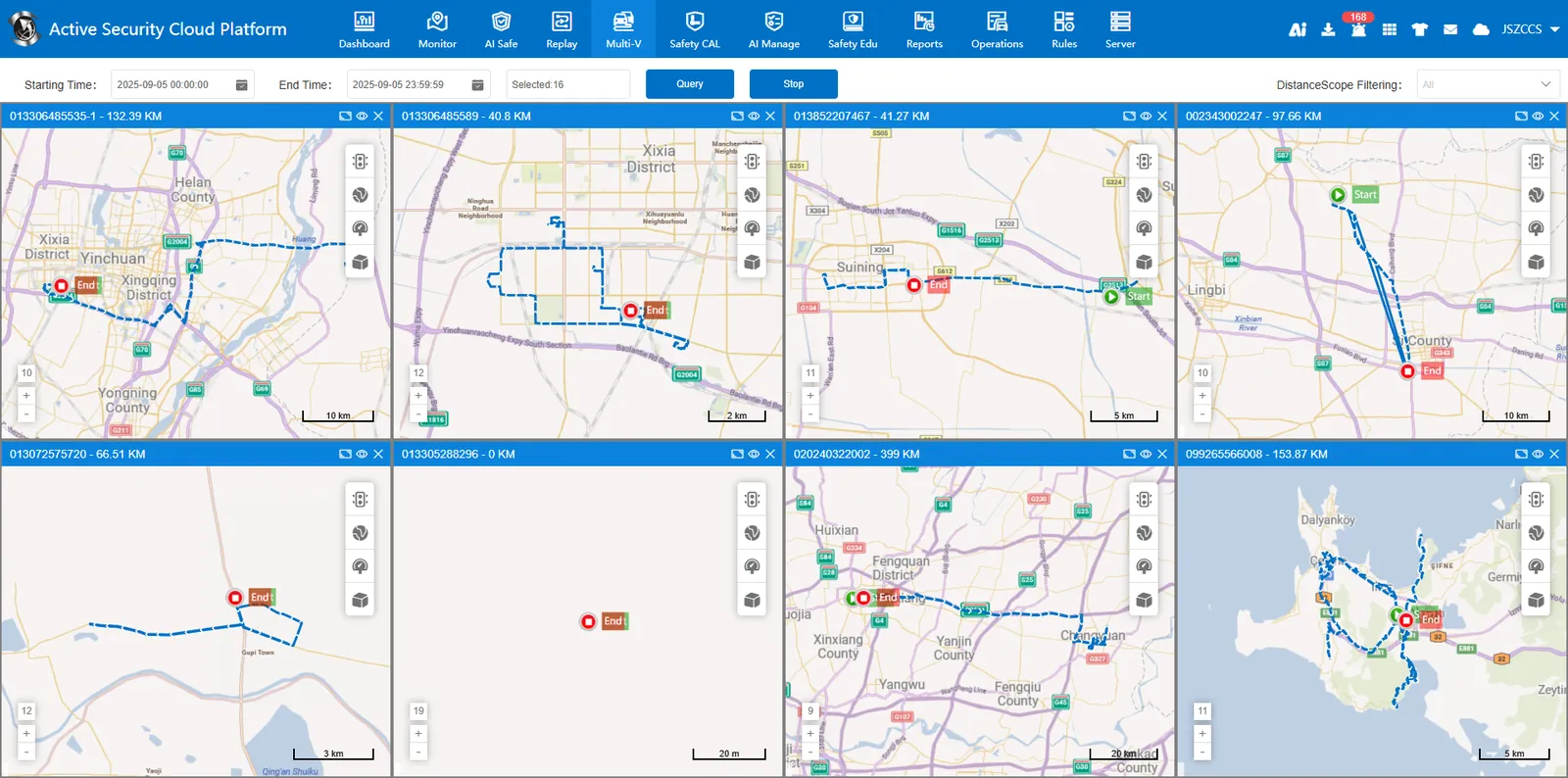
Realize multi- vehicle track playback on the same screen, display the vehicle track, start point, end point and vehicle mileage in the search period, and filter the window through the mileage range.
2. operating instructions
Time selection: Search time not more than 7 days!

Query Button: During the query process, the query progress (number of the current query/total number) is displayed.

Stop button: Click to stop the query, and the unqueried window will resume the map display.
2.1 select vehicle
a. Select the playback time and vehicle at the top of the interface, and click the query button after saving to support selecting multiple vehicles to view track playback.
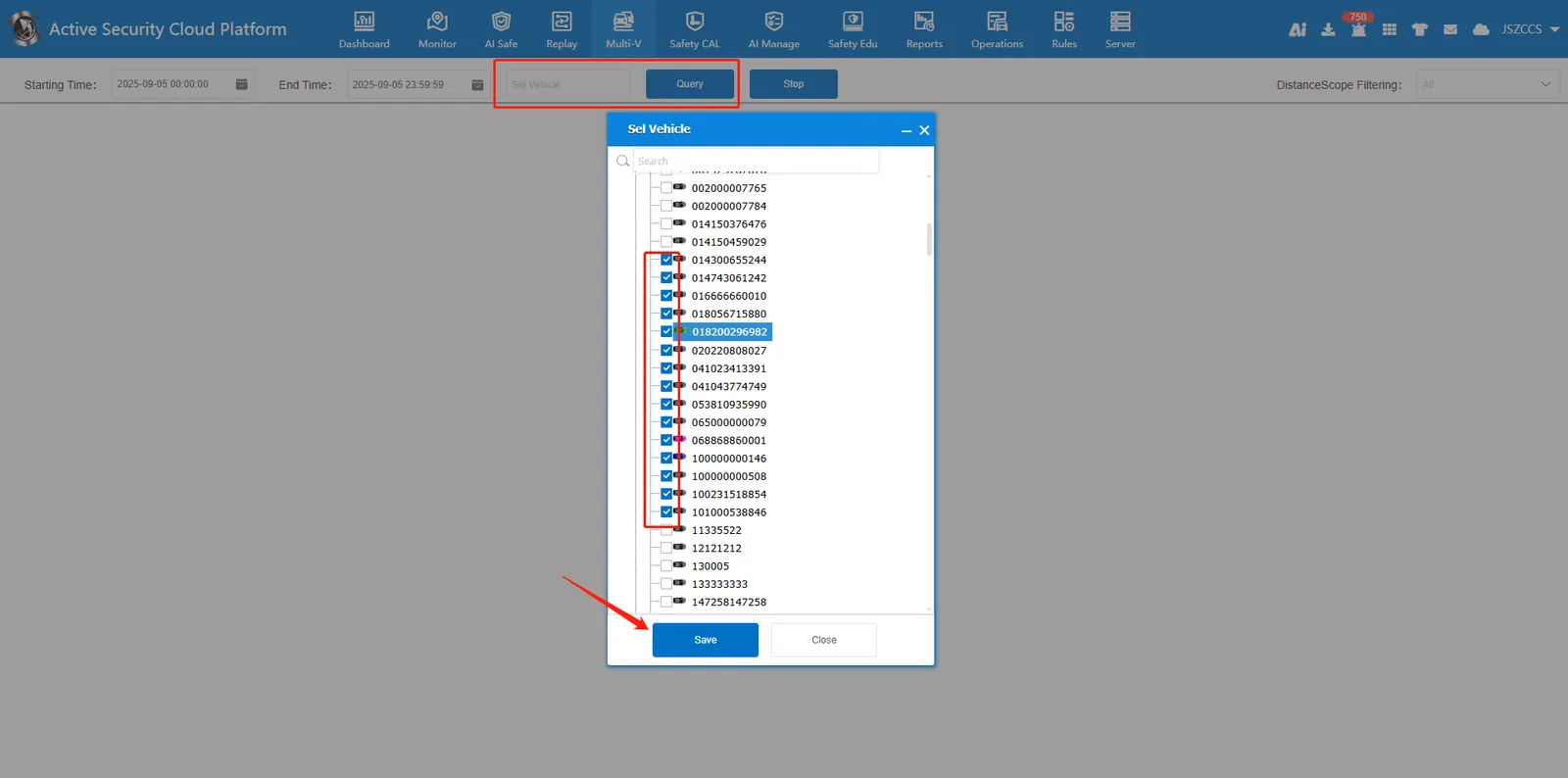
B, playback window display up to 16, select more than 16 vehicles, display the track of the first 16 vehicles.

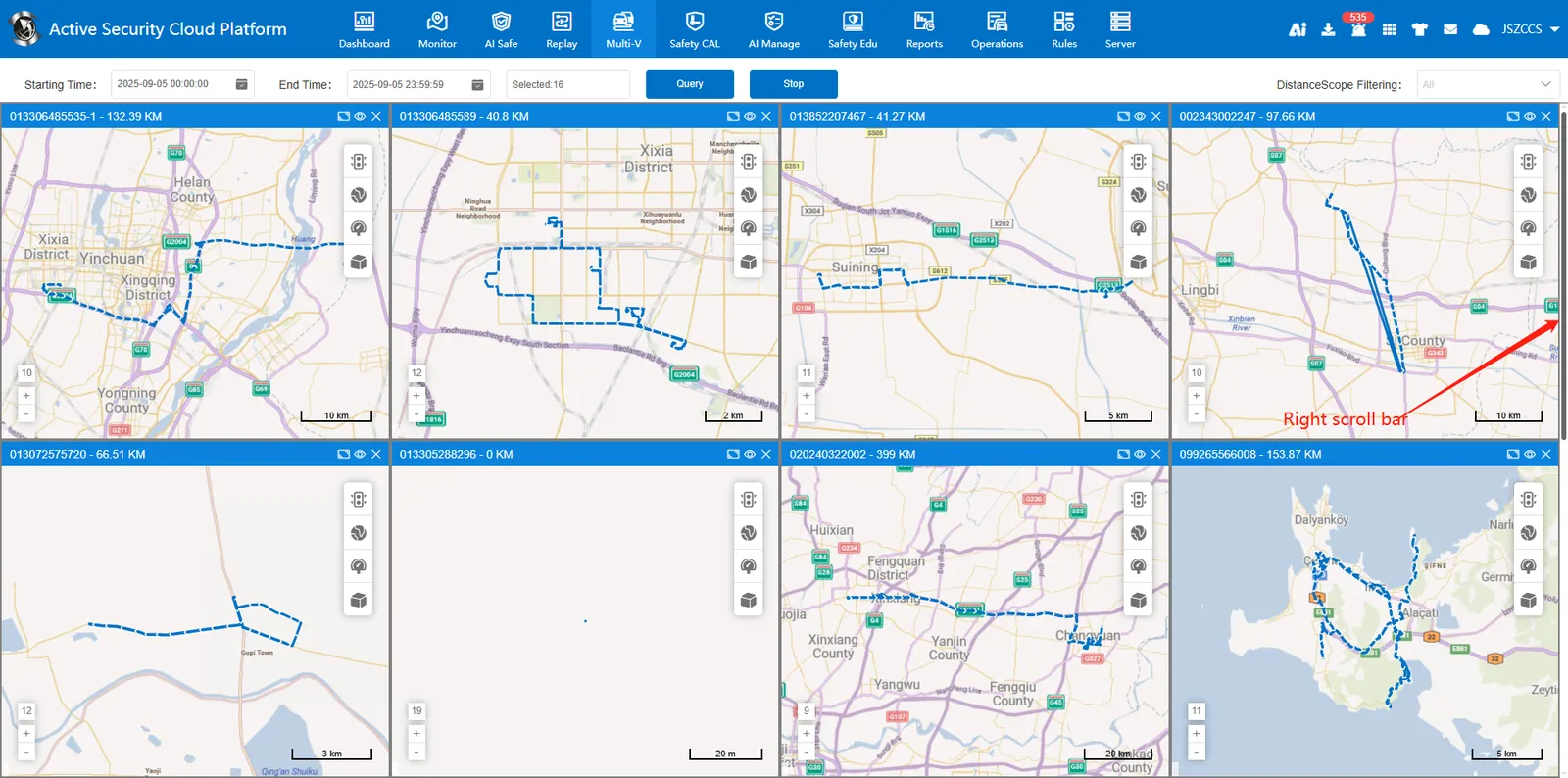
c. There are up to 4 playback windows in each row and column. When there are more than 8 windows, you need to drag the scroll bar on the right to view other windows.
2.2 track details
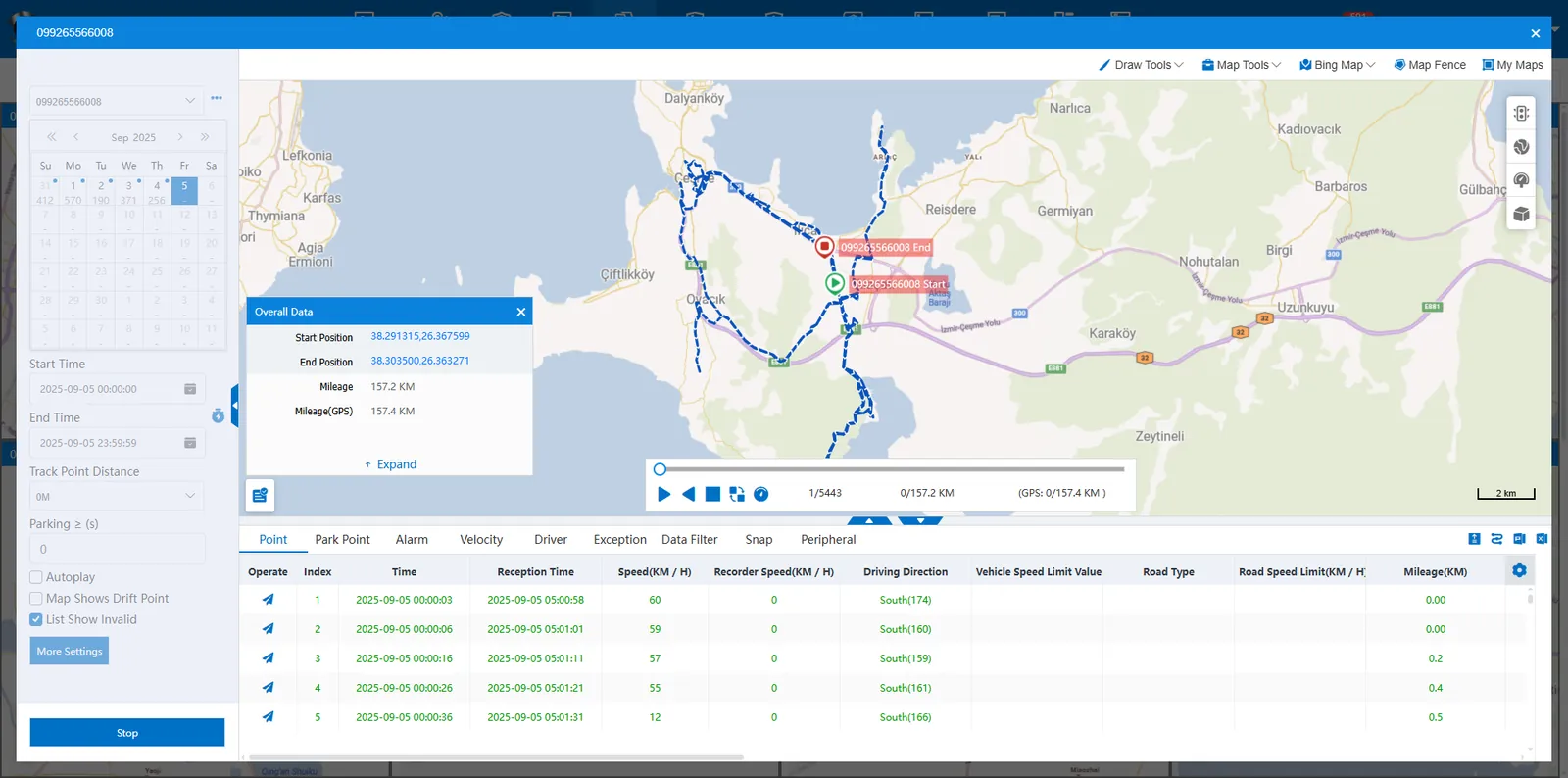
Click on the top right of the window maximize the button to pop up the full- featured track playback page and automatically search.
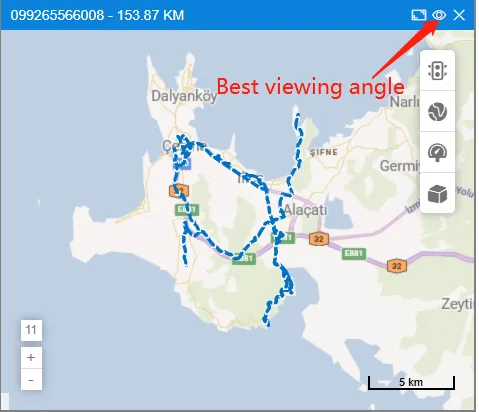
2.3 the best perspective
Click on the top right of the window eye button, the track line is centered in the best position on the map.
2.4 Mileage Range Screening
After all queries are completed, a drop- down option is dynamically generated in the upper right corner of the page based on the mileage data, which can be checked and displayed in the filtering window.
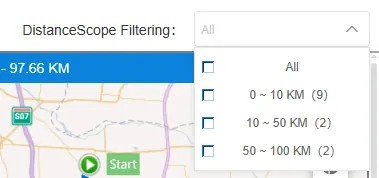
Mileage range (number of vehicles)
0- 10
10- 50
50- 100
100- 300
300- 500
500- 1000
> 1000
