Author daiweiqiangUpdated 2026-08-12 15:04:38Doc ID 2733216 words · 1 min readView original ↗
Function description
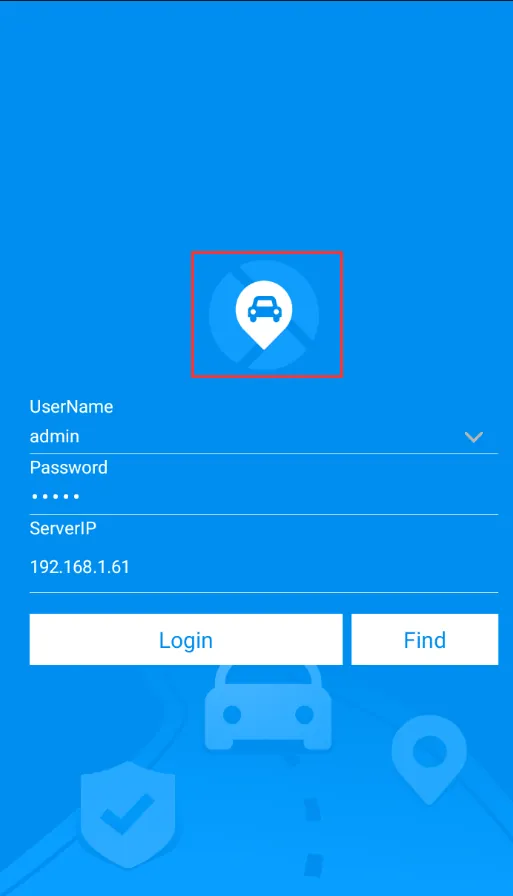
There are two ways to modify the LOGO on the front page of APP login. One is custom development, which involves expenses. The second is the method described in this document.
When APP logs in to the platform, it will obtain the LOGO file from the corresponding directory of the server. If there is a LOGO file, the corresponding LOGO will be displayed the next time it logs in to the app;
If the server logo.png information is not changed, the mobile client will not download repeatedly.
Advantages: No charge, no need to resubmit the app store when the app is updated, and the synchronization update is fast
Disadvantages: only LOGO of login interface can be modified, APP icon and name cannot be modified
Operating instructions:
Put the prepared logo.png file into the tomcat\webapps\gpsweb\product\mobile directory of the server
Logo requirements
Name: Logo file name must be logo.png
Size: (any size is acceptable) It is recommended to use a square picture
Original icon is 128 * 128
Restart the web server, log in to the APP with any account, and then return after logging in successfully. The logo icon will change
Precautions
If there is no change, repeat the login and exit operation several times more.
Please refer to the document: https://help.cmsv8.com/helpCenter/doc/index.html?isStudy=1&docType=1&docId=458&type=1 for customized APP