1 功能说明
解决Ubuntu安装服务器软件中出现的问题
2 操作说明
2.1 数据库服务启动失败,返回control process exited with error code
root@instance-trobapp360-video-ubuntu22:/tmp# sudo dpkg -i CMSServerV7_LINUX(AMD64)_7.33.0.6_20240416_beta.deb
(Reading database ... 159003 files and directories currently installed.)
Preparing to unpack CMSServerV7_LINUX(AMD64)_7.33.0.6_20240416_beta.deb ...
Unpacking cmsserverv6 (7.33.0.6) over (7.33.0.6) ...
Setting up cmsserverv6 (7.33.0.6) ...
delete file /opt/CMSServerV6/update.sh
delete file /opt/CMSServerV6/make_update_dir.sh
delete file /opt/CMSServerV6/bin/gpsupdate.bin
delete dir /opt/CMSServerV6/bin/svrupdate
QStandardPaths: XDG_RUNTIME_DIR not set, defaulting to '/tmp/runtime-root'
Job for gpsmysqld.service failed because the control process exited with error code.
See "systemctl status gpsmysqld.service" and "journalctl -xeu gpsmysqld.service" for details.
Job for gpsmysqld.service failed because the control process exited with error code.
^Cdpkg: error processing package cmsserverv6 (--install):
installed cmsserverv6 package post-installation script subprocess was interrupted
- 问题原因:缺少库文件libnuma1
- 解决办法:执行命令安装库文件:apt install libnuma1
2.2 切换成英文语言,管理软件按钮空白
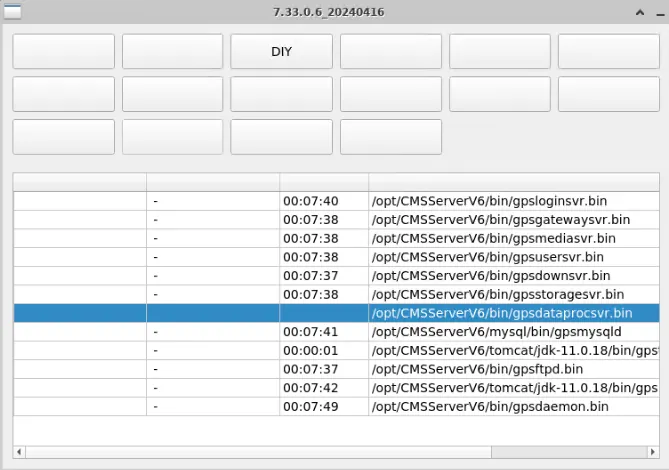
- 问题原因:language.ini配置文件里配置的English
- 解决办法:配置成english
2.3 显示不了安装界面,提示缺少插件
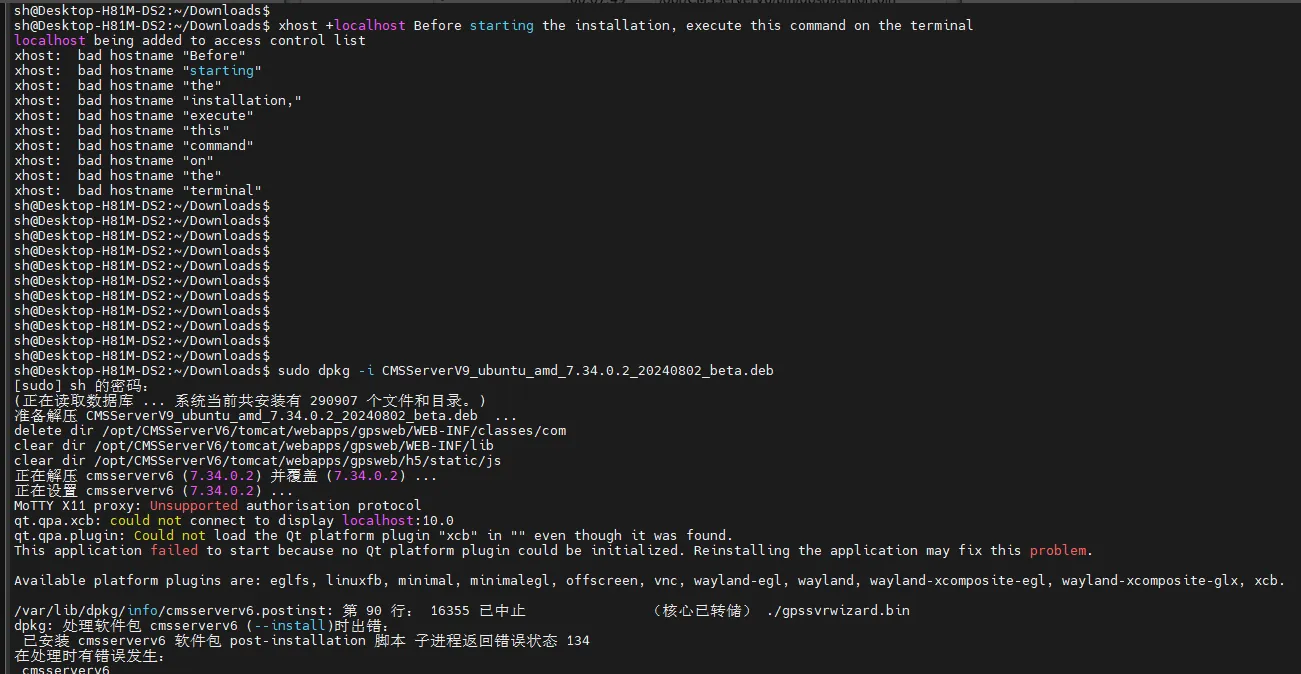
问题原因:使用了SSH命令行远程,显示不了界面
解决办法:不要用命令行远程
## 2.4 无法与数据库建立连接
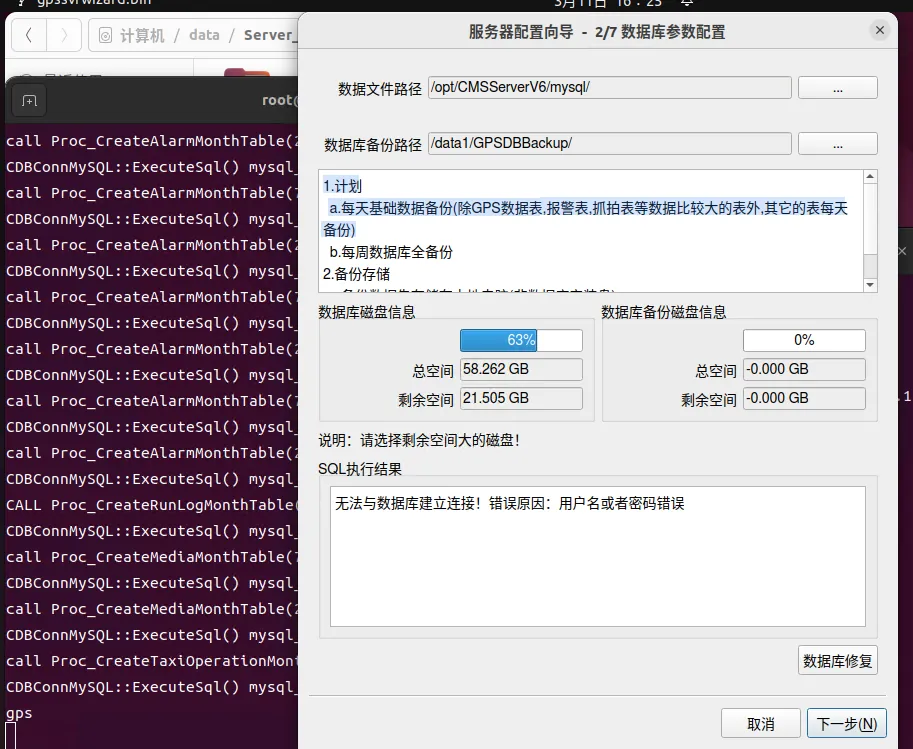
解决办法:卸载干净后再重装
## 2.5 nginx时间不更新
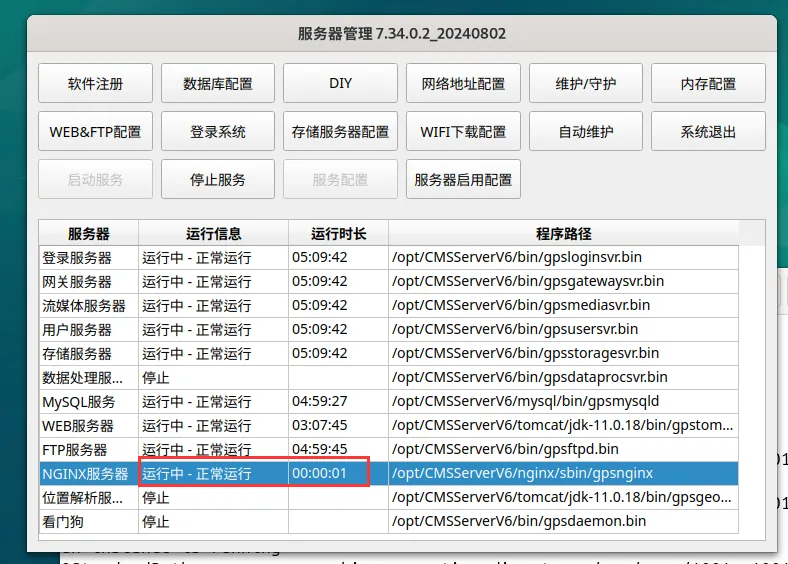
解决办法:暂无
## 2.6 部署安装xcb插件错误
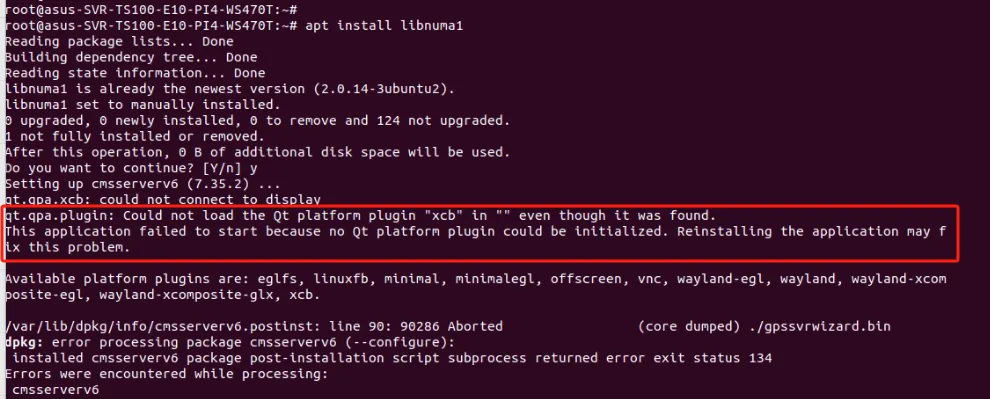
问题原因:系统图形界面问题
解决办法:执行以下命令:
sudo apt-get update 检测更新
物理服务器/物理桌面:
xhost + localhost 注:该命令使用su切换root用户可能无法执行成功,使用当前普通用户执行即可
echo $DISPLAY 输入该命令后查看返回值,如果为0可直接部署软件,为其他则需要更改为0
export DISPLAY=:0 改为为0
云服务器/RDP / VNC / Docker:
echo $DISPLAY 输入该命令后查看返回值
export DISPLAY=:10 需要等于:10
xhost +local: 使用该命令授权
## 2.7 全新安装自带mysql数据库缺少参数
Ostring::arg: Argument missing: "Database Connection" ,1
Ostring::arg: Argument missing: "Database Connection" ,7
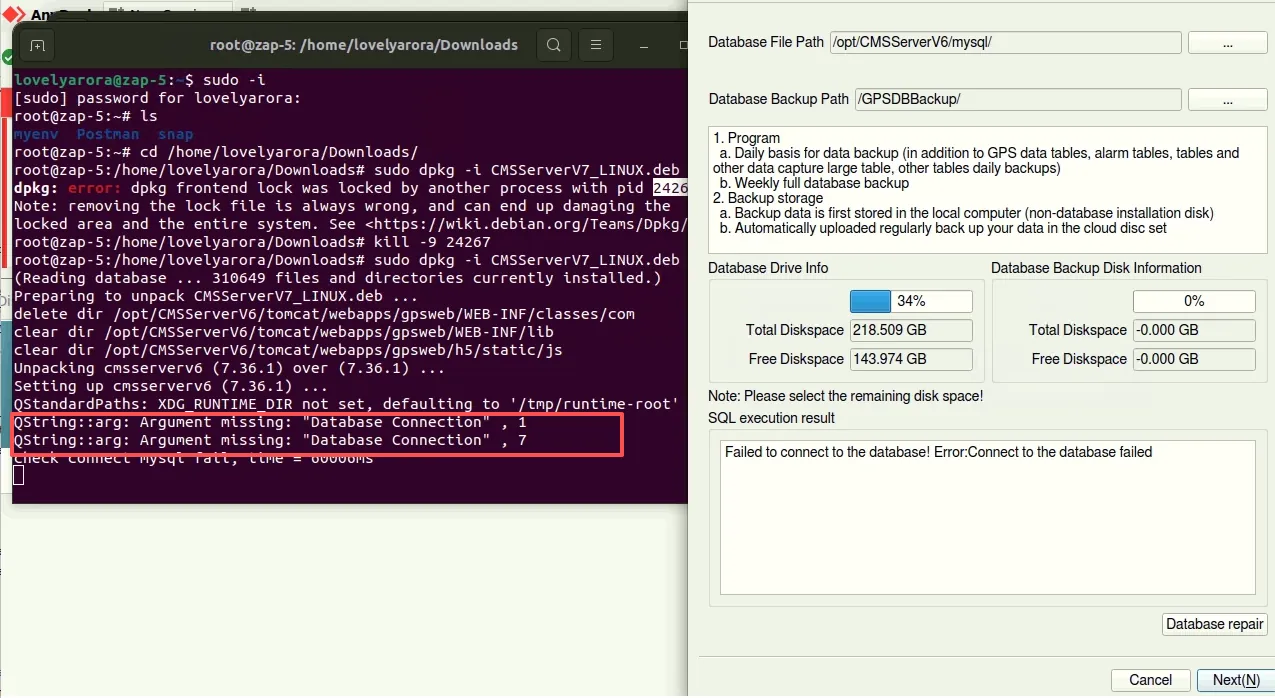
问题原因:my.cnf配置文件参数不完整
解决办法:从其他服务器拷贝my.cnf内容再继续执行数据库安装。
##2.8 登录页面无法正常加载

问题原因:Tomcat 加载的 file.encoding 是 ASCII
解决办法:
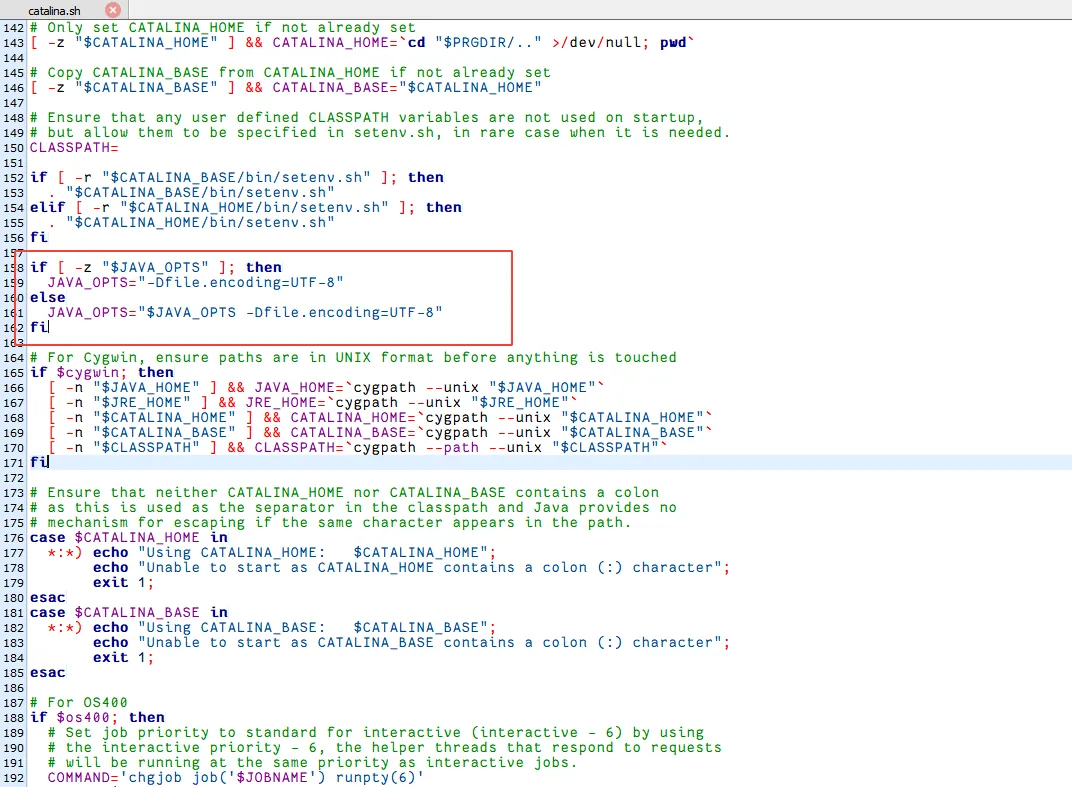
/opt/CMSServerV6/tomcat/bin/catalina.sh文件中添加以下内容:
if [ -z "$JAVA_OPTS" ]; then
  JAVA_OPTS="-Dfile.encoding=UTF-8"
else
  JAVA_OPTS="$JAVA_OPTS -Dfile.encoding=UTF-8"
fi
重启web服务
