1 Function Description
Solve problems in the Ubuntu installation server software
2 Operating Instructions
2.1 Database service fails to start, return control process exited with error code
root@instance- trobapp360- video- ubuntu22:/tmp# sudo dpkg - i CMSServerV7_LINUX(AMD64)_7.33.0.6_20240416_beta.deb
(Reading database ... 159003 files and directories currently installed.)
Preparing to unpack CMSServerV7_LINUX(AMD64)_7.33.0.6_20240416_beta.deb...
Unpacking cmsserverv6 (7.33.0.6) over (7.33.0.6)...
Setting up cmsserverv6 (7.33.0.6)...
delete file /opt/CMSServerV6/update.sh
delete file /opt/CMSServerV6/make_update_dir.sh
delete file /opt/CMSServerV6/bin/gpsupdate.bin
delete dir /opt/CMSServerV6/bin/svrupdate
QStandardPaths: XDG_RUNTIME_DIR not set, defaulting to '/tmp/runtime- root'
Job for gpsmysqld.service failed because the control process exited with error code.
See "systemctl status gpsmysqld.service" and "journalctl - xeu gpsmysqld.service" for details.
Job for gpsmysqld.service failed because the control process exited with error code.
^Cdpkg: error processing package cmsserverv6 (- - install):
installed cmsserverv6 package post- installation script subprocess was interrupted
- Problem cause: missing library file libnuma1
- Solution: Execute the command to install the library file: apt install libnuma1
2.2 switch to English language, management software button blank
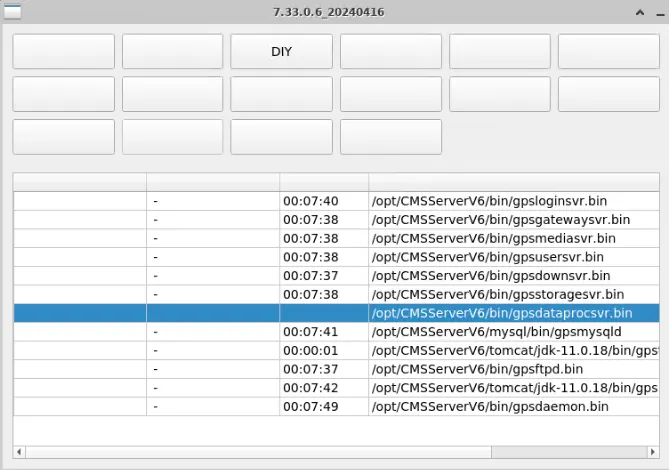
- Cause of the problem: language the English configured in the. ini configuration file
- Solution: Configure as english
2.3 cannot display the installation interface, indicating that the plug- in is missing
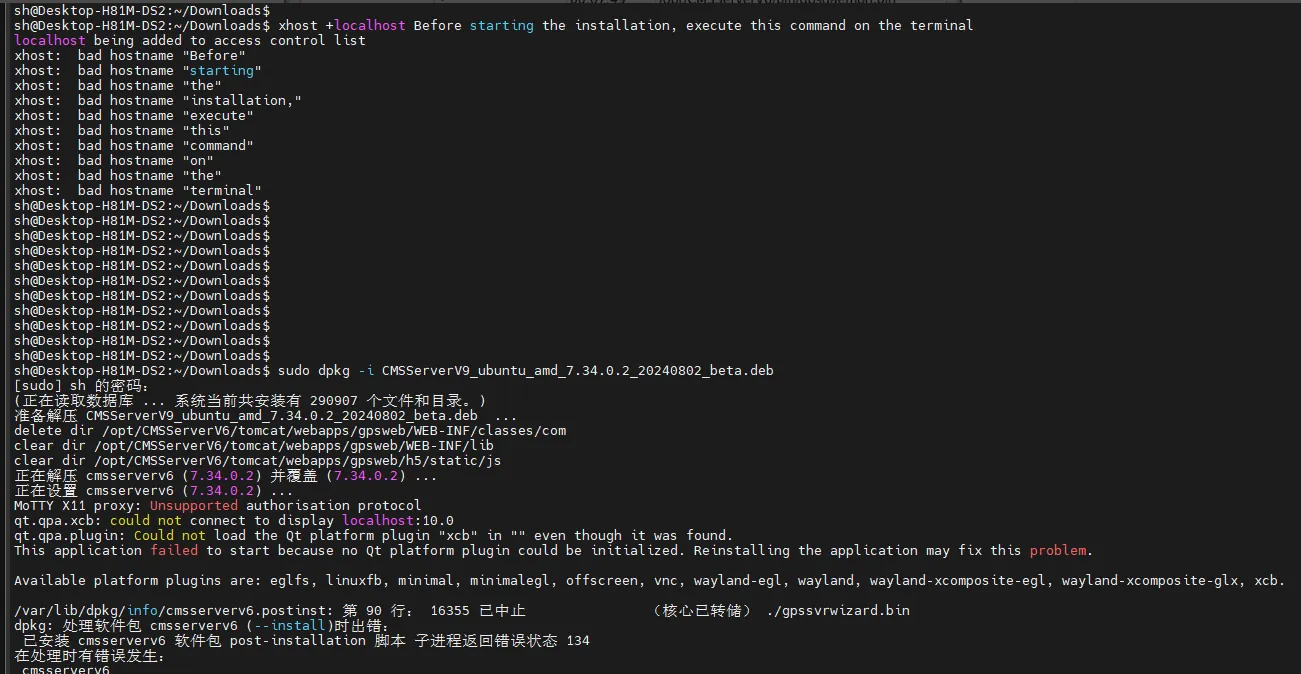
Cause of the problem: SSH command line is used remotely, and the interface cannot be displayed.
Solution: Do not use the command line to remotely
2.4 cannot establish a connection with the database
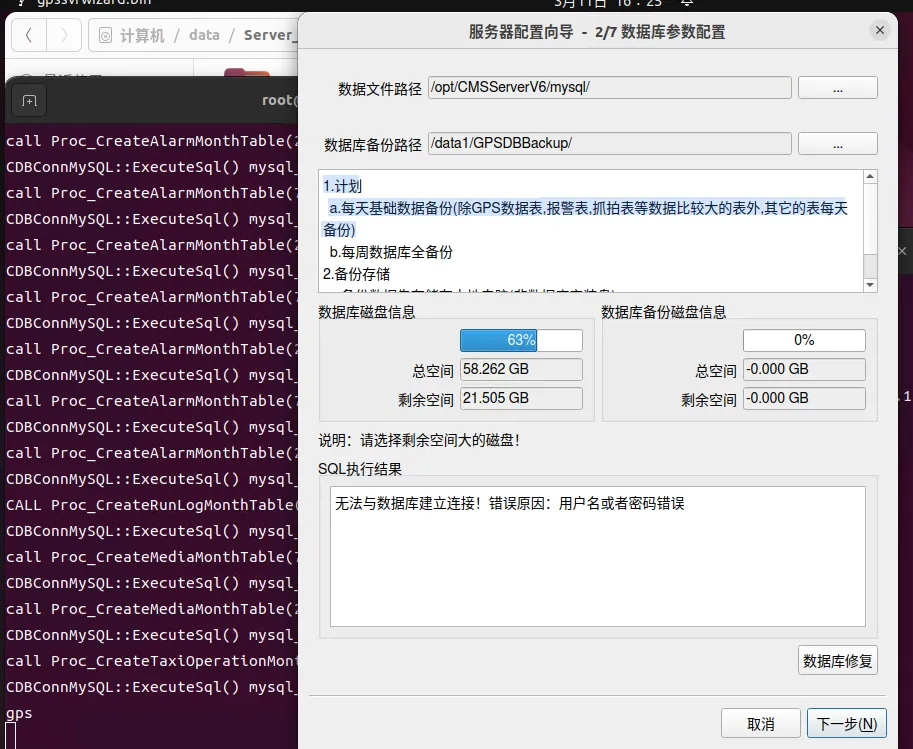
Solution: uninstall clean and then reinstall
2.5 nginx time is not updated
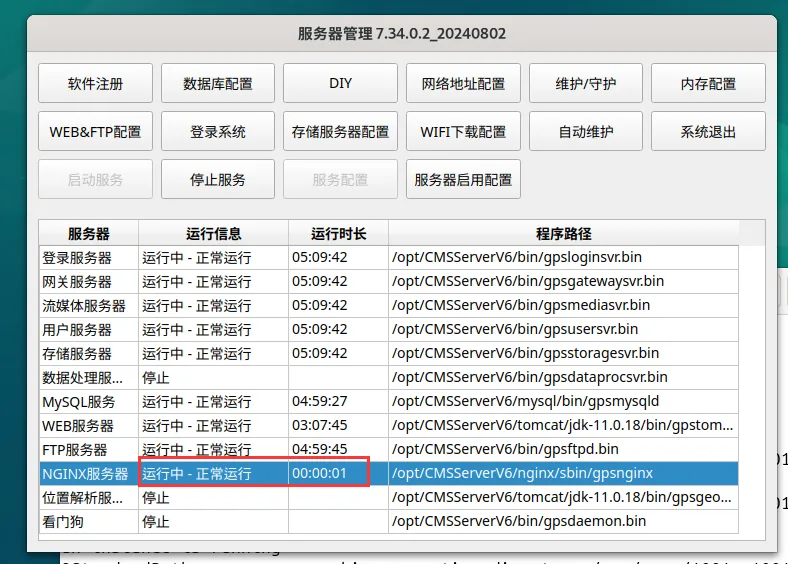
Solution: None
2.6 deployment and installation of xcb plug- in error
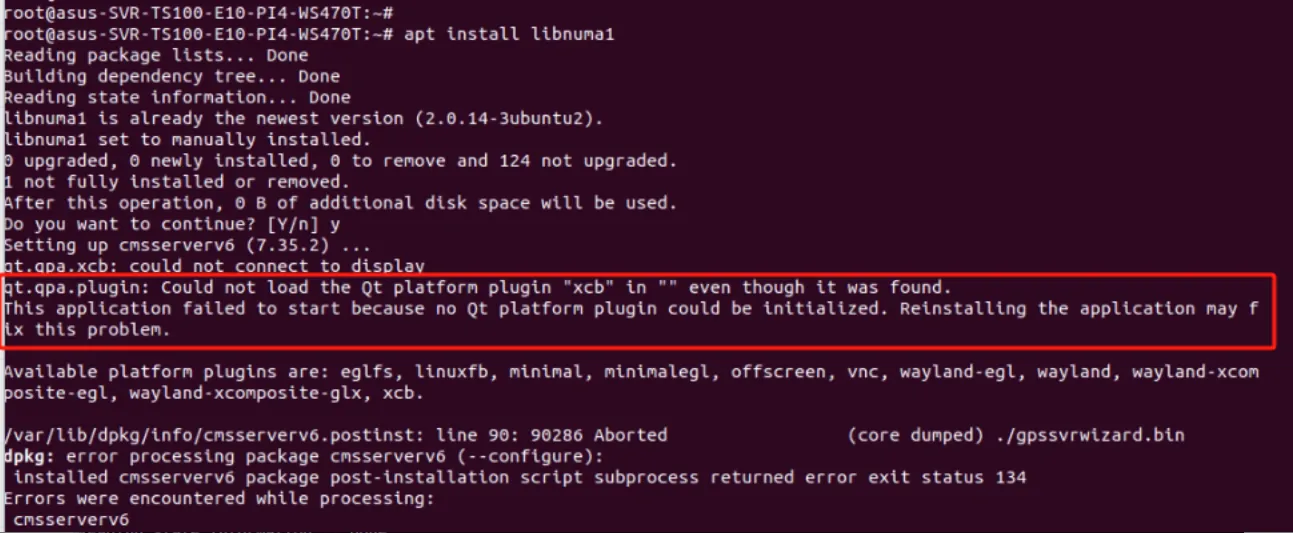
Problem cause: system graphical interface problem
Workaround: Execute the following command:
sudo apt-get update
xhost + localhost
Note: This command may not be successfully executed by using su to switch the root user, but can be executed by the current ordinary user **
echo $DISPLAY
Check the return value after entering the command. if it is 0, the software can be deployed directly, and if it is other, it needs to be changed to 0**
export DISPLAY=:0
2.7 new installation with mysql database missing parameters
Ostring::arg: Argument missing: "Database Connection" ,1
Ostring::arg: Argument missing: "Database Connection" ,7
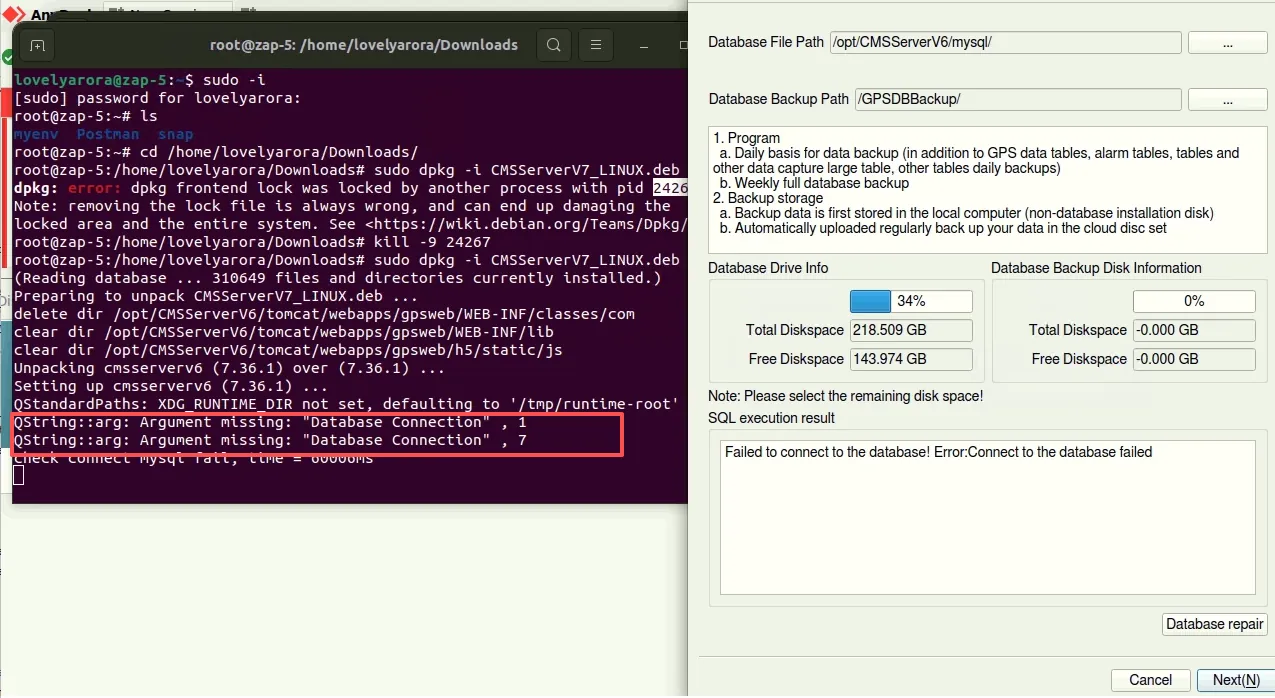
Cause: The my.cnf configuration file parameters are incomplete
Solution: Copy the my.cnf content from another server and continue the database installation.
2.8 login page cannot be loaded normally

Cause of the problem: encoding the file. file loaded by Tomcat is ASCII
Solution:
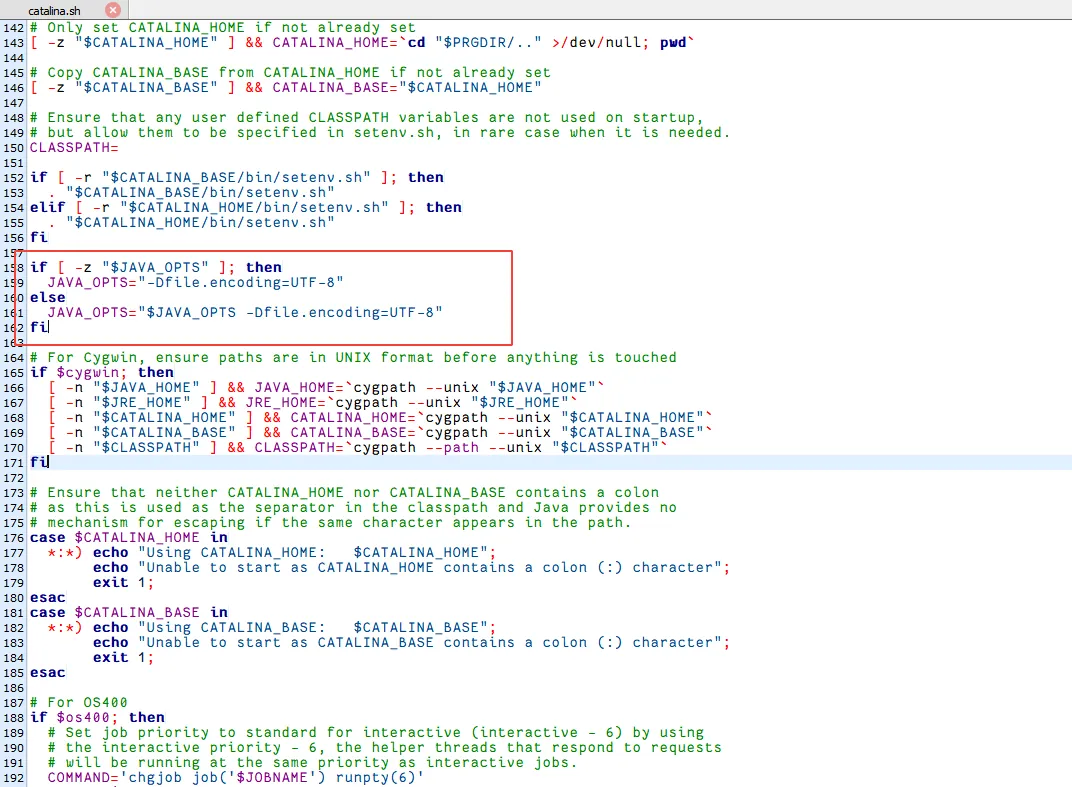
Add the following content to the /opt/CMSServerV6/tomcat/bin/catalina.sh file to restart the web service
if [ - z "$JAVA_OPTS" ]; then
JAVA_OPTS="- Dfile.encoding=UTF- 8"
else
JAVA_OPTS="$JAVA_OPTS - Dfile.encoding=UTF- 8"
fi