1 Function Description
Solve problems with centos installing server software
2 Operating Instructions
2.1 the dependency detection fails after executing the installation package
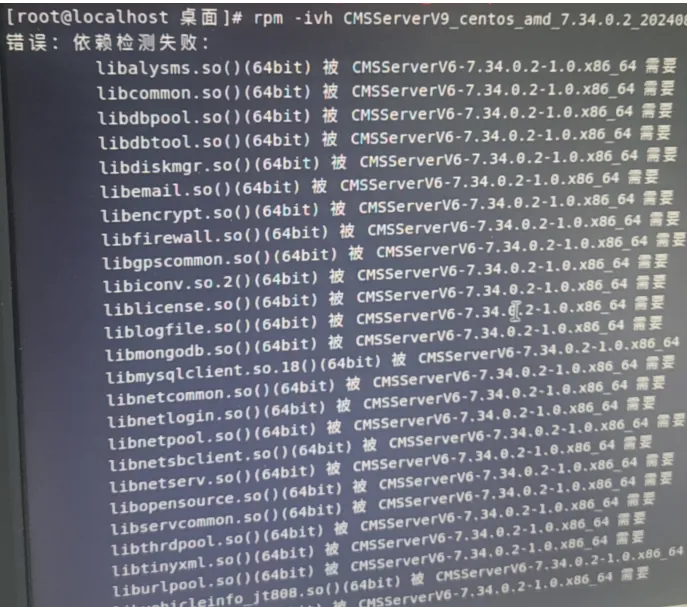
- nodeps ignores check dependencies
- force Ignore check conflict, version
** Solution: Execute the installation command plus the above two commands and ignore the installation. For example: rpm - ivh package name. rpm - - nodeps - - force **
**(Note: - - are two minus sign) **

2.2 Failed to execute the installation package, could not load the Qt platform plug- in "xcb" in "" even though it was found

** Solution: ssh cannot be used for installation. It is necessary to remotely go to the desktop system and then open the terminal. Execute the command: xhost localhost and then execute the installation package **
