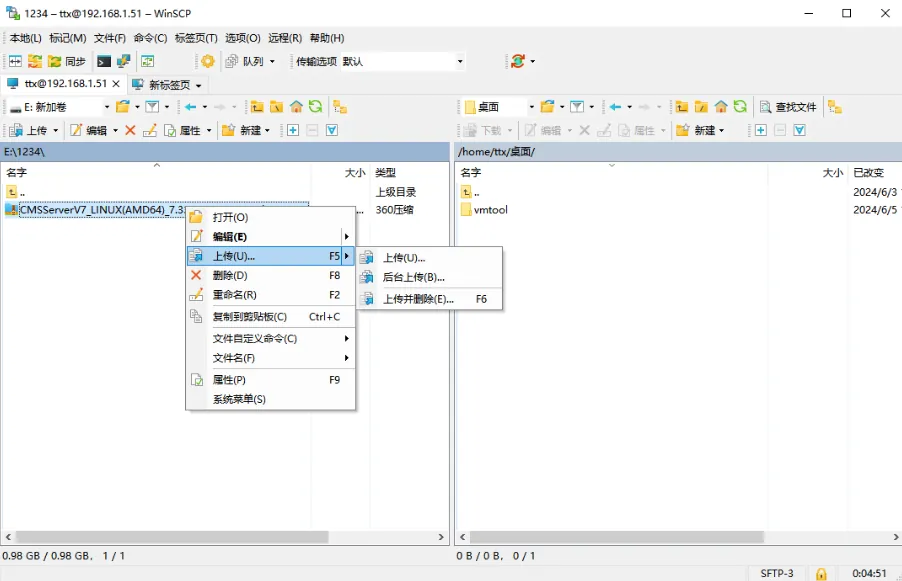
1 Function Description
Unlike Windows servers, Linux servers cannot directly copy the installation package. The document introduces several methods for uploading the installation package to the server.
2 Operating Instructions
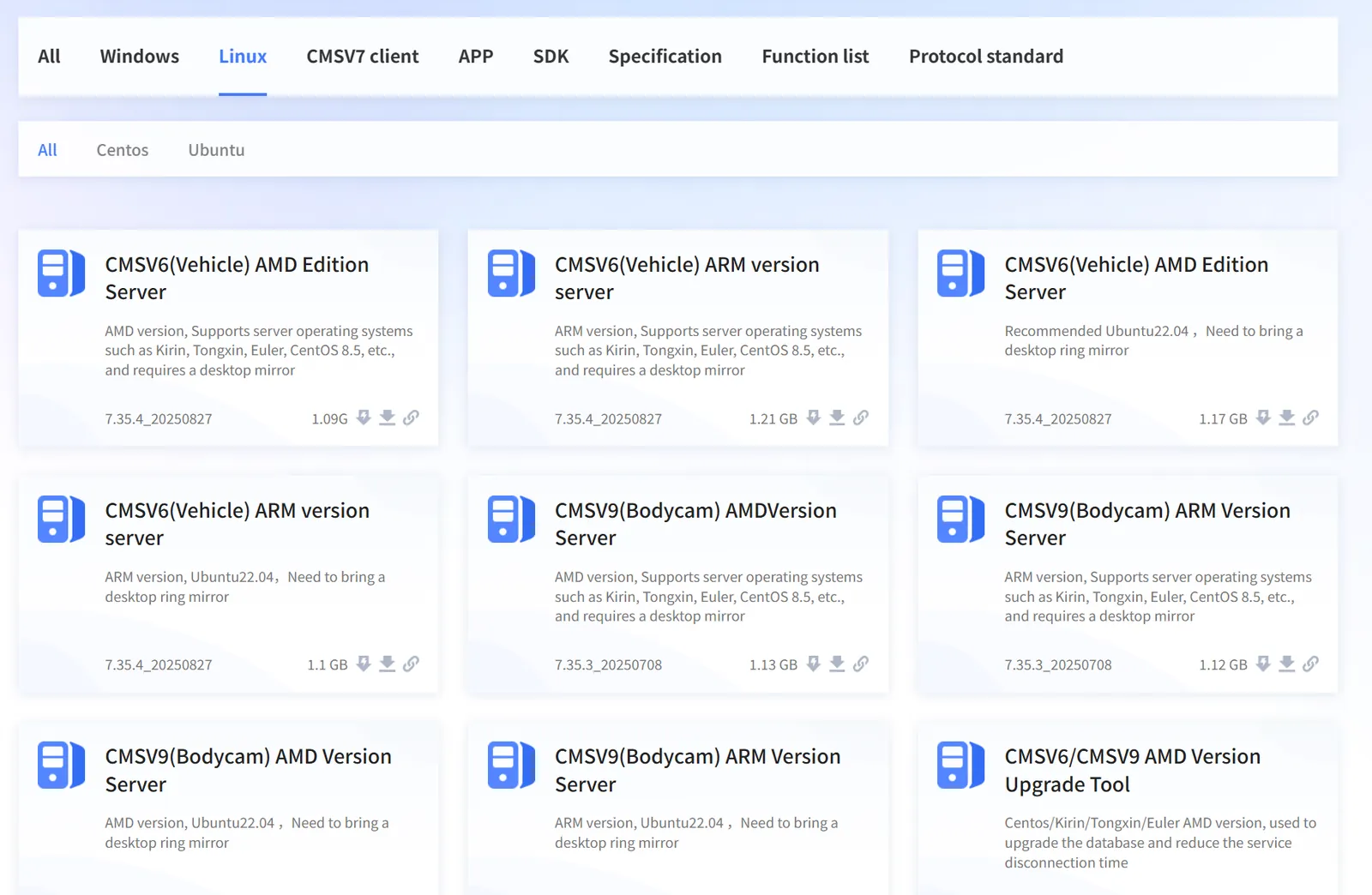
2.1 download using a browser
Visit the download center of the help system: https://help.cmsv8.com download the corresponding type of installation package
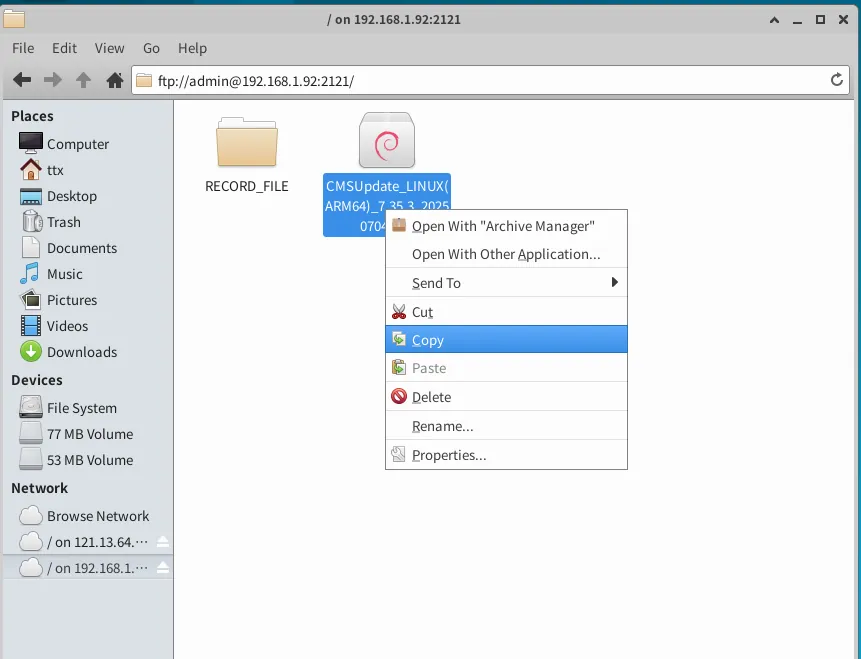
2.2 access the FTP server and copy the installation package
Prepare an ftp server, place the installation package to be uploaded to the server in the FTP server directory, then access the ftp path on the Linux server and copy the installation package to the local server.
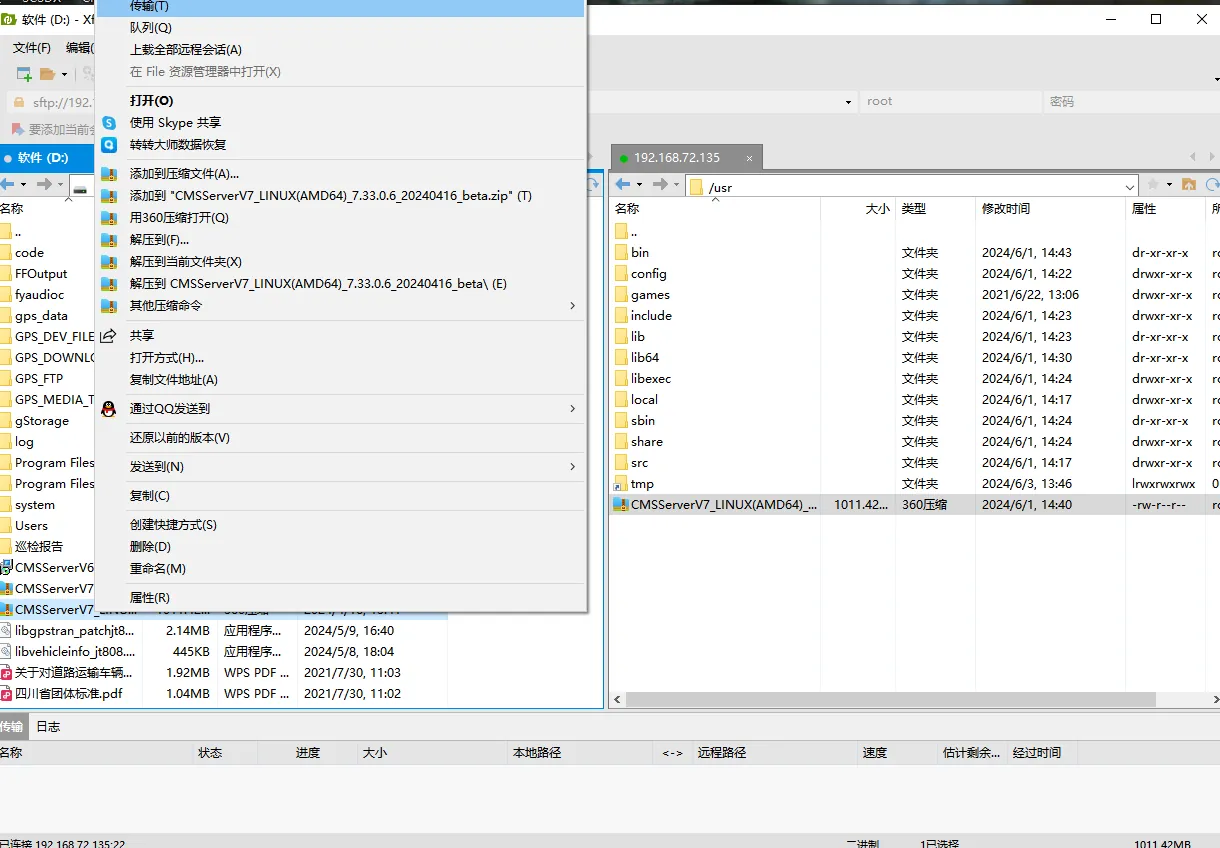
2.3 upload using XFtp tool
Use XFtp to connect to the server and upload the installation package
2.4 upload using WinSCP tool
Use the WinSCP tool to upload the connection server and upload the installation package