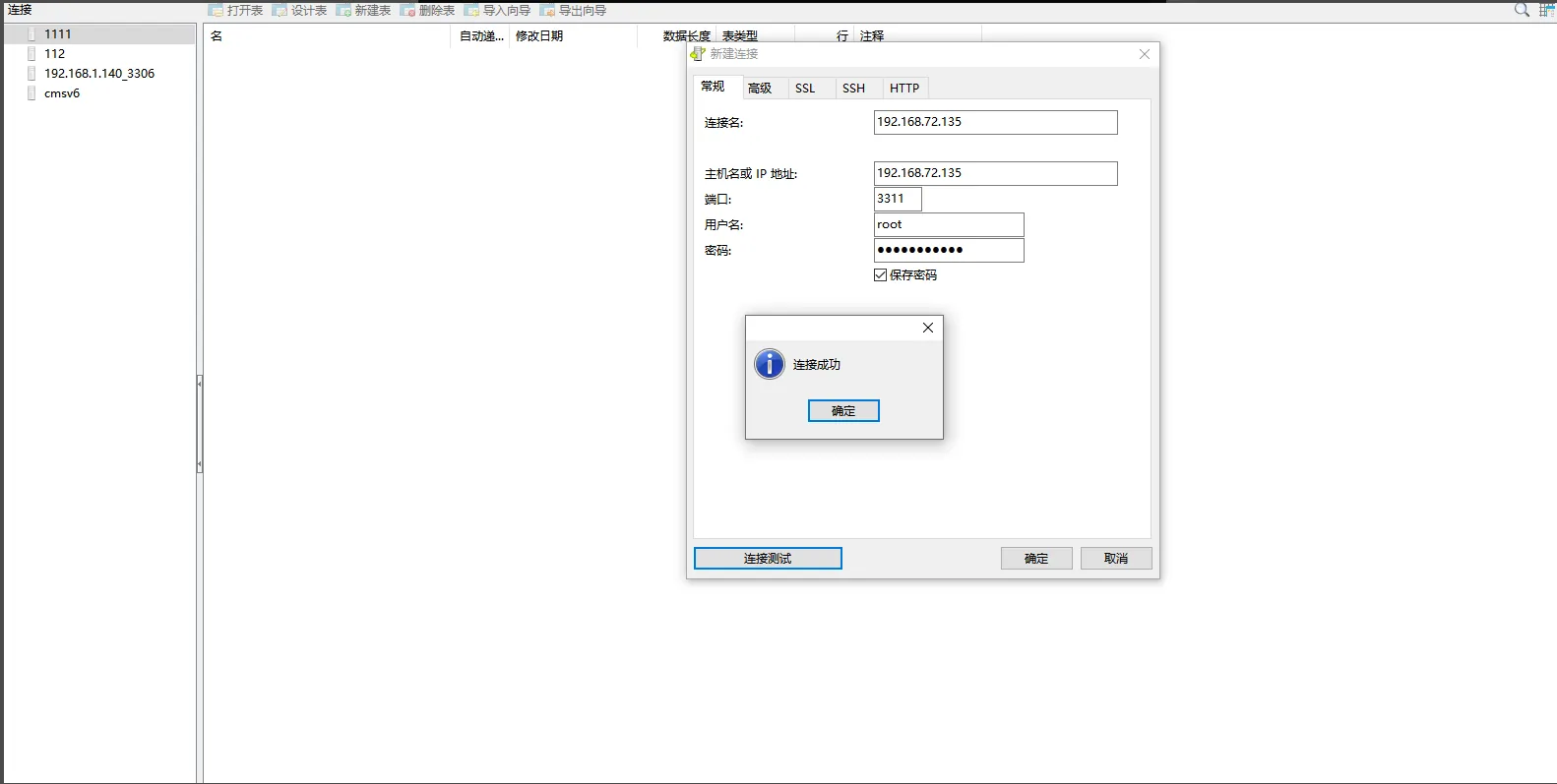
1 Function Description
centos8 enable database remote access
2 Operating Instructions
2.1 modify the my.cn f file
Path: cd /opt/CMSServerV6/mysql
To edit the file vim my.cn f, press I to enter the editing mode, add the symbol# to comment out bind- address = 127.0.0.1, press esc to exit the editing mode, and press shift to add: enter wq to save and exit.
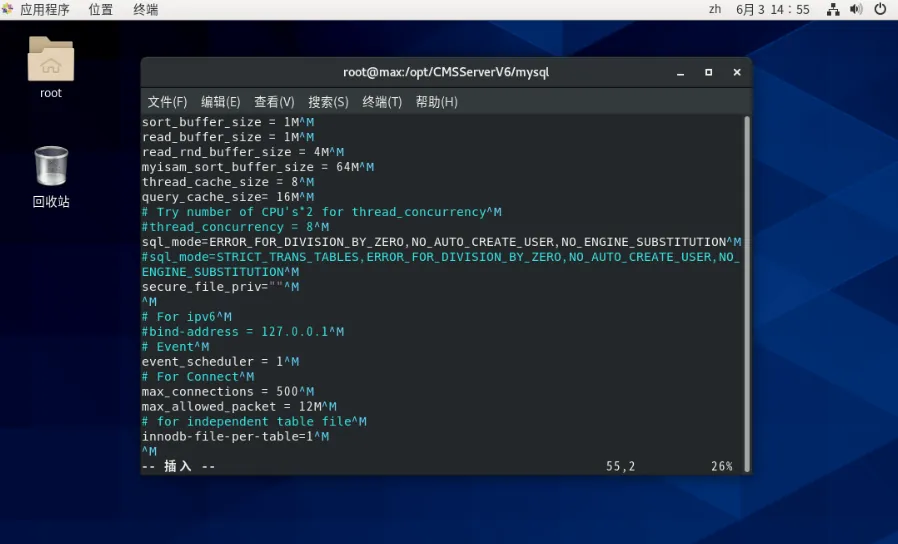
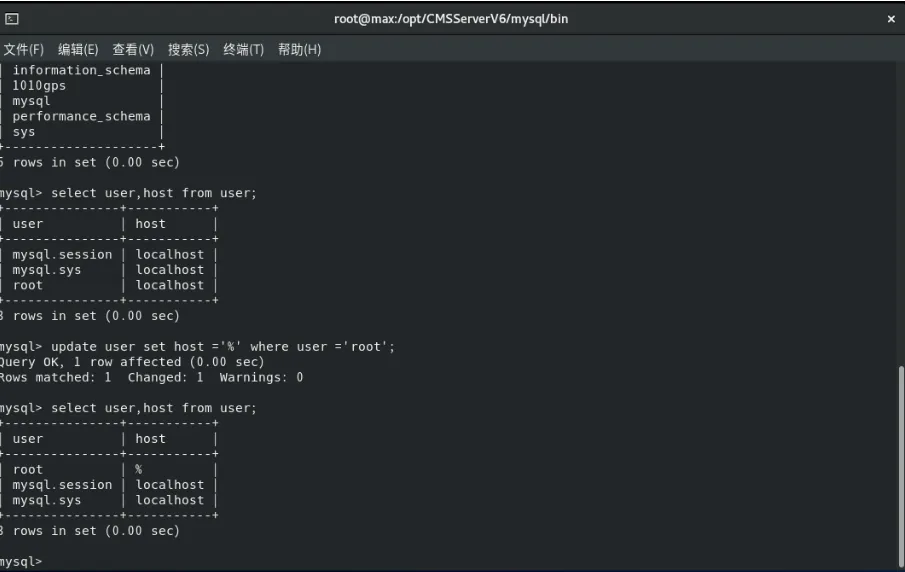
Connect to the database, modify the mysq library user table, and change Host to%
'cd /opt/CMSServerV6/mysql/bin'
'export LD_LIBRARY_PATH =./:$LD_LIBRARY_PATH'
'./mysql - h localhost - u root - p - - socket=/tmp/gpsmysql.sock'
(Note: Error reporting when connecting to the database: ERROR 2002 to execute this command, 5.7 the database to execute the previous command first)
'use mysql ;'
'select user,host from user ;'
'update user set host = '%' where user = 'root ';'
'flush privileges ;'
2.2 the firewall to open the 3311 port
Open port: firewall- cmd - - zone = public - - add- port = 3311/tcp - - permanent
Reload firewall: firewall- cmd - - reload
**(Note: - - are two minus sign) **
2.3 Restart the database
Test Connection