1. Functional Description
Linux system installation VNC remote
2. Operating Instructions
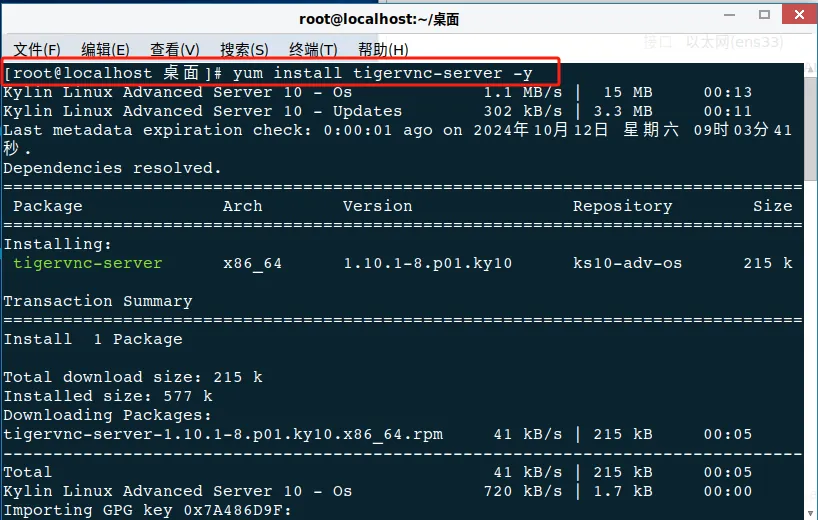
2.1 Open the terminal anywhere and enter yum to install vnc service: yum install tigervnc- server - y (Note: root user is required to install)
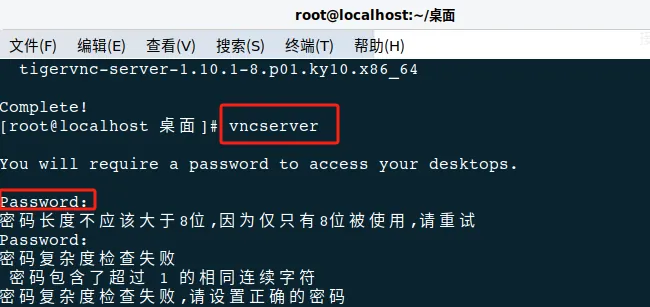
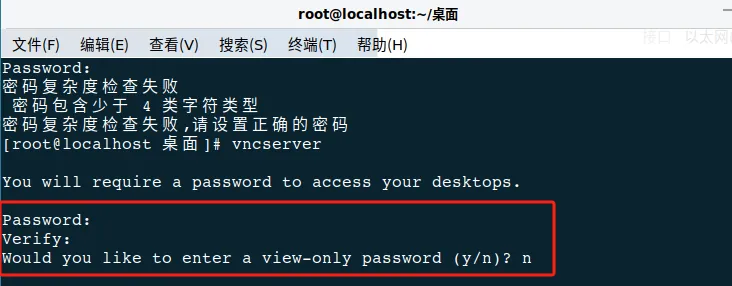
2.2 Enter Command: ** vncserve ** Turn on and configure the vnc service. After turning on, the vnc remote password will be set. The password needs to contain upper and lower case numeric symbols and cannot be repeated or consecutive characters. After the setting is successful, you will need to enter the confirmation password again, and then you will be prompted whether to enter the password available for viewing. This can be entered N
2.3 Configure Firewall
(Choose to turn off the firewall or release the VNC related ports)
2.3.1. Turn off the firewall
systemctl stop firewalld & systemctl disable firewalld
2.3.2. Release the relevant port
firewall- cmd - - add- port=5901/tcp - permanent
firewall- cmd - - reload
