1 Function Description
Kirin Server Deployment Software
2 Operating Instructions
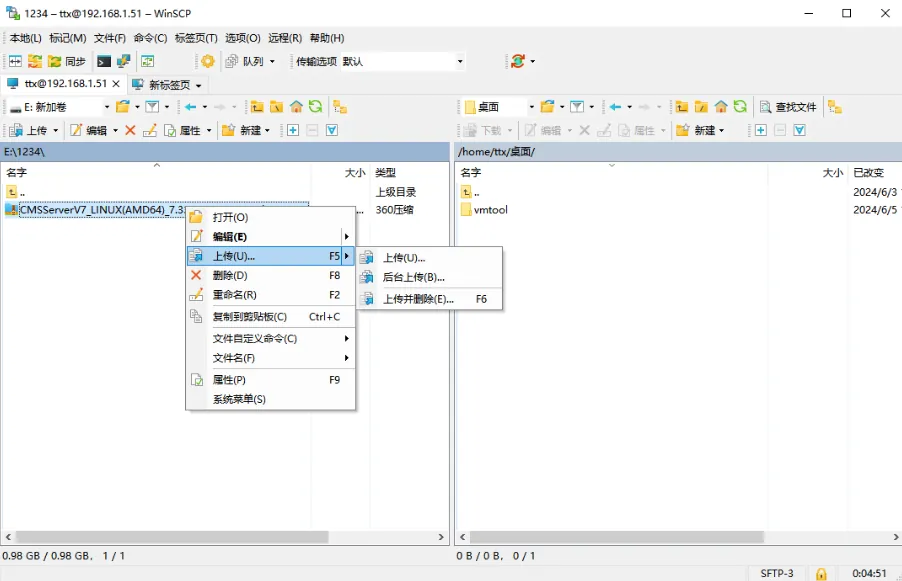
2.1 Use WinSCP to connect to the server and upload the installation package
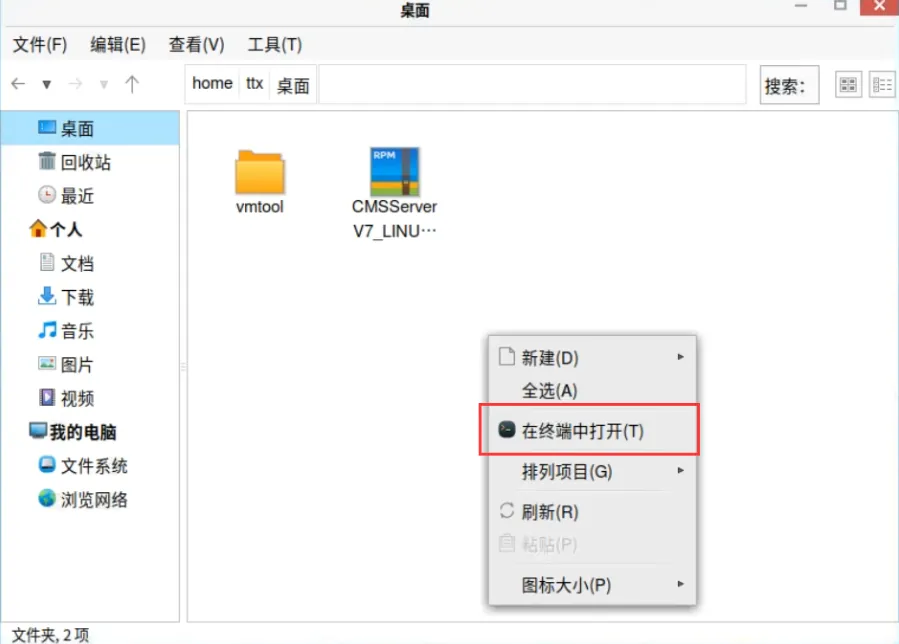
2.2 enter the directory where the installation package is located and open the terminal
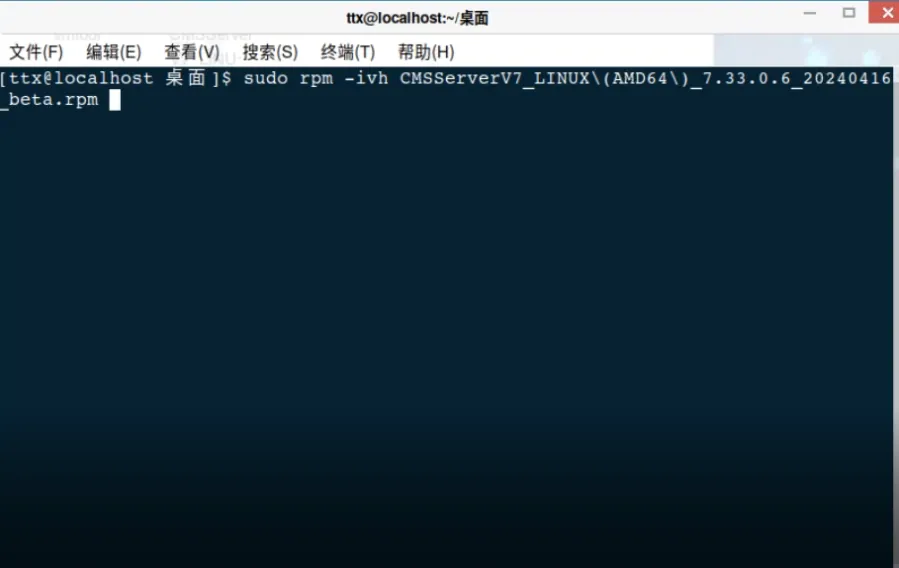
2.3 execute the installation command: sudo rpm - ivh [package name]
Example:
sudo rpm - ivh CMSServerV7_LINUX(AMD64)_7.33.0.6_20240416_beta.rpm
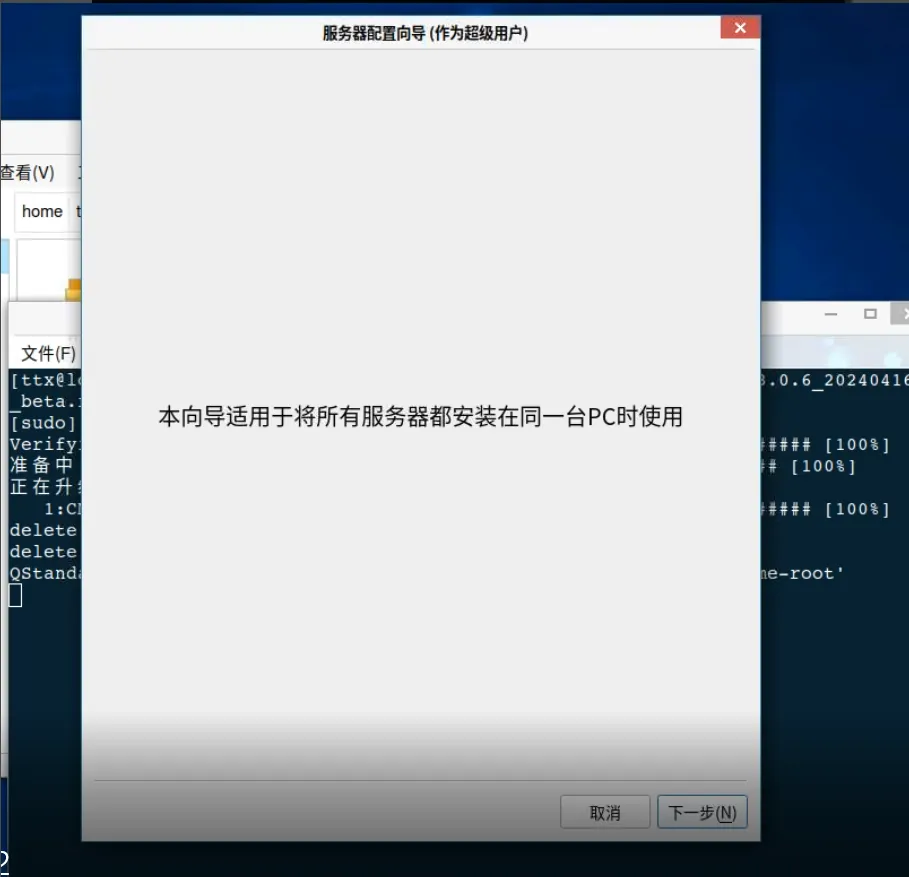
2.4 Wait for the installation to complete to enter the wizard and click Next
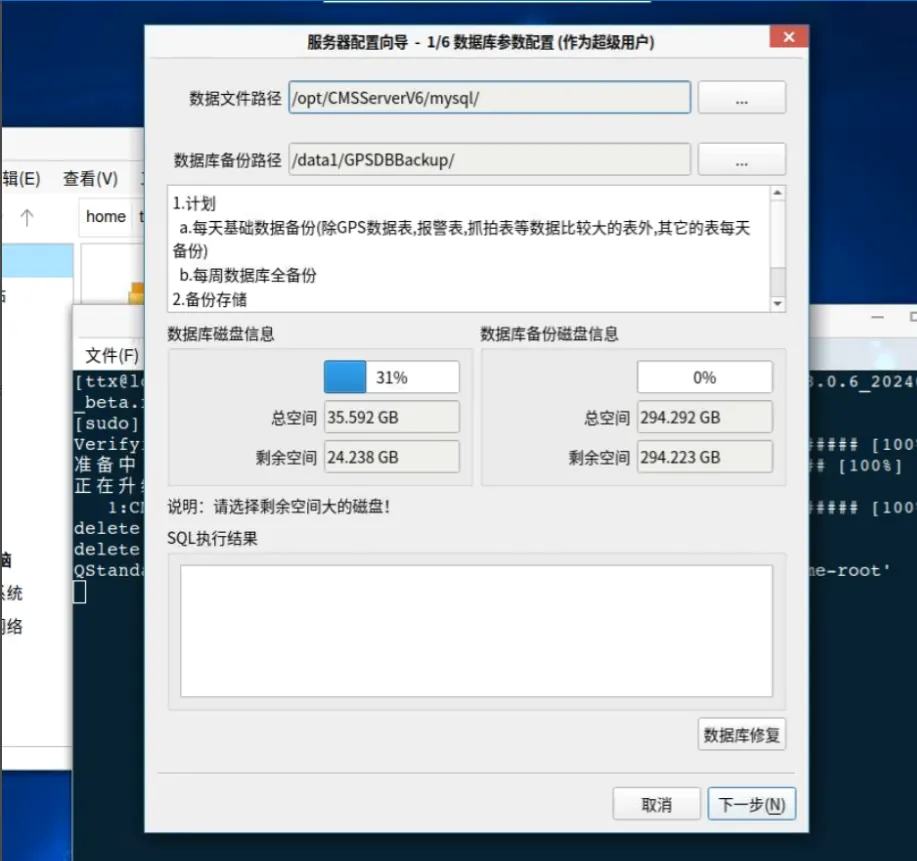
2.5 select the database file path and database backup path, and click Next
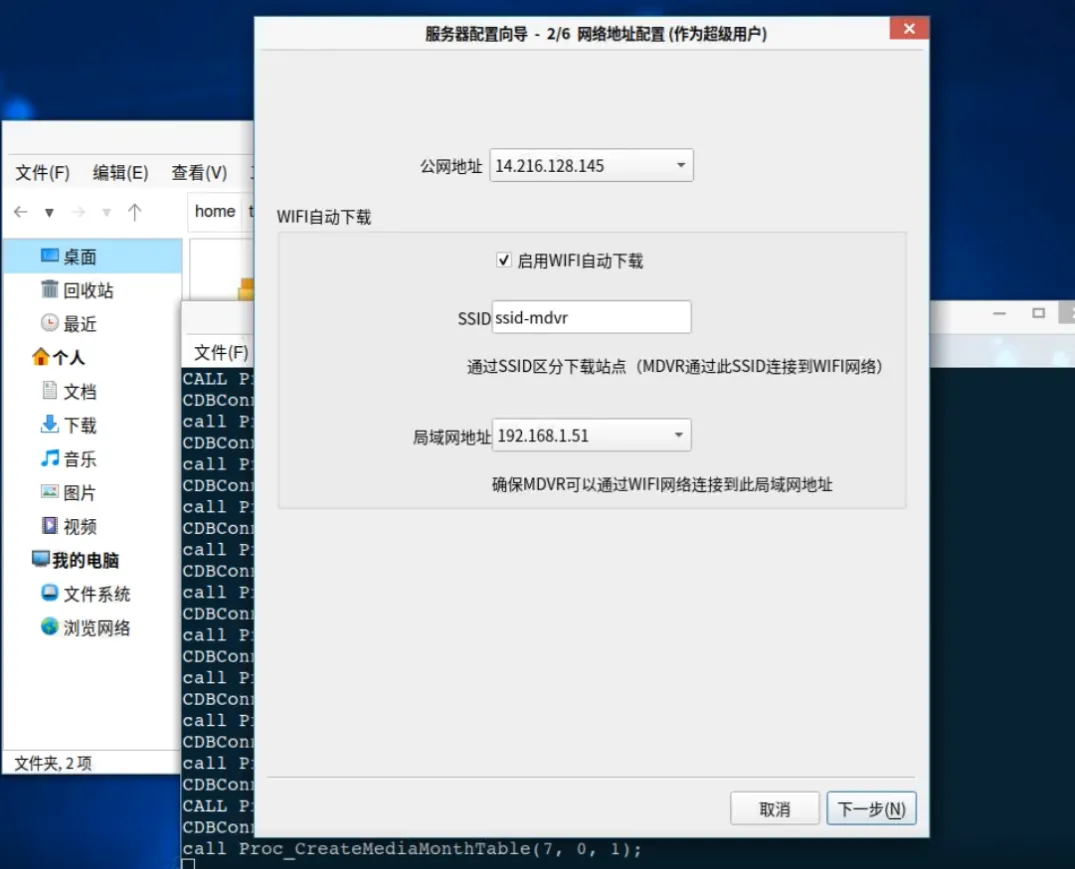
2.6 confirm that the network address configuration is correct and click Next
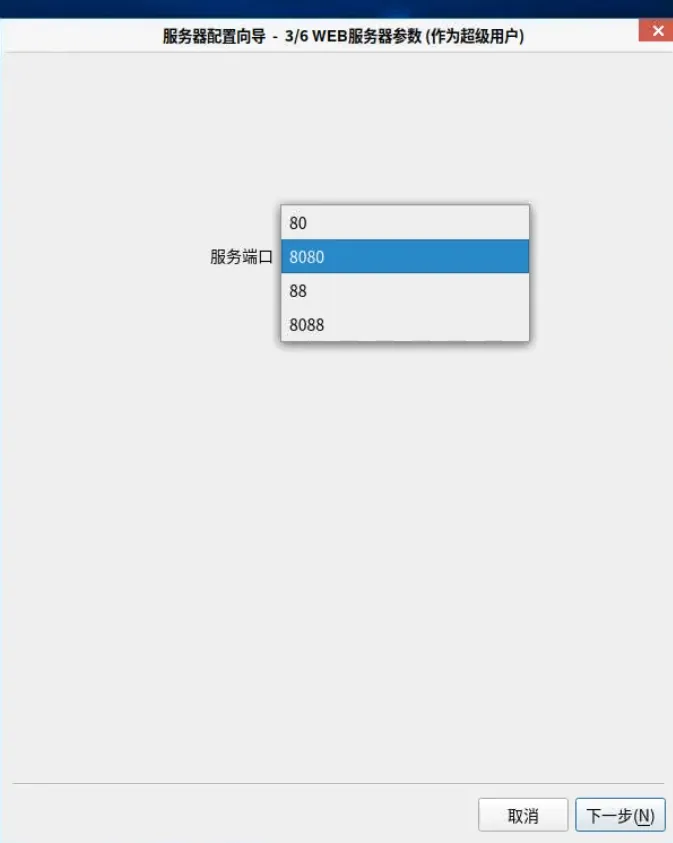
2.7 select web service port
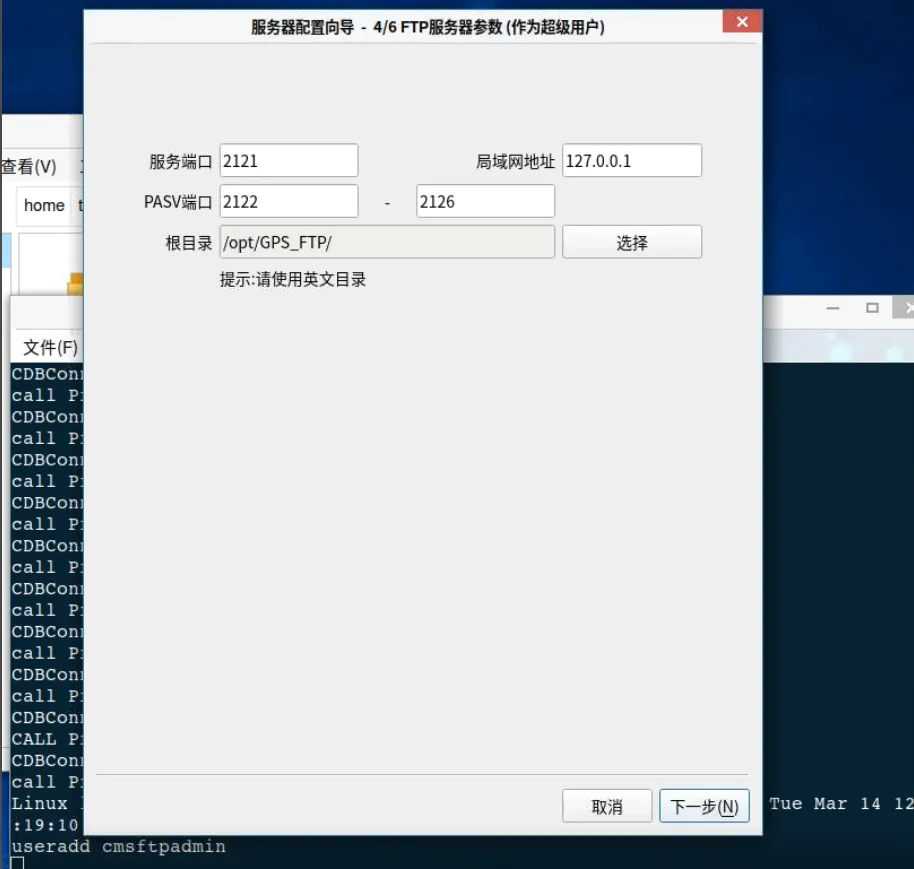
2.8 Click Next
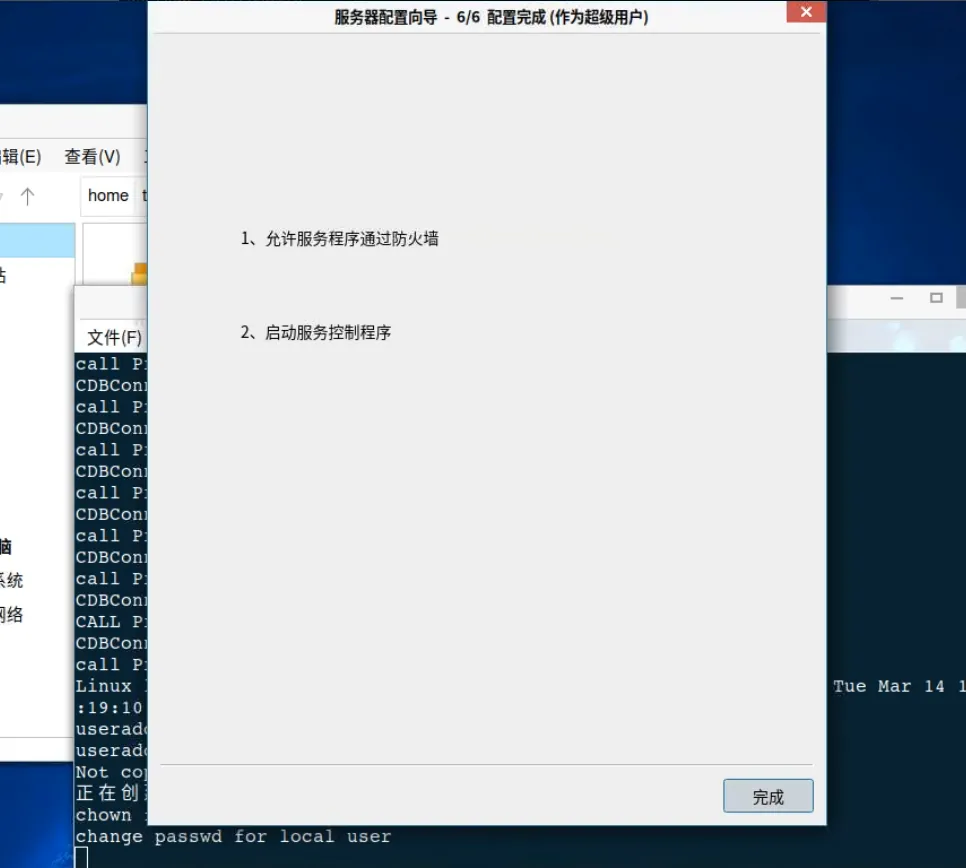
2.9 complete
3 Notes
-
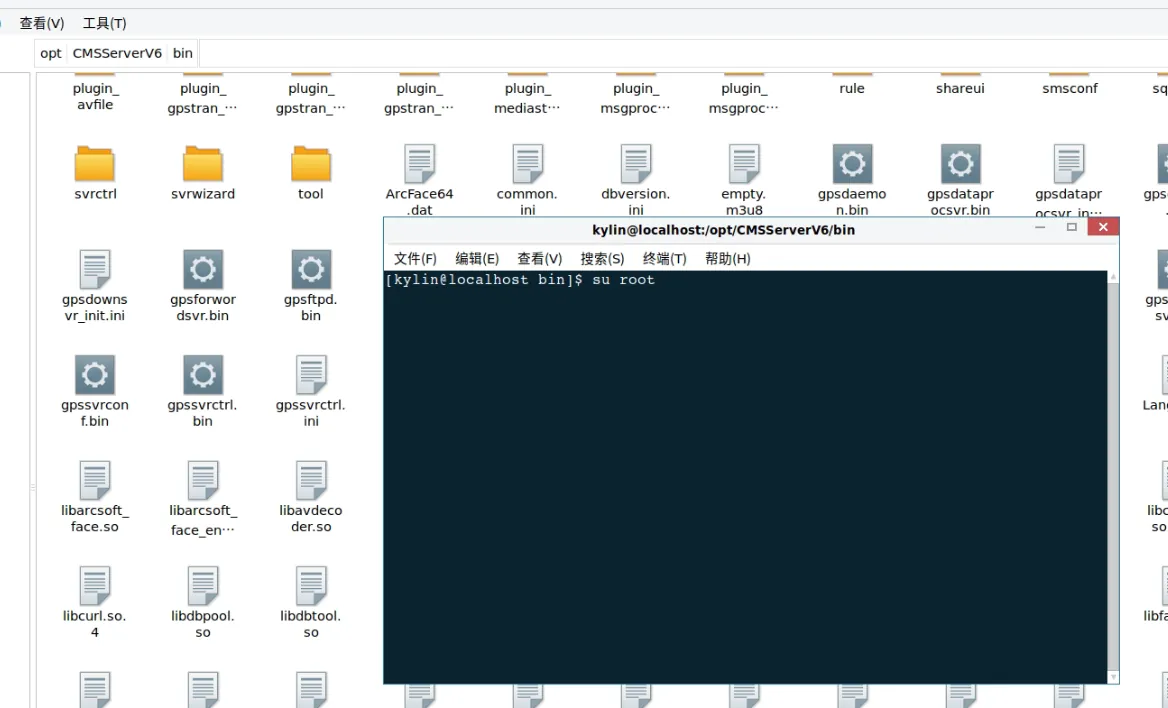
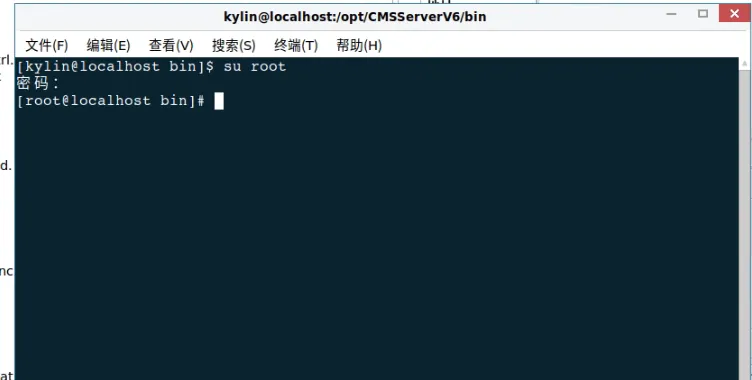
1、 The server software must be started by the root user
-
2、 Re- enter the wizard: Execute 'sudo gswzd' anywhere'
- 3、 Re- enter the service controller: Execute 'sudo gsctl' anywhere'
- 4、Uninstall software: 'sudo rpm - e CMSServerV6'
- 5、Individual operating systems may not support sudo instructions and directly execute the following instructions, such as' gsctl'
