1 Function description
- Ubuntu deploys server software
- Ubuntu system version requirements:
It is recommended to use Ubuntu 22.04 and above operating systems, and systems that support Ubuntu 16.04 and above
need to have a desktop environment, and it is recommended to use the gnome desktop
link: https://releases.ubuntu.com/22.04/
2 Operating instructions
2.1 Install the v6 package
-
1、Go to the folder where the package is located and open the terminal
(or open the terminal in any position, and the path switches to the location of the v6 installation package) -
2、Execute the installation command: sudo dpkg -i [package name]
Example:
```sudo dpkg -i 'CMSServerV7_LINUX(AMD64)_7.33.0.1_20240308_deta.deb'

- 3、After the installation is completed, the wizard will automatically pop up, and after the wizard is completed, the service controller page will pop up and the operation steps will be completed
- 4、Re-wizard
(1) to enter /opt/CMSServerV6/bin
(2) sudo ./gpssvrwizard.bin
- 5、Restart the server controller
(1) and go to /opt/CMSServerV6/bin
(2) to executesudo ./gpssvrctrl.bin
## 2.2 Enable remote access for Mysql
- 1、Modify my.cnf file
route: /opt/CMSServerV6/mysql
Edit executable commands:
Add symbol # comment out: bind-address = 127.0.0.1sudo vi my.cnf

- 2、 Modify the user table of mysq library, change Host to %
cd /opt/CMSServerV6/mysql/bin
export LD_LIBRARY_PATH=./:$LD_LIBRARY_PATH
./mysql -h localhost -u root -p --socket=/tmp/gpsmysql.sock
use mysql;
select user,host from user;
update user set host = '%' where user = 'root';
flush privileges;
- 3、Firewall opens port
3311 for ubuntu system:
sudo ufw allow 3311/tcp
- 4、 After the operation is complete, restart the MySQL database server

## 2.3 Uninstall the v6 installation package

Uninstall command: or
Note: dpkg -r keeps the files listed in conffiles, and if they are manually deleted, they will not be re-added on the next installation; If dpkg -P is executed again, it will be added again for the next installation;
dpkg -P does not keep the files listed in conffiles, which will be re-added for the next installationsudo dpkg -r cmsserverv6sudo dpkg -P cmsserverv6

## 2.4 CMS_Update upgrade tool
- 1、Upgrade tool installation
sudo dpkg -i [Package Name]
Example:```sudo dpkg -i 'CMS_Update_WIN_7.31.0.3_20231218.deb'```

- 2、Reopen the upgrade tool
(1)opt/cms_update/bin
(2)Sudo ./gpsupdate.bin
- 3、 Uninstall the upgrade tool
```sudo dpkg -P cmsupdate
3 Precautions
-
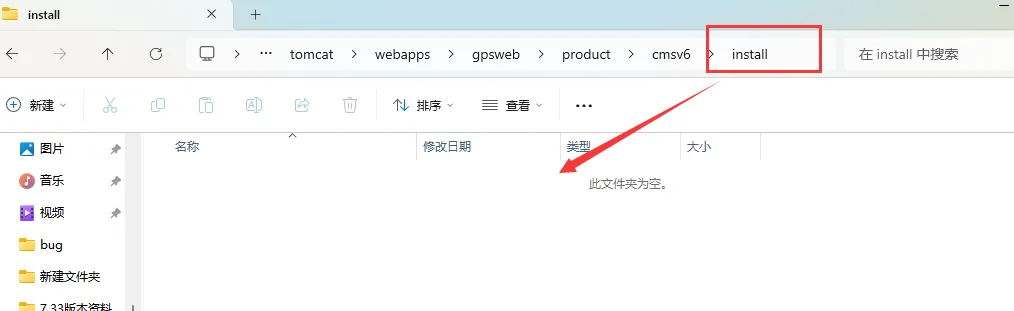
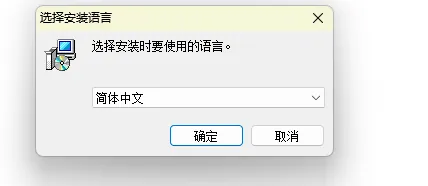
1、When installing linux, there is no selection of the installation language interface (and there is no upgrade tool), and you will jump directly to the wizard page
-
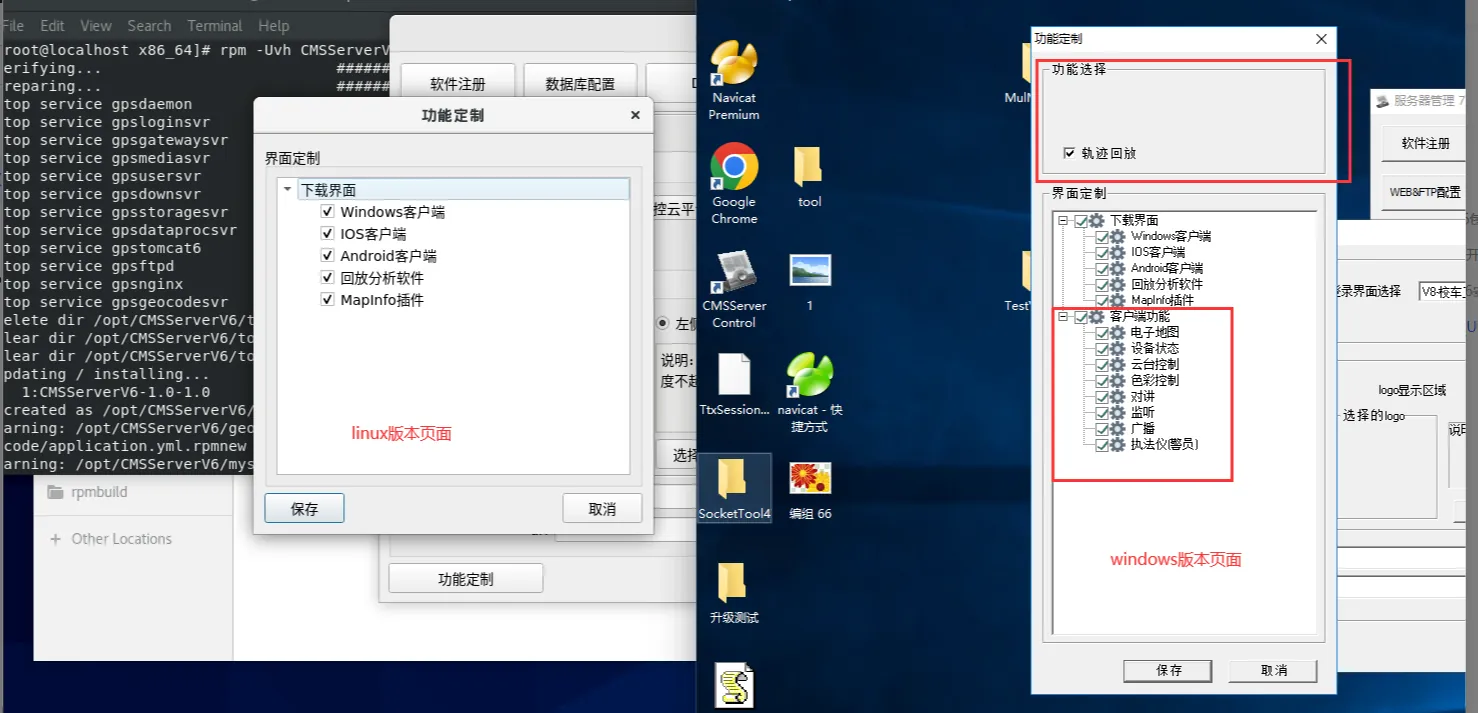
2、Service Controller->DIY-> function customization, Linux server pop-up box does not have: track playback/client function
-
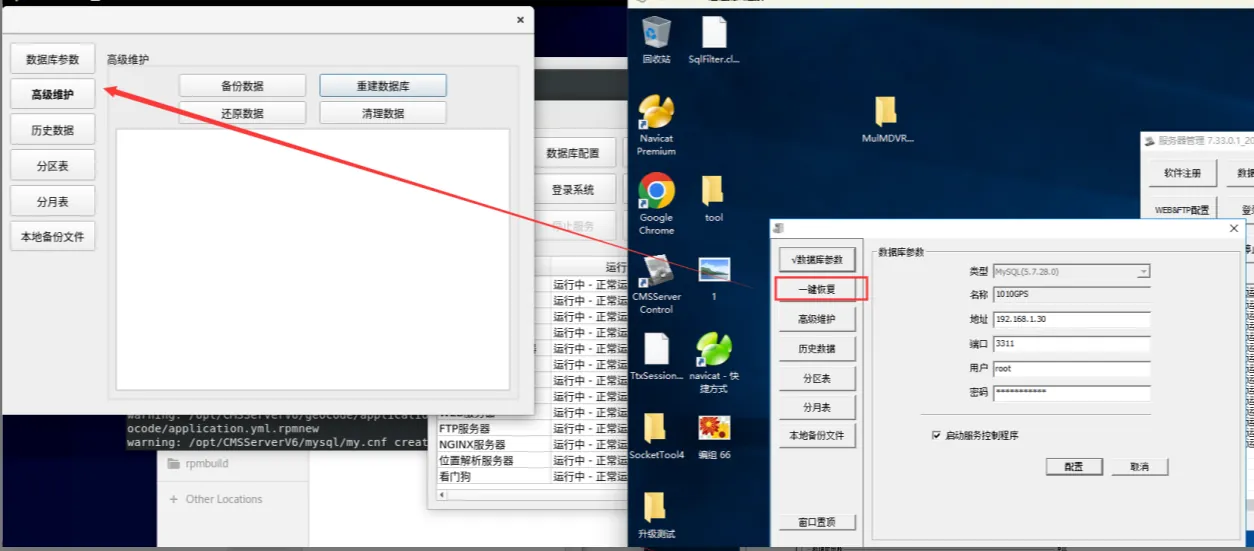
3、 Service Controller-> Database Configuration There is no one-click recovery function on the pop-up page of the Linux server
-
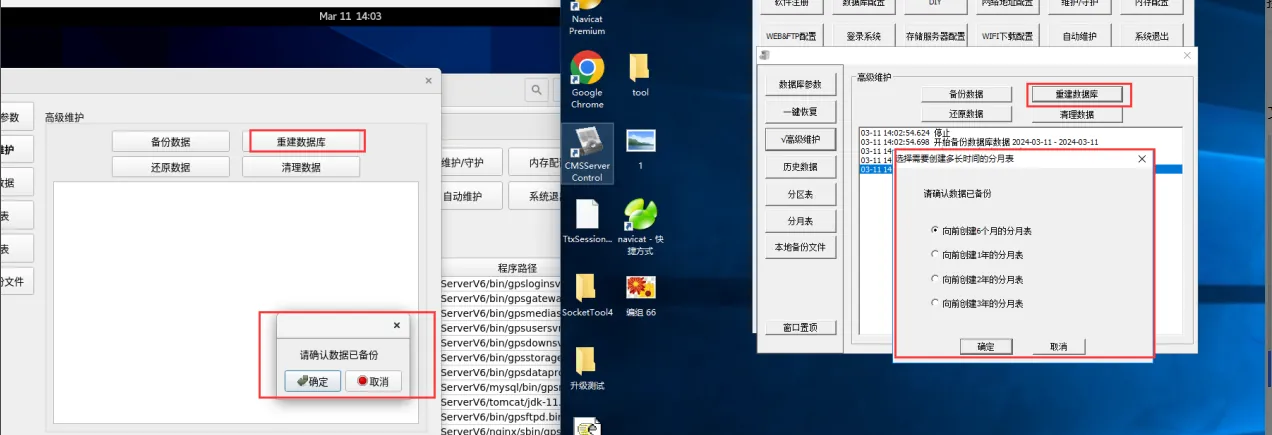
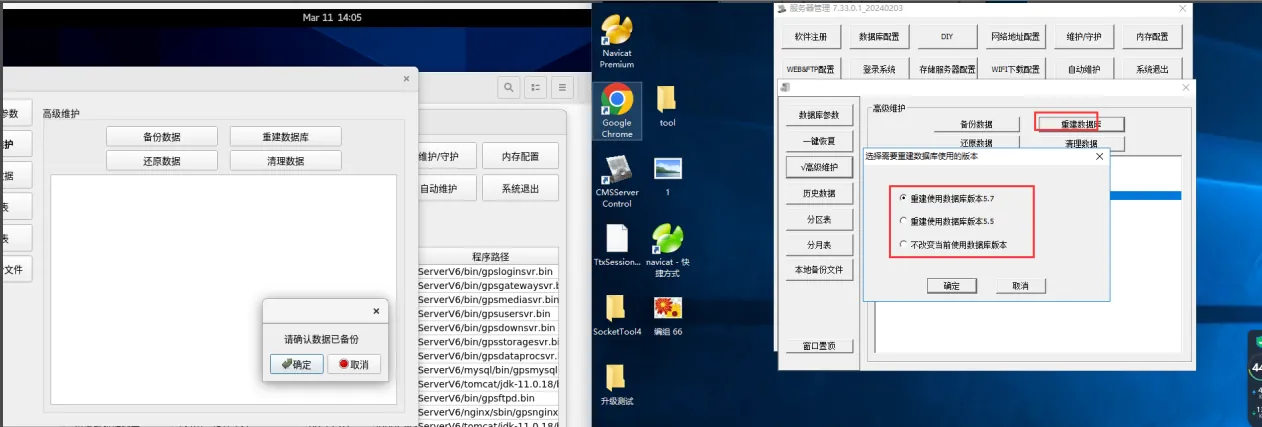
4、 Service Controller - > Database Configuration - > Advanced Maintenance The Linux server clicks Advanced Maintenance, and there is no pop-up box for creating a monthly table for n months/rebuilding the database version pop-up box forward, and directly jumps to the OK/Cancel pop-up page
-
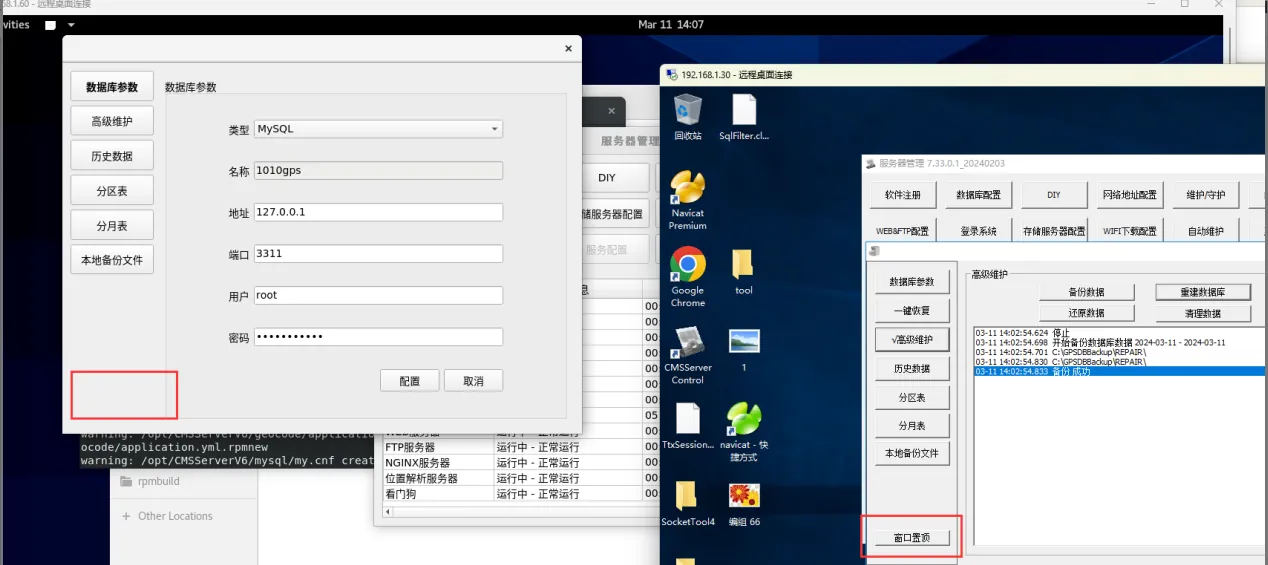
5、 In the pop-up box of the > database configuration of the service controller, the Linux server does not have the window-to-top function
-
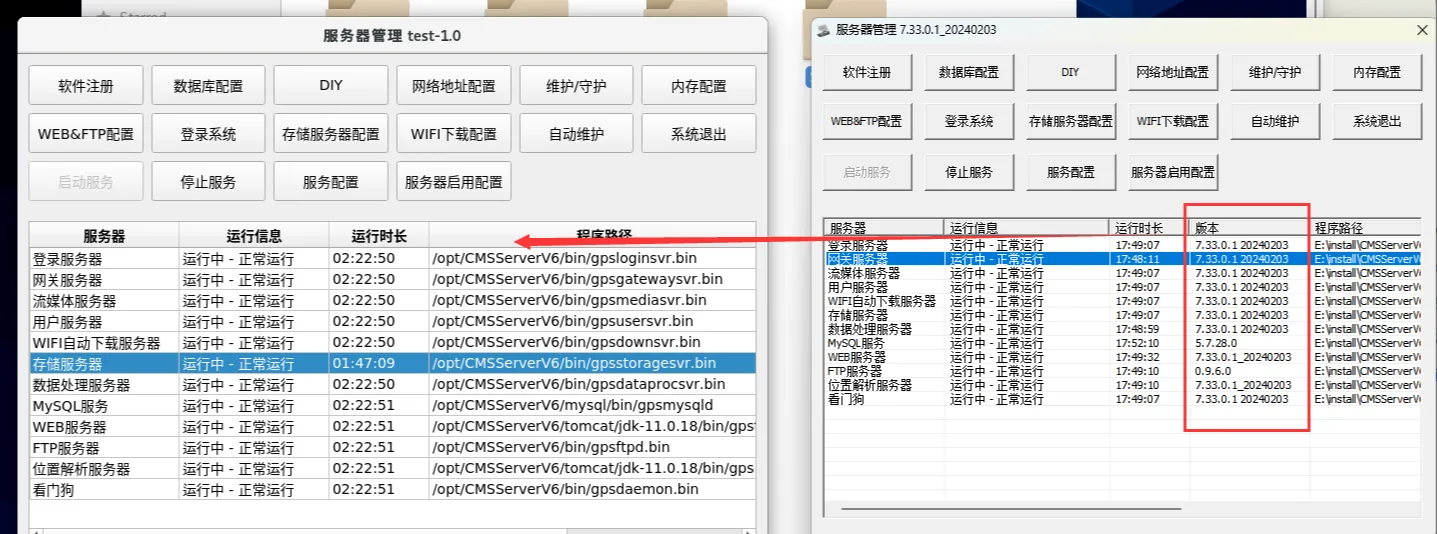
6、 There is no version number on the service control page
-
7、 Overwrite the installation, the previous version product folder pc/player/app will be deleted