1. Function description
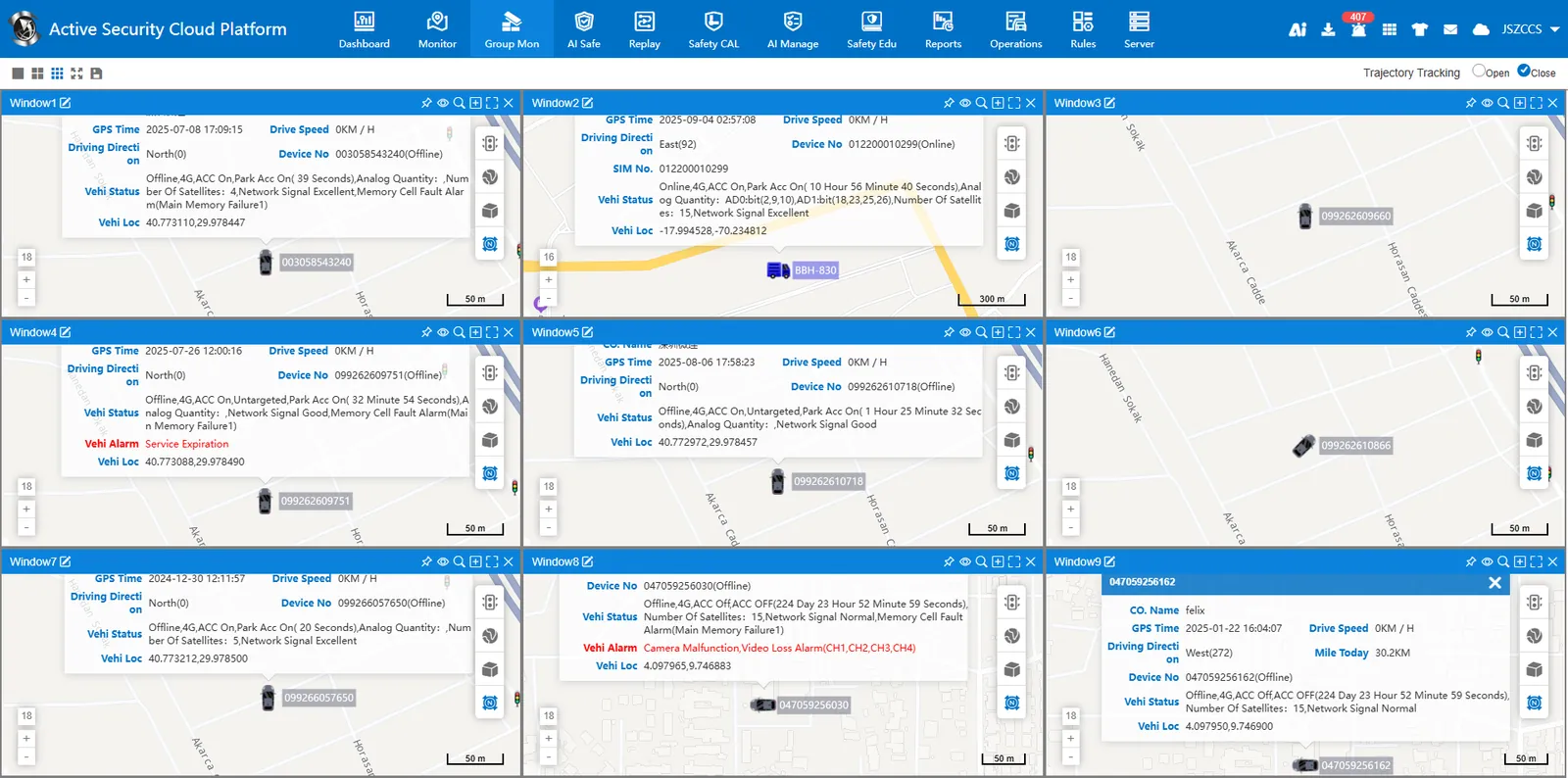
Realize real- time monitoring of multiple vehicles on the same screen, with maximum support for simultaneous monitoring of 9 windows and tracking of running tracks.
2. operating instructions
2.1 select the vehicle to be monitored
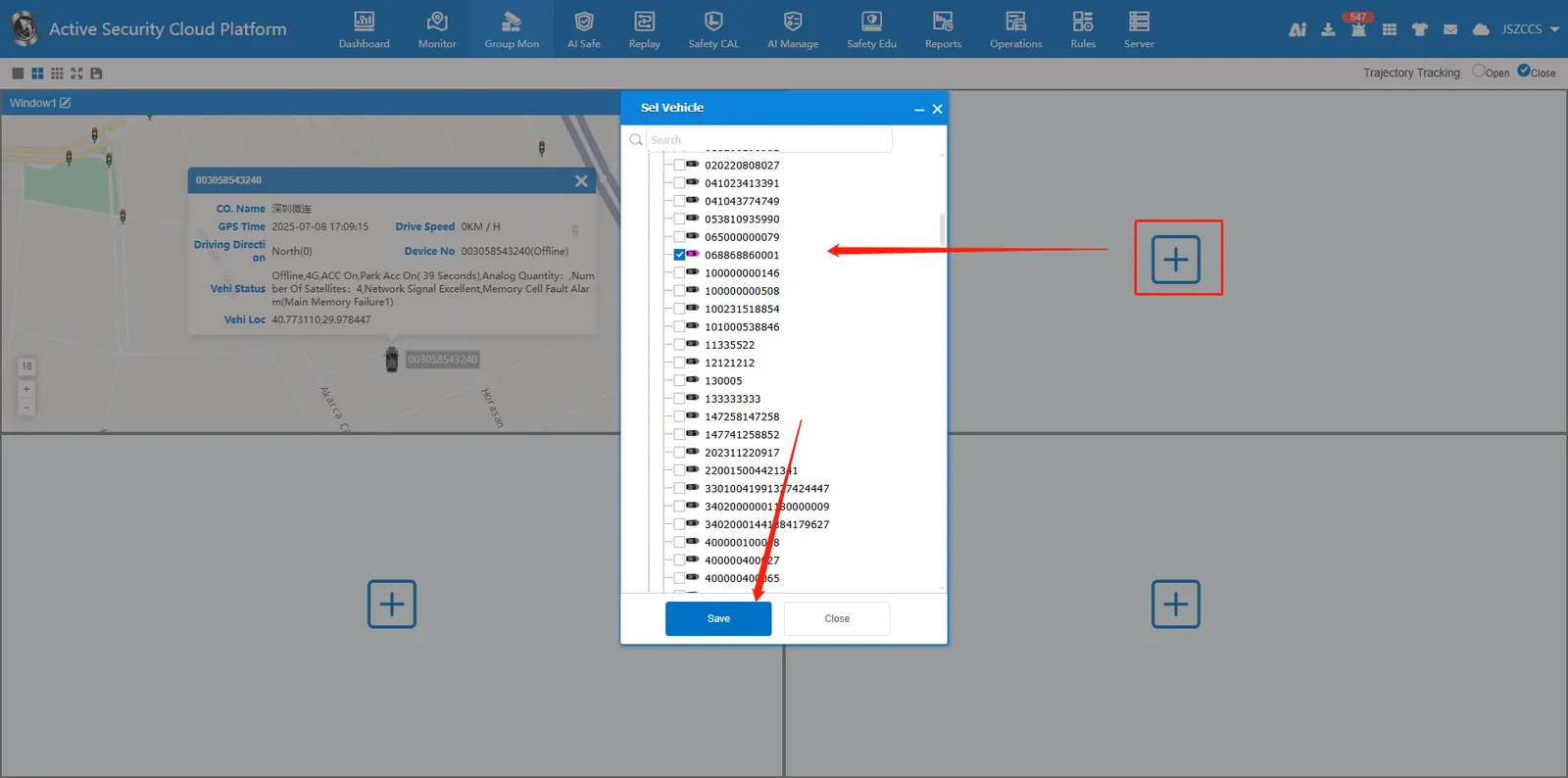
Click in the middle of any window position plus button, pop up window to select the vehicle to be monitored, each window supports multiple vehicles, click to save the real- time positioning of the monitored vehicle.
2.2 window top
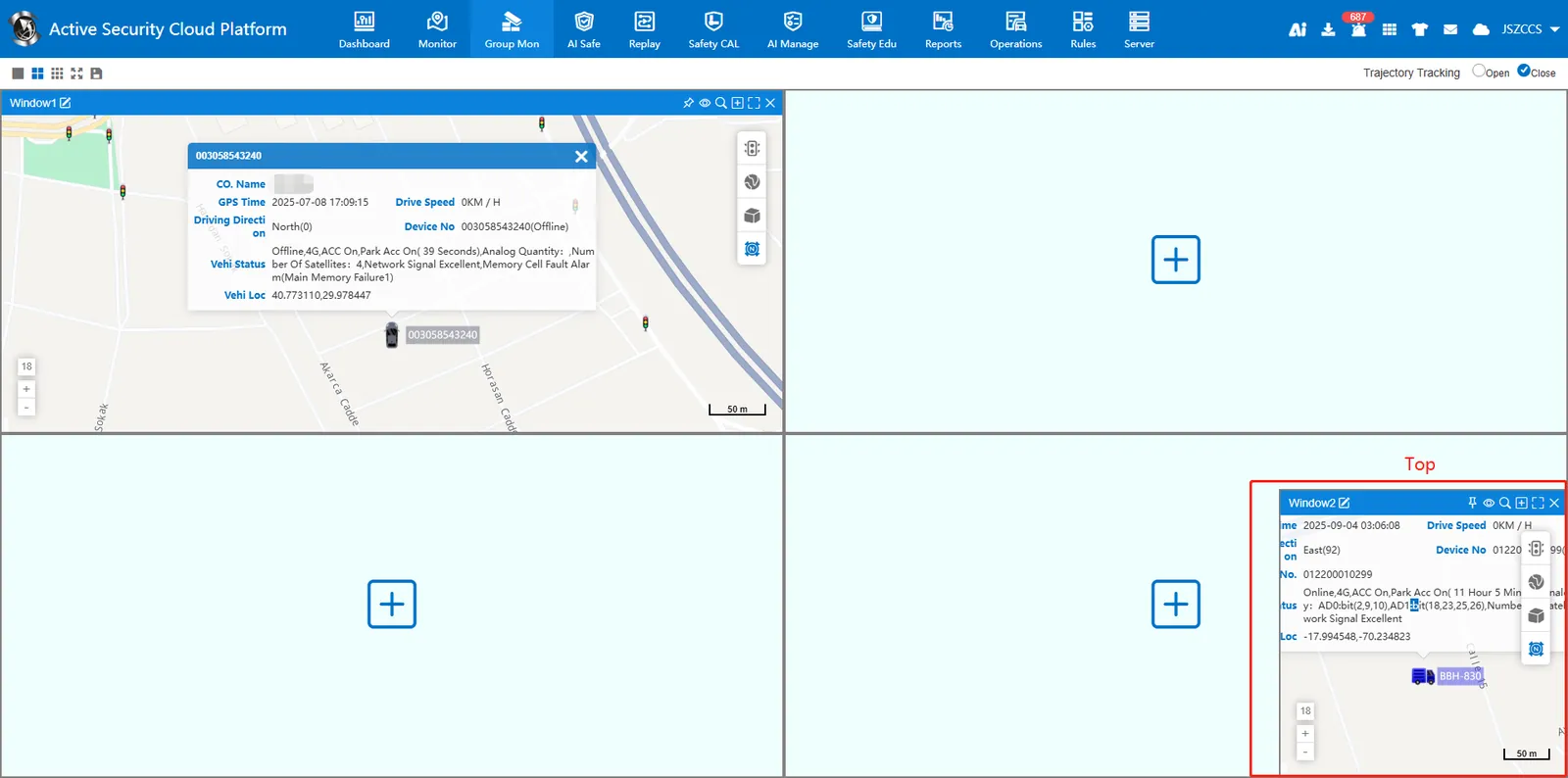
Click on the top right of the window set the top button to display the monitoring window at the top of the lower right corner of the page, supporting arbitrary scaling of the window size.
Click again at the top right of the window the top button cancels the top of the window and restores the monitoring window to its original position.
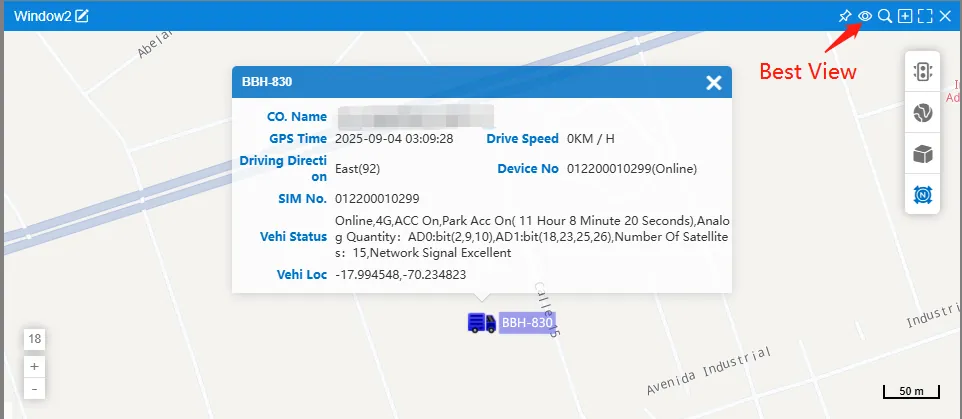
2.3 the best perspective
Click on the top right of the window Eye button, the vehicle is displayed in the center of the best position on the map.
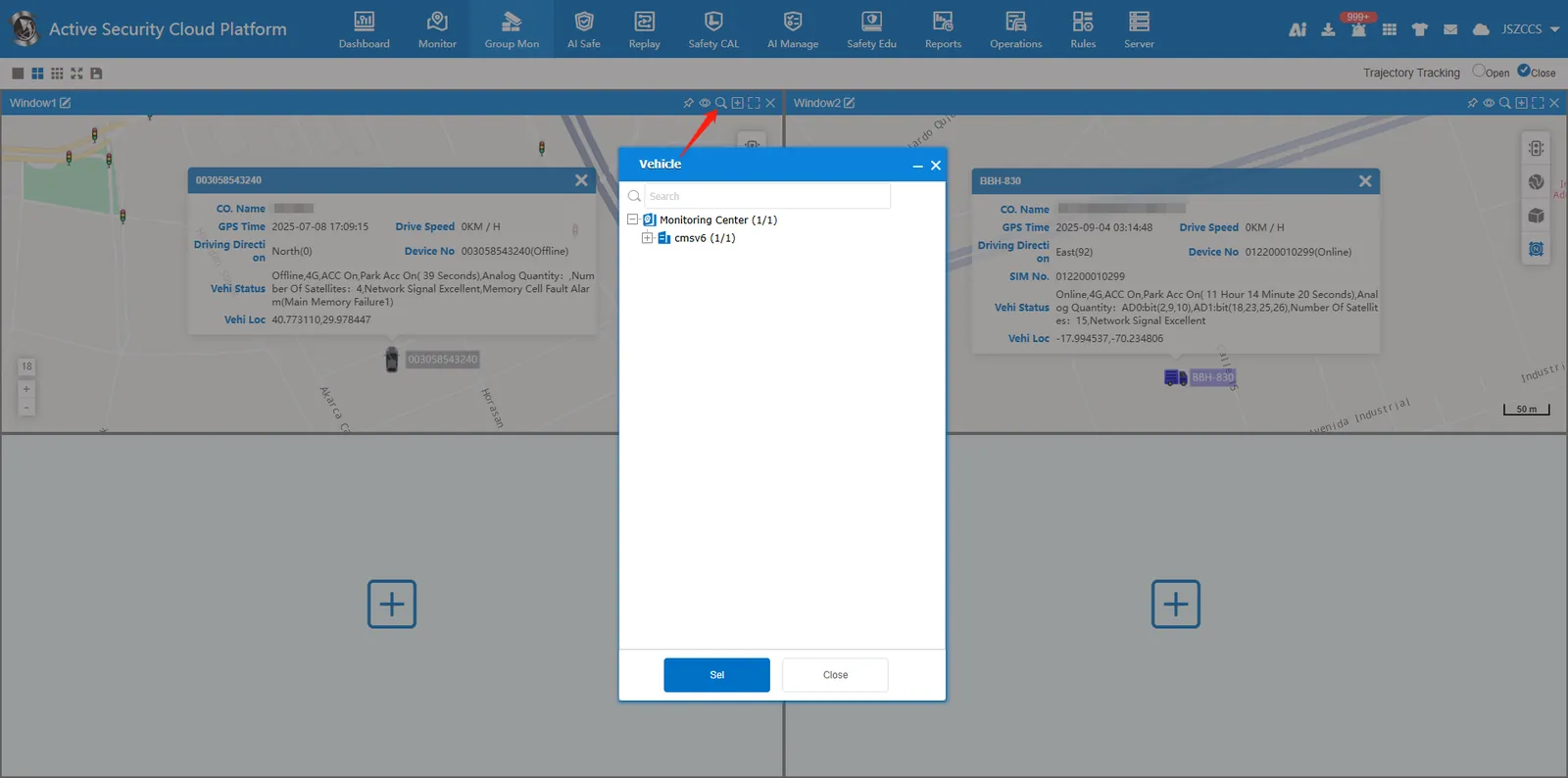
2.4 Find the vehicle
Click on the top right of the window magnifying glass button, the pop- up page shows multiple vehicles monitored under the same window, select the vehicle you need to find, and you can quickly locate the vehicle on the map.
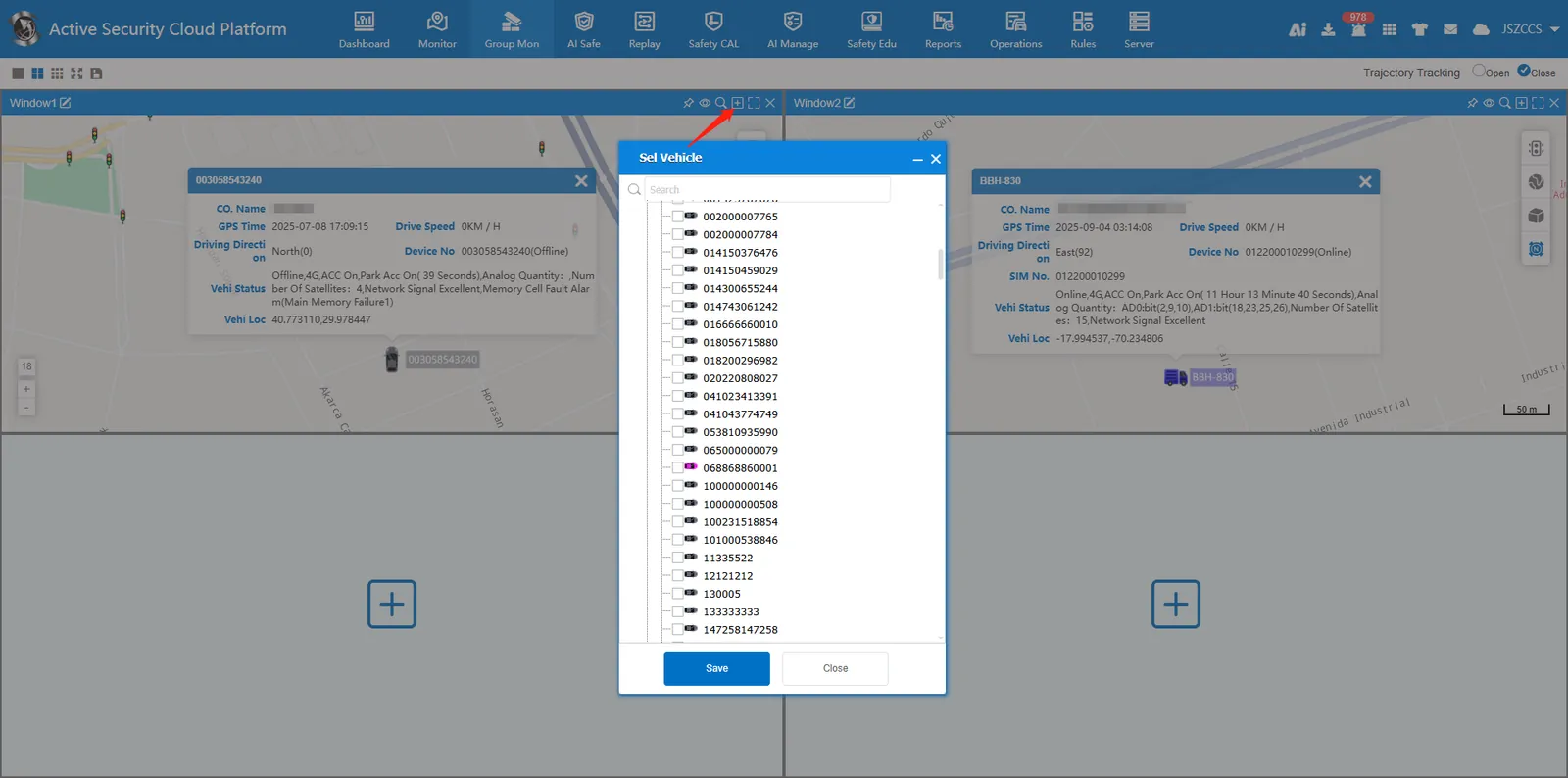
2.5 select vehicle
Click on the top right of the window plus button to reselect the vehicle to be monitored in this window.
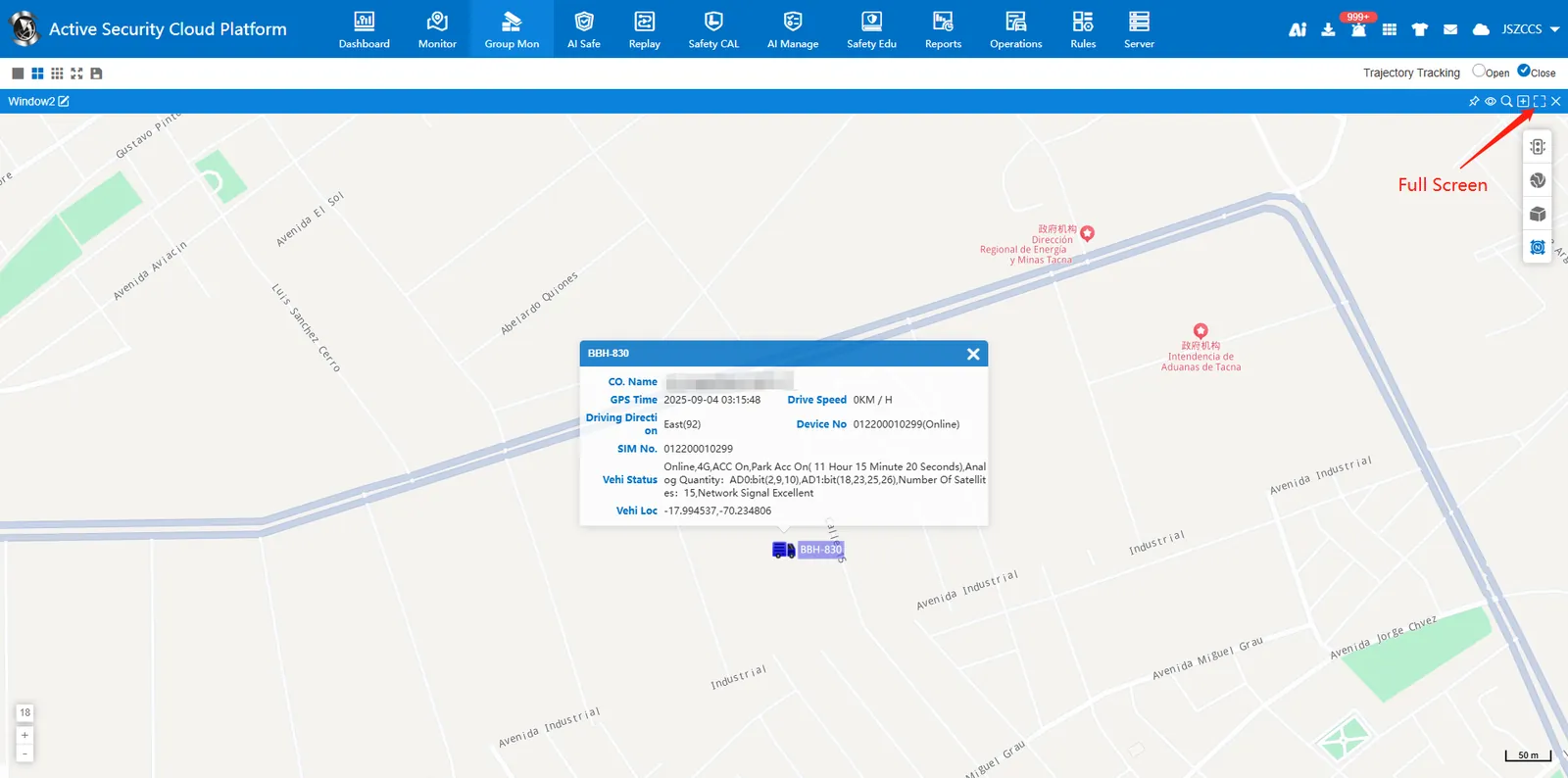
2.6 window full screen
Click on the top right of the window full screen button to enlarge the monitor window.
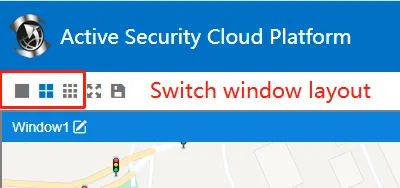
2.7 window layout
The window layout can be switched at the top left of the page. Currently, 4 screens and 9 screens are supported to monitor vehicles at the same time.
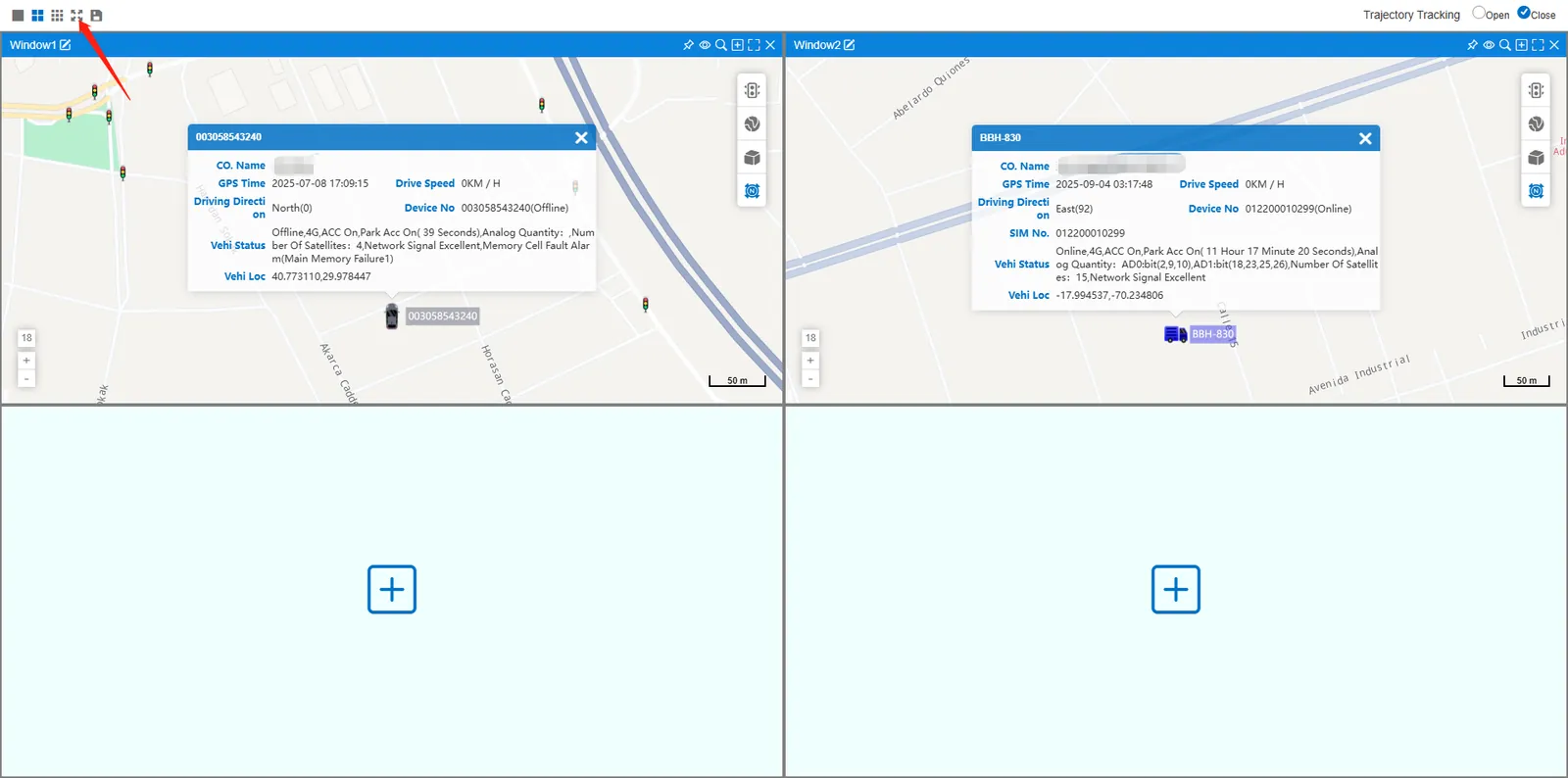
2.8 interface full screen
Click on the top left of the page full screen button to display the group monitoring interface in full screen.
2.9 save configuration
Click on the top left of the page Save button, the currently monitored vehicles in each window will be saved and take effect. Next time you visit the group monitoring page, the default monitoring has been saved vehicles.
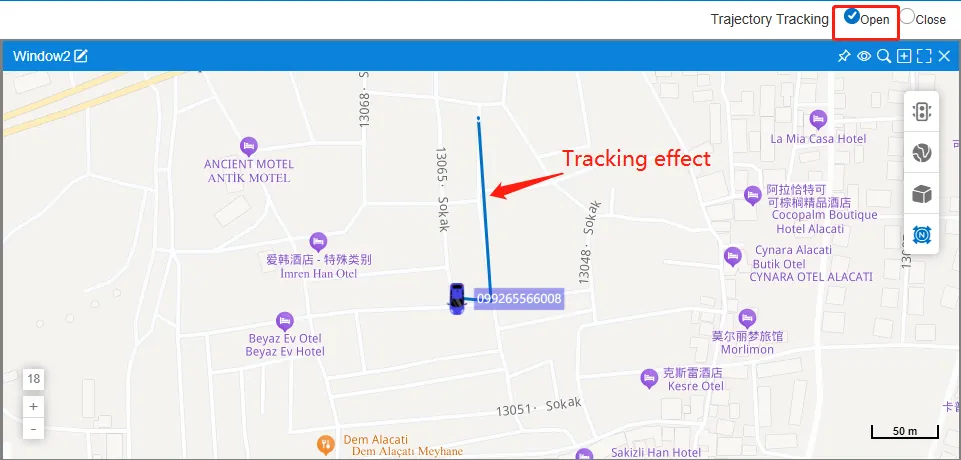
2.10 trajectory tracking
After trajectory tracking is enabled, the vehicle trajectory is drawn on the map in real time.