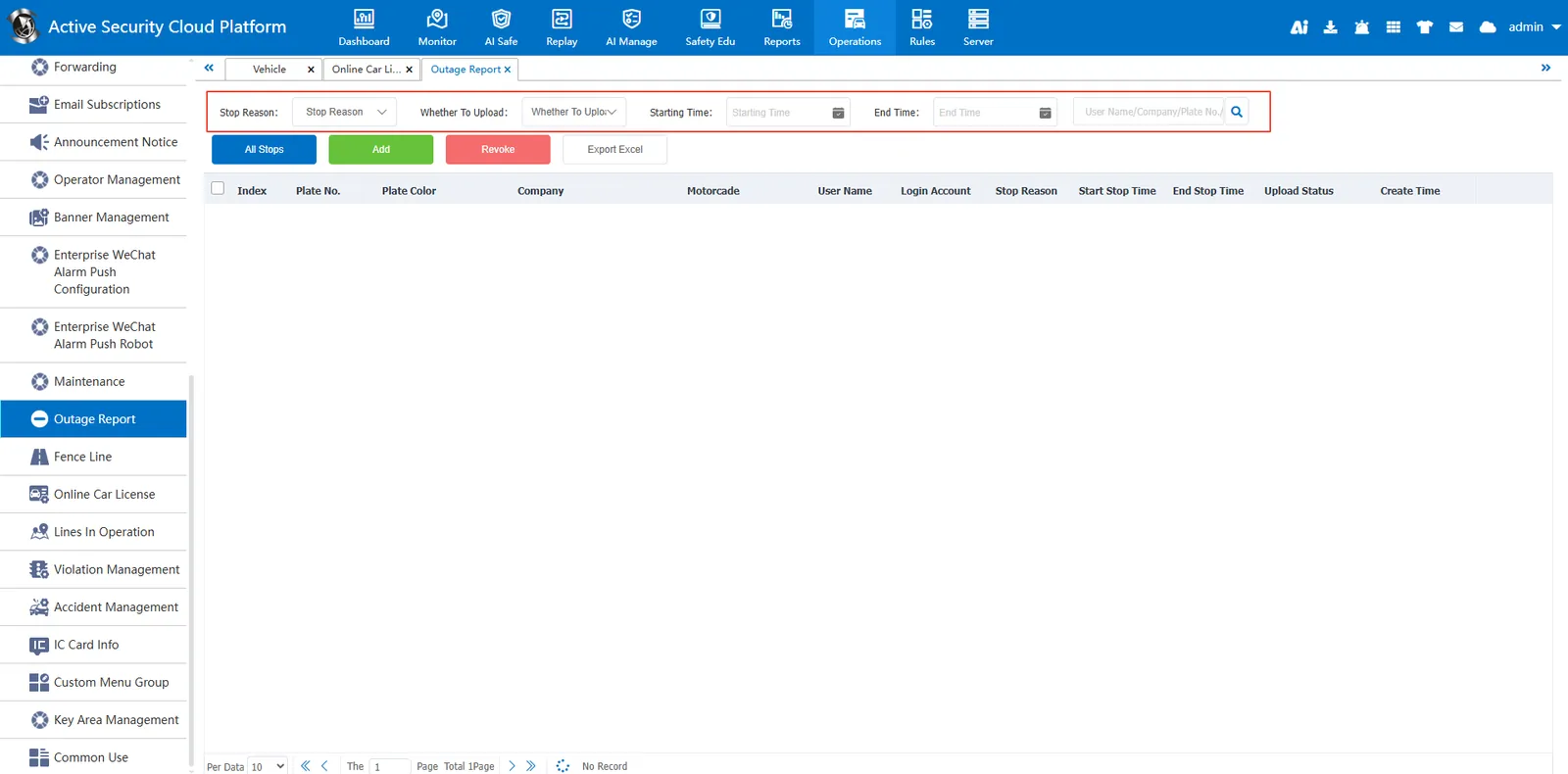
1. Function description
The outage reporting function is the core module for vehicle outage status management in the active security monitoring cloud platform, helping enterprises to efficiently record and track vehicle outage information to ensure operational compliance and data transparency.
2. operating instructions
2.1 add outage report
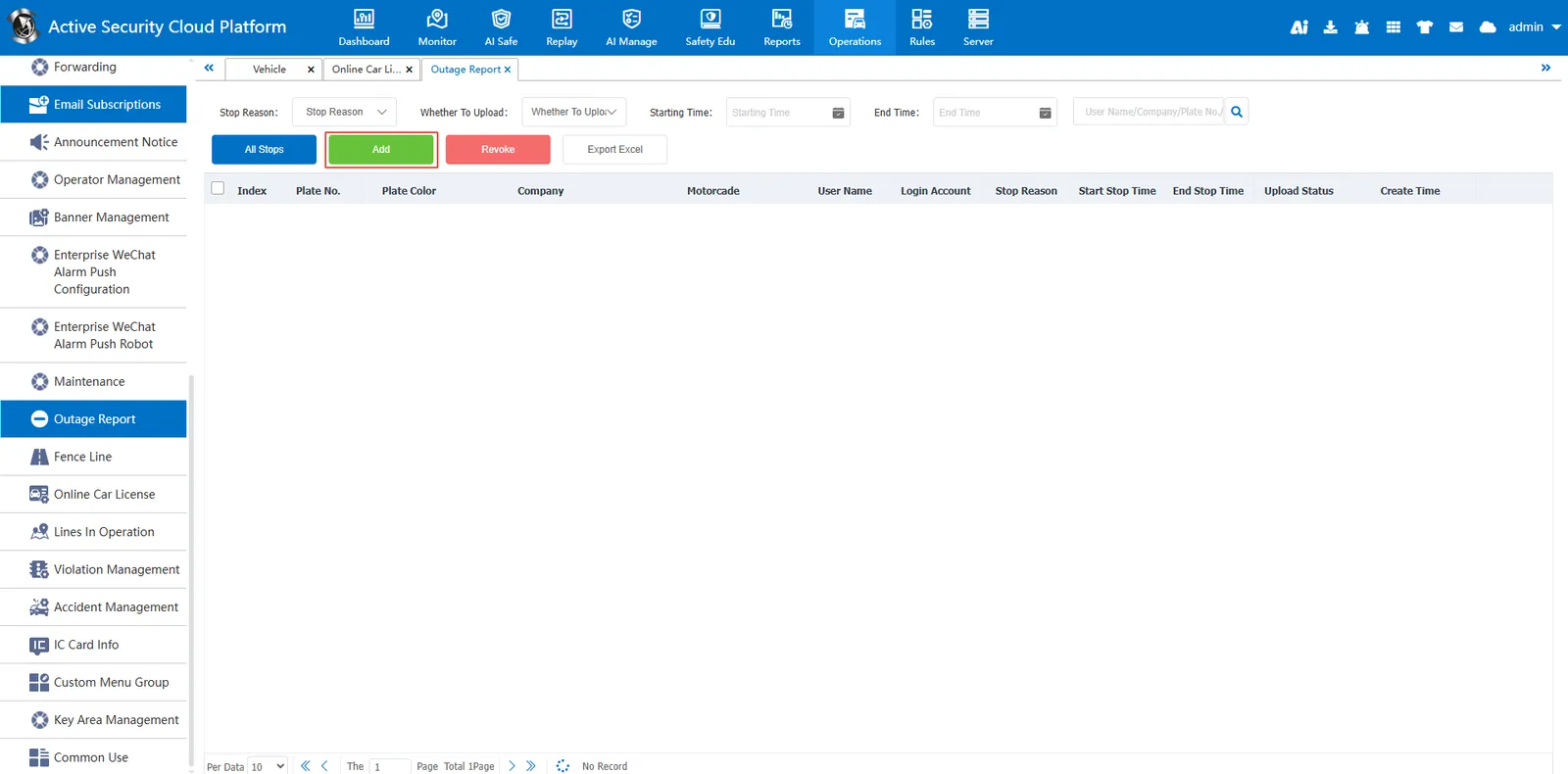
2.1.1 Button Add
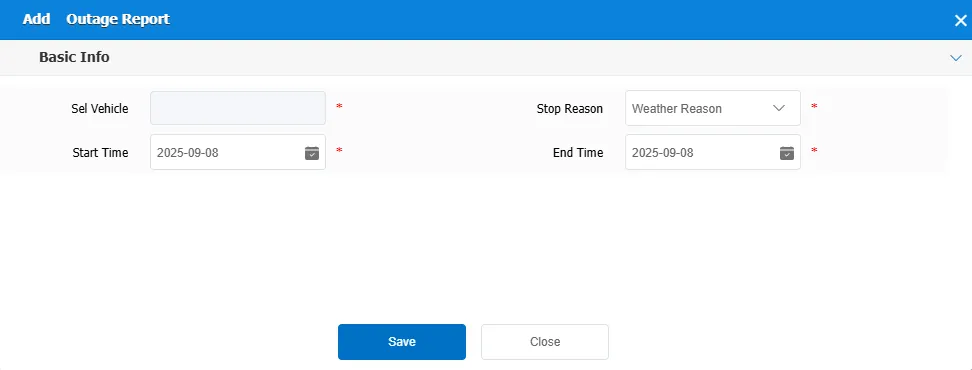
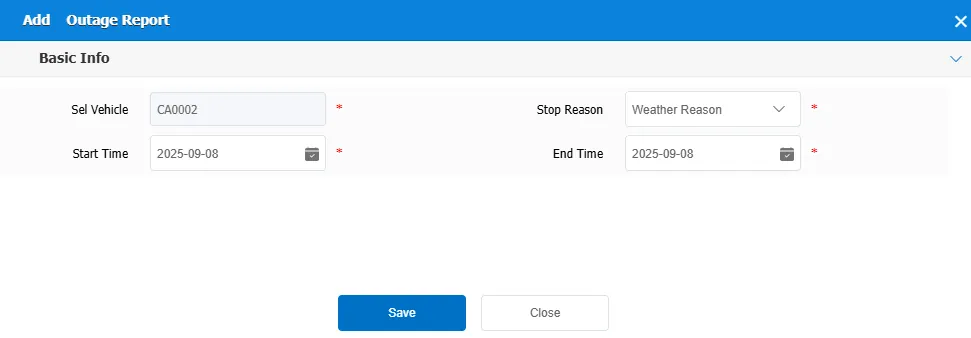
Click the "Add" button, and the "Add Shutdown Report" window will pop up after clicking.
Fill in the relevant information, including:
Select Vehicle: Click the Select Vehicle drop- down box to select the vehicle to be reported.
Stop Reason: Click the Stop Reason drop- down box to select the specific reason for the outage. The options include "weather reason" and so on.
Start Time: The start date and time of the outage.
End Time: The end date and time of the outage.
2.1.2 add real- time monitoring page
Right- click the vehicle in the real- time monitoring page
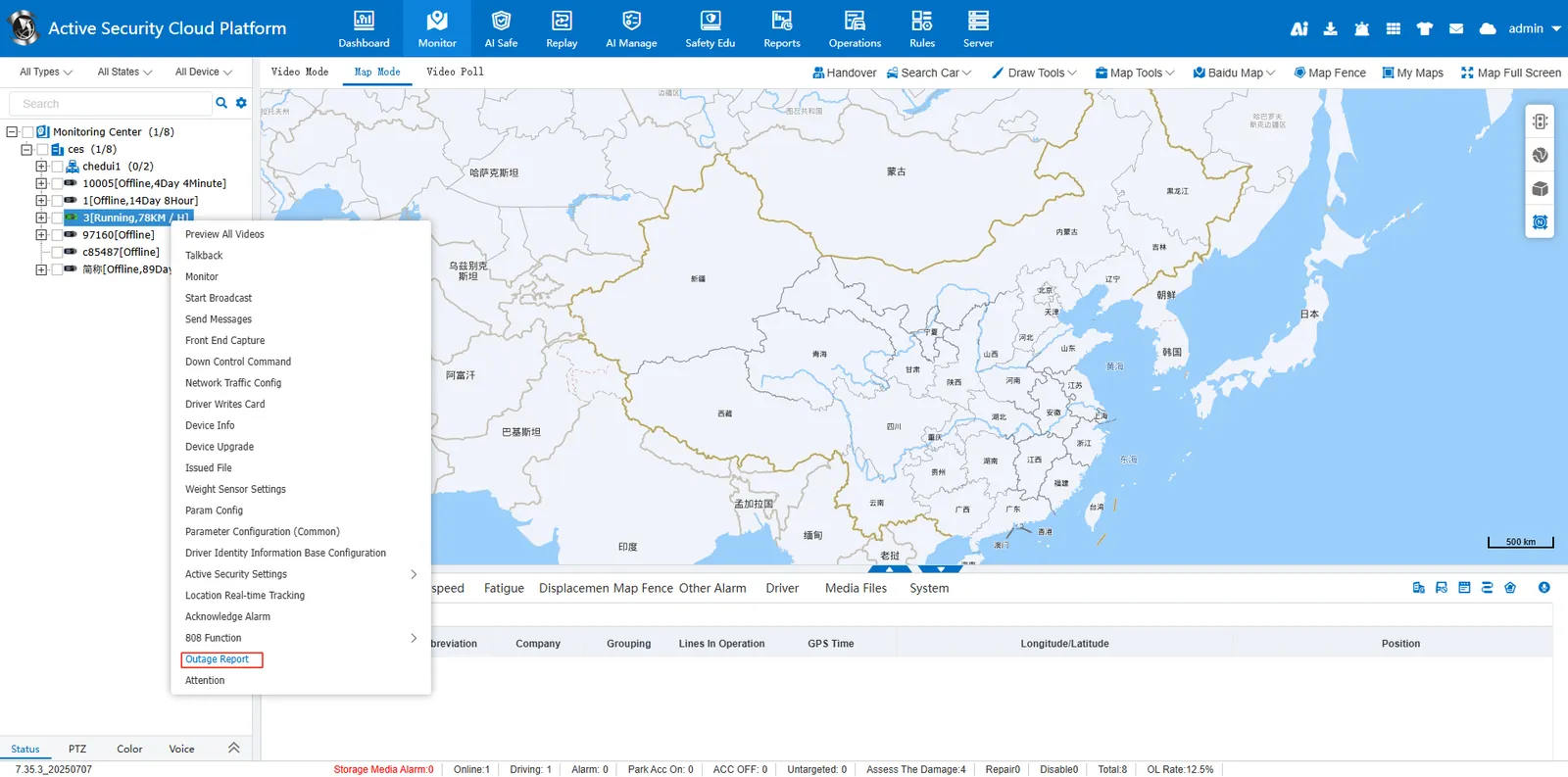
Select Outage Report, click Add Outage Report, and fill in relevant information
2.2 cancel outage information
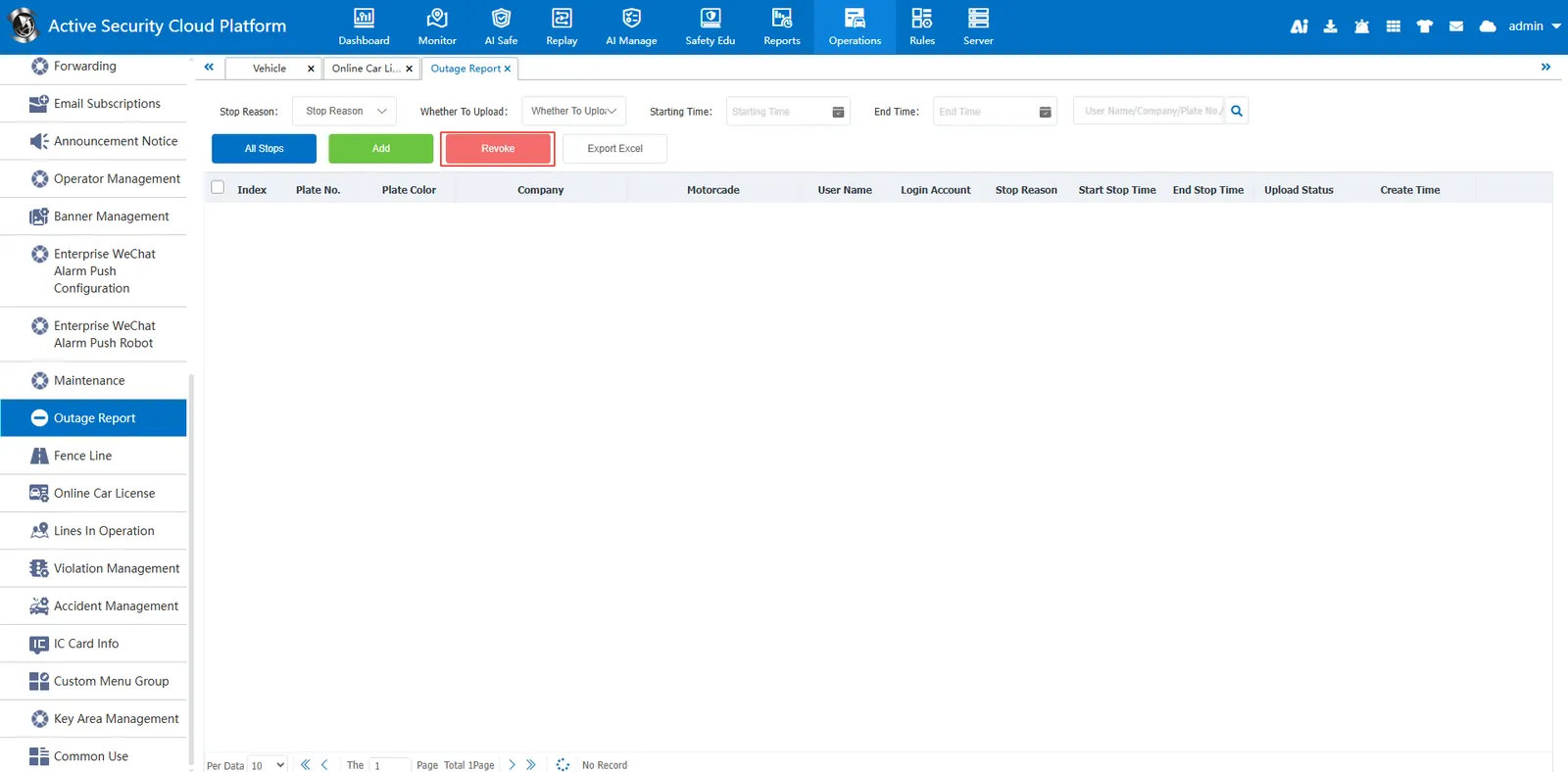
Click the "Undo" button to select the shutdown information to be undone and perform the corresponding undo operation.
2.3 Export to Excel
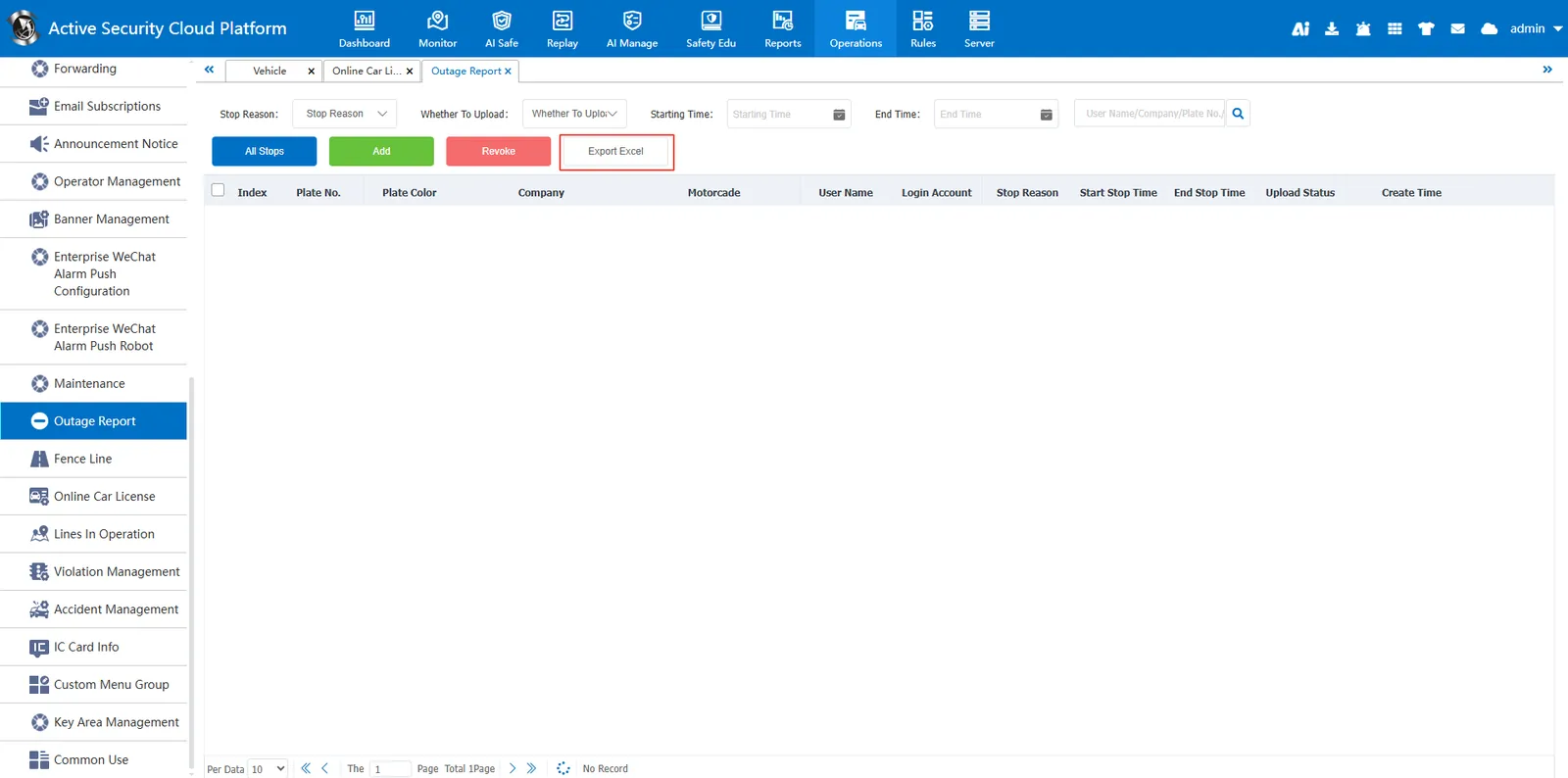
Click Export to Excel to export the current query results to an Excel file for offline archiving or further processing.
2.4 query and filter
In the query criteria area, you can select the stop reason, whether to upload data, start time and end time for precise query. At the same time, advanced searches can be performed by user name, company, license plate number or fleet.