1. Function description
Modify the company to which the vehicle belongs and move the vehicle of Company A to Company B.
2. operating instructions
2.1 Modify the company of a single vehicle
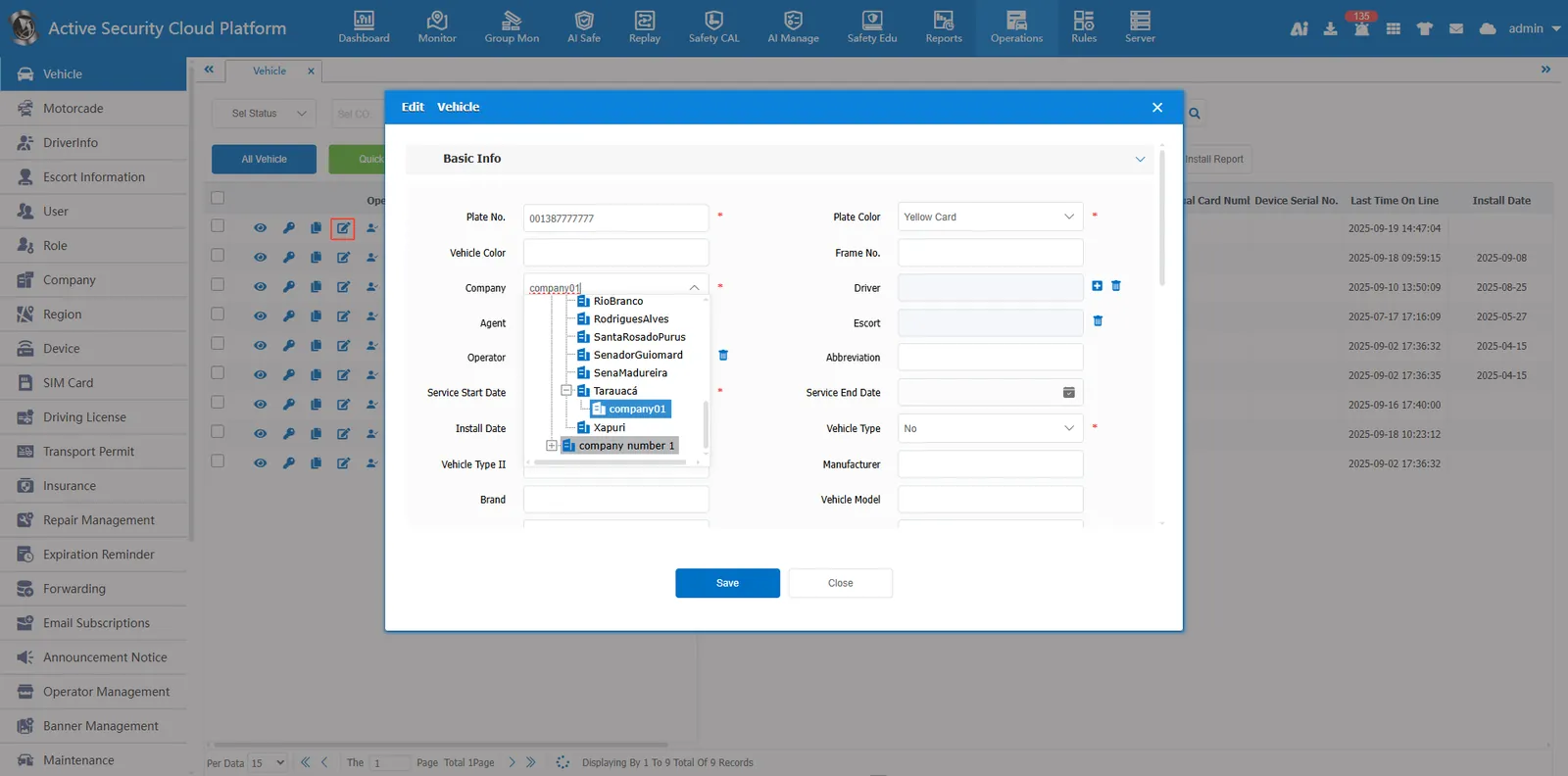
Click the Edit button in [Operation Management]- [Vehicle Information] Edit the vehicle information, select the company we want to modify in the affiliated company, click Save, and the modification is successful.
2.2 modify the company of a company's vehicle
-
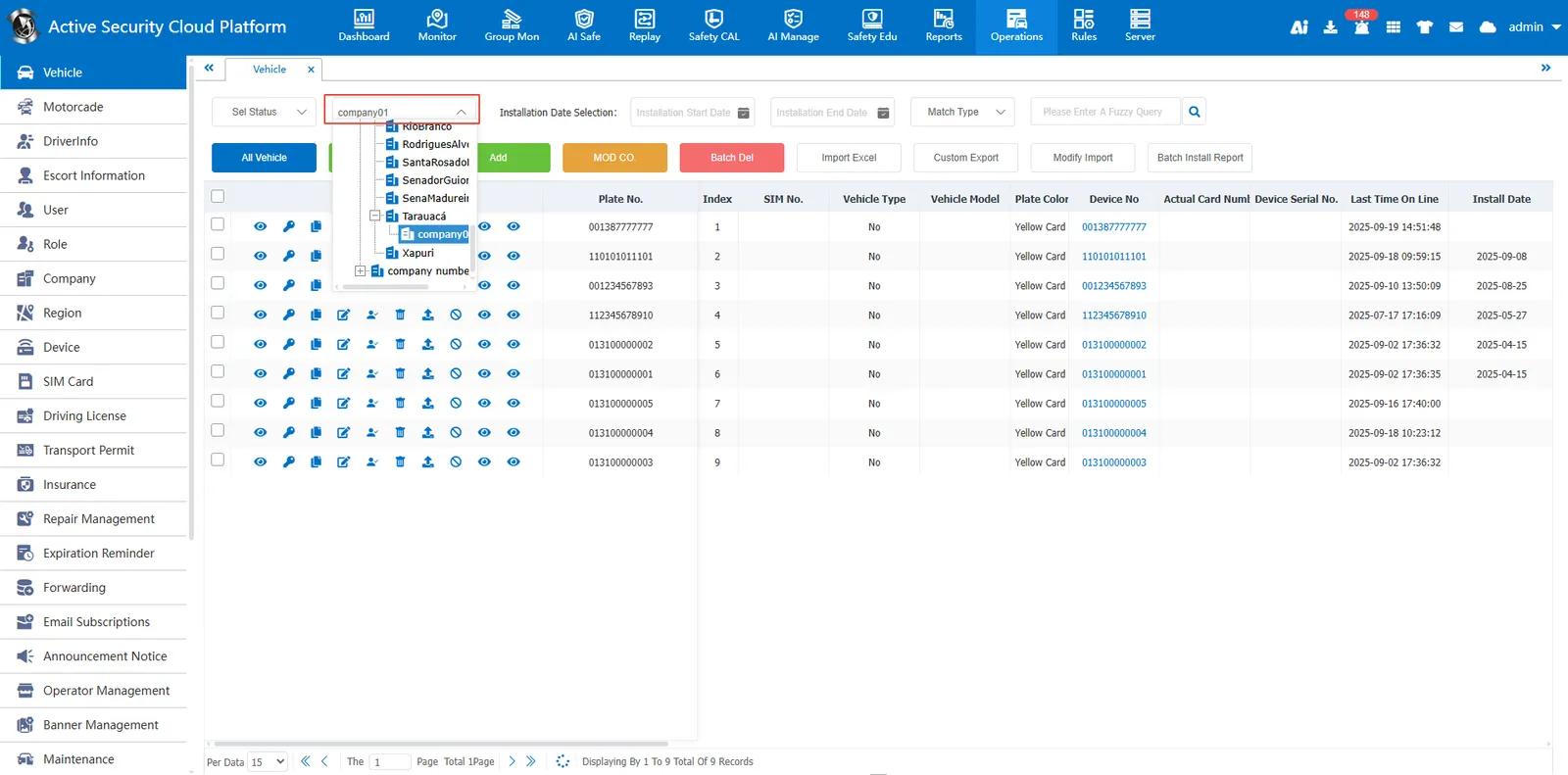
Click on the Select Company above
 screening out the vehicles under the company
-
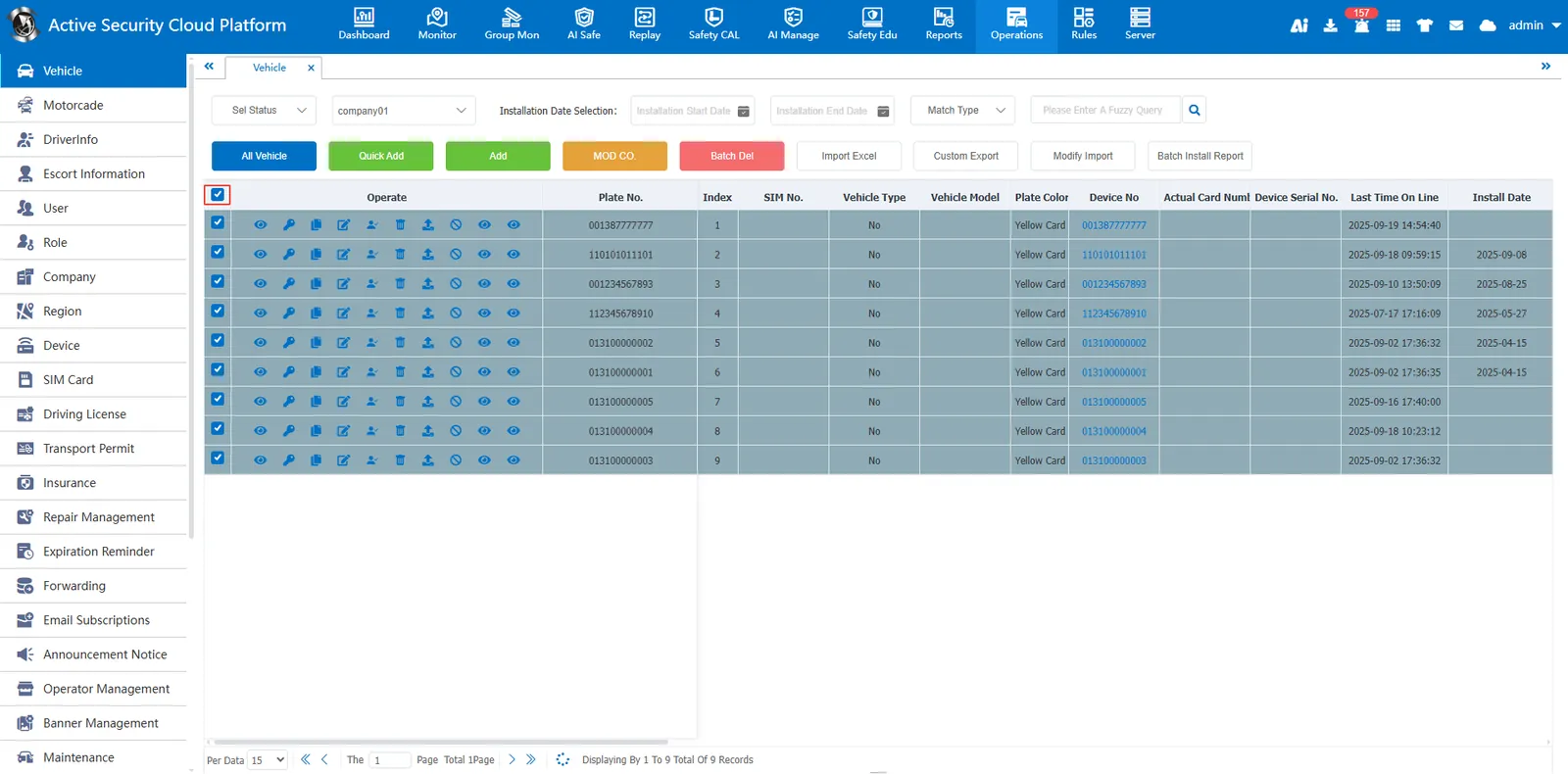
Click the selection button in the first row to select all vehicles.
-
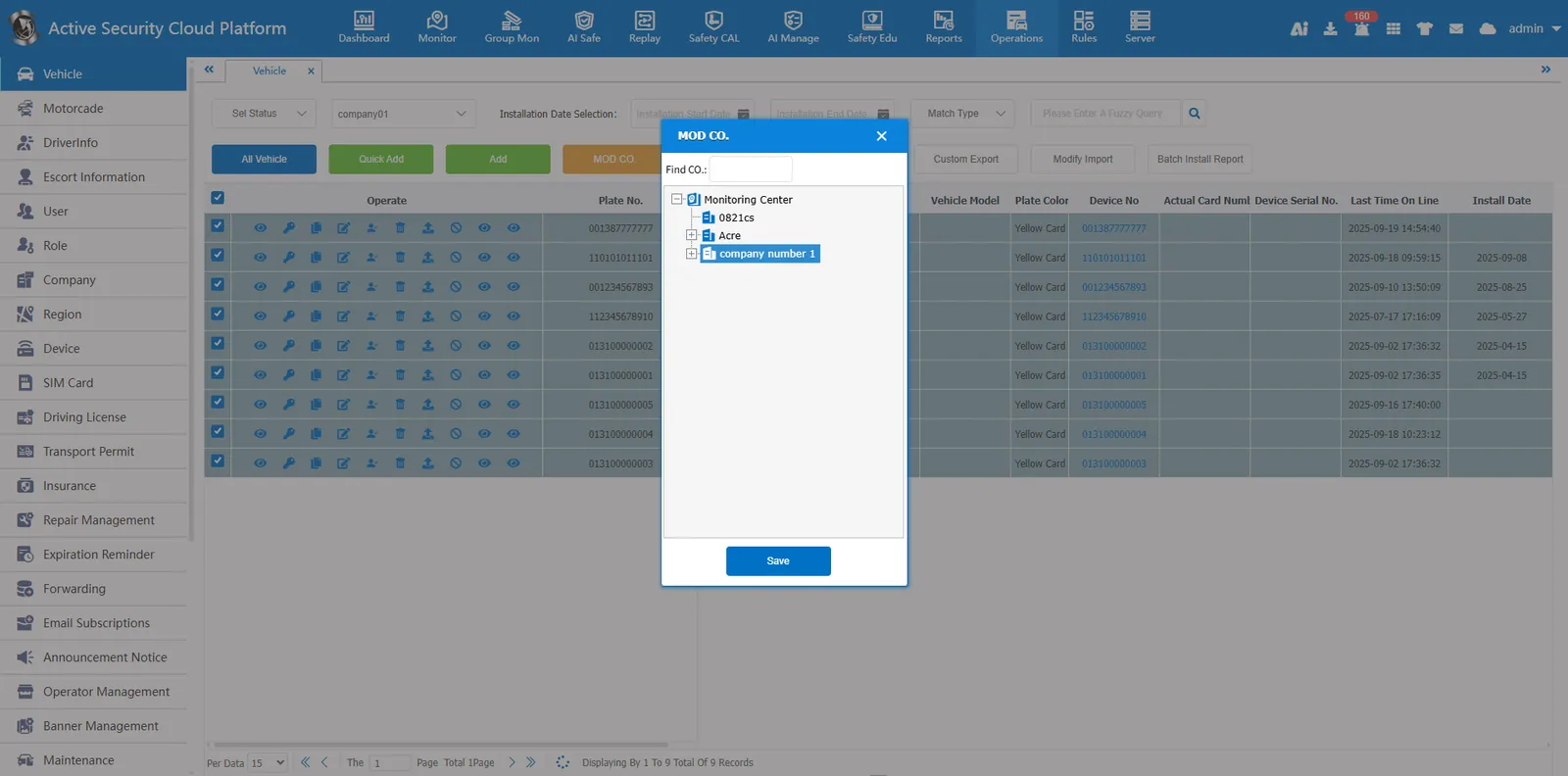
Click the Modify Company button
 select the target company, save it and modify it.