1. Function description
- The fleet can be moved by dragging. The fleet can only be moved to the subordinate company and its fleet of the company, and the fleets under the company can move each other;
- The same vehicle can only be assigned to one fleet;
2. Preconditions
- The motorcade is affiliated to the company and needs to be organized by the company first;
- Team name and company name cannot be duplicated;
3. Operating Instructions
3.1 add fleet
Enter [Operation Management]> [Fleet Management]
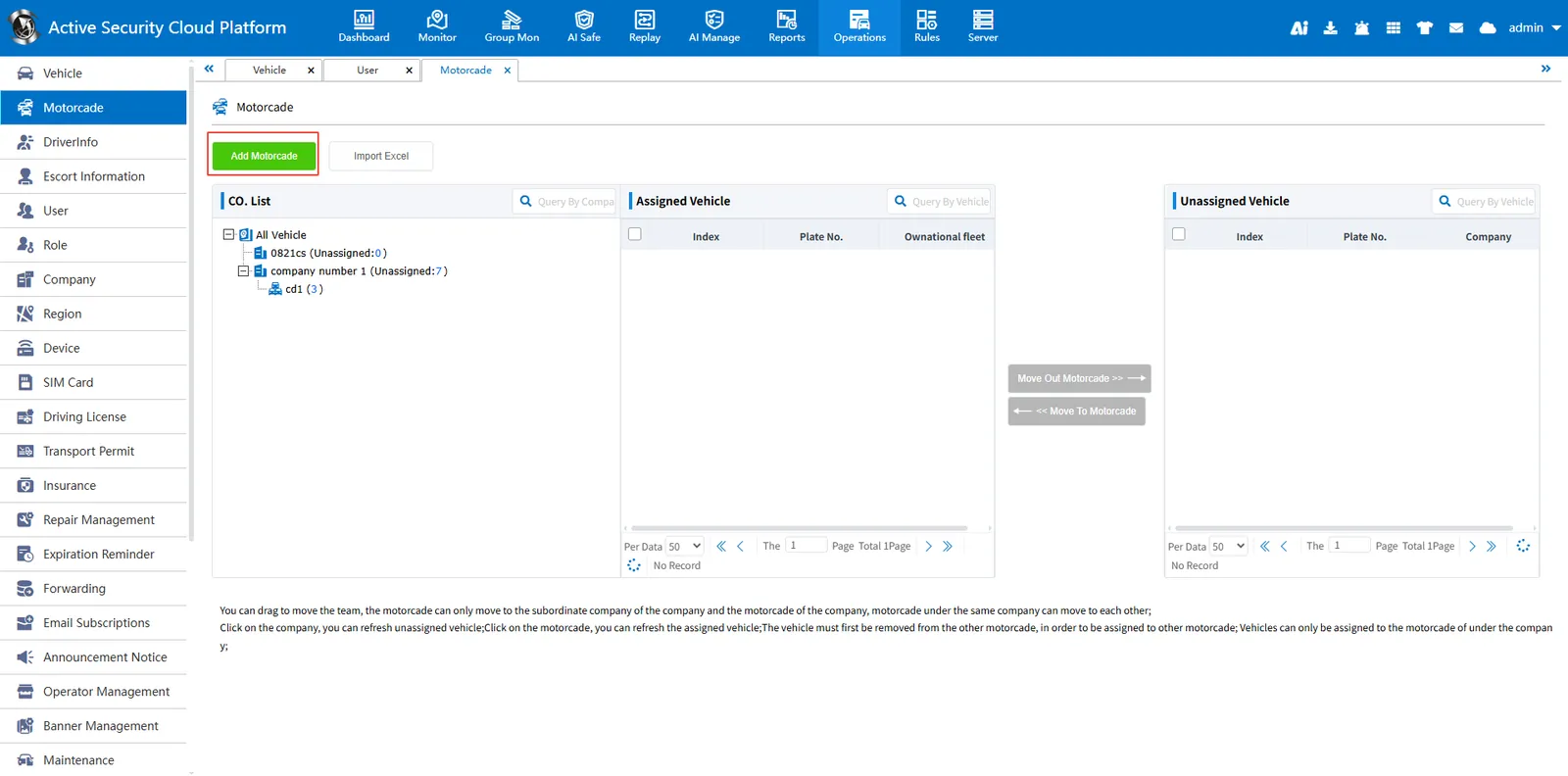
Select a company in the company fleet list, and then [Add Fleet] enter the fleet name;
Click company to refresh unassigned vehicles; click fleet to refresh assigned vehicles;
Vehicles must be removed from the fleet before they can be allocated to other fleets; vehicles can only be allocated to fleets under the company;
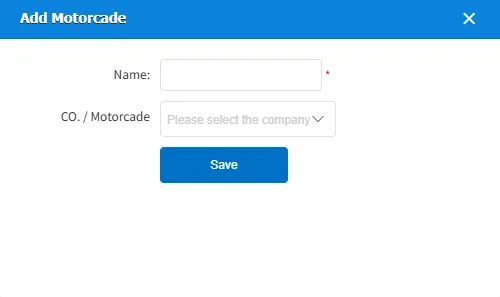
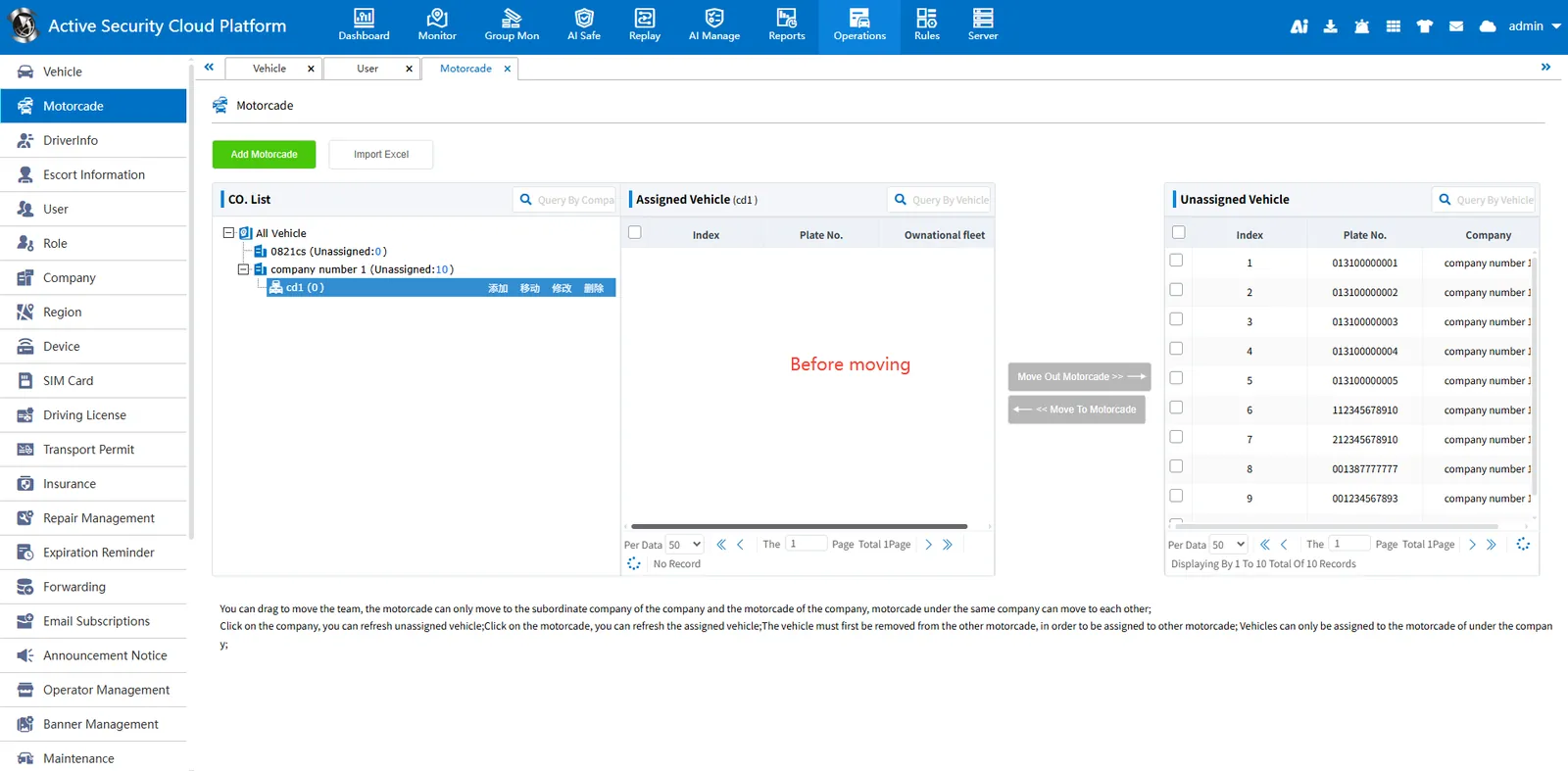
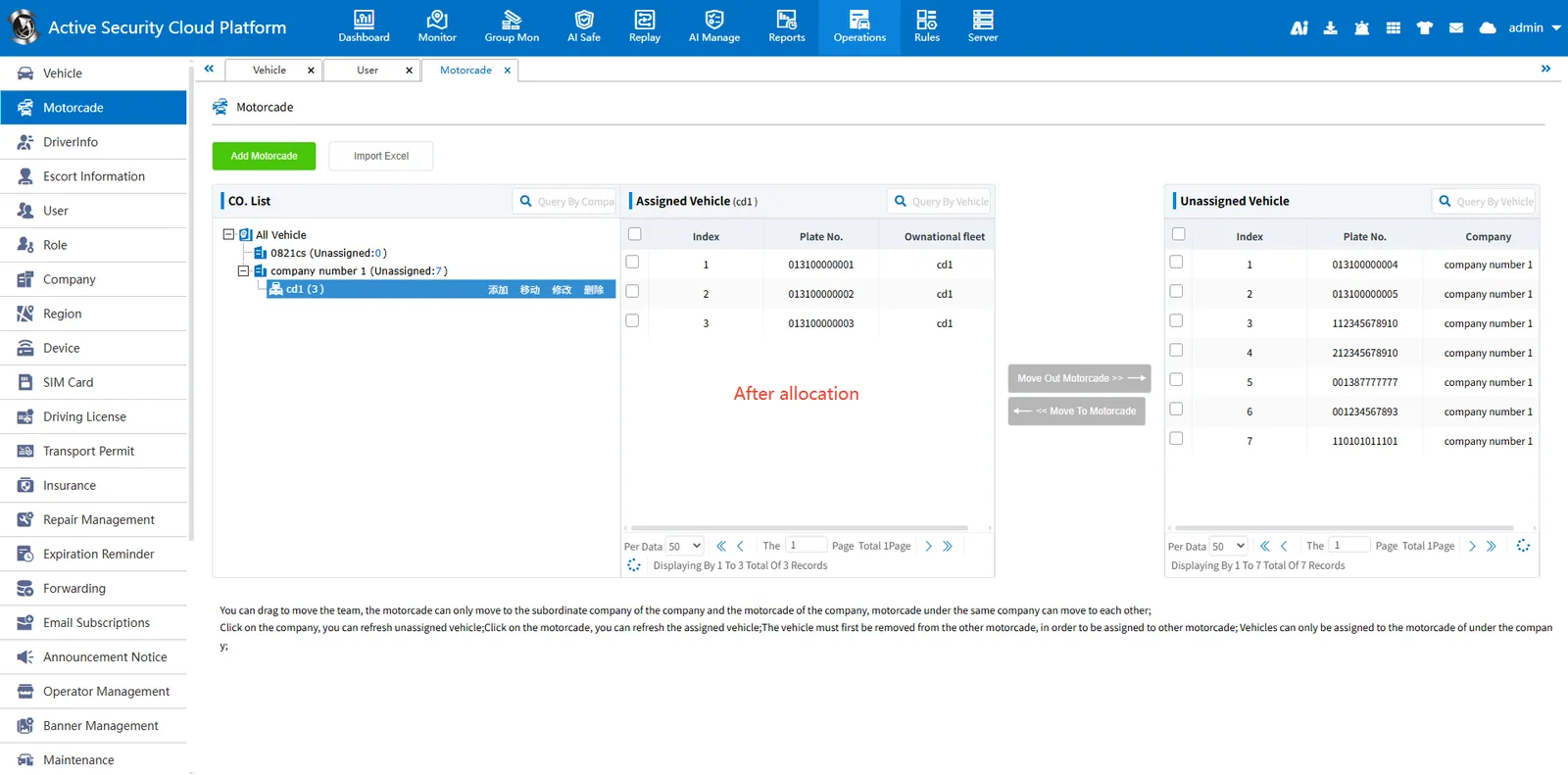
3.2 allocating vehicles to the fleet
- Select the company to which the fleet belongs, and refresh the unassigned vehicles of the company on the right side;
- Select the fleet of vehicles to be allocated;
- Select the vehicle that needs to be assigned to the fleet, click [Move to fleet], and the vehicle will be assigned to the fleet;
- If you want to assign fleet vehicles to other fleets, you need to remove the vehicles from the fleet and assign them to other fleets;
4. Precautions
- Differentcompany, fleet: company and fleet have different icons![]

- The vehicles of the superior and subordinate convoys are also not shared.
