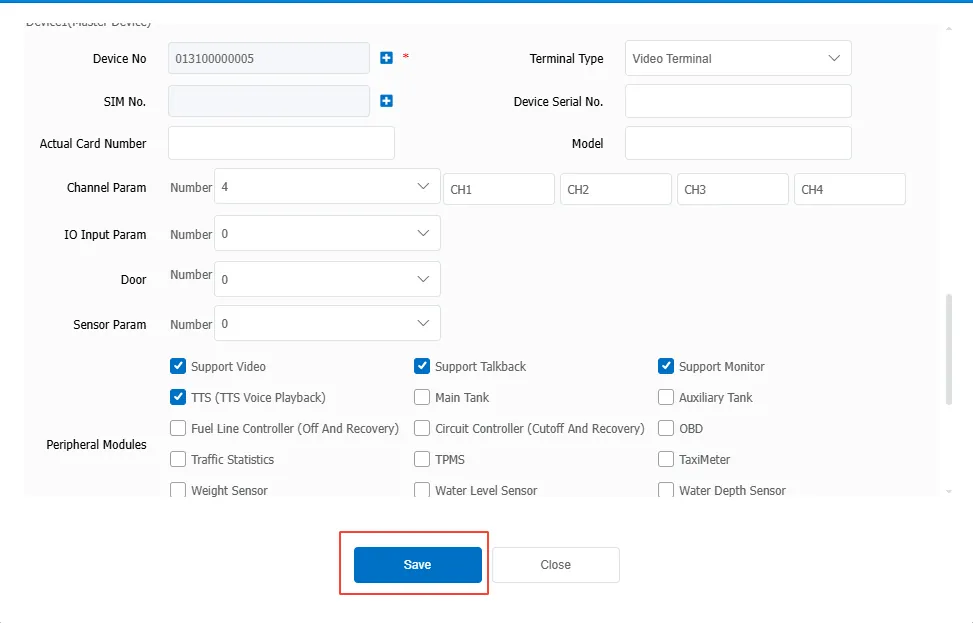
1. Function description
Enter the equipment information on the platform first, and then bind the equipment to the vehicle.
2. Preconditions
Vehicles and equipment are under the same company.
3. Operating Instructions
3.1 add vehicle
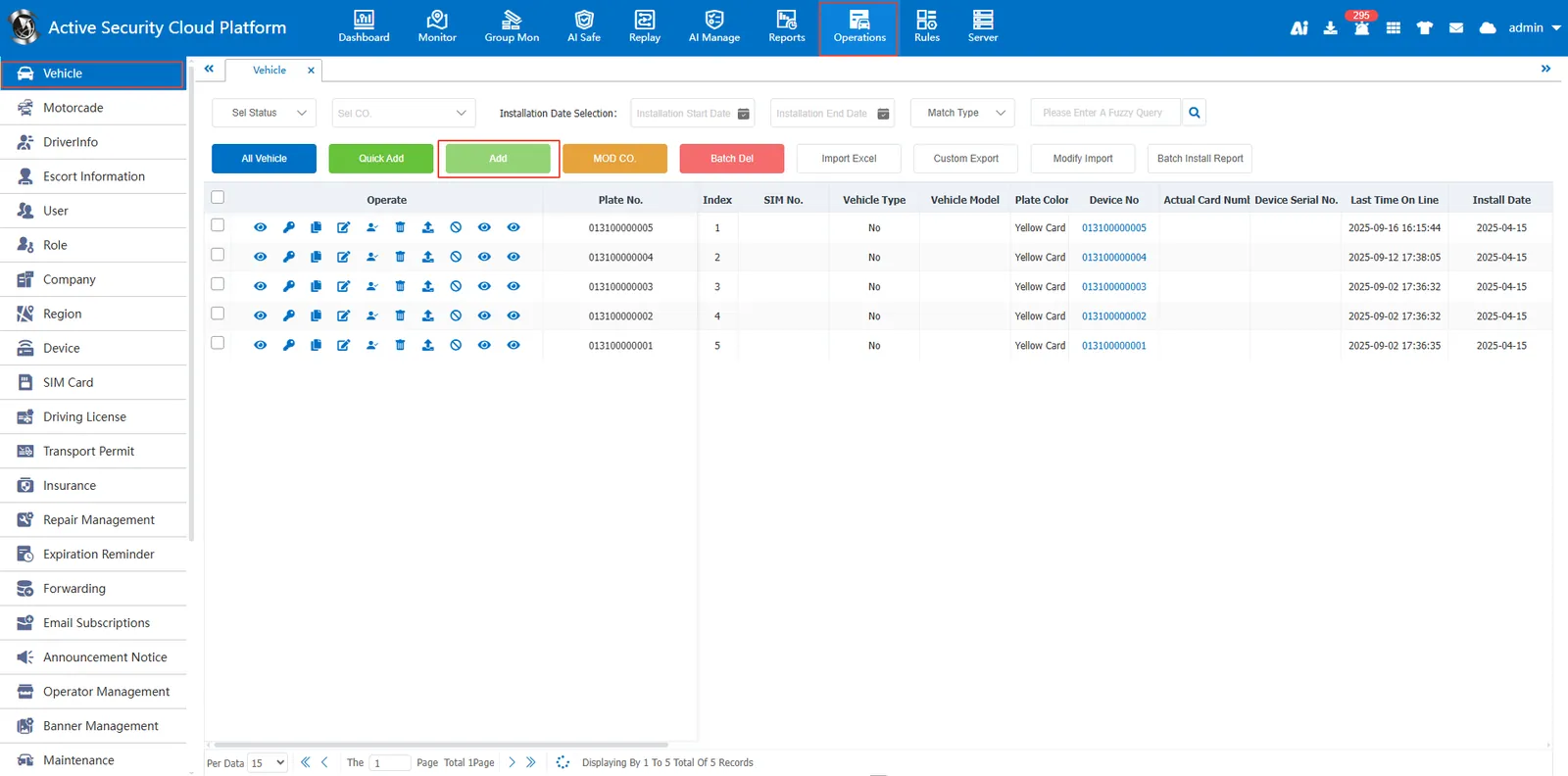
Enter [Operation Management]> [Vehicle Information], click Add Menu
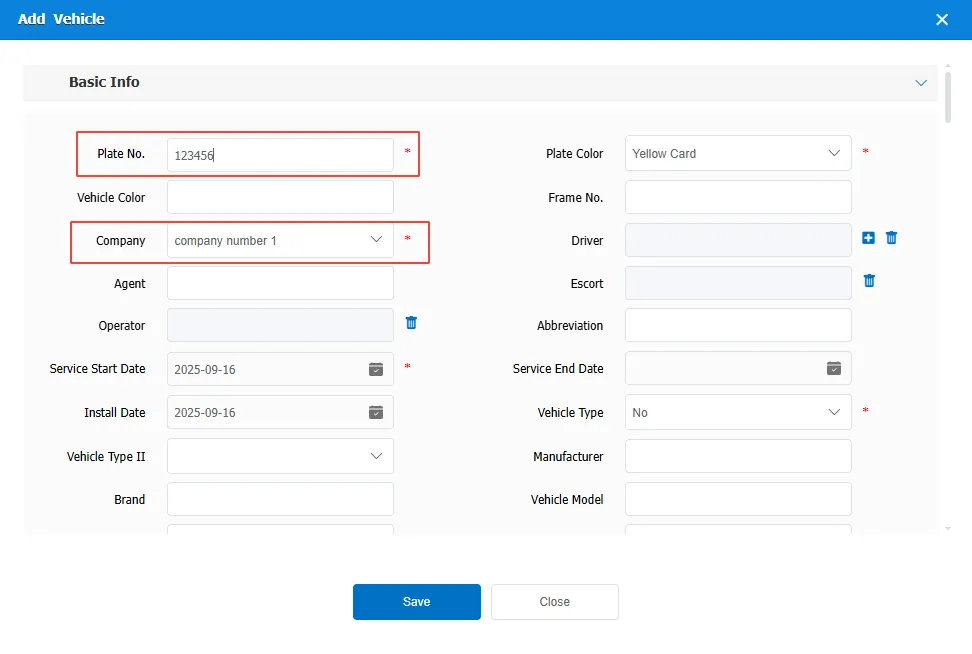
Enter the license plate number, license plate color and other required information, select the company
3.2 binding device
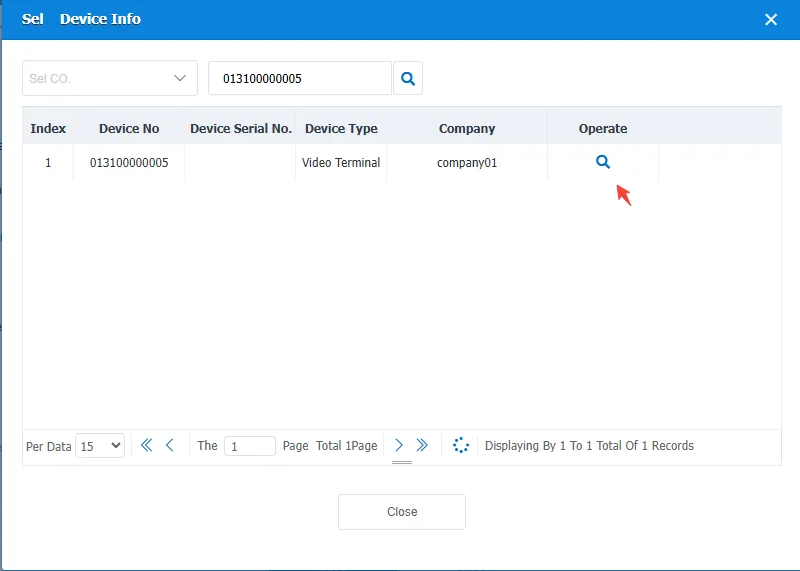
Click the following red box in the device information column to select the device to be bound
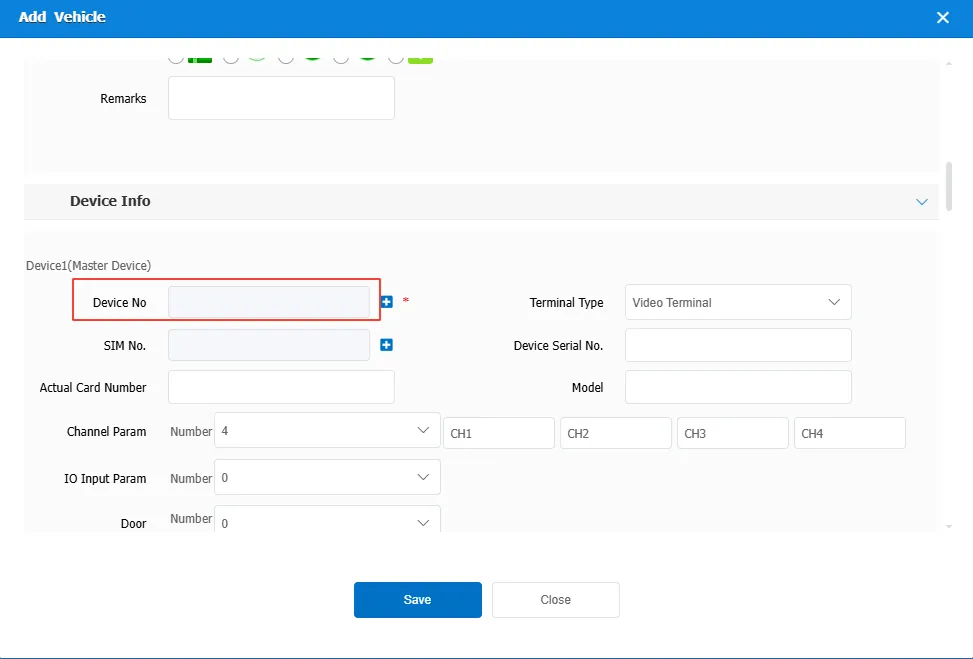
Point Selected device
3.3 save vehicle information