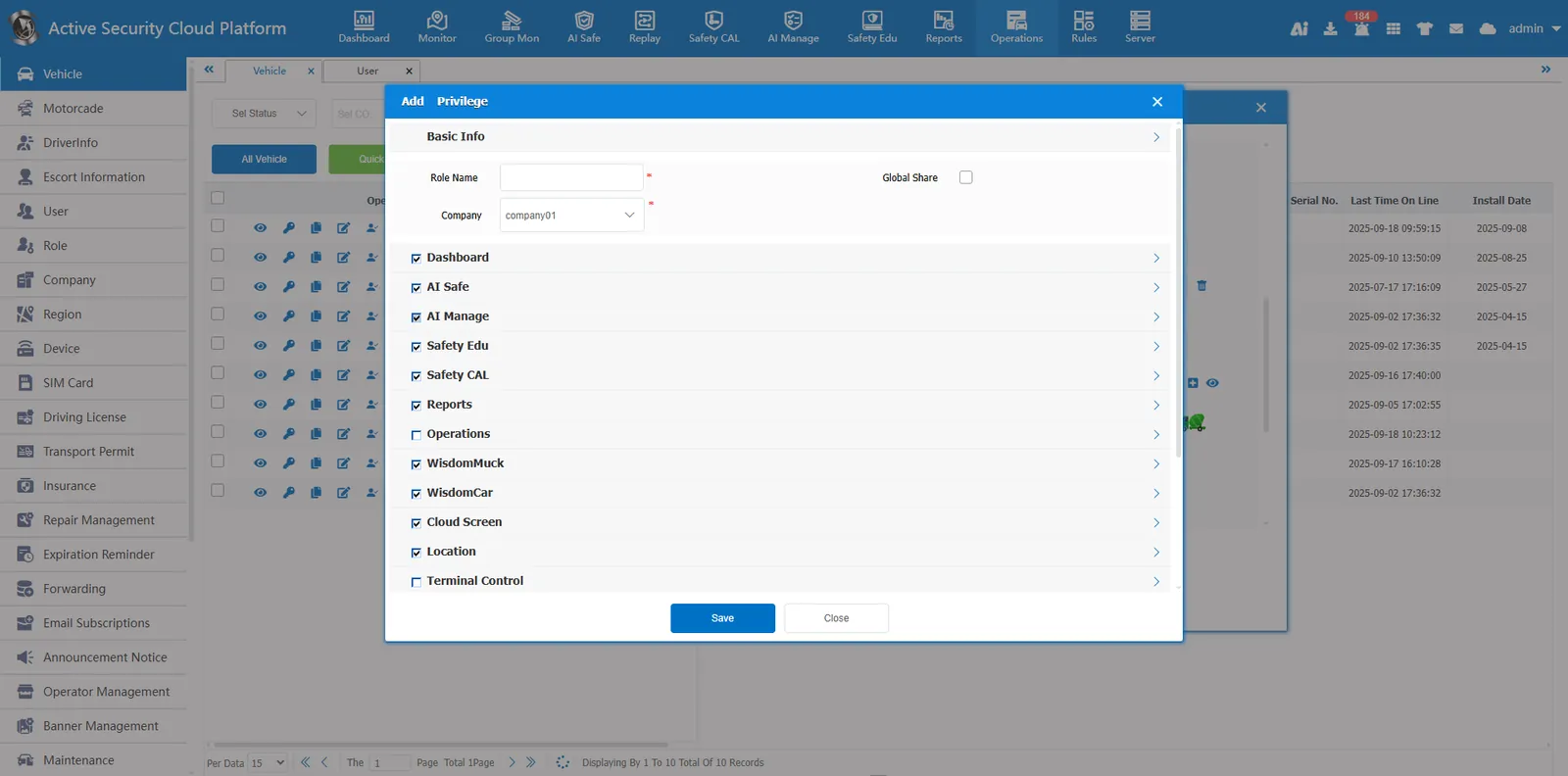
1. Function description
Enable license plate number login and its permission to control license plate number login
2. operating instructions
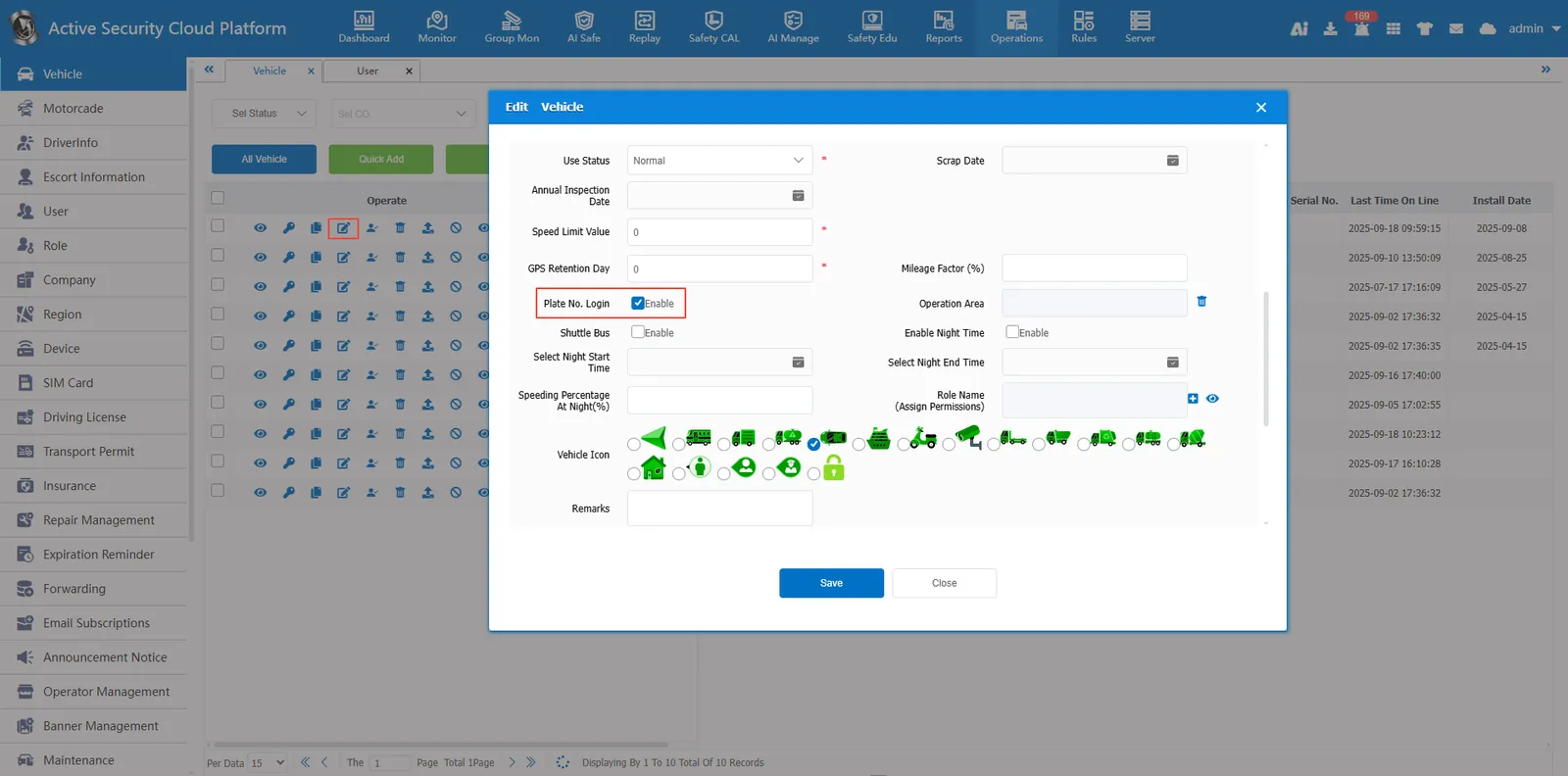
2.1 enable license plate number login
Check the license plate number in the vehicle information to log in, and the password is the default password.
2.2 assign permissions to vehicles
-
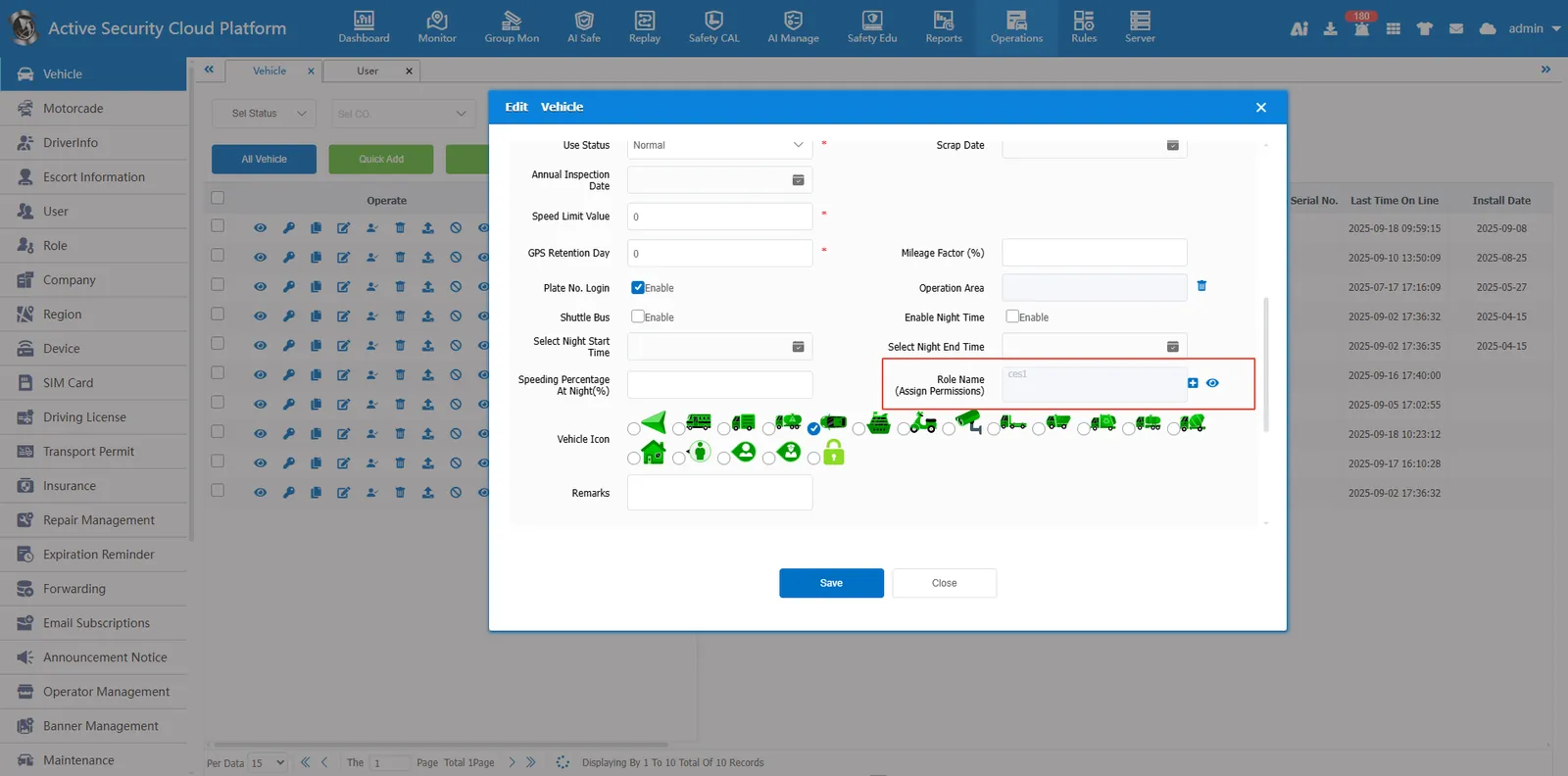
After checking the license plate number and logging in, there will be one more option for role name (assigning permissions).
-
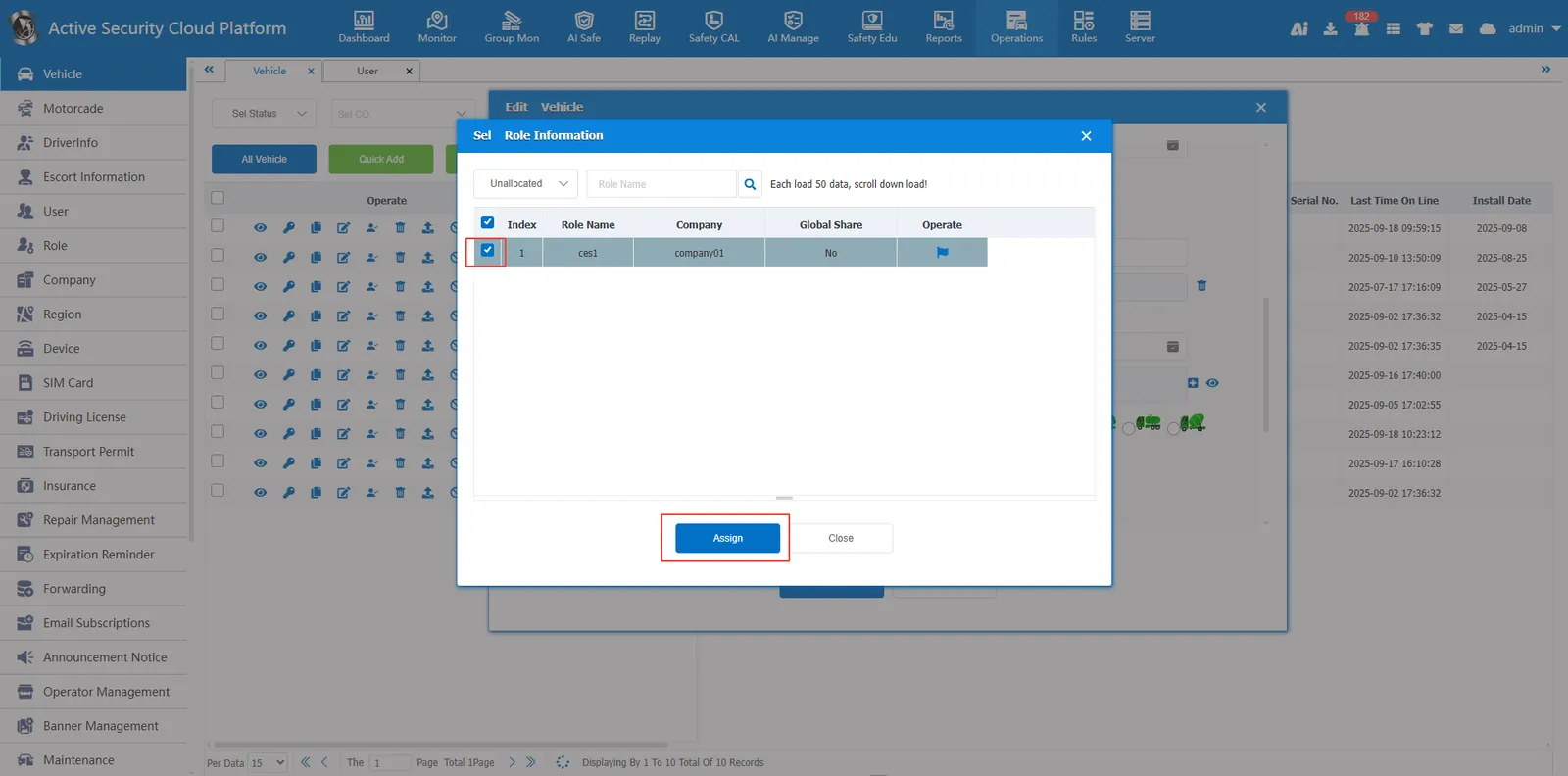
Click the blank space in the selection box, select the created role, and click the Assign button to assign permissions.
-
or click the "Add" button to add a license plate number to the login role assigned to the vehicle.