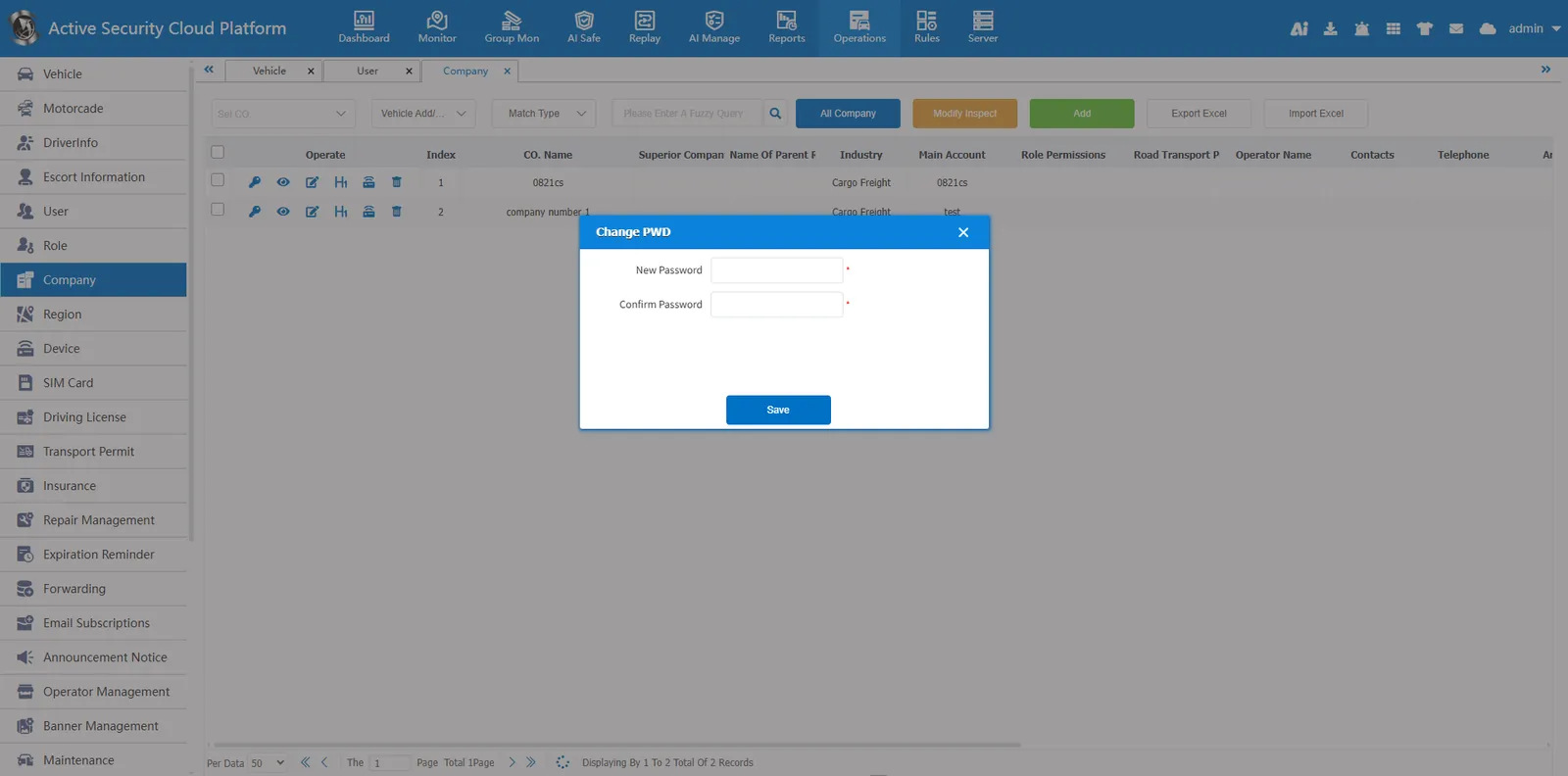
1. Function description
This function can be used to modify the password when the user forgets the password.
2. operating instructions
2.1 modify the user password
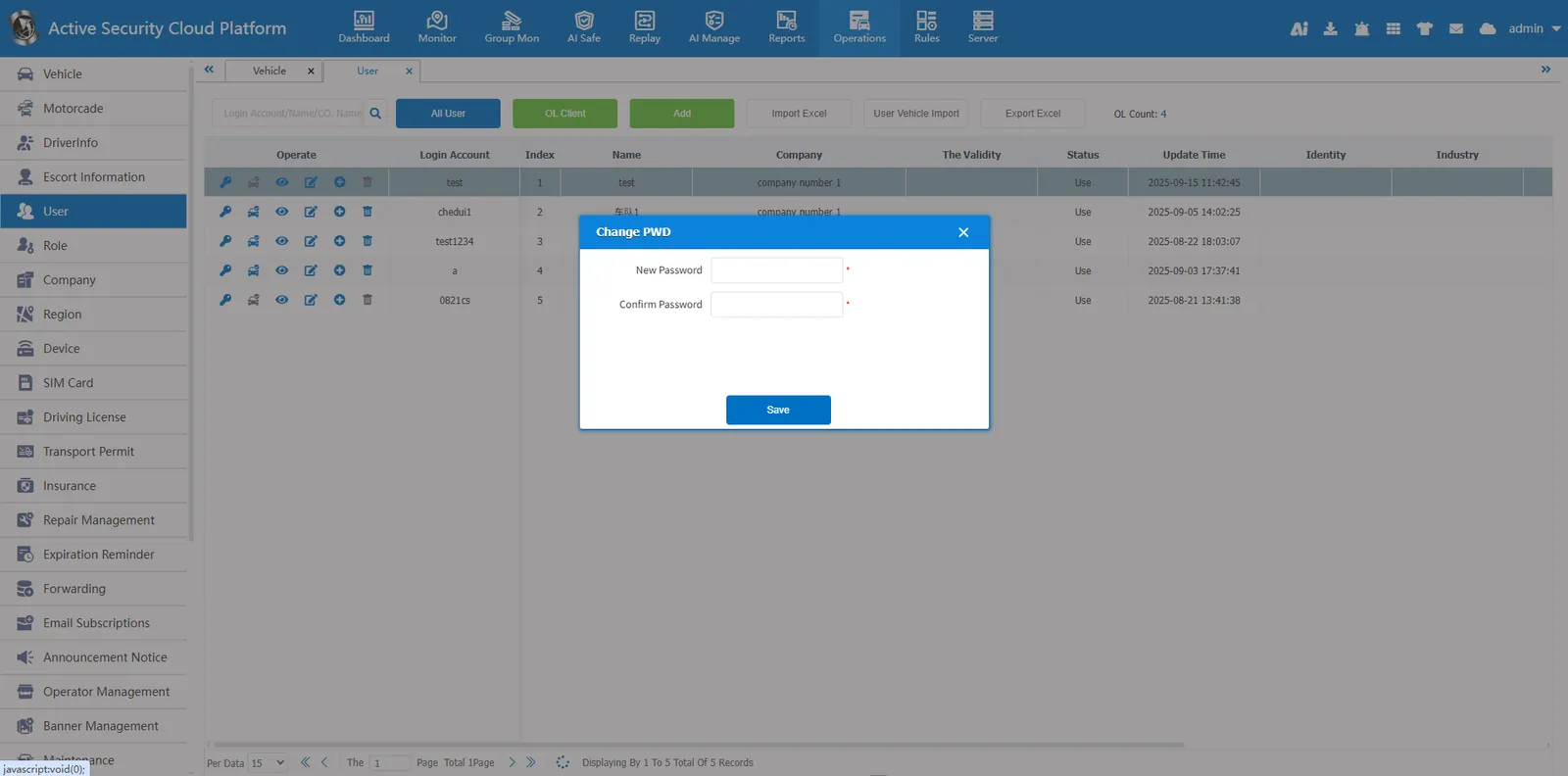
Click the Change Password button in the user information
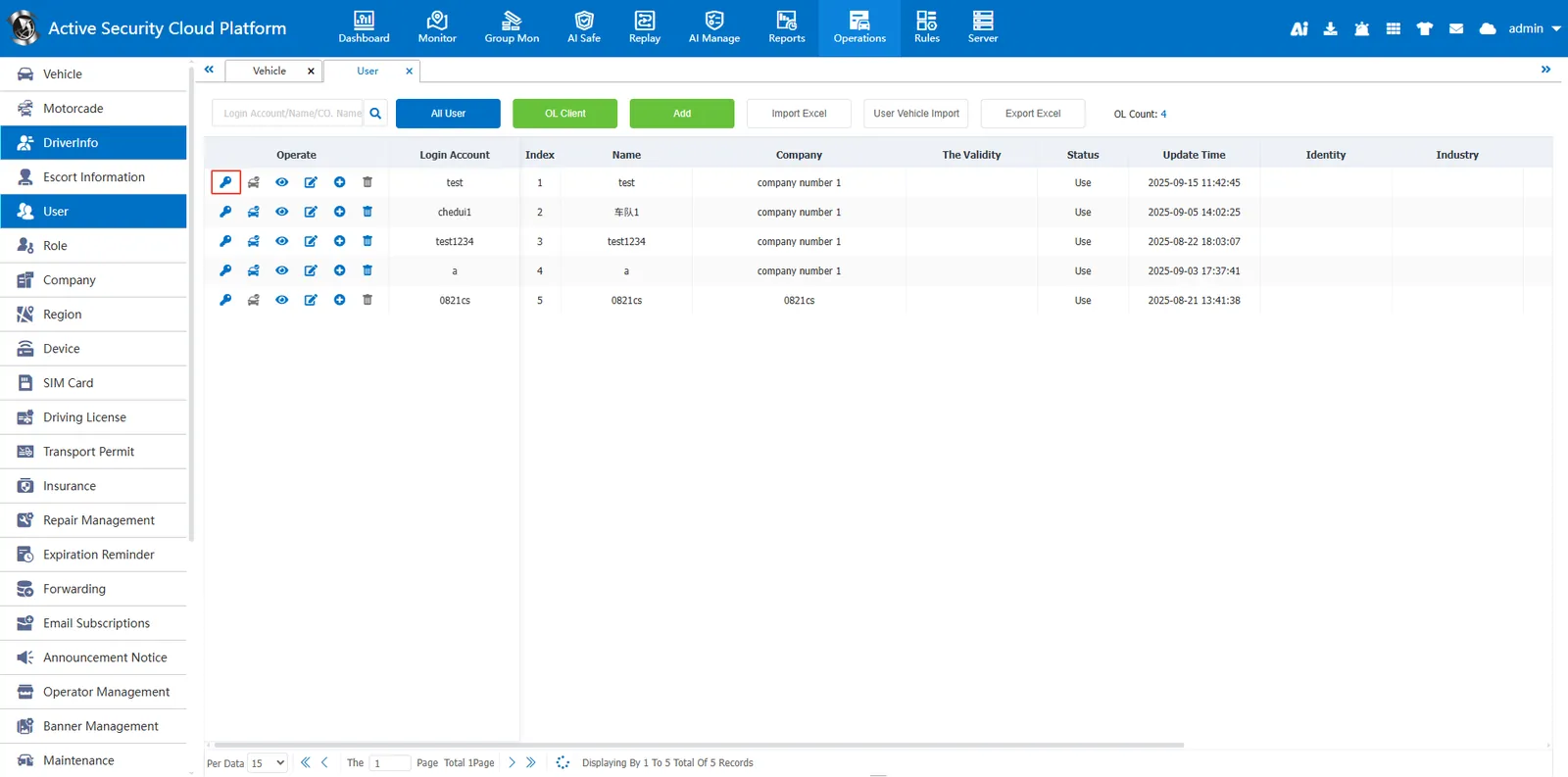
Enter the new password in the pop- up window and confirm the new password.
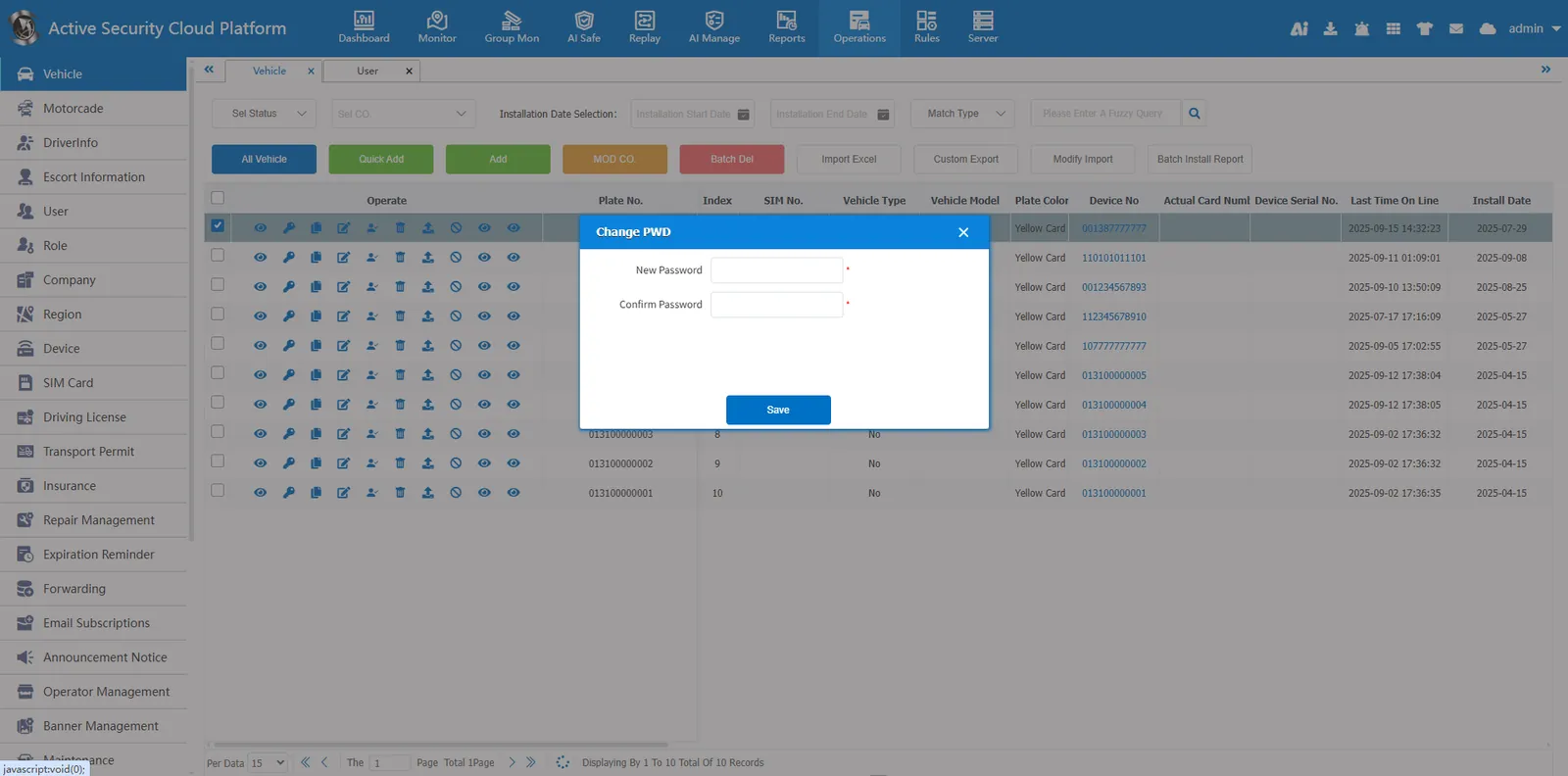
2.2 modify the vehicle password (enable license plate login)
Click the change password button in the vehicle information
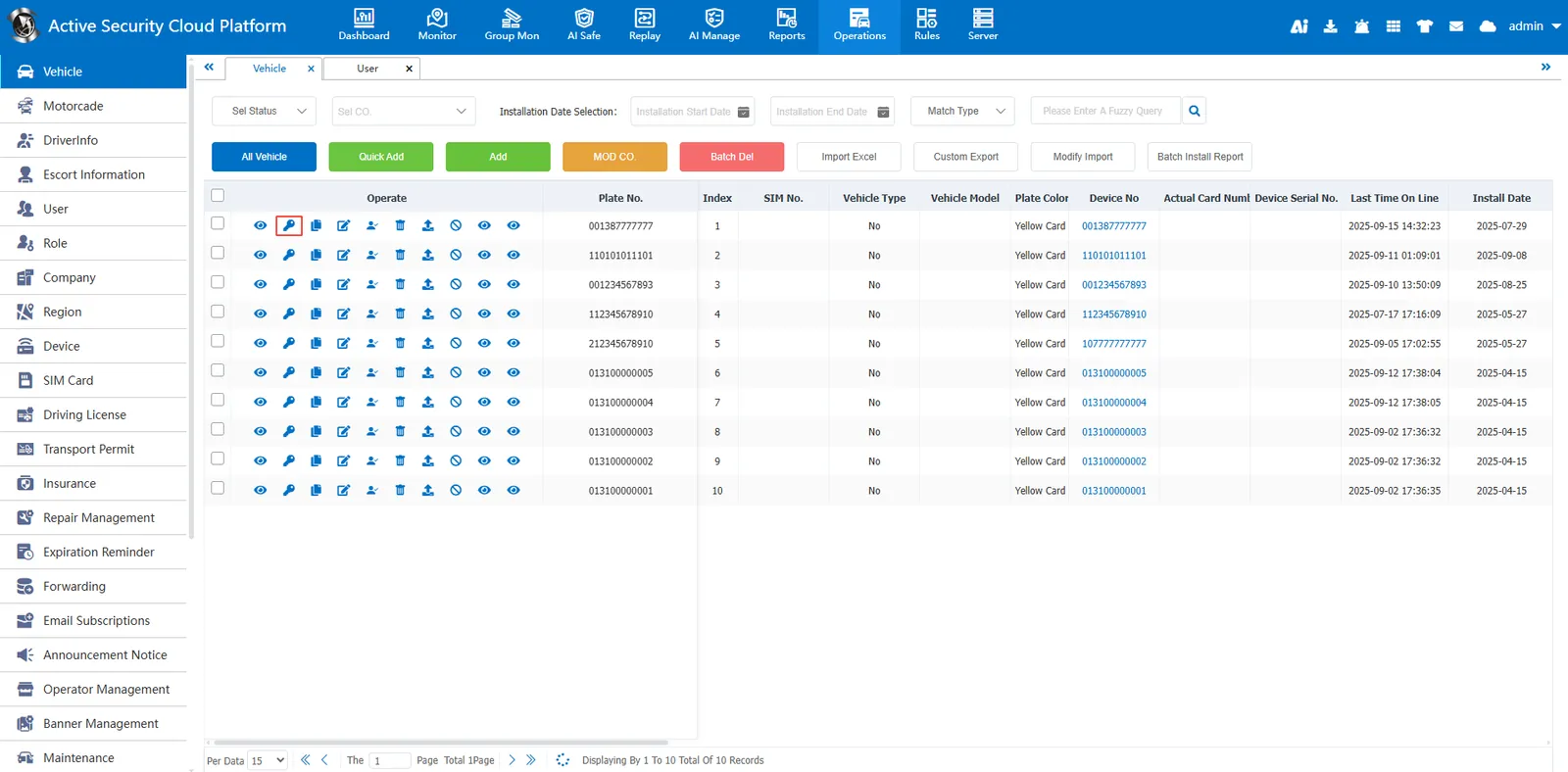
Enter the new password in the pop- up window and confirm the new password.
2.3 modify the company account password (main account password)
Click the Change Password button in the company information
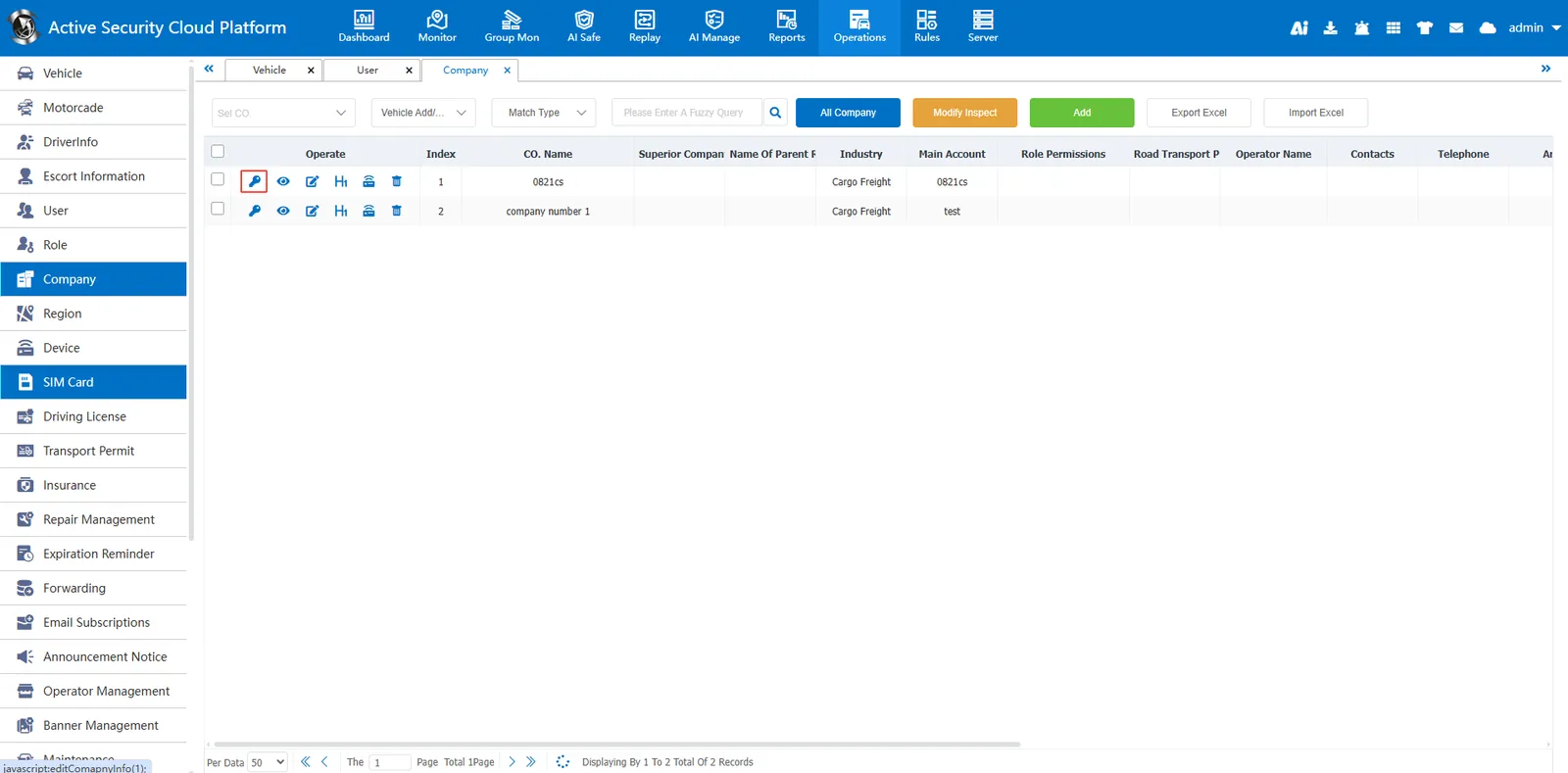
Enter the new password in the pop- up window and confirm the new password.