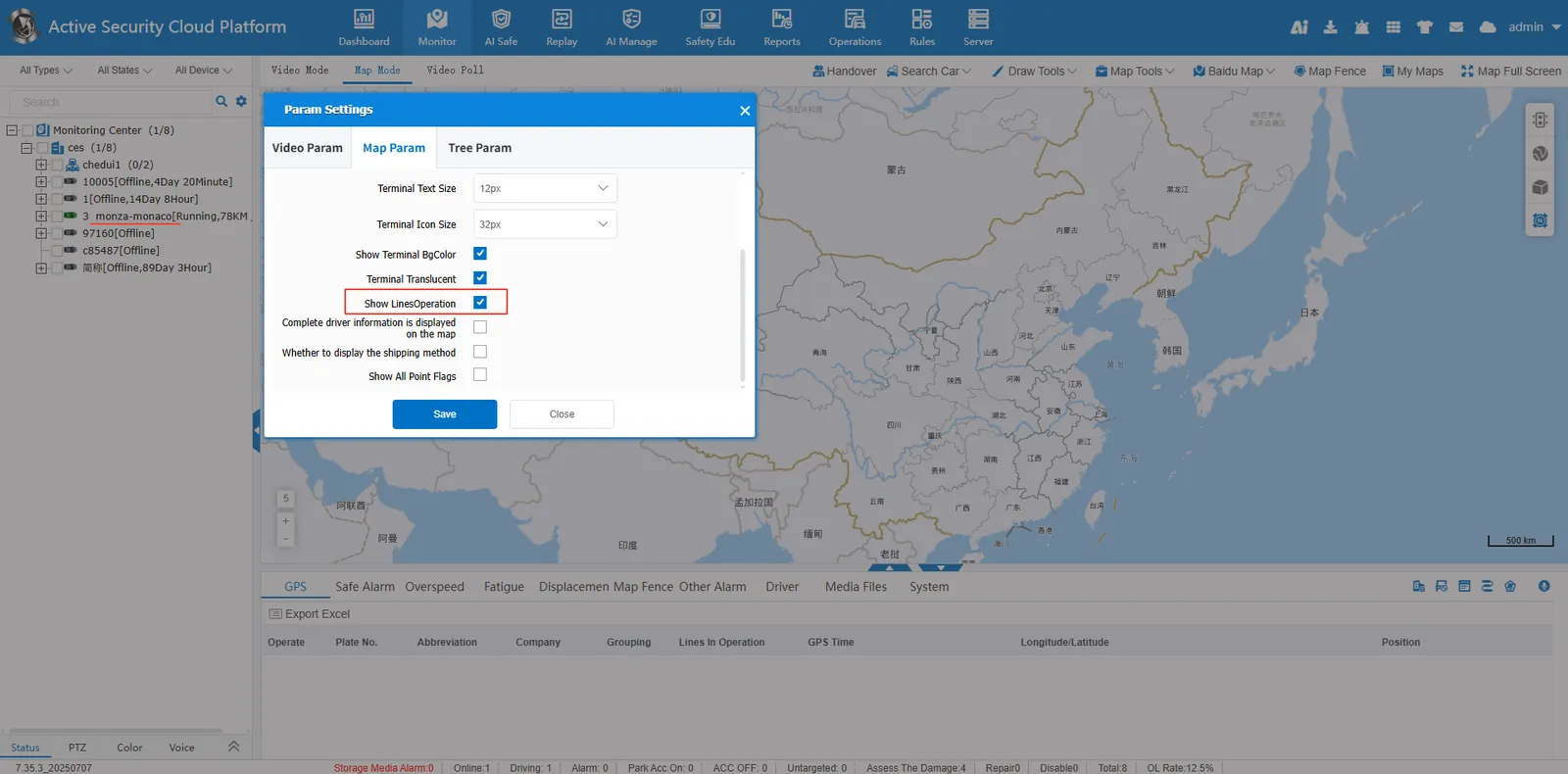
1. Function description
Suitable for those responsible for transportation or logistics management, you will know how to add, edit and query information about operating routes to ensure smooth and efficient route management. The added operation line binding vehicle can be displayed after the real- time monitoring page monitors the tree vehicle.
2. operating instructions
2.1 add operation line
New operational line information can be added by clicking the "New" button on the interface.
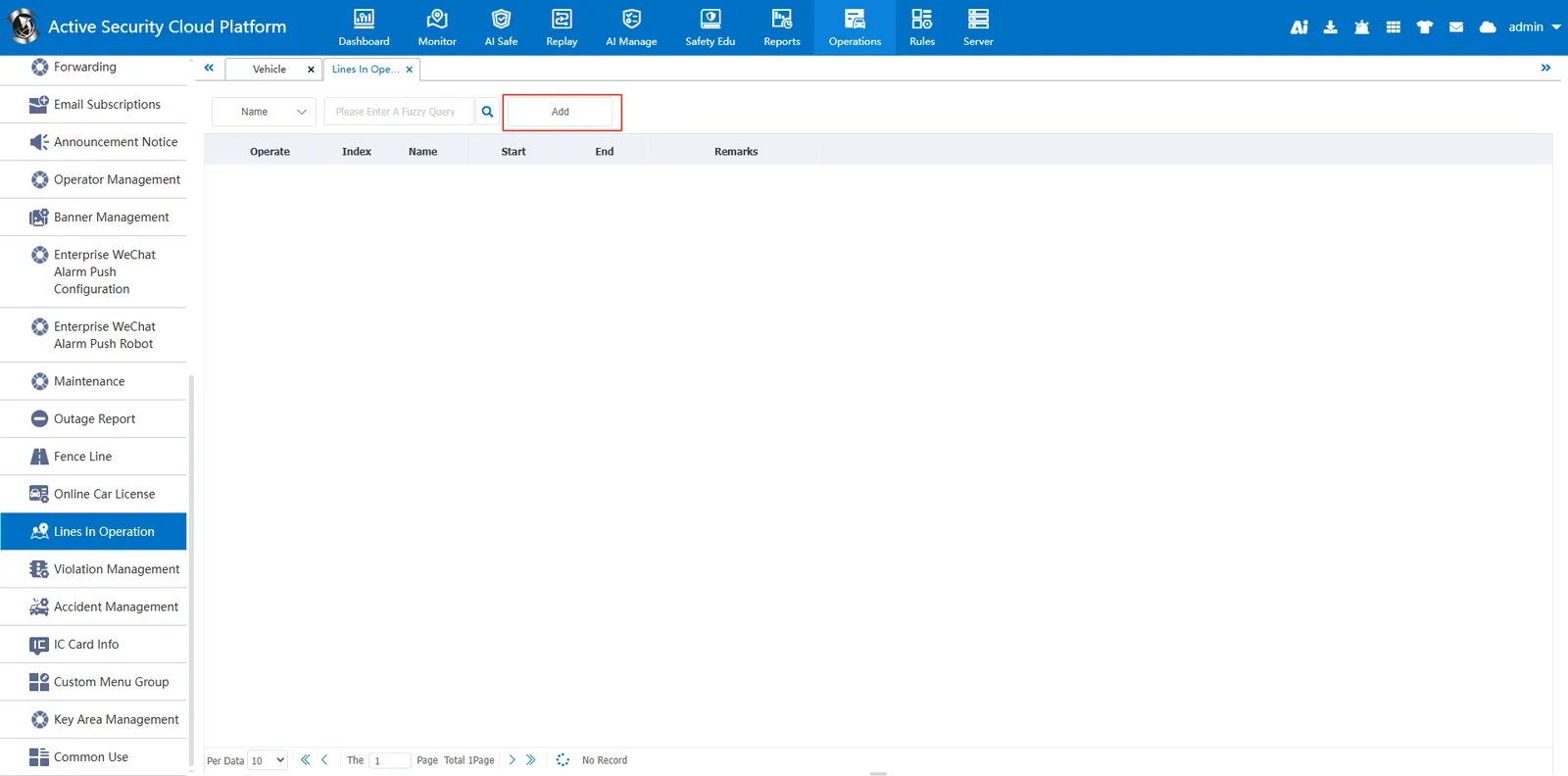
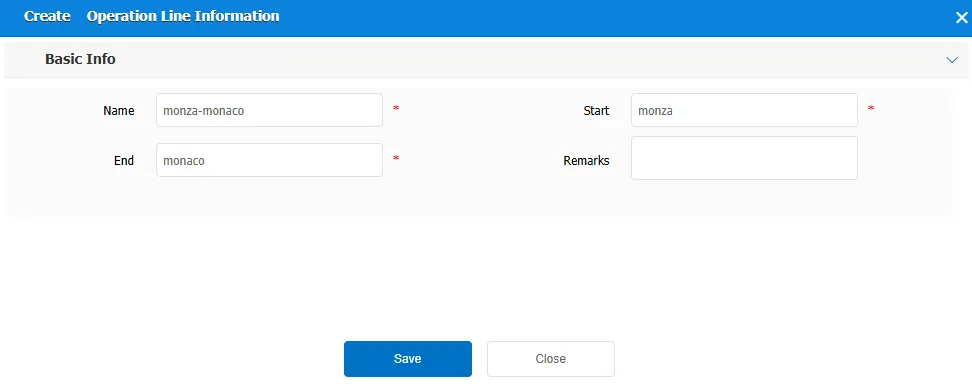
In the new pop- up window, users need to fill in the following fields:
Name: The name of the operating line.
Starting point: The starting point of the operation line.
End point: the end point of the operating line.
Remarks: Additional explanatory information about the operating line.
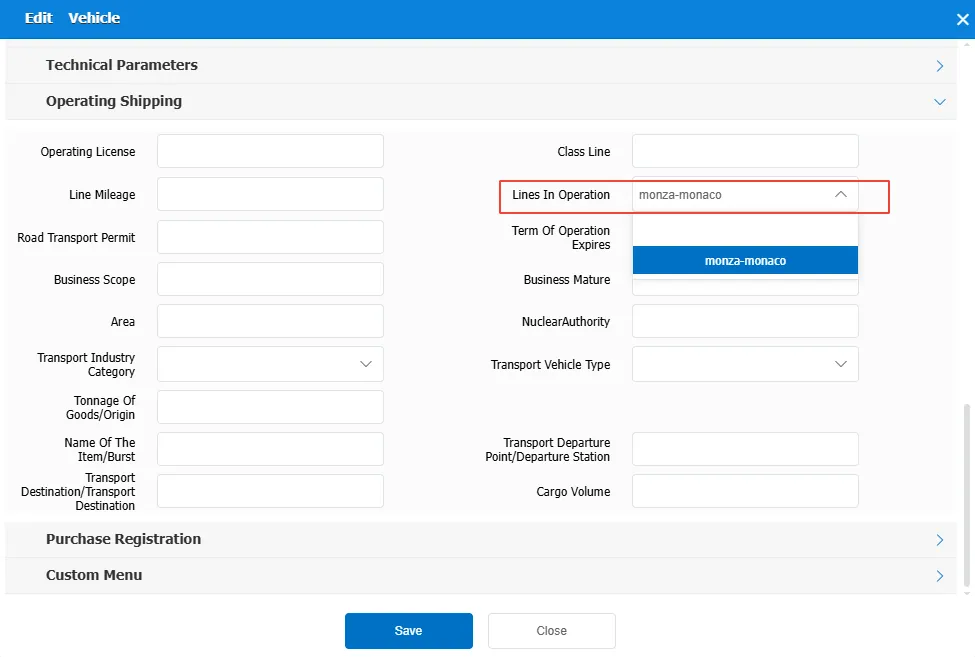
2.2 vehicle binding operation line
Select the set operation route in Vehicle Information- Operation Transportation Information- Operation Route
It can be displayed after monitoring the tree vehicle on the real- time monitoring page