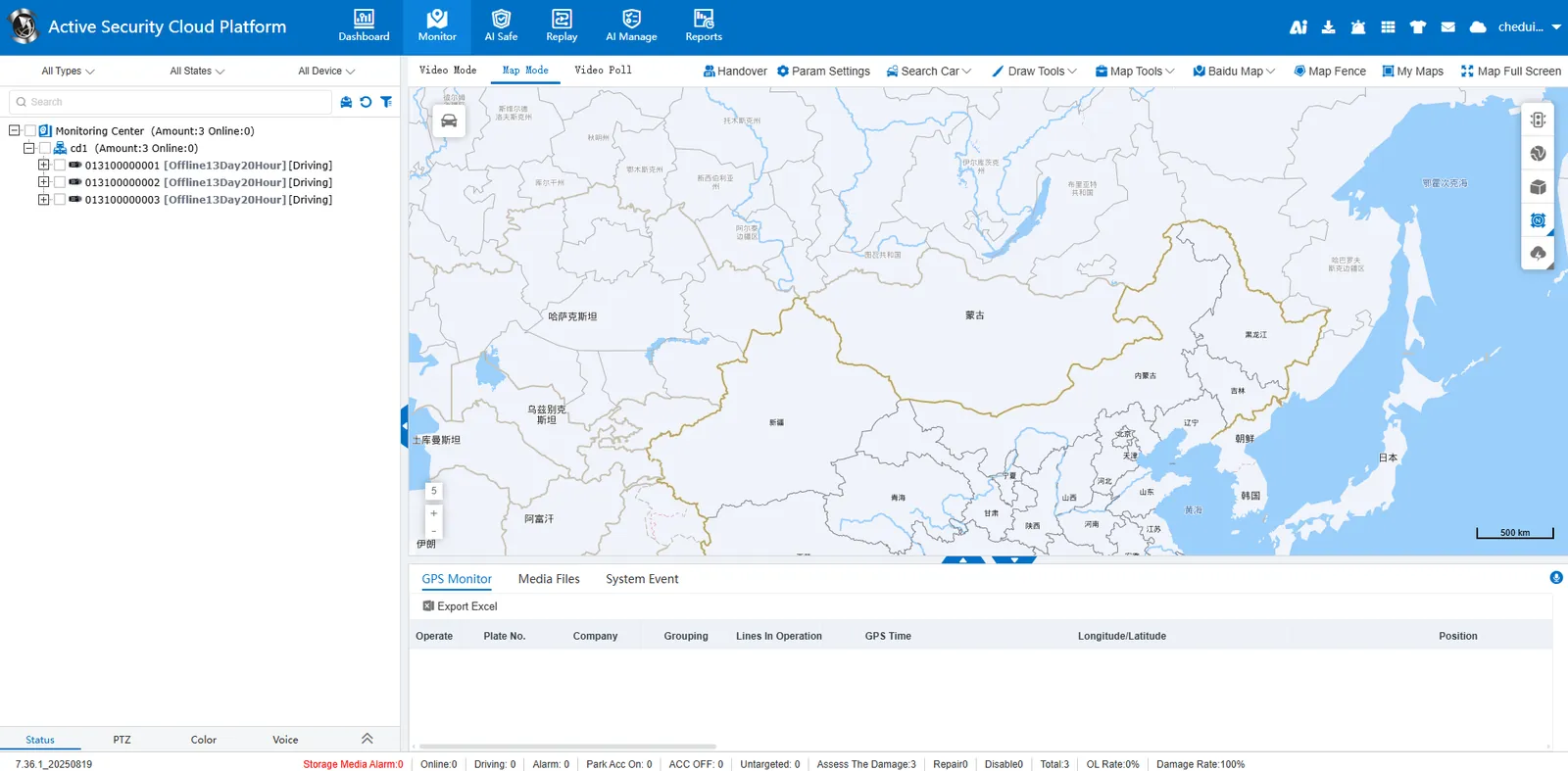
1. Function description
- The fleet belongs to the company organization and does not have a separate account number. It is necessary to add a common account number and assign the fleet vehicles to the account number to realize the management of the fleet vehicles;
- Allocate as many fleet vehicles as the account needs to manage;
2, operating instructions
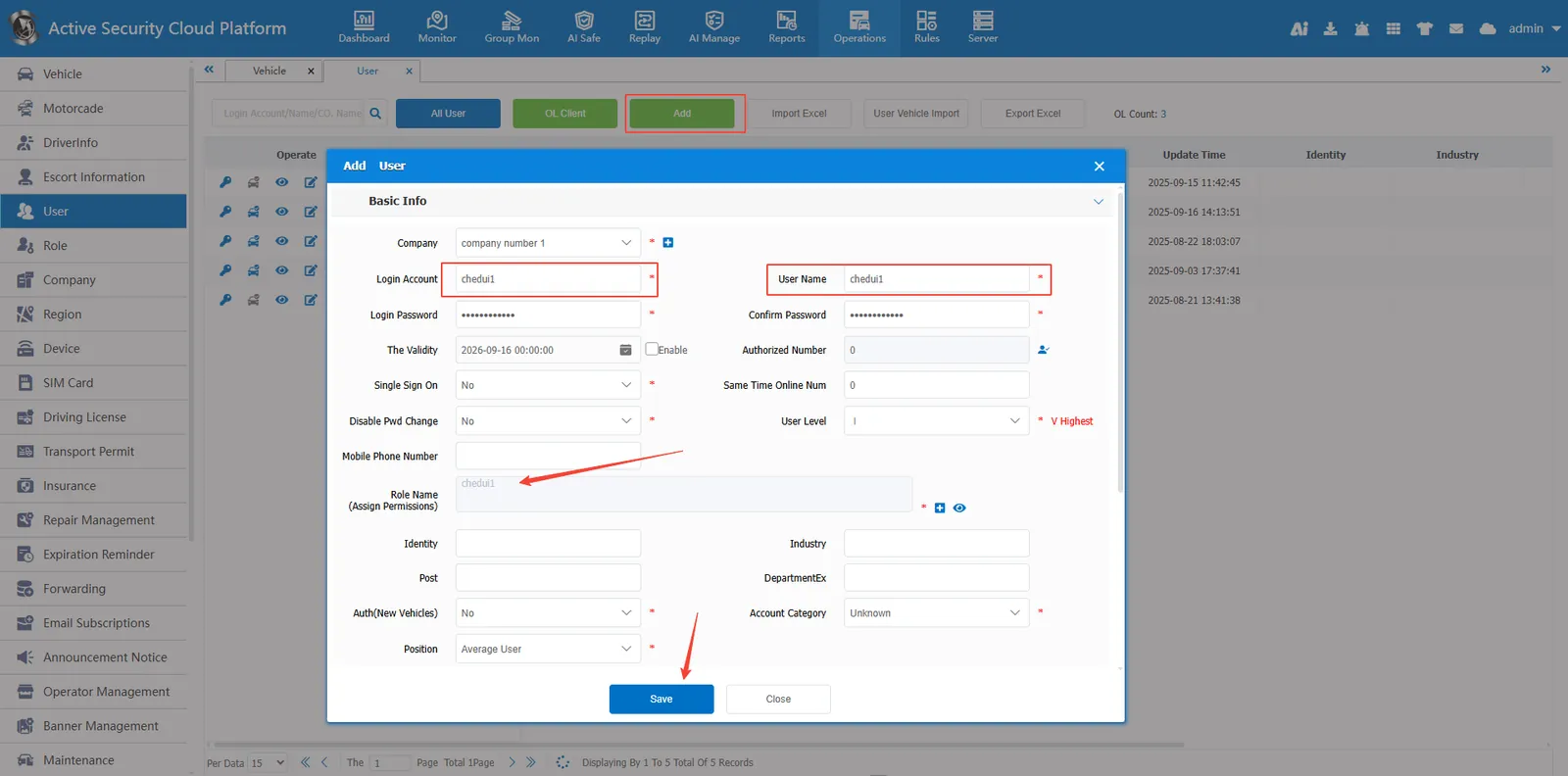
2.1 to add a common account in [User Information]
Enter [User Information], point Add a common account, fill in the account number, user name, role permissions and other information, save;
2.2 assigning vehicles to fleet accounts
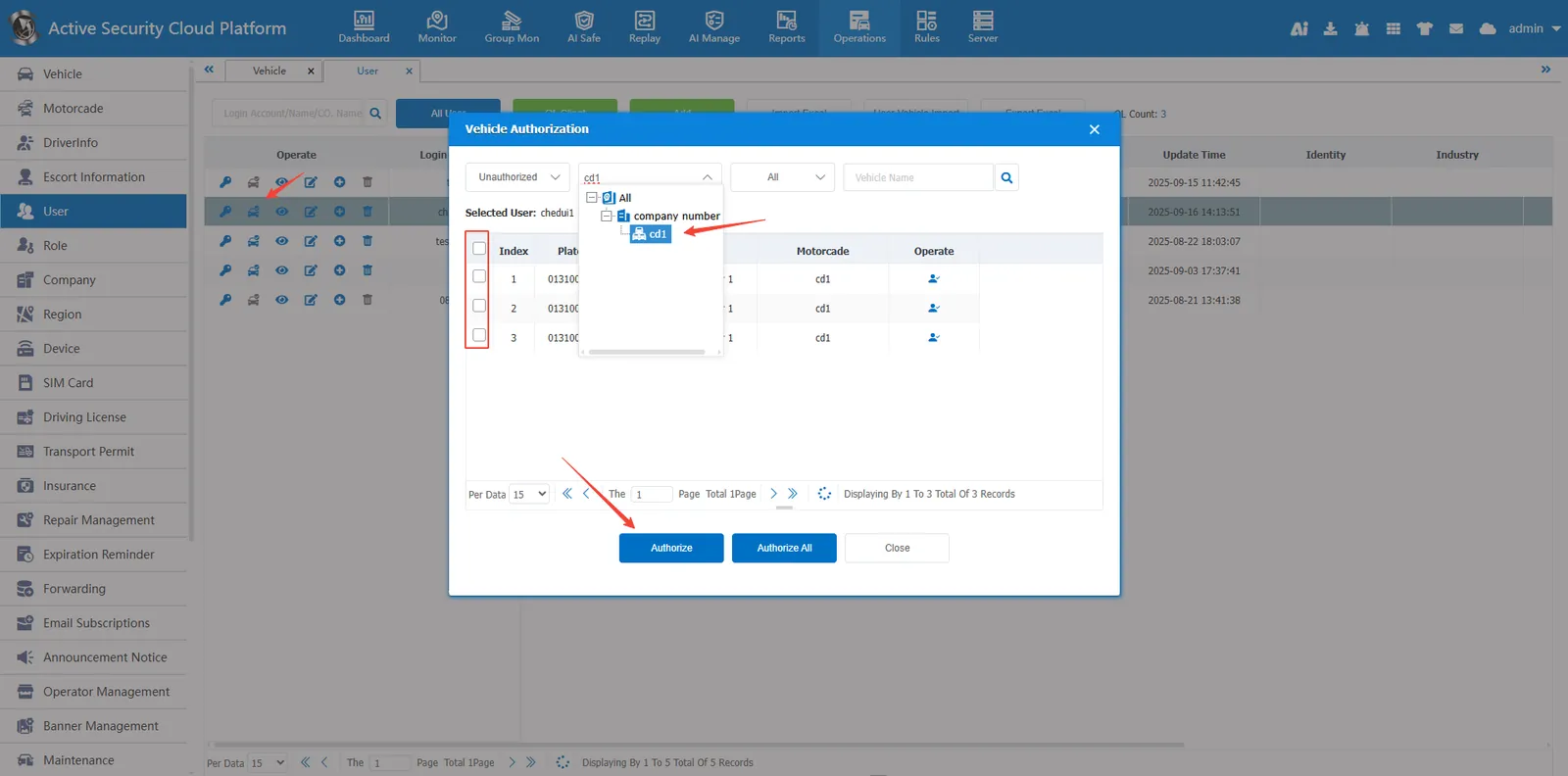
Point icon to allocate vehicles, quickly screen the vehicles to be found through the company fleet list, select the vehicles to be allocated, and click [Authorize]
Fleet account login effect: