1. Function description
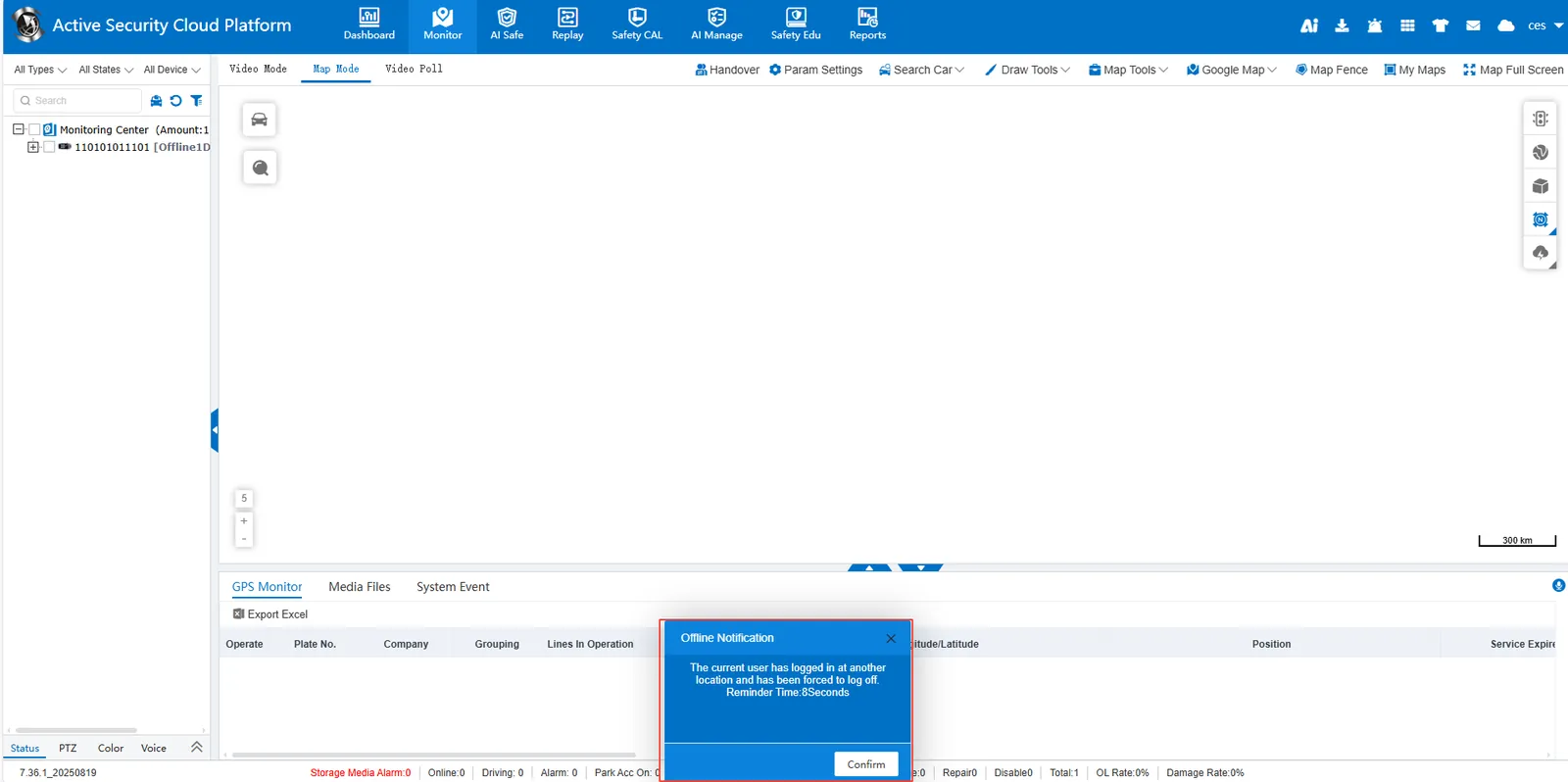
Set up single sign- on for user accounts. If the account is already logged in, logging in to another place will push the logged in offline.
2, operating instructions
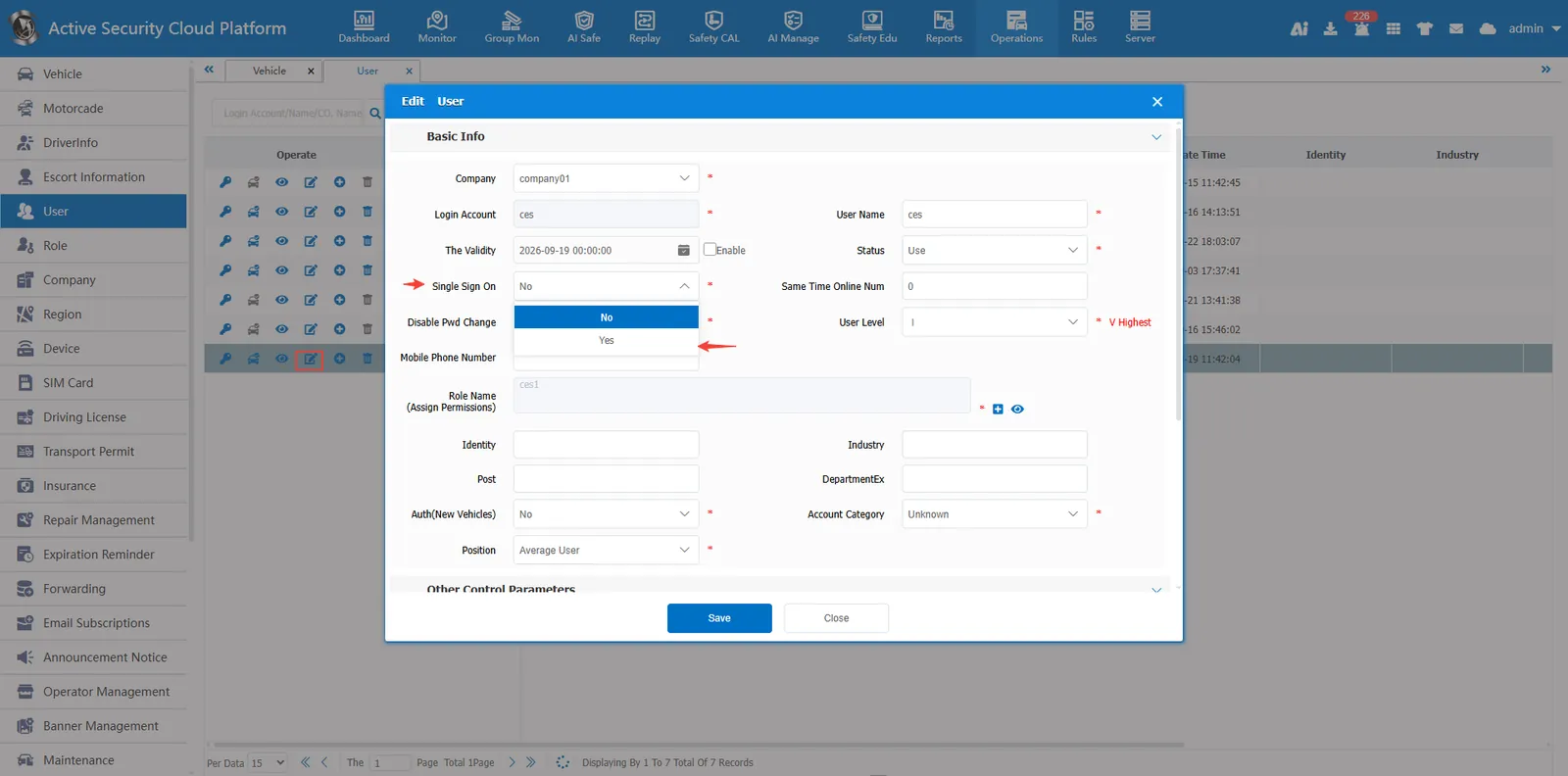
Click the Edit button in [Operations Management]- [User Information] Edit user information, select Yes in single sign- on radio box, and click Save to set it up successfully
Single sign- on forced offline notification reminder