1. Function description
- The platform vehicle is not bound to the driver by default. The system will automatically associate the vehicle with the driver by swiping the card to sign in on the vehicle;
- After the vehicle is bound to the driver, if you do not swipe your card to sign in, the driver information will also be displayed in the map bubble box and track playback list;
- When the platform matches the driver's identity, it is to compare the qualification certificate number in the card swiping sign- in information with the qualification certificate number entered on the platform. If the comparison is consistent, the identification will be judged successful, otherwise the identification will fail.
2. Preconditions
- The platform needs to enter the driver information of the real driver qualification certificate number;
- The equipment needs to report the message of card swiping, sign- in and sign- out;
3. Operating Instructions
The binding between the vehicle and the driver can be achieved in the following two ways:
3.1 vehicle binding driver
Enter [Operation Management]> [Vehicle Information], edit the vehicle information, and click the blank space in the " Driver " column.
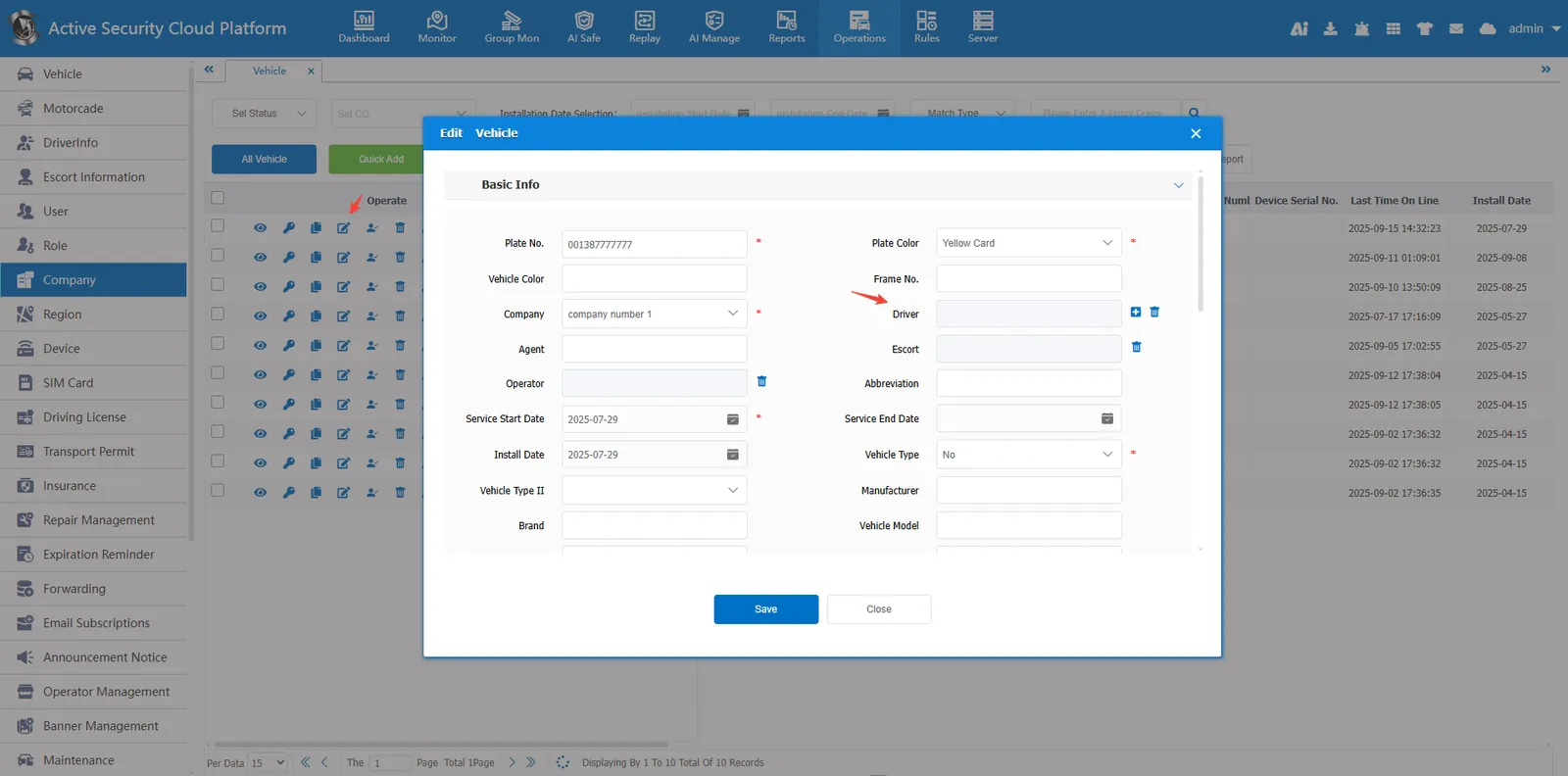
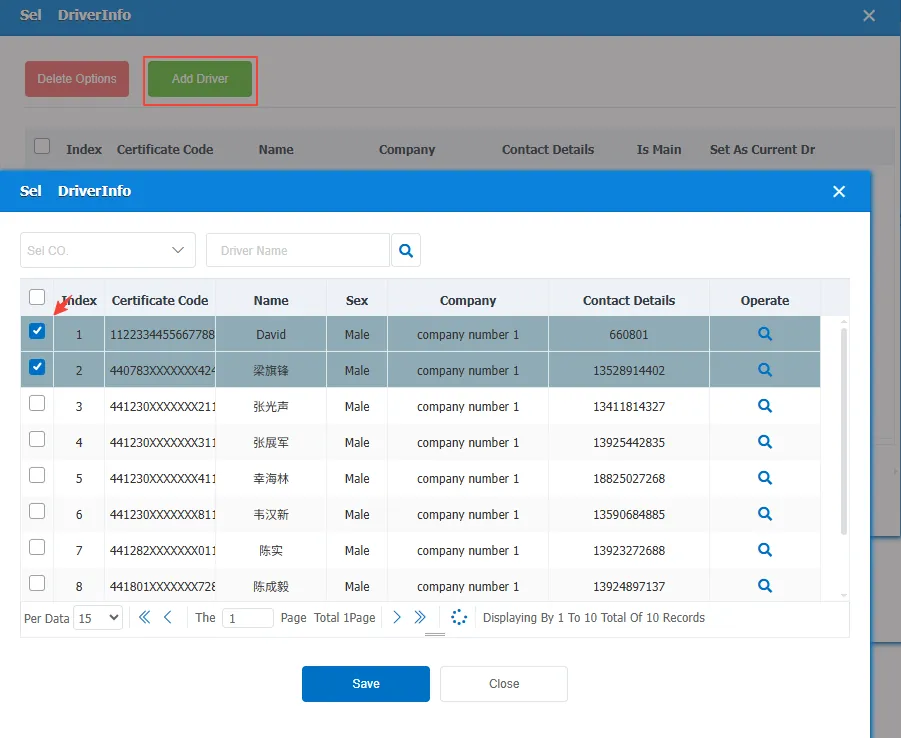
Click " Add Driver ", select the driver to be bound, and then save.
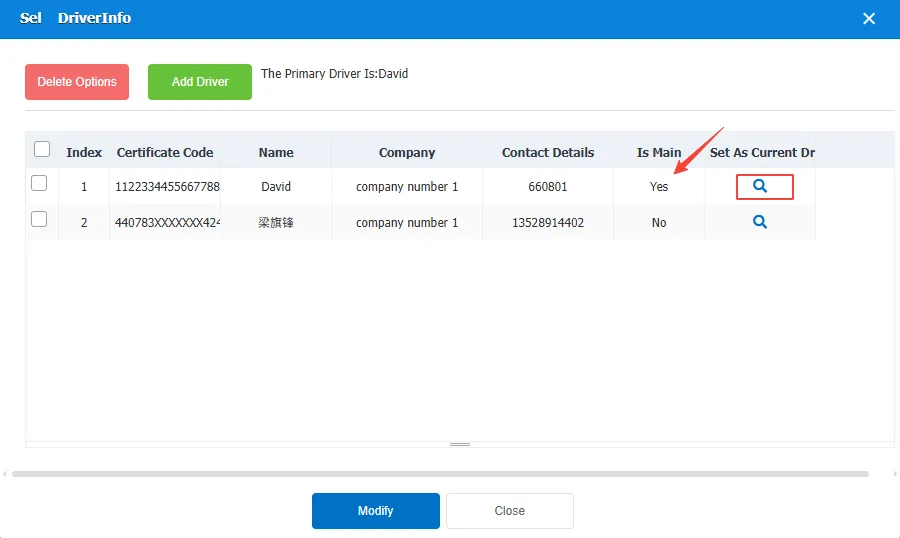
A car can bind multiple drivers, and only one of them can be designated as the current driver. The current driver is displayed on the map by default. After specifying the driver, click "Modify".
3.2 driver bound vehicle
Enter [Operation Management]> [Driver Information], edit the driver information, and click the blank space in the " License Plate Number " column.
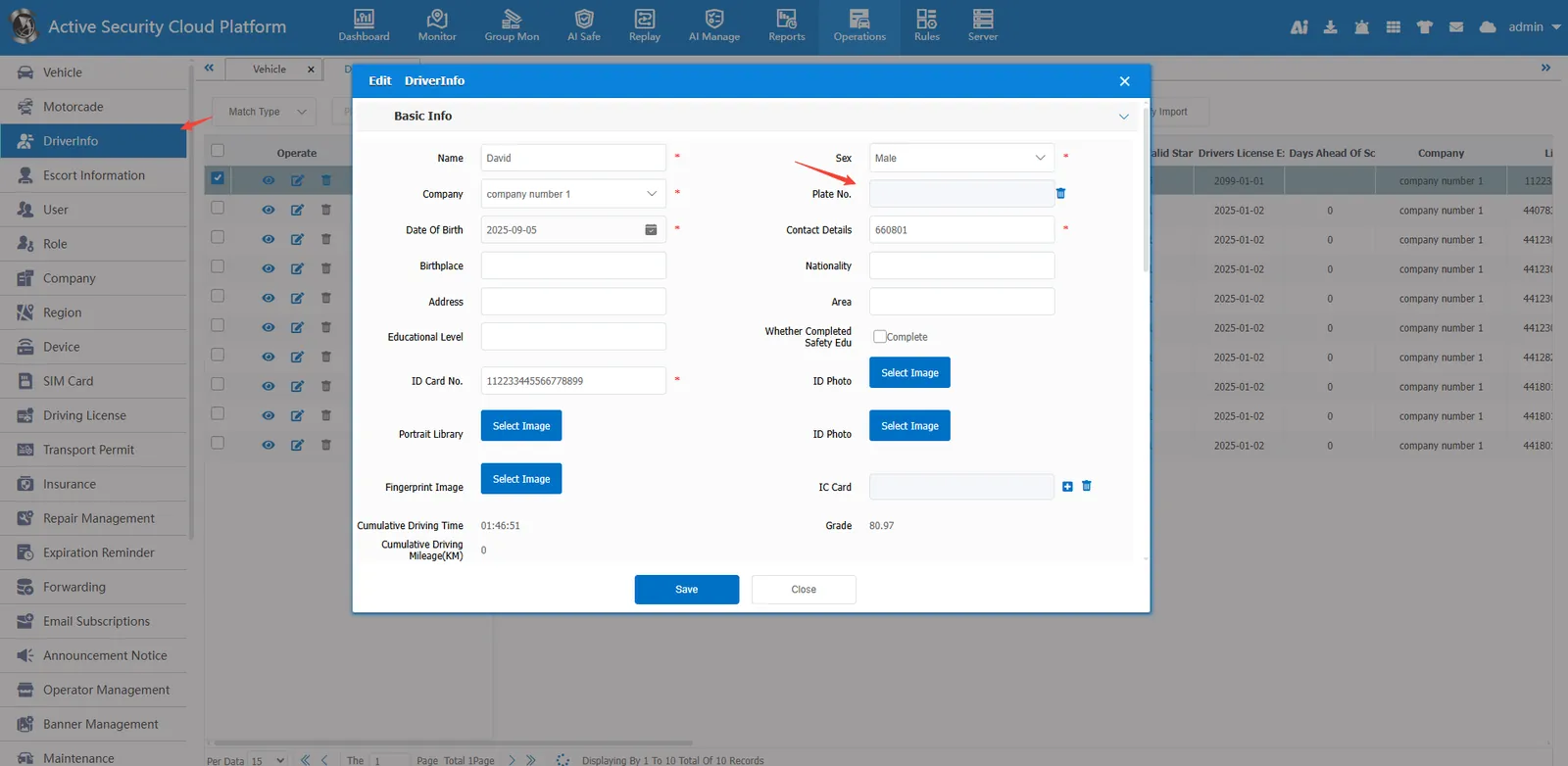
Click " Add Vehicle ", select the vehicle to be bound, and then save
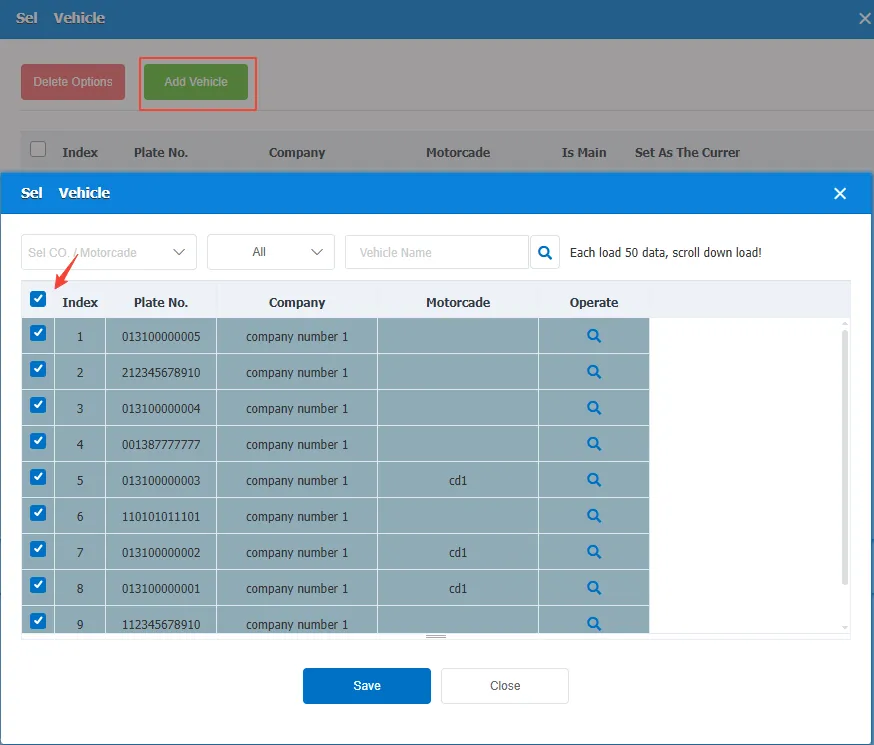
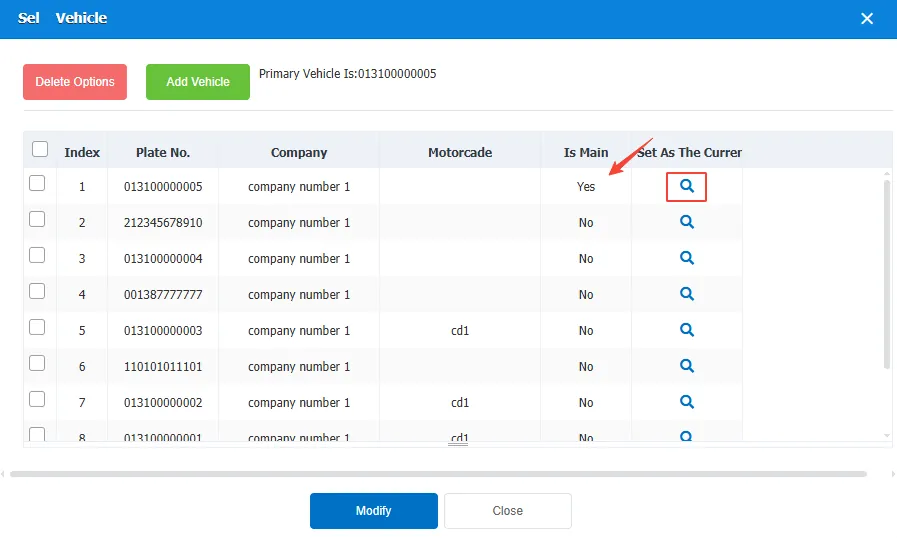
A driver can bind multiple vehicles and can only designate one vehicle as the current vehicle.
4. Precautions:
- Whether the vehicle is bound to the driver or the driver is bound to the vehicle, the effect is the same;
- The current driver/vehicle can be switched at any time;
- The driver information reported by the equipment needs to be true and complete, otherwise it will affect the identification results.
