1. Function description
The equipment management module is one of the core functions of the platform. It focuses on the whole life cycle control of vehicle terminal equipment (such as main defense terminal, positioning terminal, video terminal, etc.), and realizes equipment information entry, status tracking, batch operation and data export through a unified platform, thus helping enterprises to efficiently operate and maintain equipment and ensuring the stable operation of vehicle monitoring, positioning, security and other businesses. Real- time maintenance of basic equipment information (equipment number, SIM card number, bound vehicle, company, etc.) to ensure the accuracy of equipment files and provide data support for subsequent monitoring and scheduling.
2. operating instructions
2.1 add equipment
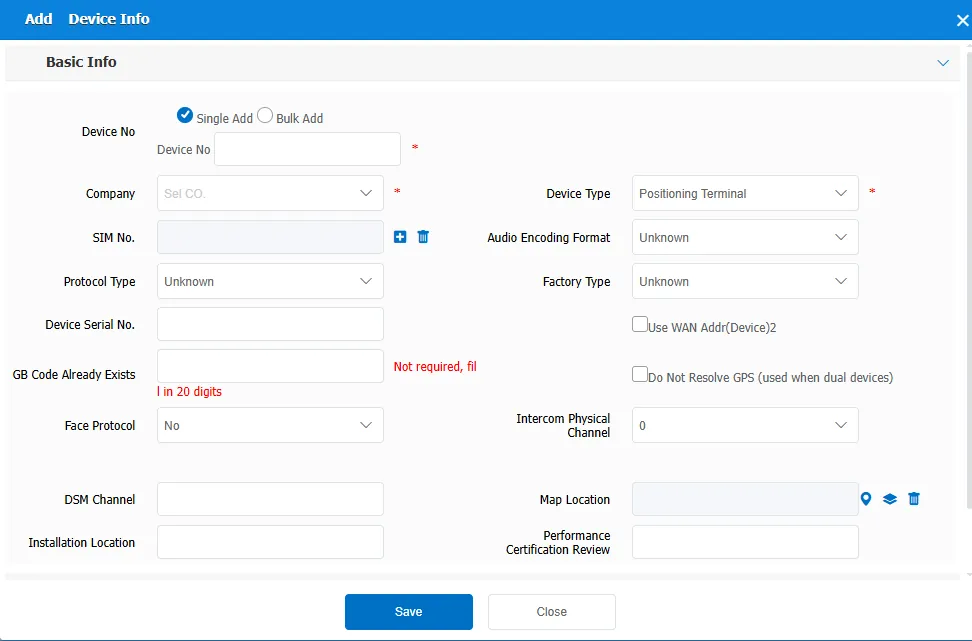
Click the Add button to fill in the device information in the pop- up Add Device Information dialog box, which can be added individually or in batches. Items with red asterisks are required.
Device Number: The unique number of the device.
Company: Select the company to which the device belongs from the drop- down menu.
Device Type: In the Device Type drop- down menu, select the appropriate device type, for example, Locate Terminal ".
2.2 search function
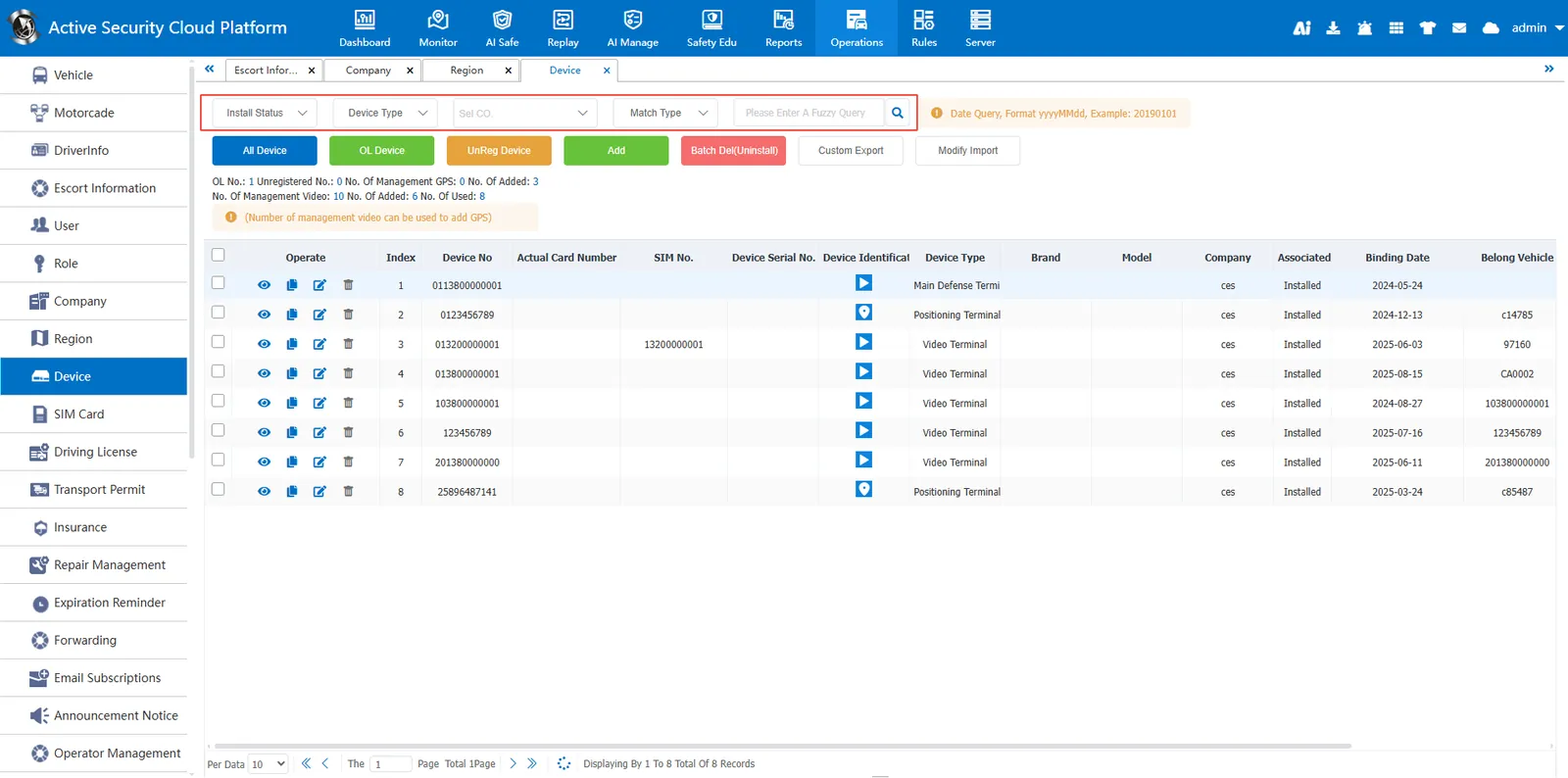
You can search by equipment installation, equipment type, equipment company, license plate number, equipment number, product manufacturer and product brand, etc.
2.3 field description
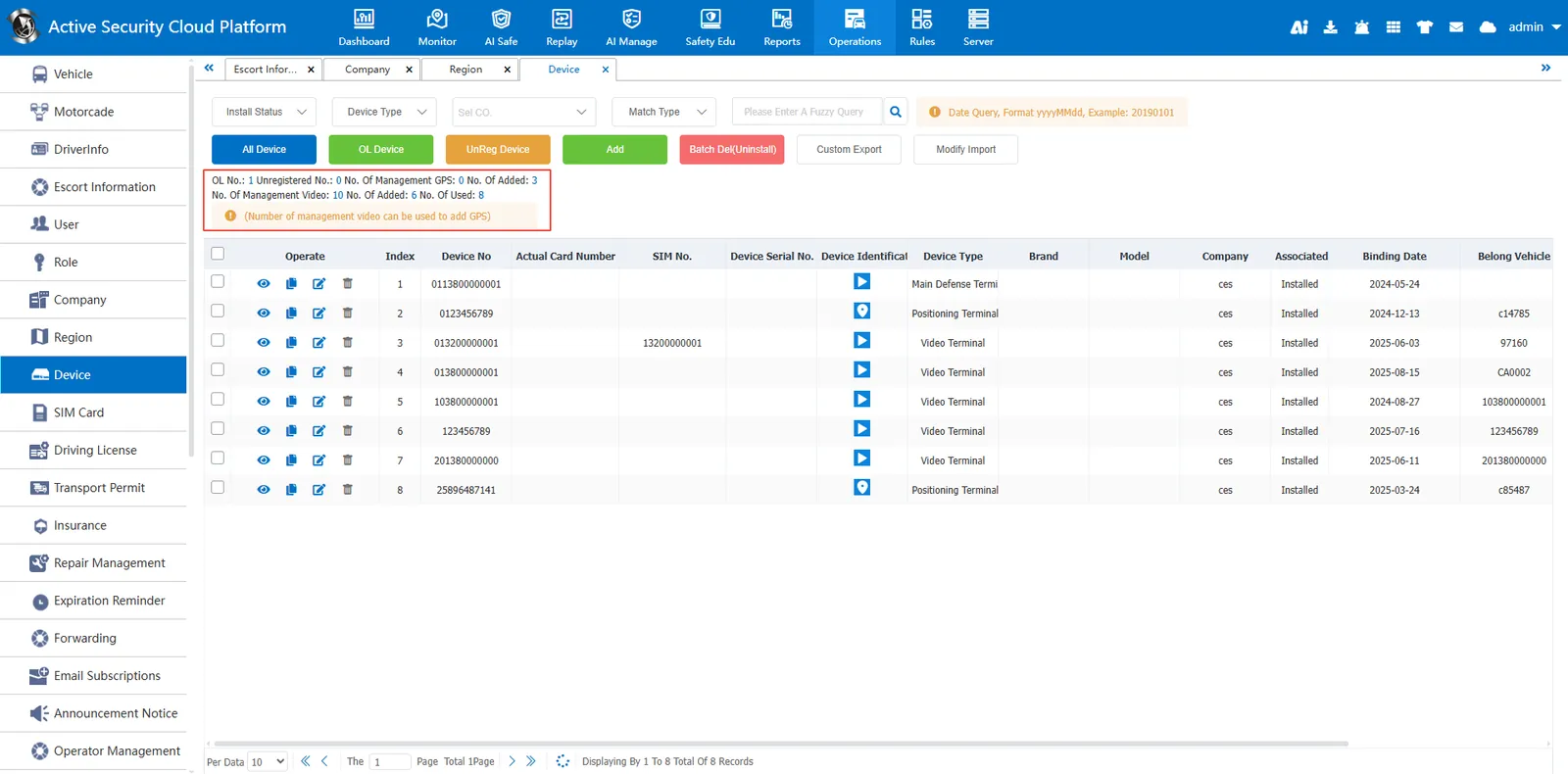
Online Number: Number of devices currently online
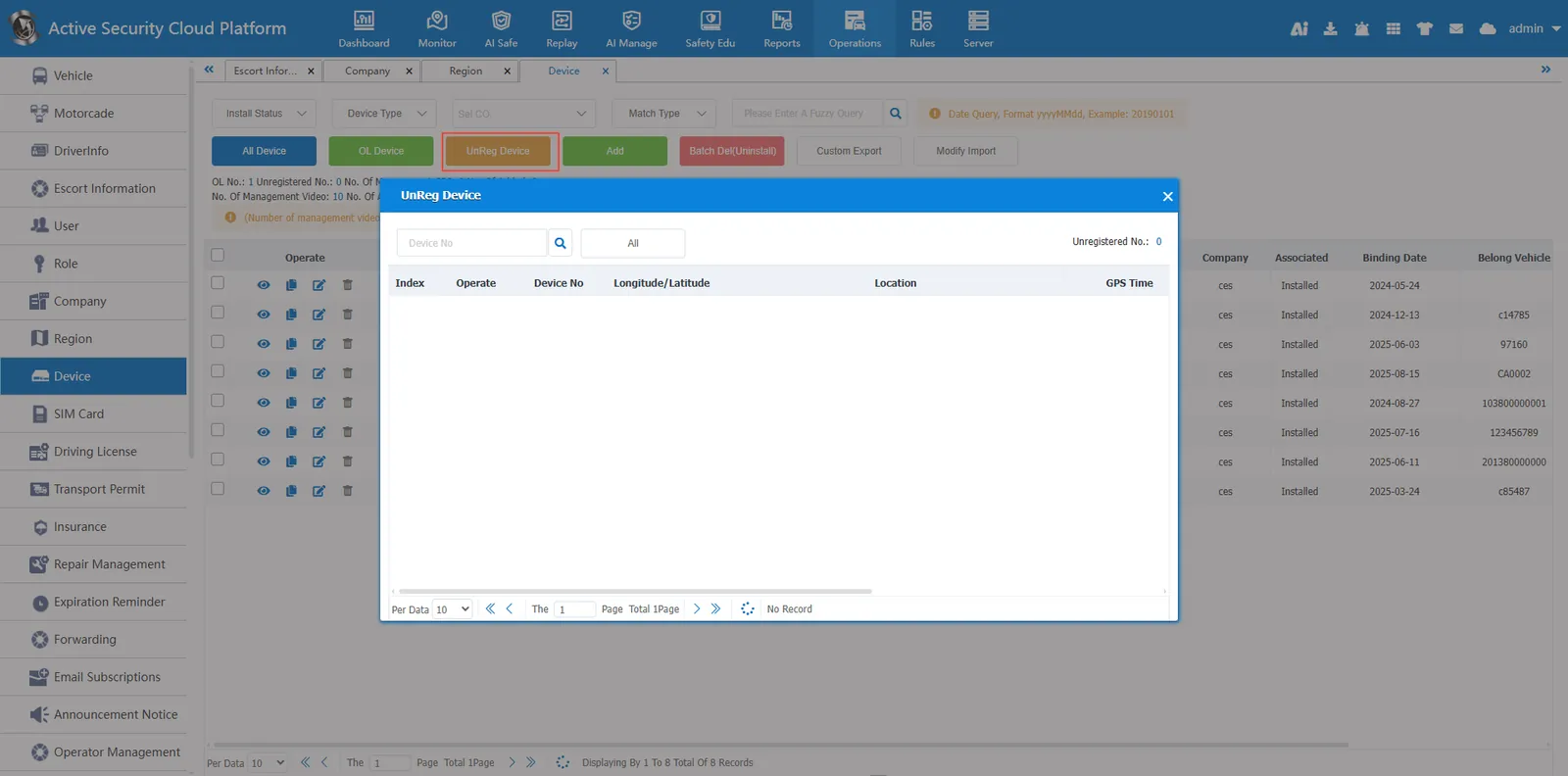
Unregistered Number: the number of devices whose device number has not been entered into the platform, but whose device is currently sending data to the platform
number of management positioning terminals: maximum number of gps devices that can be added added number: number of gps devices that have been entered into the platform
Number of managed video terminals: Maximum number of video devices that can be added Number of added: Number of video devices that have been entered into the platform
allocated number: the total number of gps devices and video devices that have been entered into the platform.
2.4 online equipment
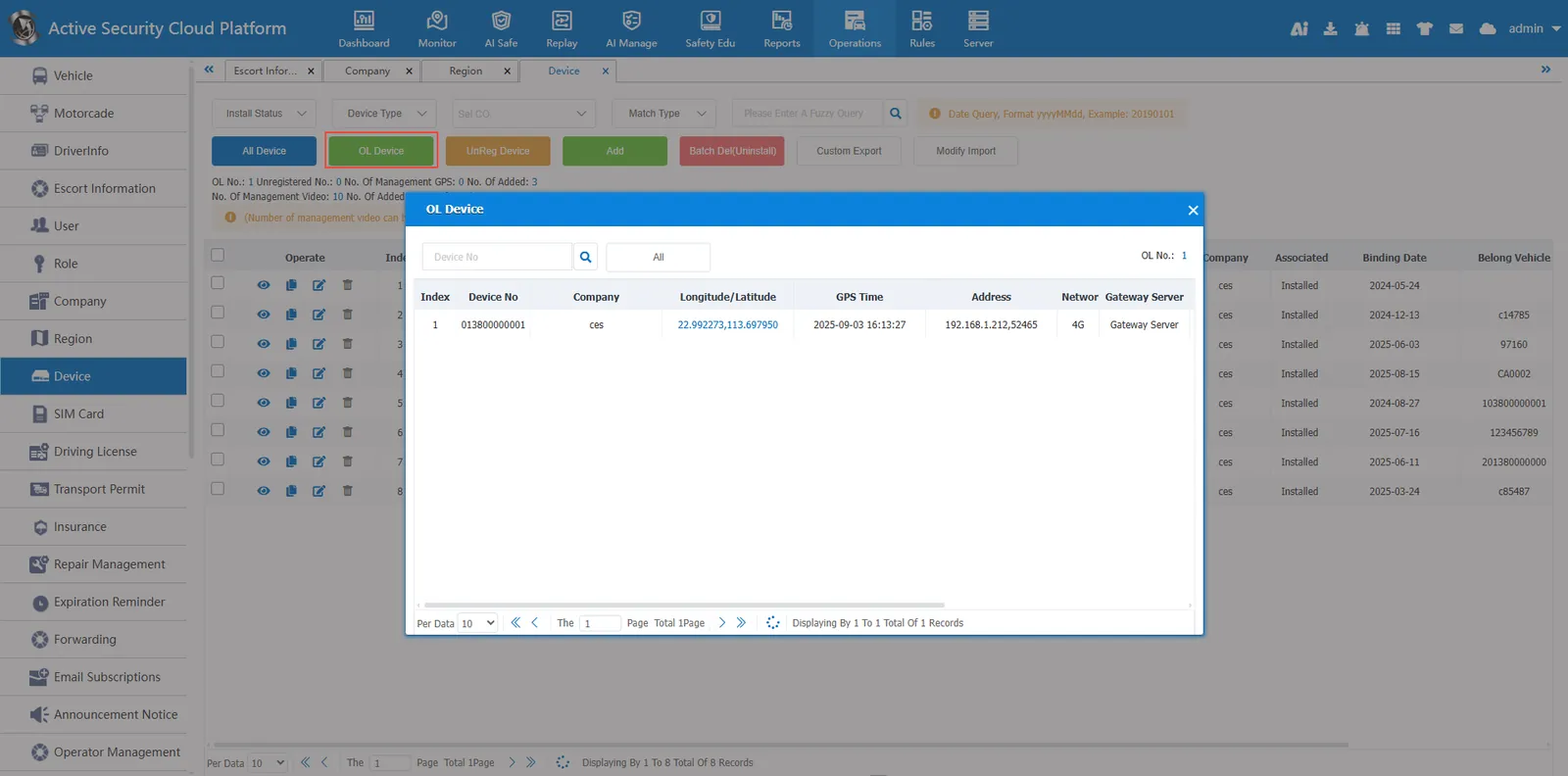
displays the current online devices. you can view the current latitude and longitude, ip address, and protocol type of the devices.
2.5 unregistered device
There are devices that upload GPS data, but there are no devices added in device management.
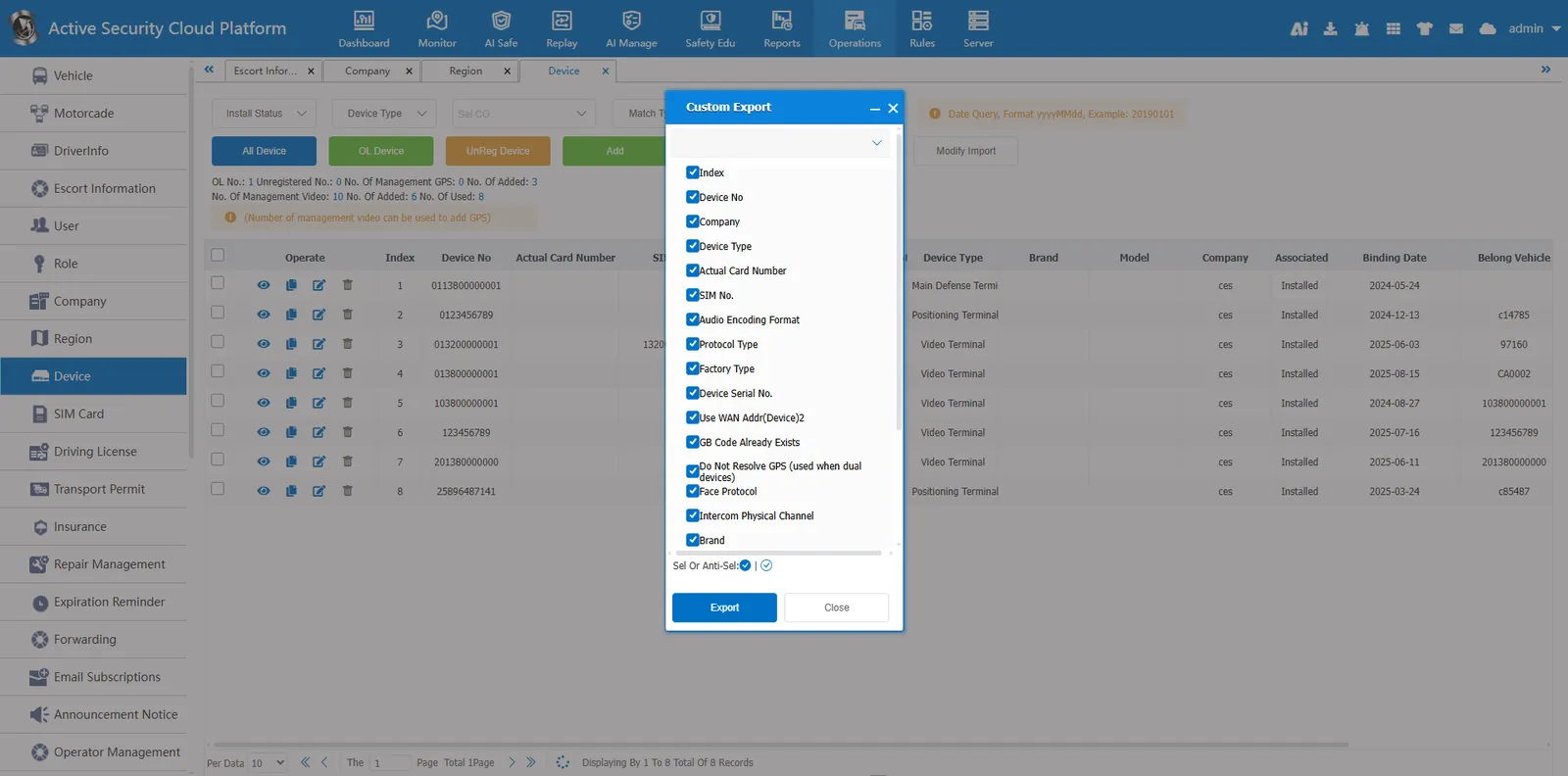
2.6 custom export
You can export selected device information fields to an excel file.
2.7 batch import modification
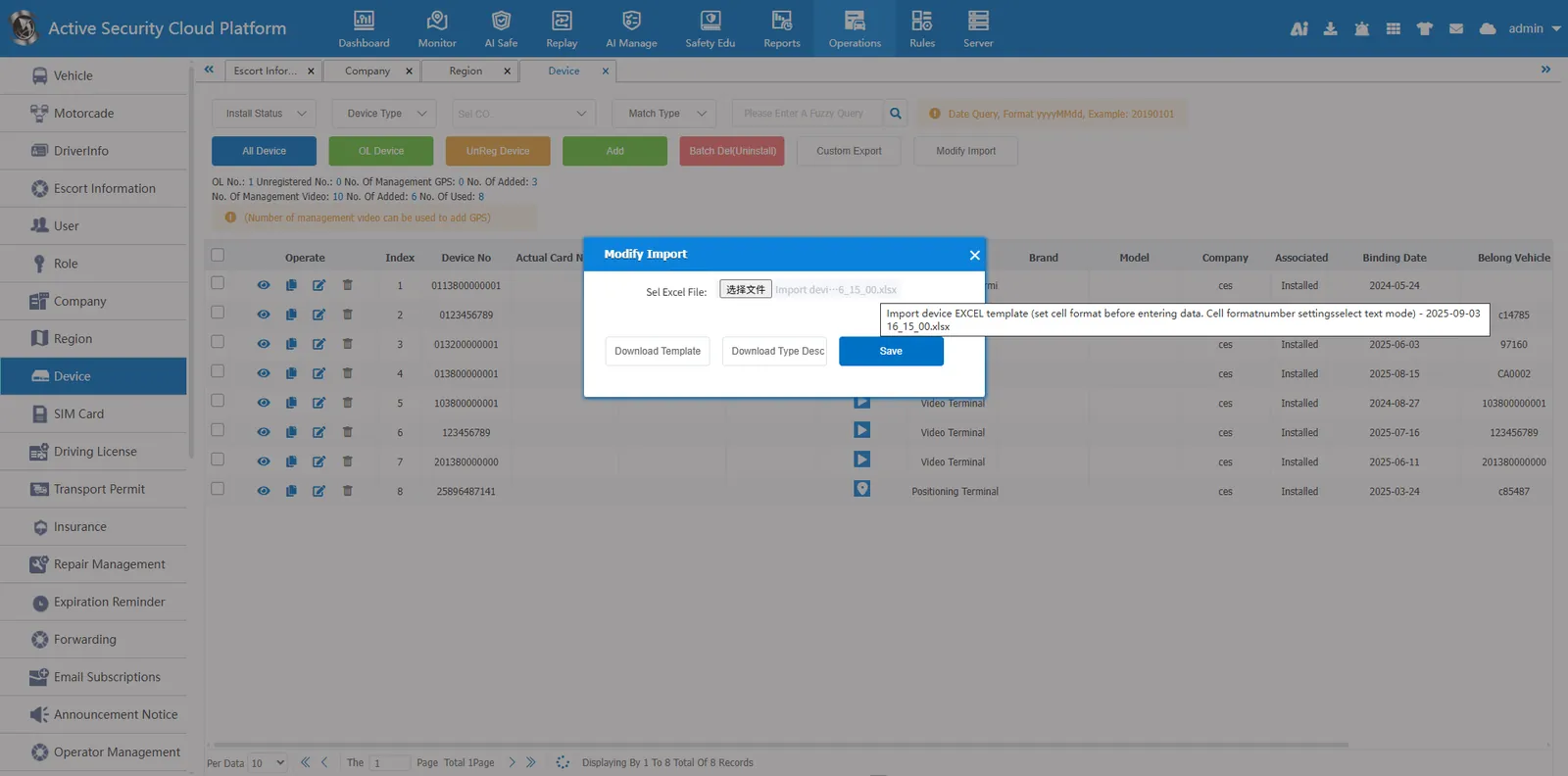
Click the Batch Import Modifications button
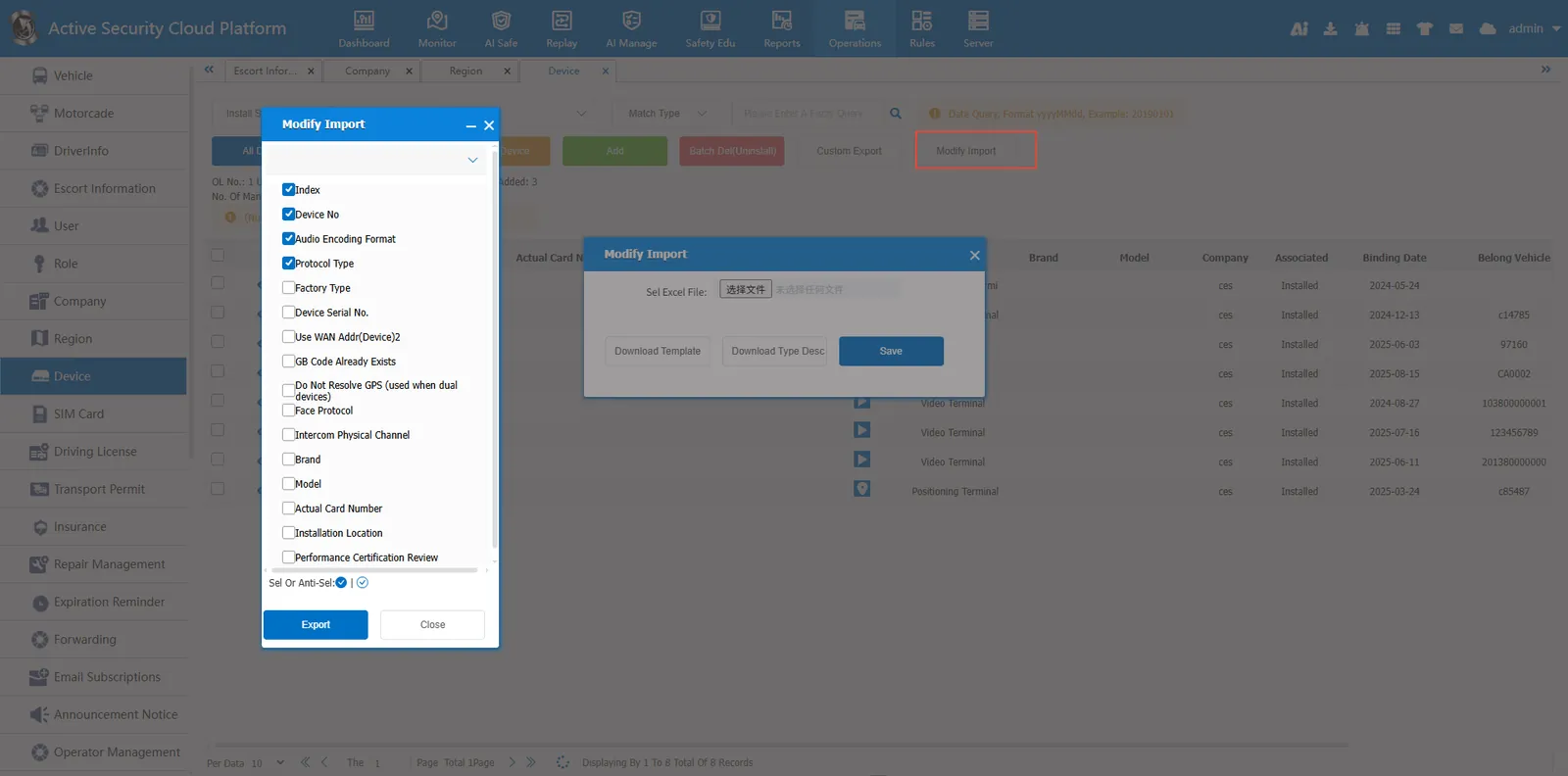
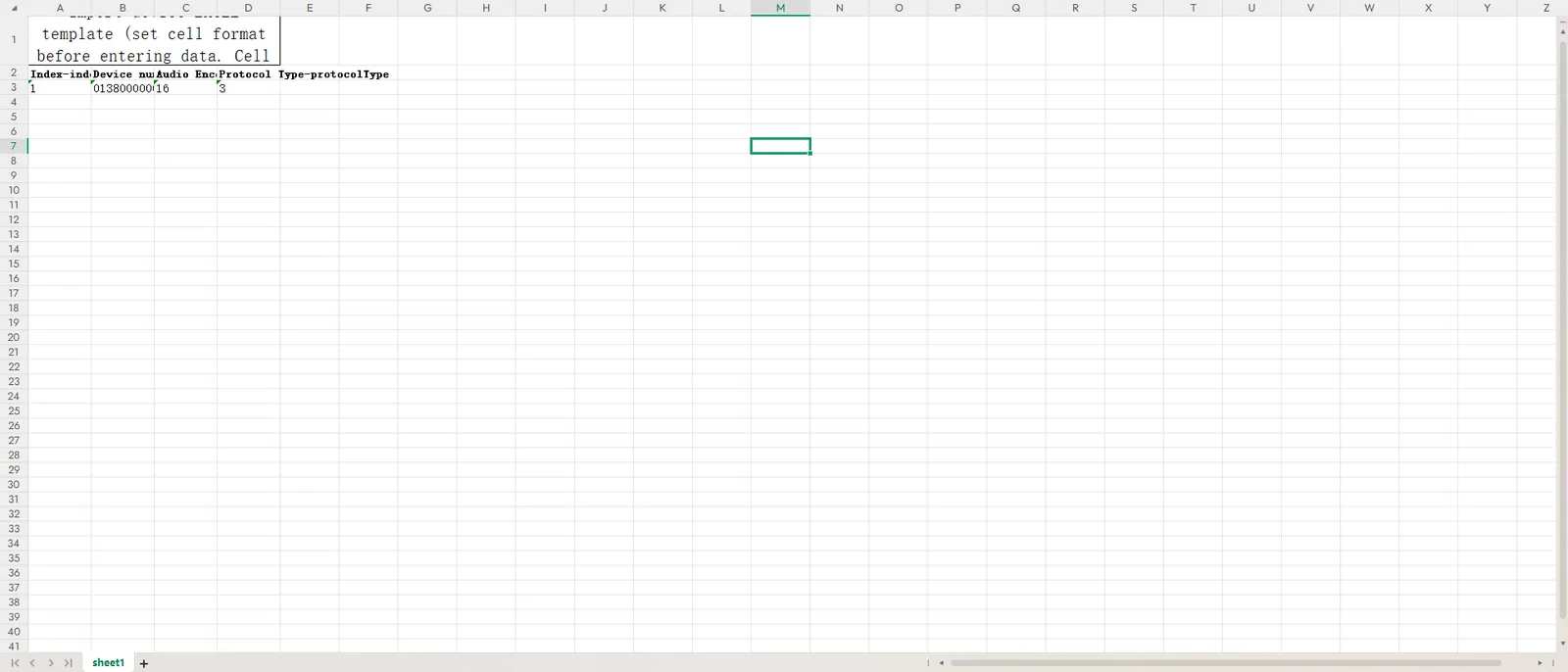
Download the template and open the template file
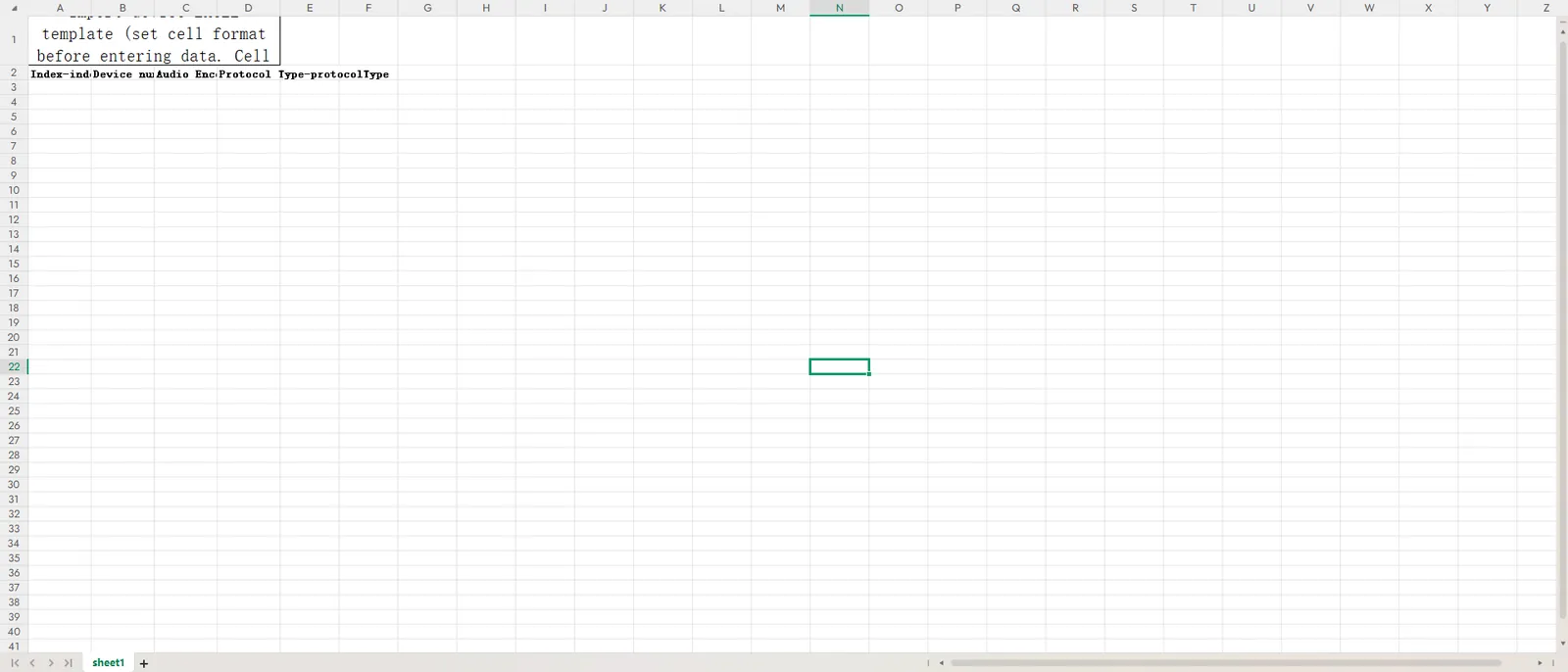
Set the cell format to text format and fill in the device information to be modified.
Select the template file and click Save
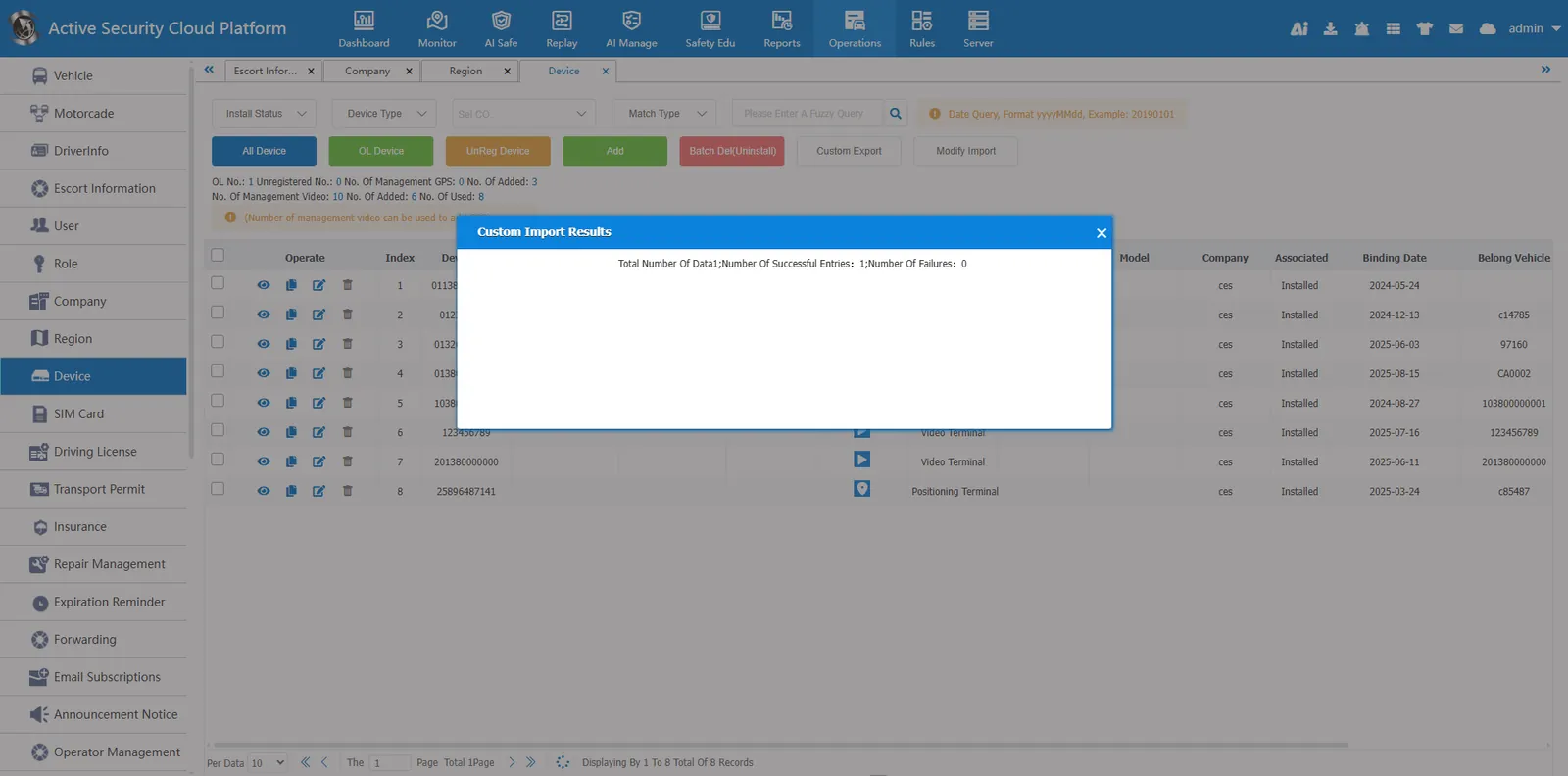
Import and modification succeeded
3. Precautions
Data accuracy: When adding/editing devices, ensure that key information such as "device number, SIM card number, associated vehicle" is consistent with the actual terminal to avoid management confusion.
Permission restrictions: Some operations (such as batch deletion and batch import) require corresponding permissions.
Format specification: batch import must strictly follow the template format provided by the system to avoid import failure due to format errors.
