1. Function description
You can specify the driving route of the vehicle. If the vehicle deviates from the specified route during driving, a route deviation alarm will be generated; if the speed configuration is met in the route, a speed alarm will be generated.
2. operating instructions
2.1 basic information
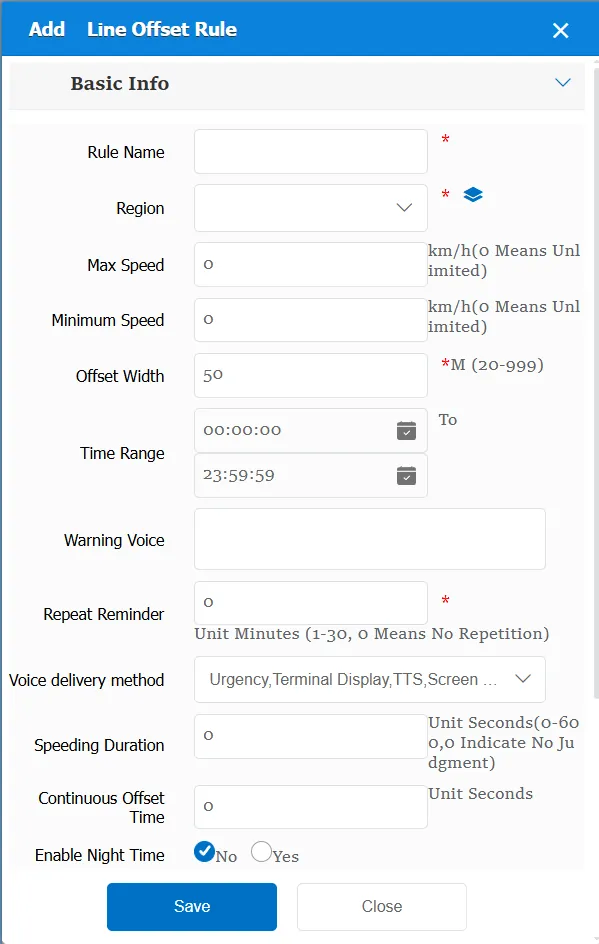
Rule Name: Customize, customize the name according to the actual situation
Area Name: Specify a specific driving route. You can select an existing route on the platform or add a specified route.
Maximum speed: The maximum speed of driving in the line, exceeding the configuration will generate a speed alarm; Configuration will generate a line overspeed alarm; Trigger conditions will generate an alarm: line overspeed alarm (platform)
minimum speed: the minimum speed in the line, lower than the configuration will generate speed alarm; configuration will generate line low speed alarm; trigger conditions will generate alarm: line low speed alarm (platform)
Offset width: When driving in the line, it is allowed to deviate from the specified line range; generally refers to the width of the line; the trigger condition will generate an alarm: line offset (platform)
Time Range: the time period when the rule takes effect.
Alarm Voice: the message sent to the device when the alarm is triggered.
Repeated Reminder: During the alarm continuation phase, an alarm voice is sent to the device every specified time.
Match all vehicles:
No: Only valid for vehicles assigned by this rule
Yes: this rule is effective for all vehicles of the company.
Global Share:
No: Only visible to this company
Yes: visible to all companies on the platform
Overspeed Duration: The time threshold for triggering the speed alarm. The alarm will only be triggered if the specified time is exceeded.
Duration Offset Time: the time threshold for triggering an offset alarm. The alarm is triggered after the specified time.
Enable night time selection:
No: This item is invalid
Yes: need to manually specify the night time range
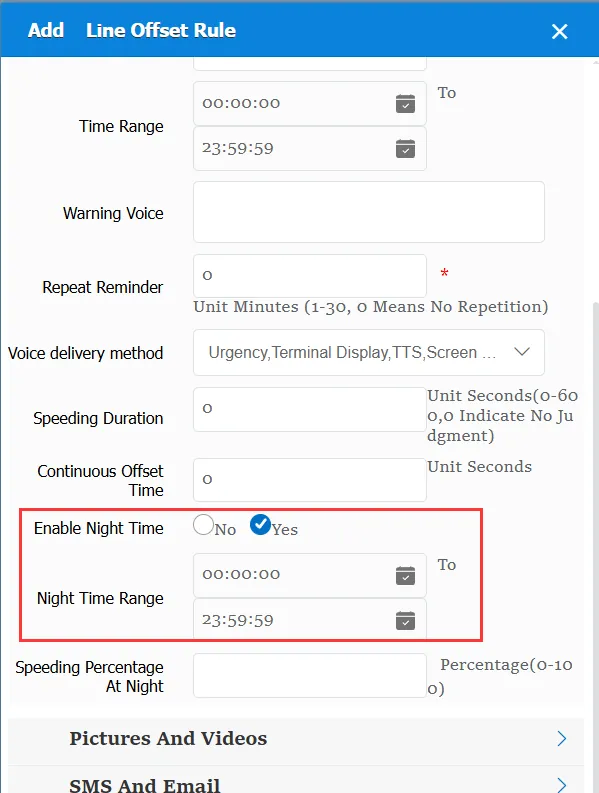
Overspeed Percentage at Night: The speed threshold for overspeed at night, which is a percentage of the speed threshold during the day.
2.2 alarm information display
Vehicle bubble box alarm display:
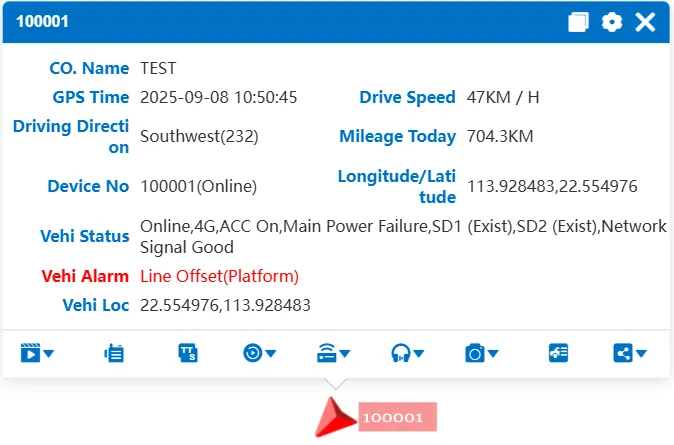
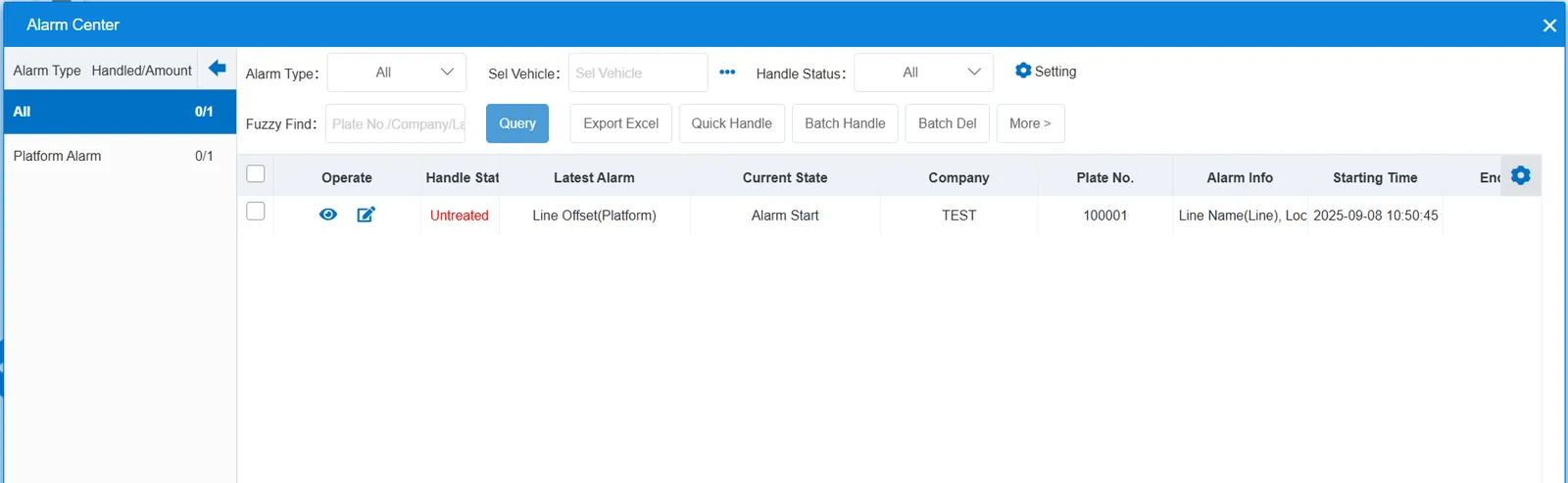
alarm center alarm display:
2.3 alarm information query
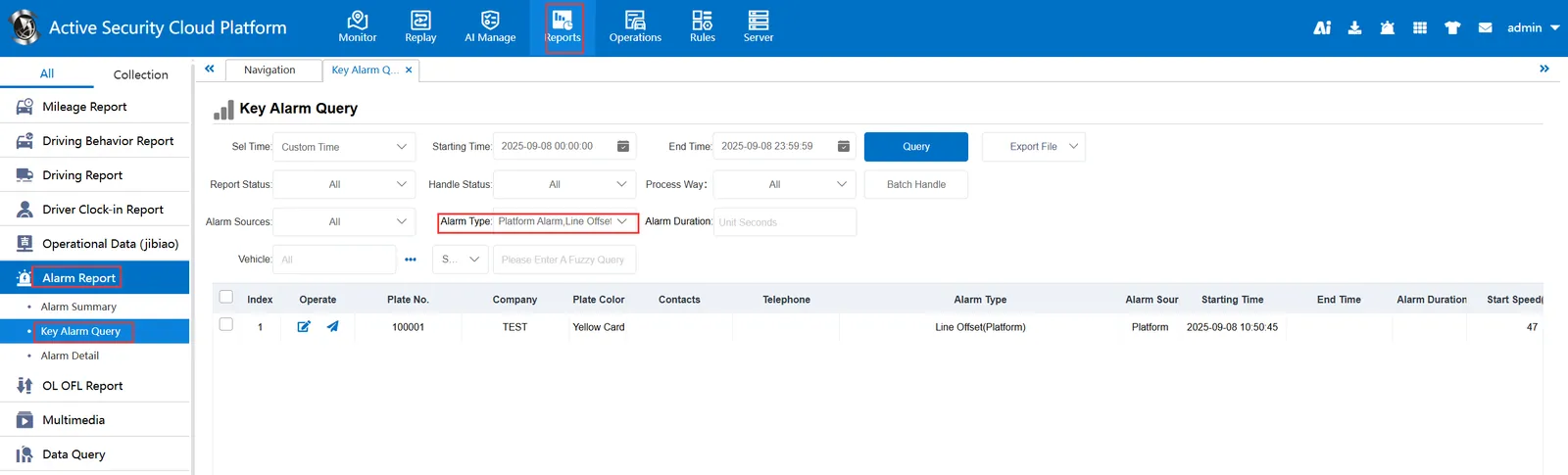
When querying alarms, you can select "Line Offset(Platform)" for "alarm type" in the "Reports"- "Alarm Report"- "Key Alarm Query" report