1. Function description
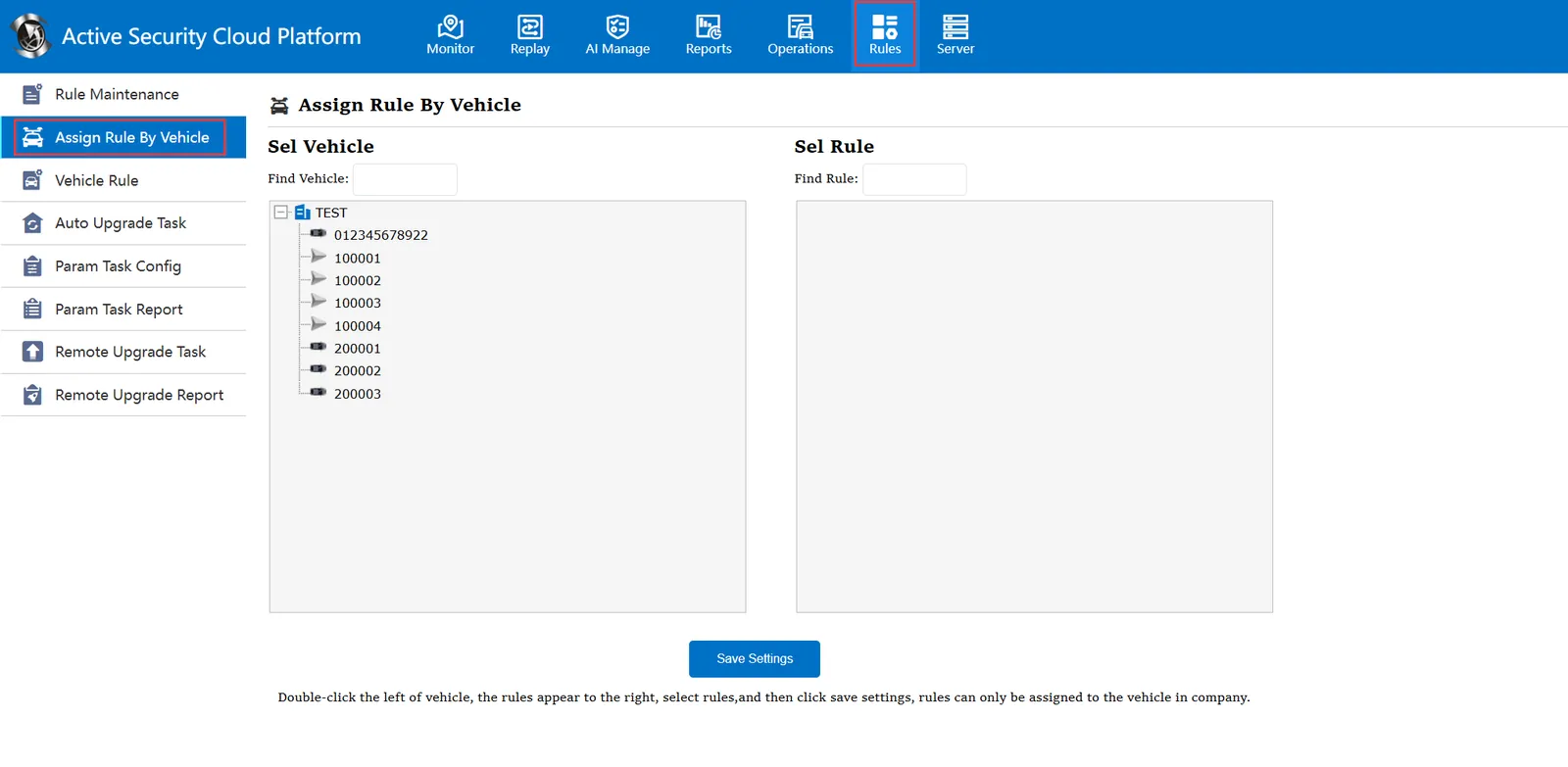
This item is mainly through the license plate number, query the vehicle is authorized what rules
2. operating instructions
2.1 to determine the license plate number to be queried
2.2 select vehicle
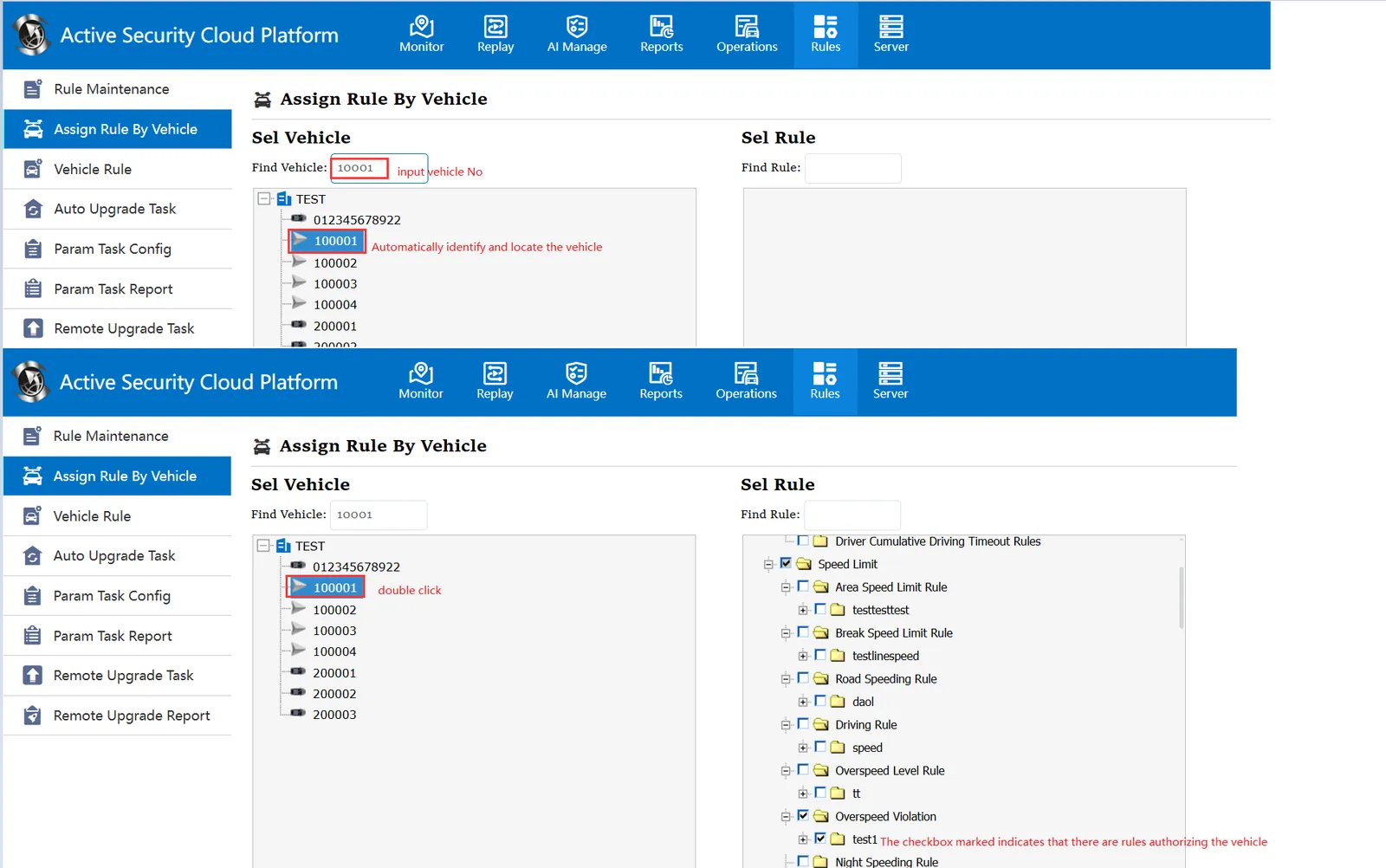
2.2.1: Enter the license plate number to be queried in the input box of the search vehicle item.
2.2.2: After entering the license plate number, it will automatically recognize and locate the specified vehicle
2.2.3: At this time, you only need to double-click the license plate number, which rules are authorized by the vehicle will be displayed.
2.3 selection rules
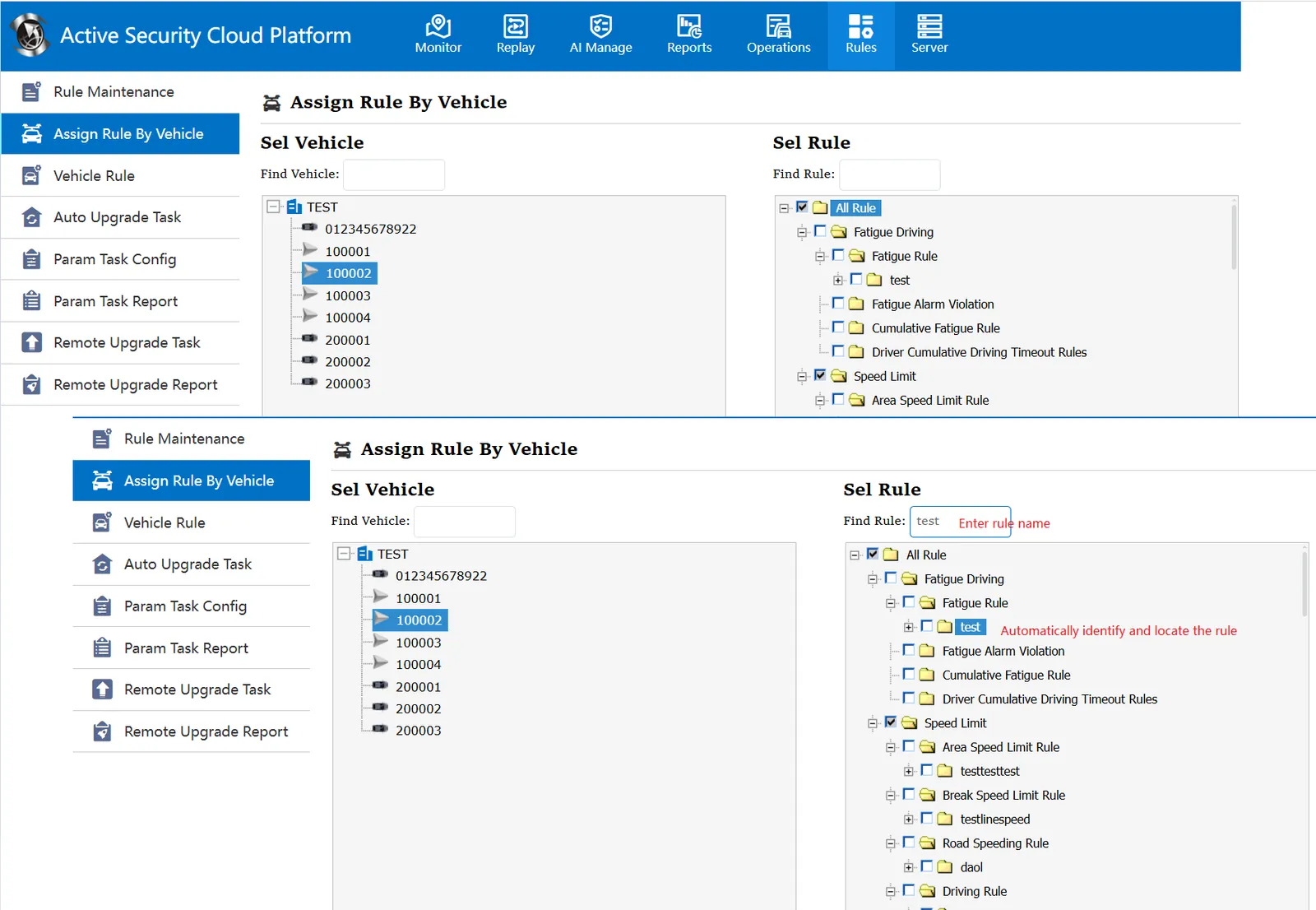
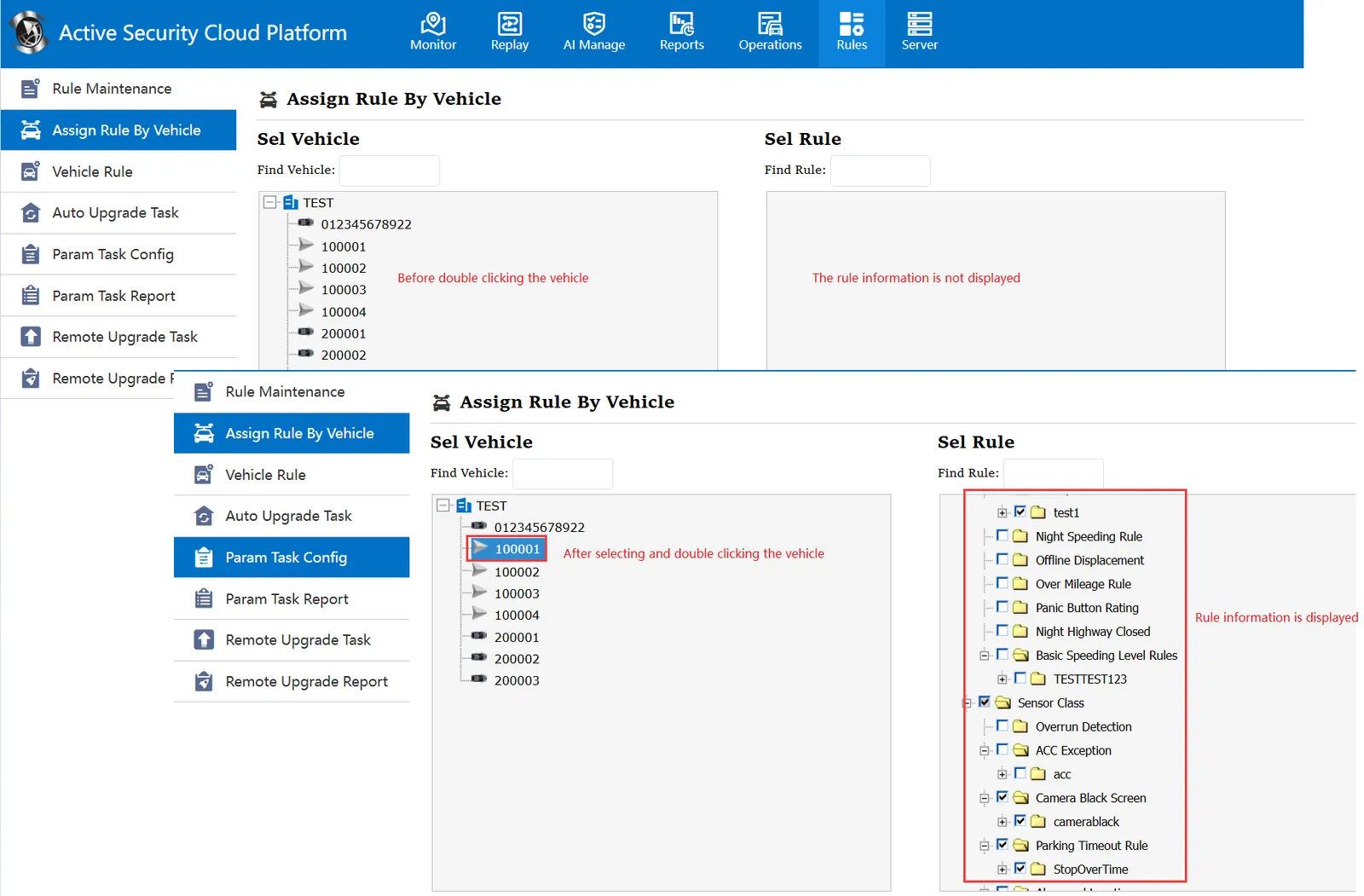
** 2.3.1 : You need to find any car in the "Select Vehicle" item, double-click the license plate number, and then the "Select Rule" item will display the rule information.
2.3.2**: Enter the rule name in the input box next to Find Rule, and the rule will be automatically identified and located.