1. Function description
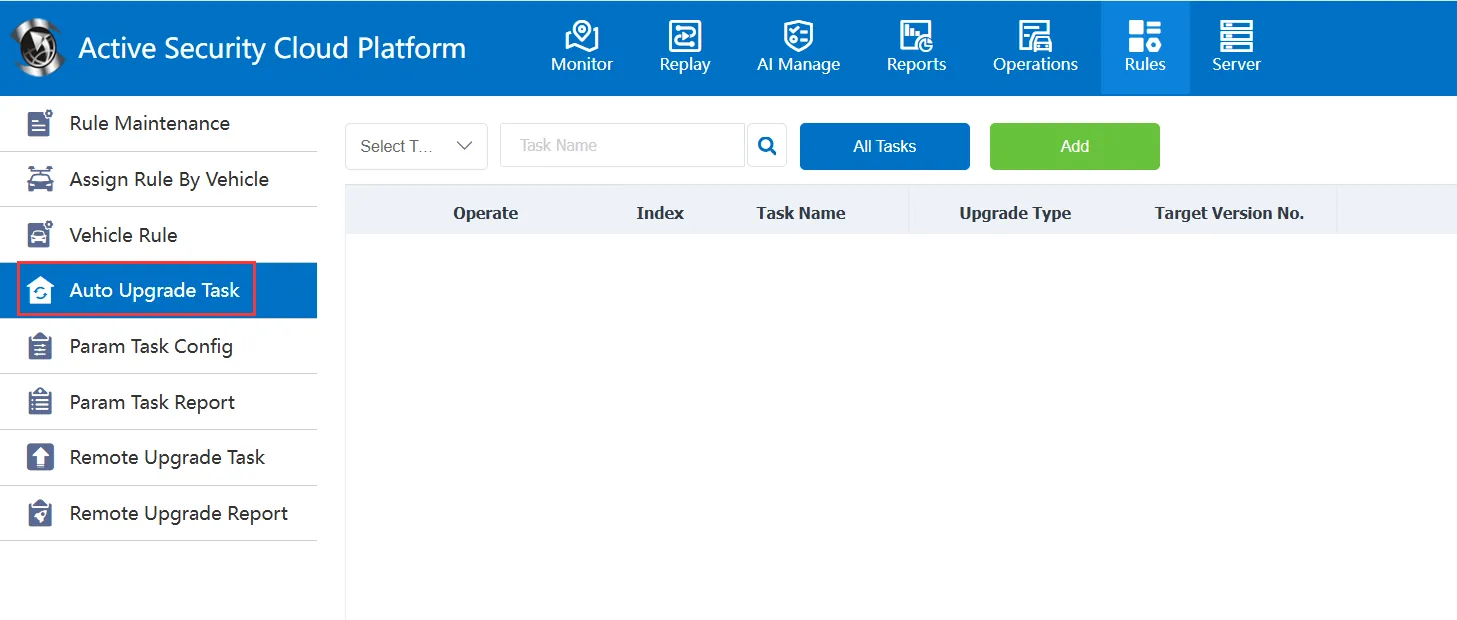
It is mainly to add the upgrade operation of the equipment to the platform in the form of automatic tasks. During the task execution period, when the equipment goes online, it will automatically send tasks to complete the upgrade of the equipment. It mainly provides add, assign, query and delete task operation.
2. operating instructions
2.1 add
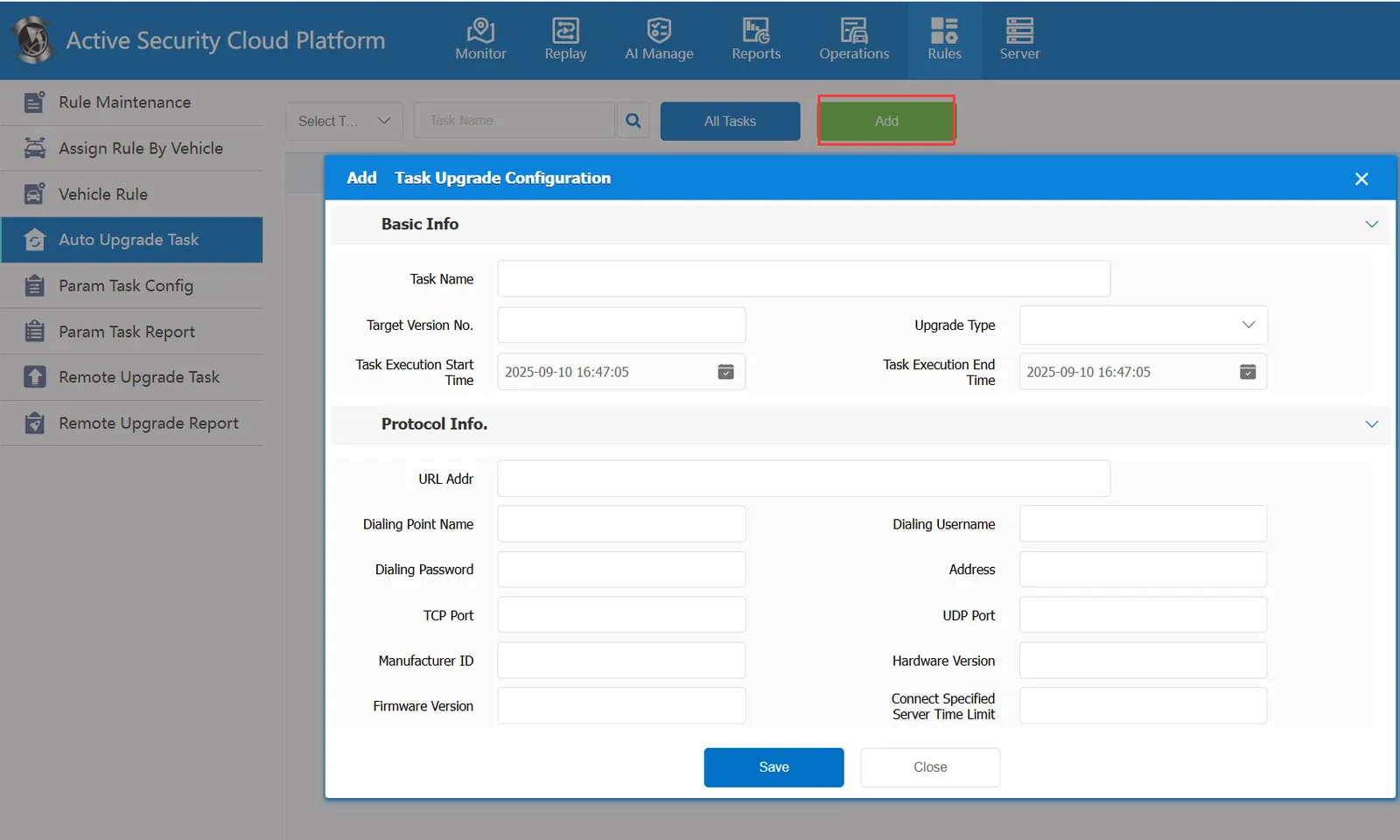
2.1.1 Basic Information
It is mainly used to enter the basic information of the upgrade task.
Task Name: You can customize the name according to the actual situation.
Target Version Number: In actual operation, you can fill in an actual version number based on the actual upgrade situation.
Upgrade Type:
The upgrade type provides several options: terminal, advanced driver assistance, driving status monitoring, tire pressure monitoring, blind spot monitoring;
In actual operation, select a suitable type according to the actual upgrade situation.
Task Execution Start Time: the start time of the current upgrade task.
Task Execution End Time: the end time of the current upgrade task. The end time and the start time constitute the effective time period of the task. During this time period, the task will be delivered to the on- line and assigned vehicles.
2.1.2 Protocol Information
URL Address: It mainly fills in the link of the upgrade file and the ftp server where it is located, for example
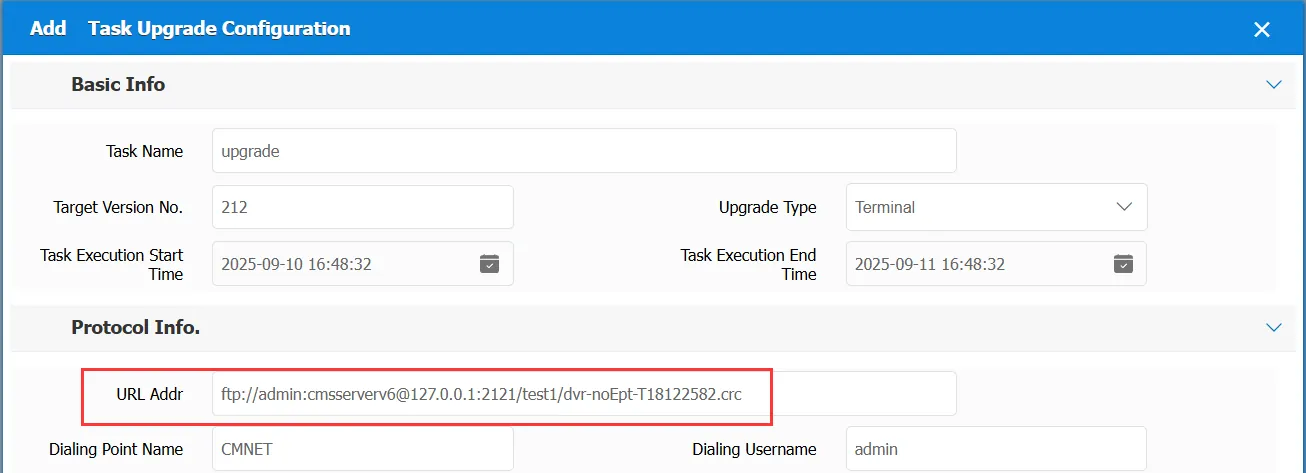
Dial Point Name: Name of the device dial point
Dial Username: User name of the device dial point
Dial- Up Password: The password for the device dial- up point
Address: IP address of the FTP server
TCP Port: The TCP port of the FTP server
UDP Port: The UDP port of the FTP server
Manufacturer ID: ID code filled in according to the actual situation
Hardware Version: the hardware version number to be filled in based on the actual situation
Firmware Version: the version number of the firmware filled in based on the actual situation.
Time limit for connecting to the specified server: the time limit from when the upgrade task is sent to the device to when the device is connected to the command server. If the time limit exceeds the time limit, it will fail if it is not completed.
2.2 query
You can query existing upgrade tasks, query all tasks, or display tasks of the corresponding type according to the upgrade type.
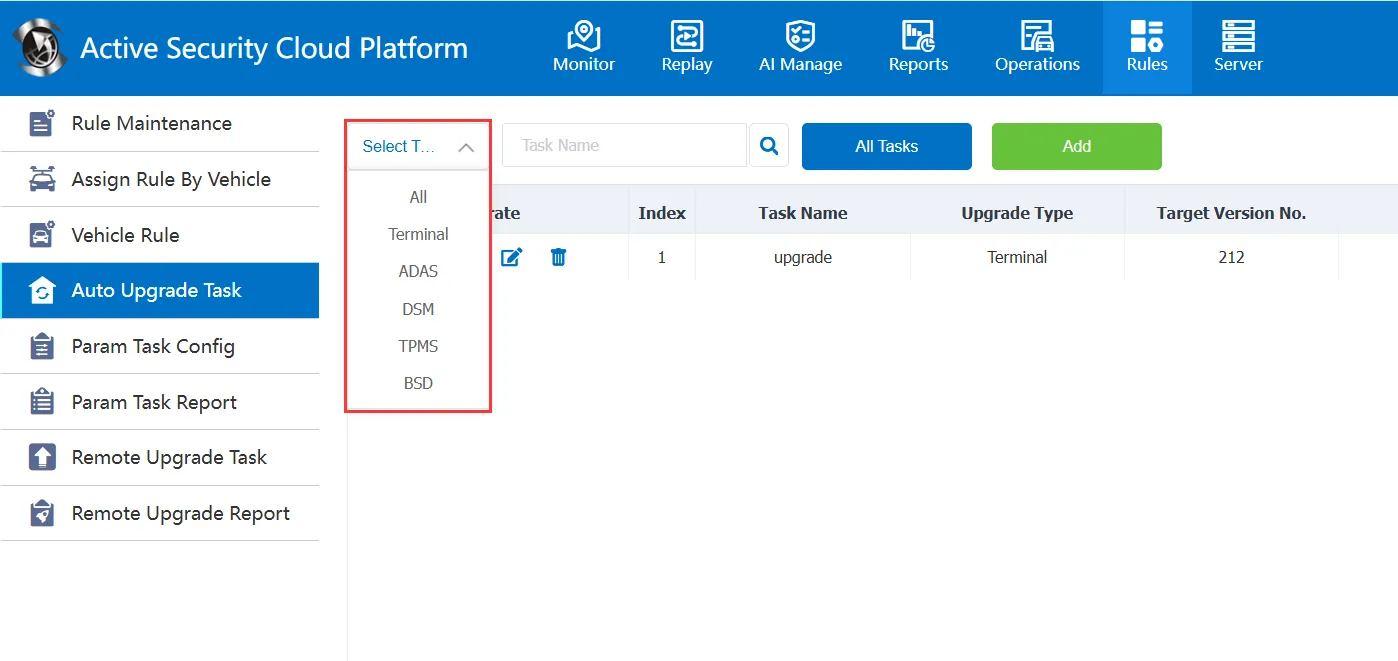
You can also query a task with a specified name by using the task name.
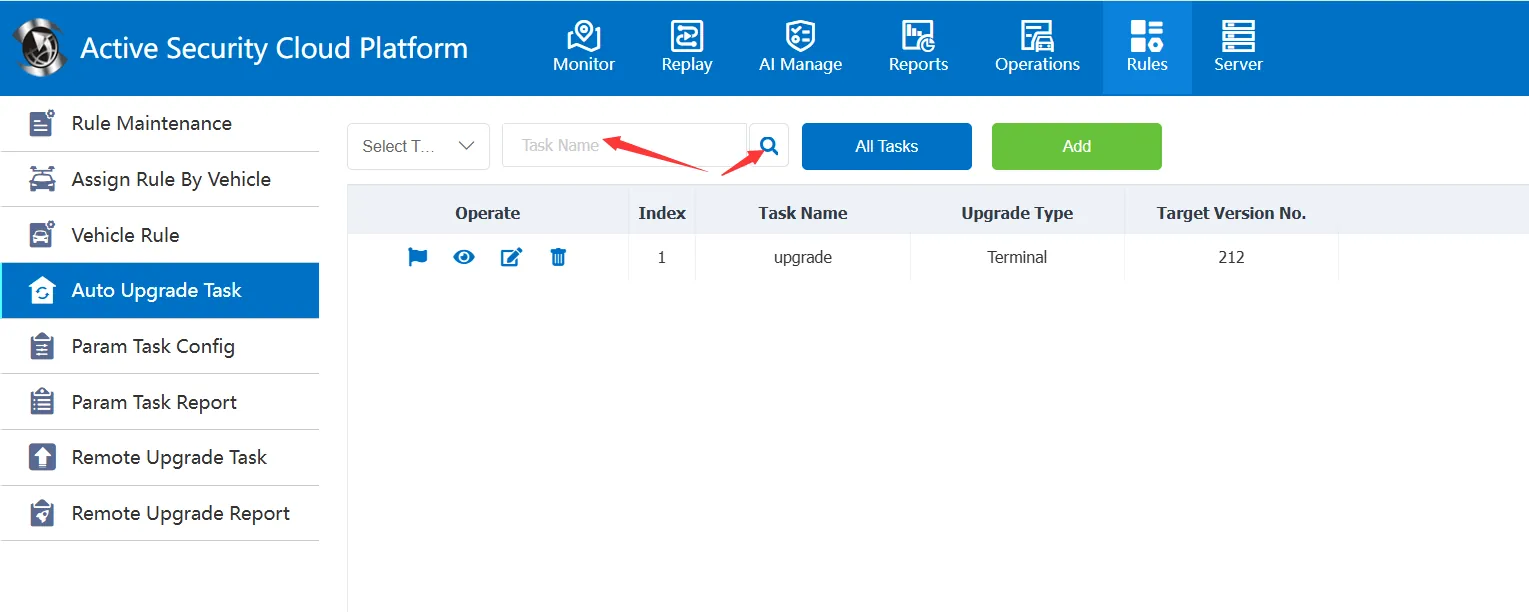
2.3 task operation
See the instruction document for the operation: the link is added later.
