1. Function description
There are many types of platform rules, and users can block rules that they do not use, so as not to cause trouble to other users.
After the rule is blocked, other users cannot see the rule, except the admin user.
2. operating instructions
Use the admin account to log on to the platform, go to [Server Management] - - [Custom Configuration] - - [Custom Rule Management], check to enable, do not check to not enable.
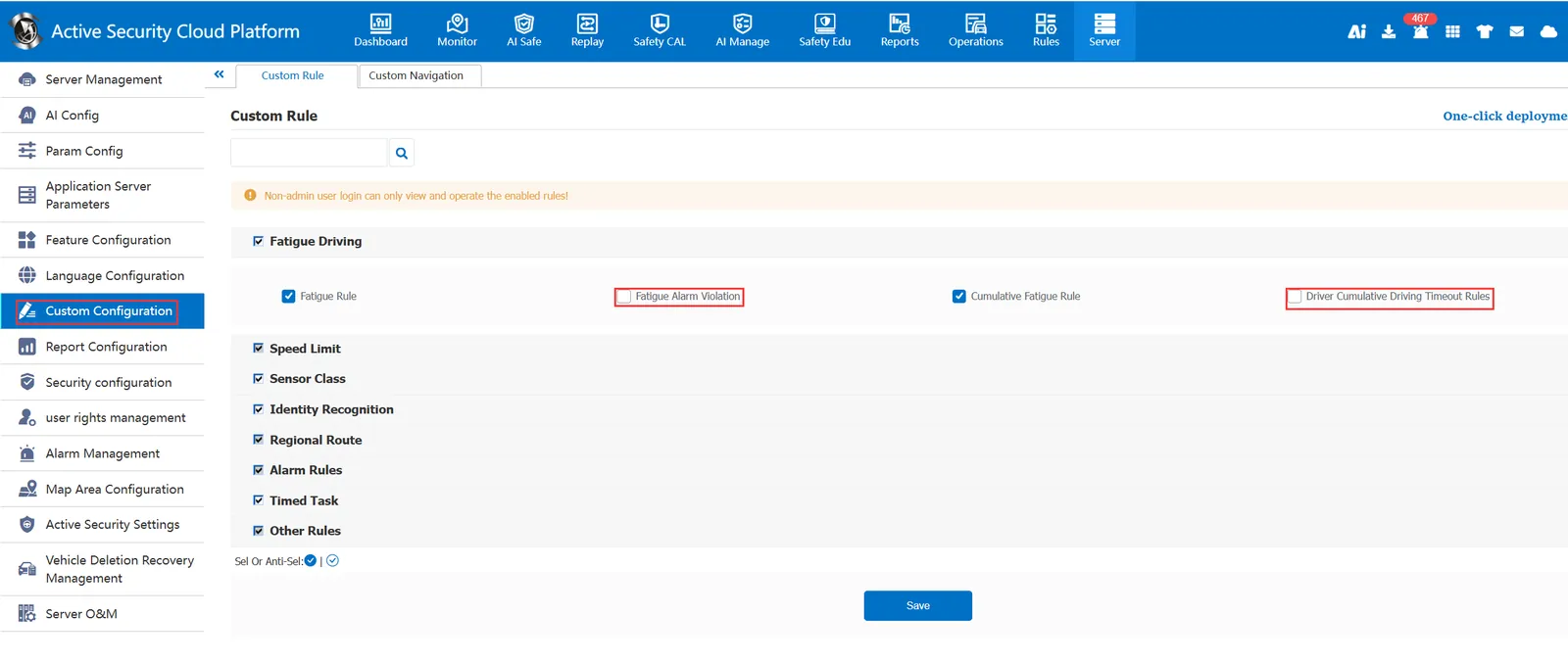
After blocking, other users will not see this rule when logging on to the platform.

