1. Function description
All rules have the same operation, so the operation of the rules will be introduced together.
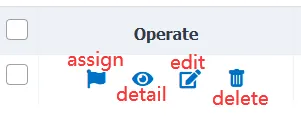
2. operating instructions
All rules have these four actions
2.1 allocation rules
The rules act on allocated vehicles; vehicles that are not allocated are not affected by the rules
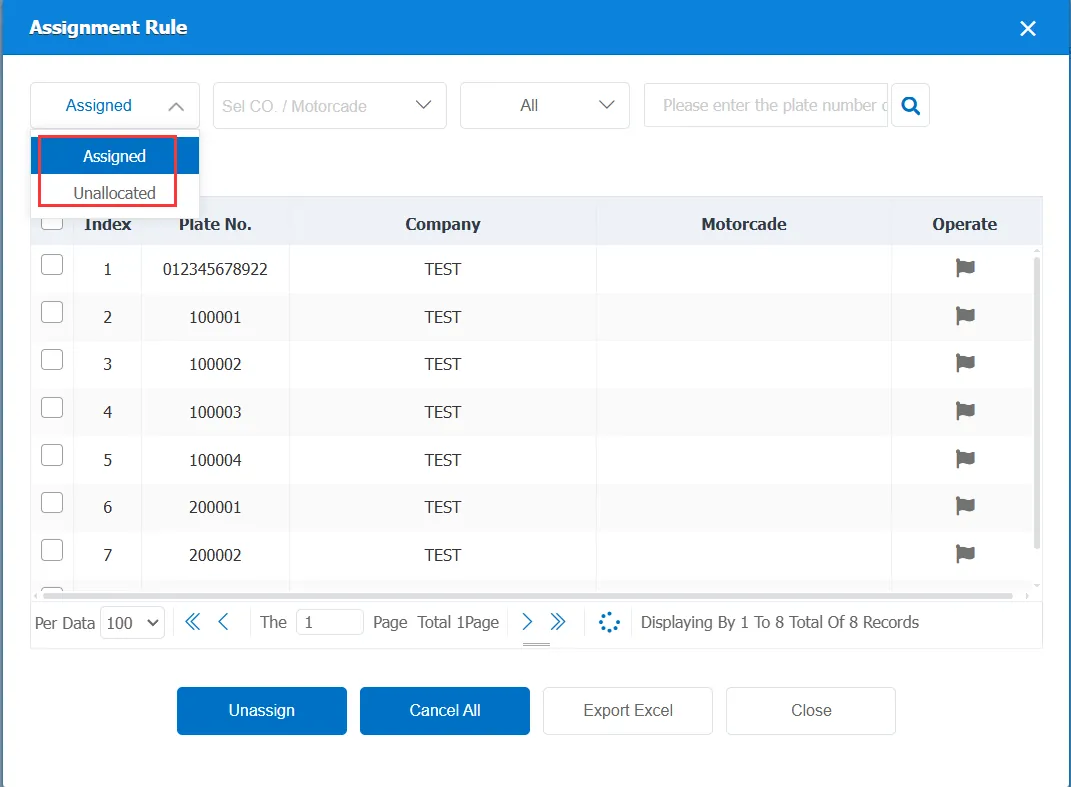
The following vehicle information will display different status of the vehicle depending on the selected "unassigned" or "assigned"
Filter by Company/Fleet:
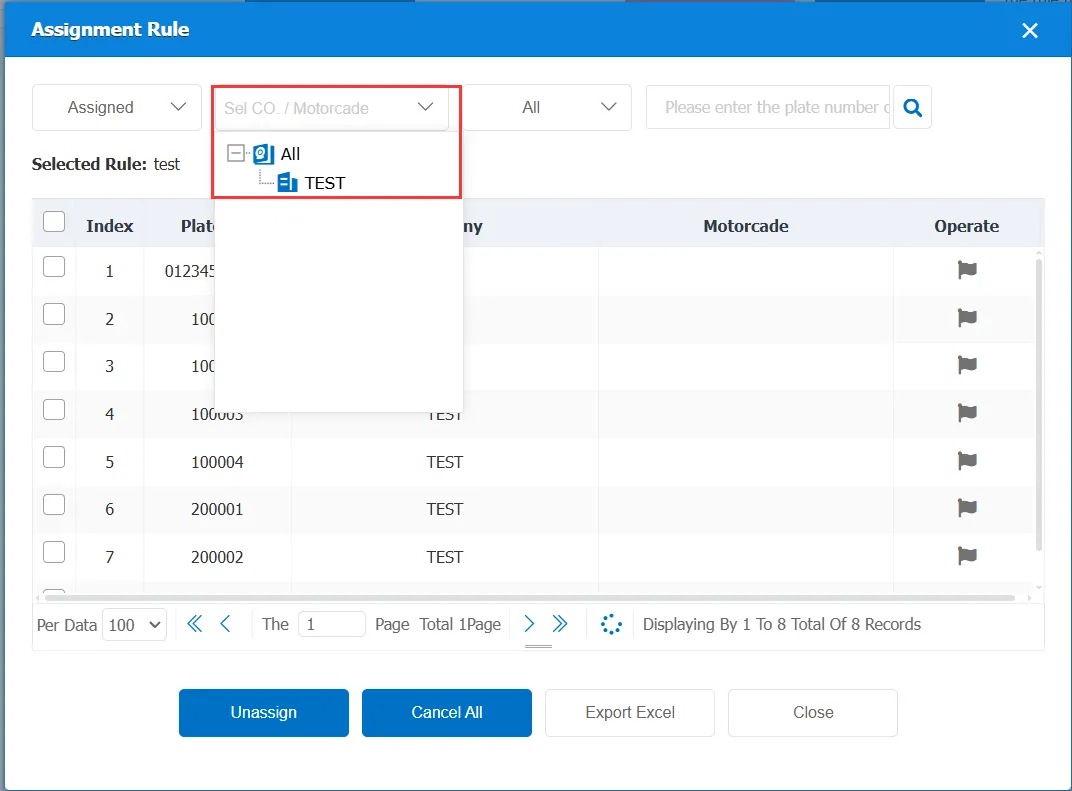
The vehicles to be allocated can be selected according to the company or fleet, which is convenient to use
Filter by vehicle type:
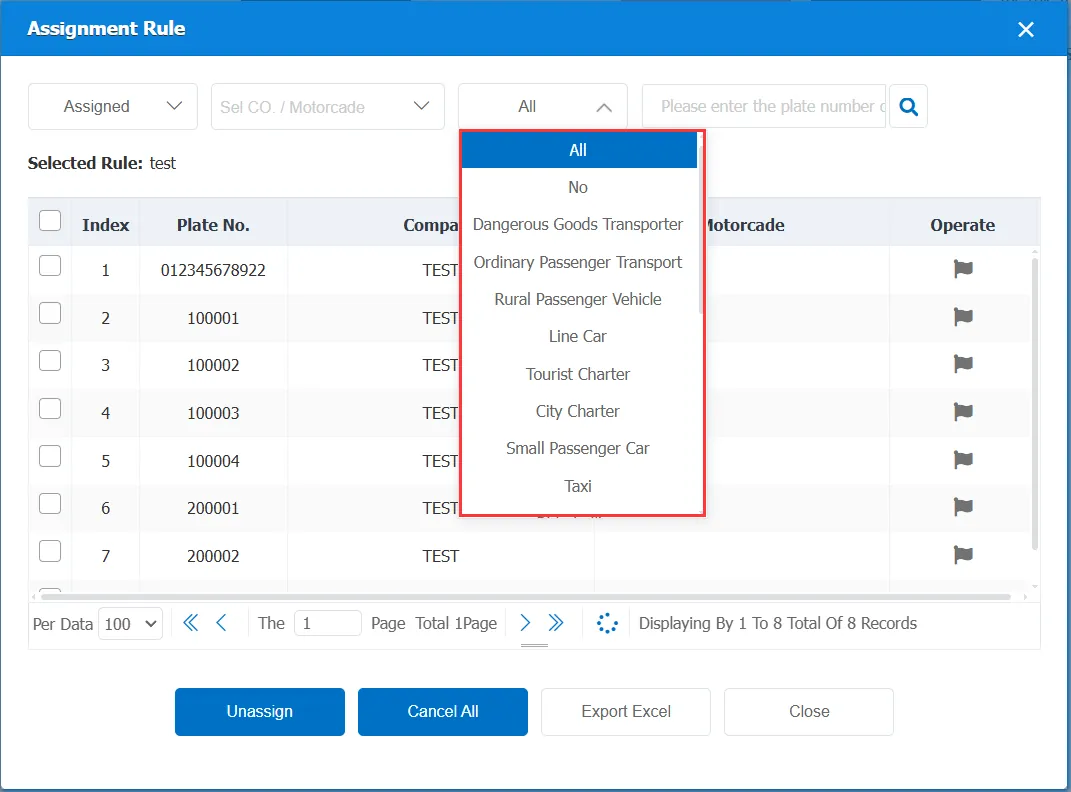
According to different types of vehicles, the vehicles to be allocated can be screened out.
Direct screening based on license plate number or equipment number:
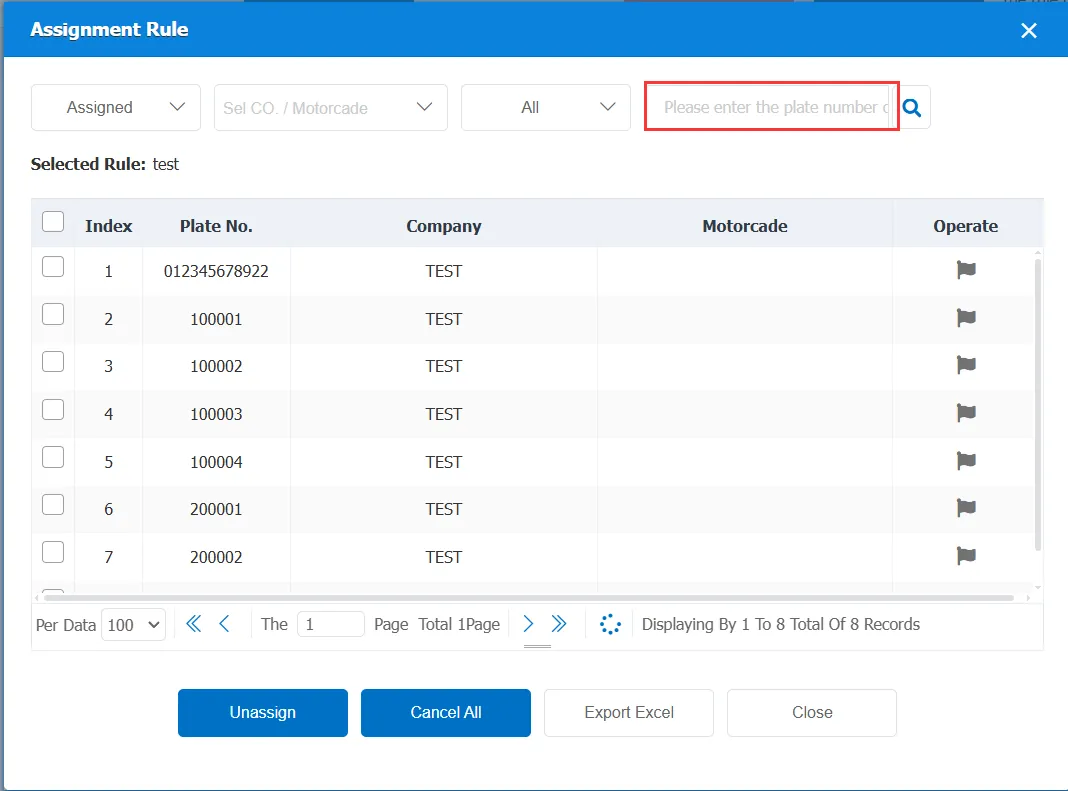
According to the input license plate number or equipment number, accurately screen out the corresponding vehicle
Single vehicle allocation:
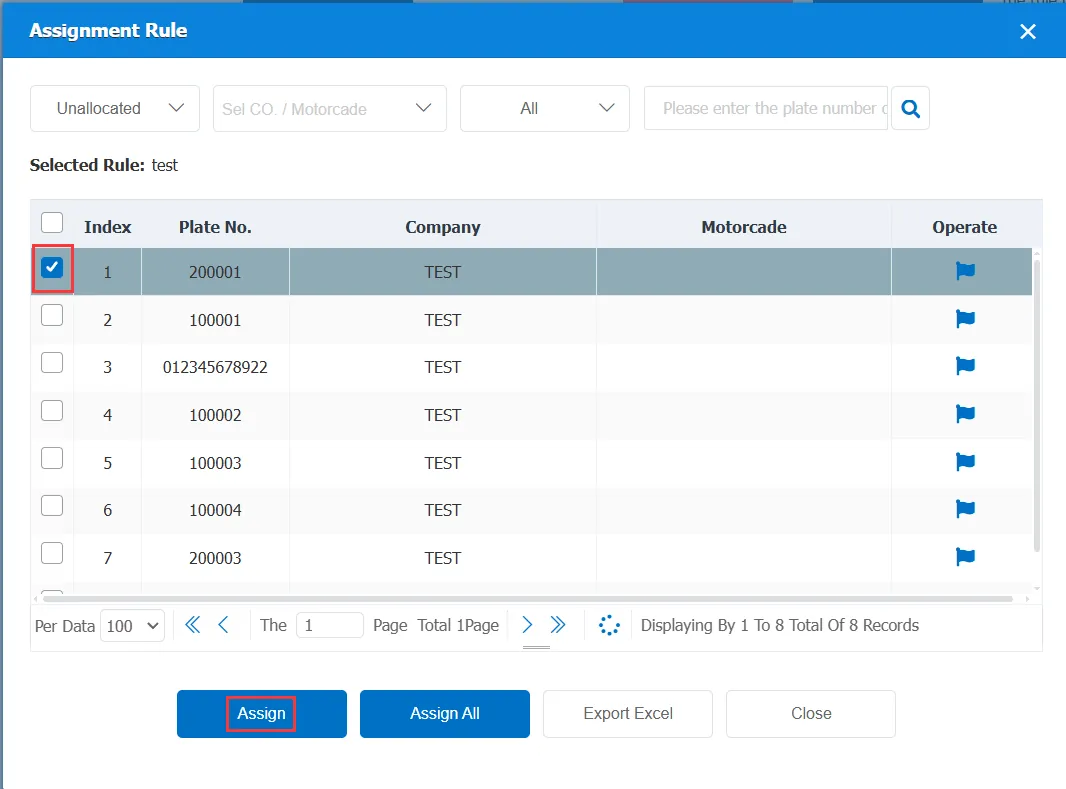
In the filtered vehicle information, select the check box of the corresponding vehicle, and then click "Assign" below to complete the allocation of a single vehicle
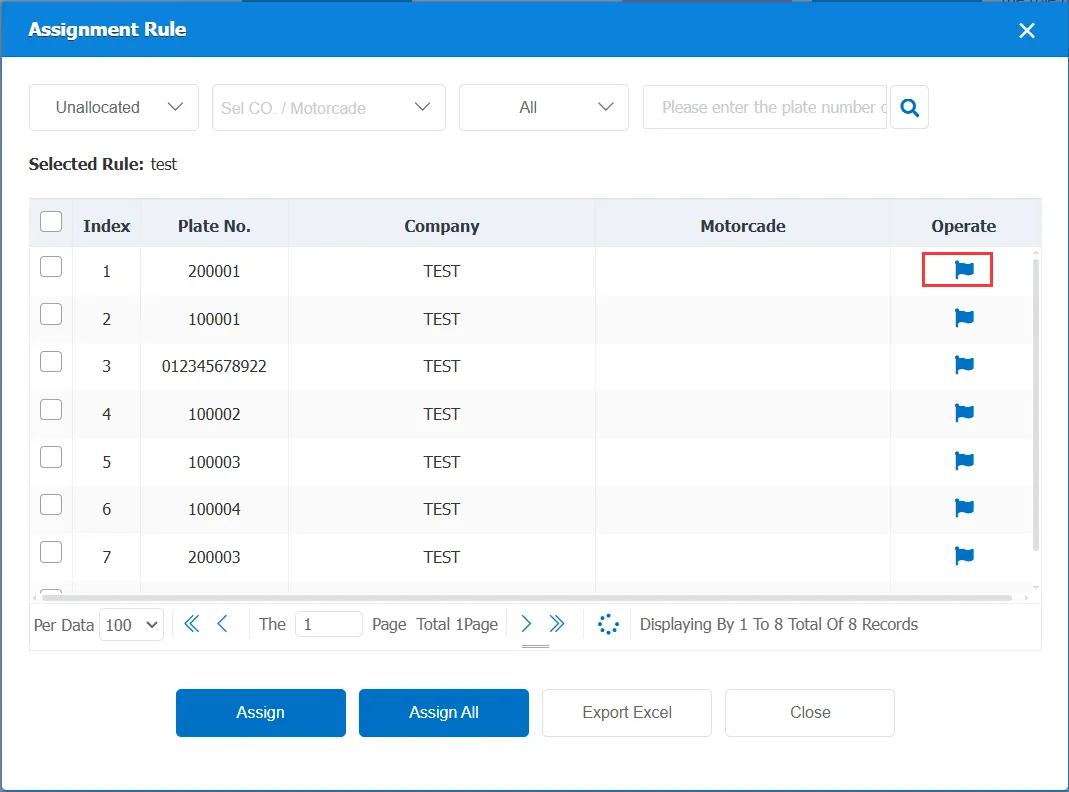
You can also click directly to correspond to the small flag icon behind the vehicle to realize rapid bicycle distribution.
Bulk Allocation:
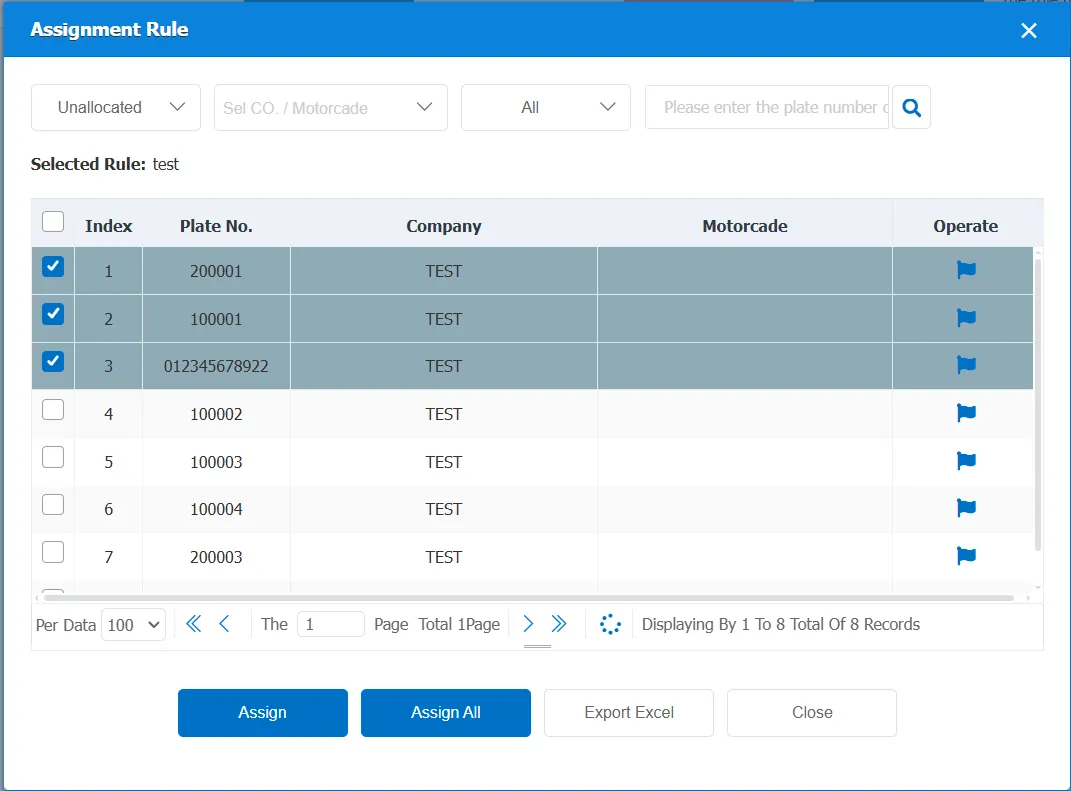
After selecting multiple vehicles to be allocated, click "Allocation" below to allocate the selected multiple vehicles
If you want to assign rules to all filtered vehicles, you can directly click "Assign All"
2.2 in detail
It is a view, it shows the details of the set rules, each item is not editable, can only see, can not change
2.3 editing
Used to modify existing rules
2.4 delete
Used to delete an existing rule. After deletion, the rule becomes invalid and the data is deleted, but the generated alarm data is not deleted.
