1. Function description
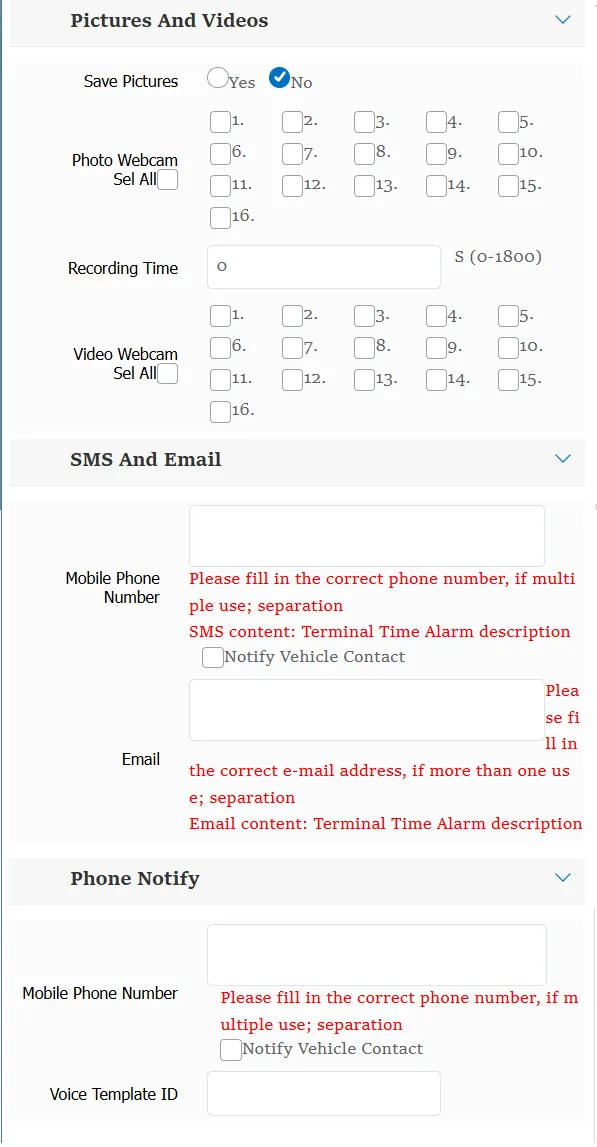
Each rule is supported. When the rule is triggered, the linkage generates photo taking, video recording and telephone notification.
2. operating instructions
2.1 take photos and videos
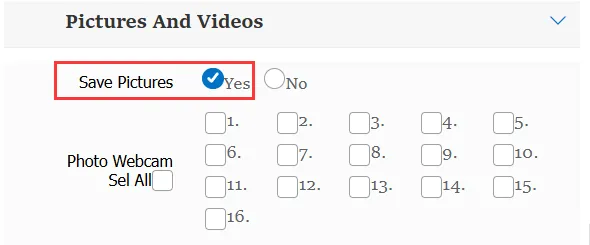
Whether to take photos:
Yes: you can choose which channel to use to capture pictures when the rule triggers an alarm.
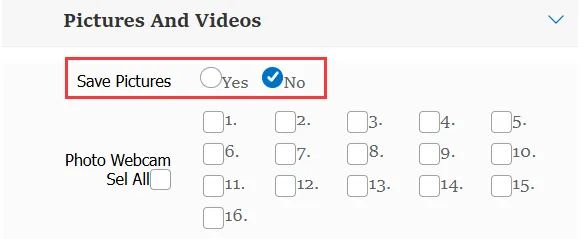
No: this item is not effective, and the channel cannot be selected.
Video duration:
You can fill in the number between 0 and 1800, the default is 0, that is, it will not take effect.
Video Camera:
When the recording time is greater than 0, you can specify which camera to use for recording, supporting a maximum of 16 channels
2.2 SMS and email
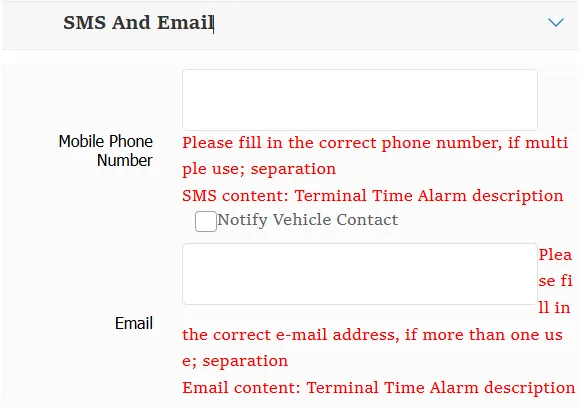
To use SMS, you need to activate the corresponding SMS function. Please refer to Alibaba Cloud Alarm Linkage SMS Configuration to activate the SMS function.
Mobile Phone Number:
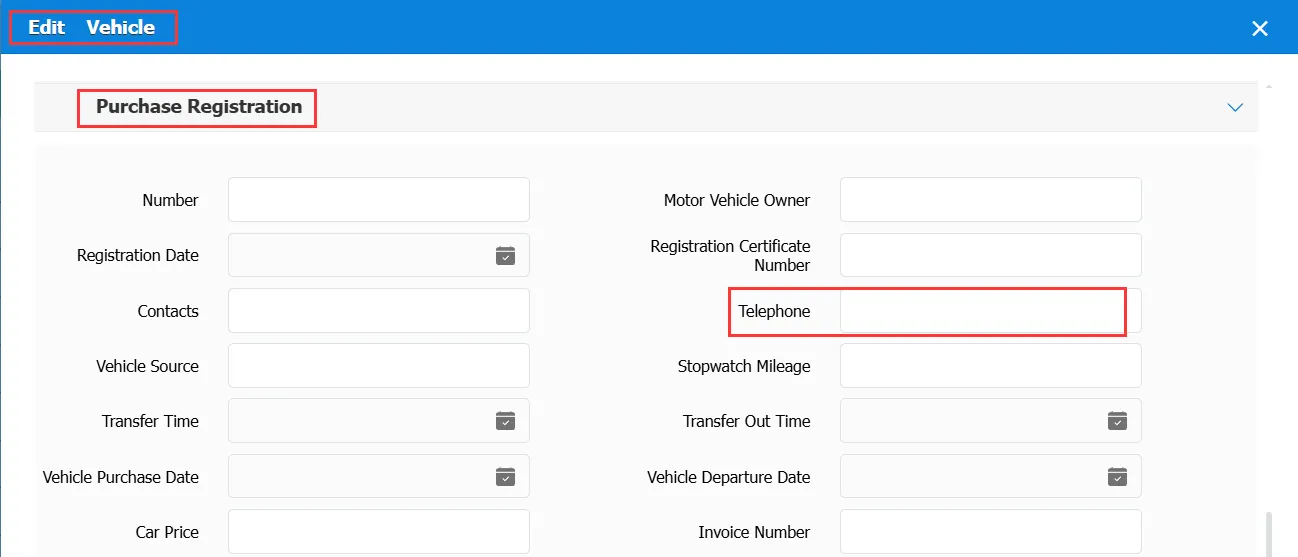
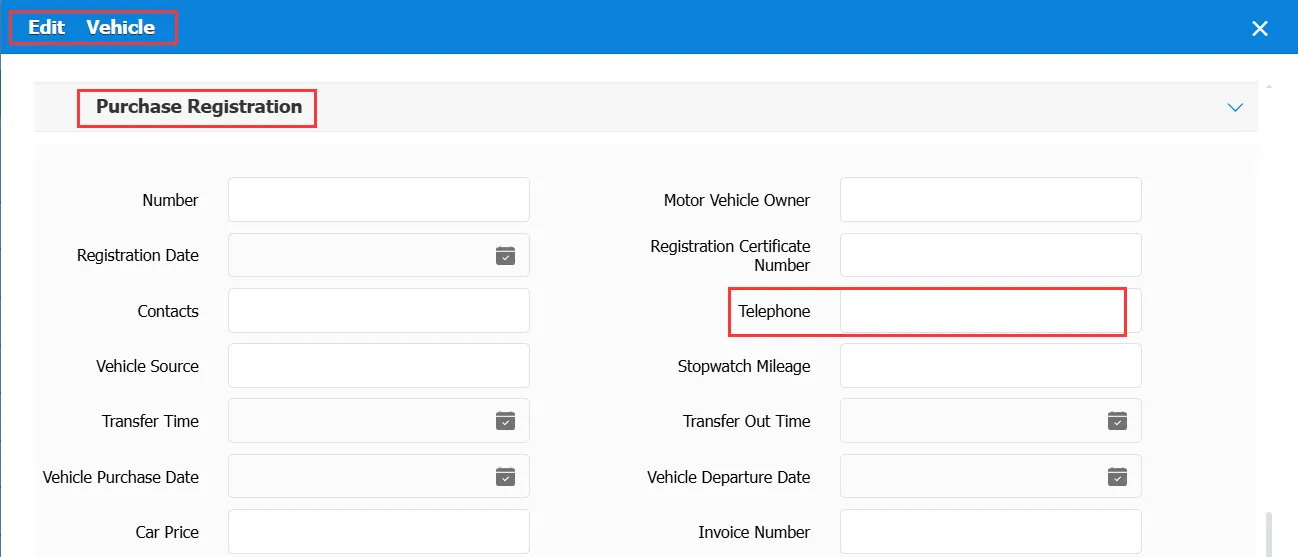
This item is filled in the mobile phone number to receive the notification. If "Notify Vehicle Contact Person" is checked, the mobile phone number of the owner receiving the SMS notification needs to be filled in the column of "Vehicle Information"- "Purchase Registration Information"- "Contact Phone Number"
Email Address:
To use email notification, you need to activate the corresponding email function. For details, see Sending Mailbox Configuration Instructions to activate the email function.
After opening, you can enter the corresponding email address in this input box. When an alarm is generated, an email will be sent to the designated mailbox.
2.3 phone notification
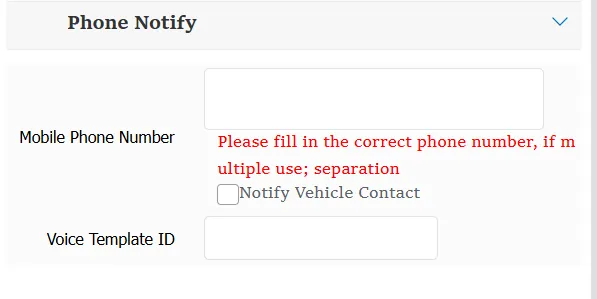
To use telephone notification, you need to activate the corresponding telephone notification function. For more information, see Telephone Notification Function to activate the telephone notification function.
Mobile Phone Number:
This item is filled in the mobile phone number to receive the notification. If "Notify Vehicle Contact Person" is checked, the mobile phone number of the owner receiving the SMS notification needs to be filled in the column of "Vehicle Information"- "Purchase Registration Information"- "Contact Phone Number"
Voice Template ID:
Enter the obtained template ID in the corresponding input box. When an alarm is triggered, use the corresponding template for telephone notification.
