1、 Function description
Display of detailed information of active safety alarm generated by equipment, analyzed according to alarm information generated by enterprise/vehicle/driver
2、 operating instructions
2.1、active safety alarm processing
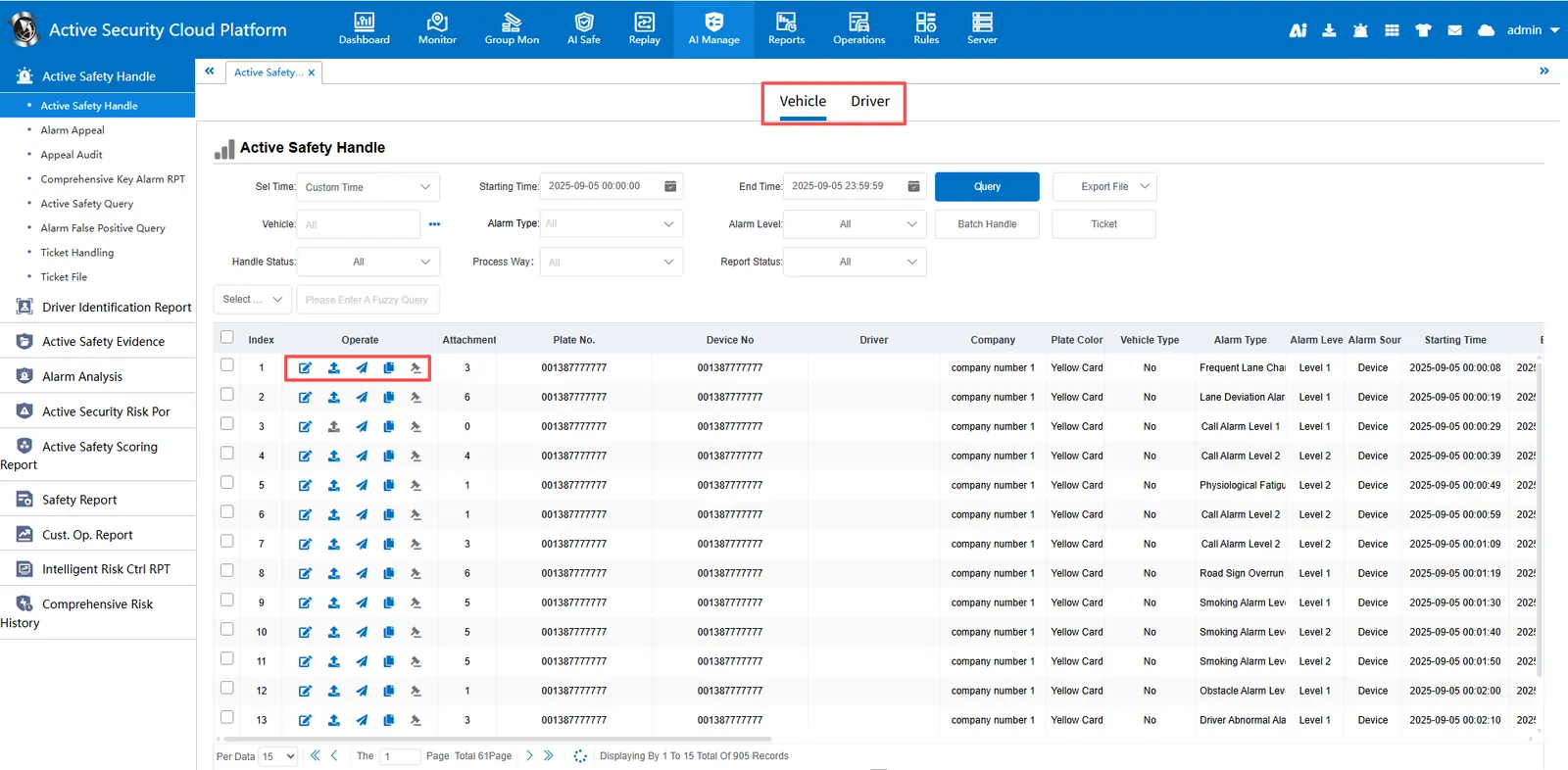
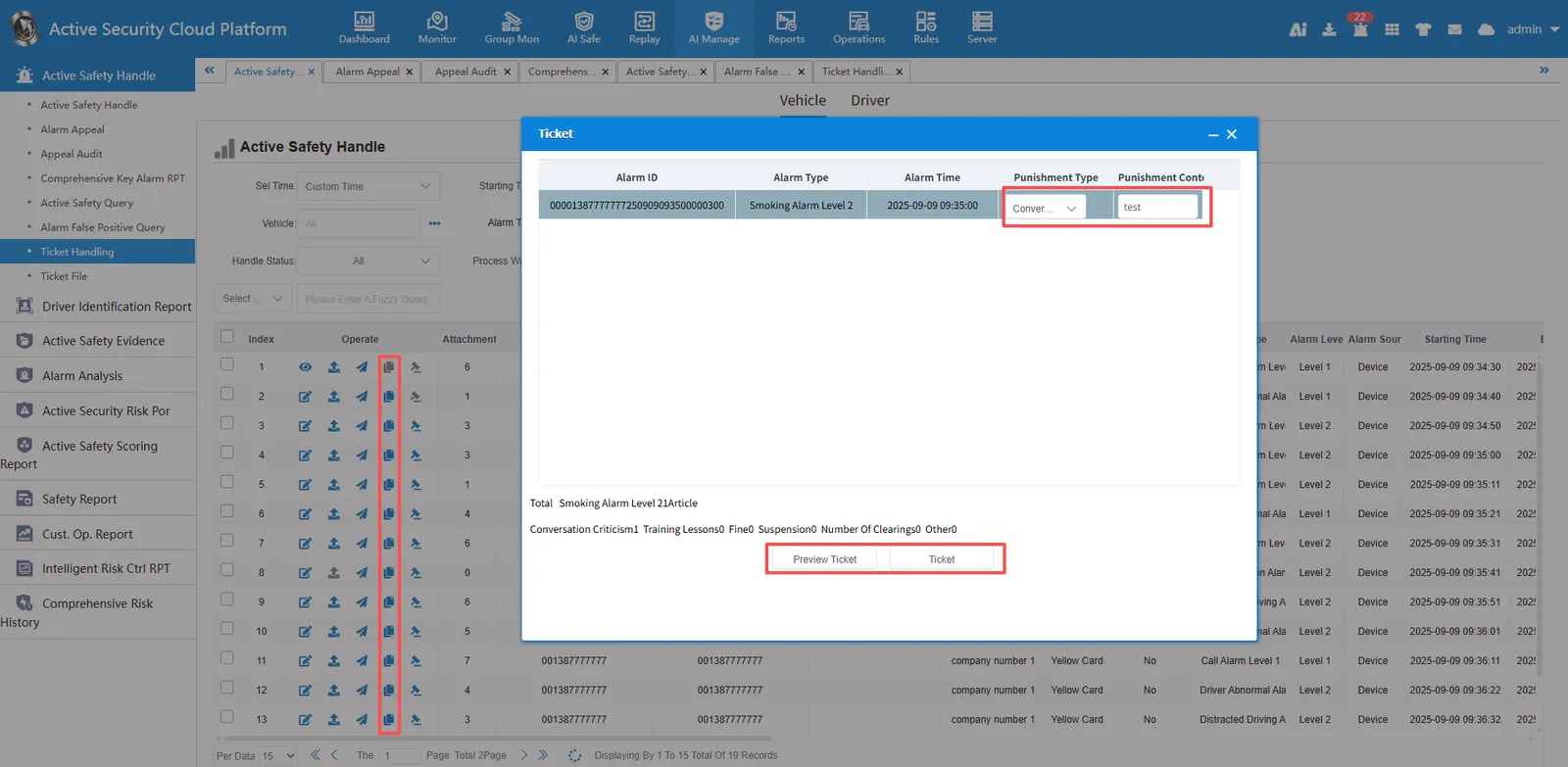
Active safety alarm data can be searched by vehicle/driver. The report can process alarm data, upload attachments, track query, generate tickets and appeal operations.
2.2、active safety alarm complaint
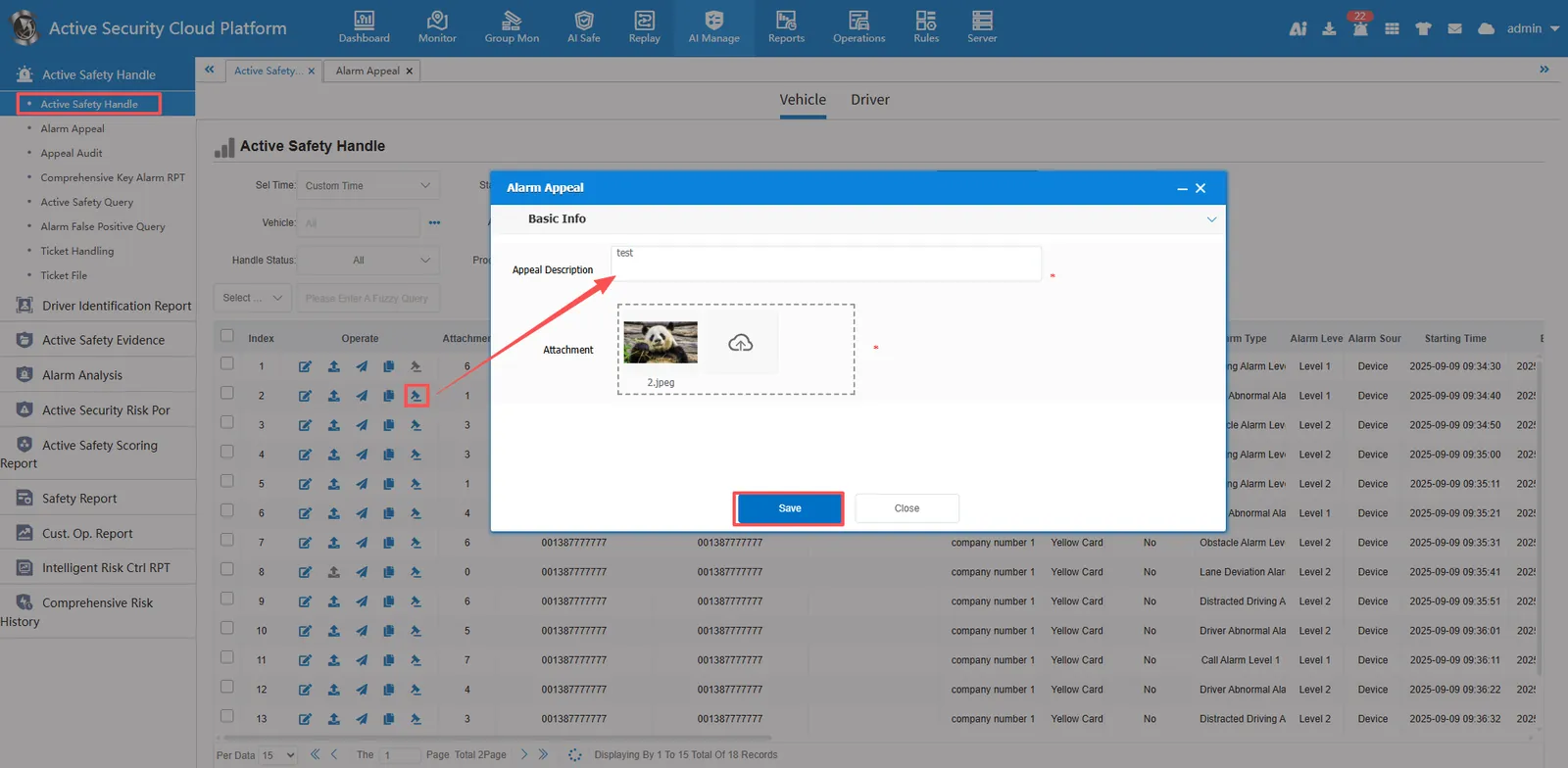
After the alarm appeal is made in "active safety alarm processing", the record can be queried in "active safety alarm appeal.
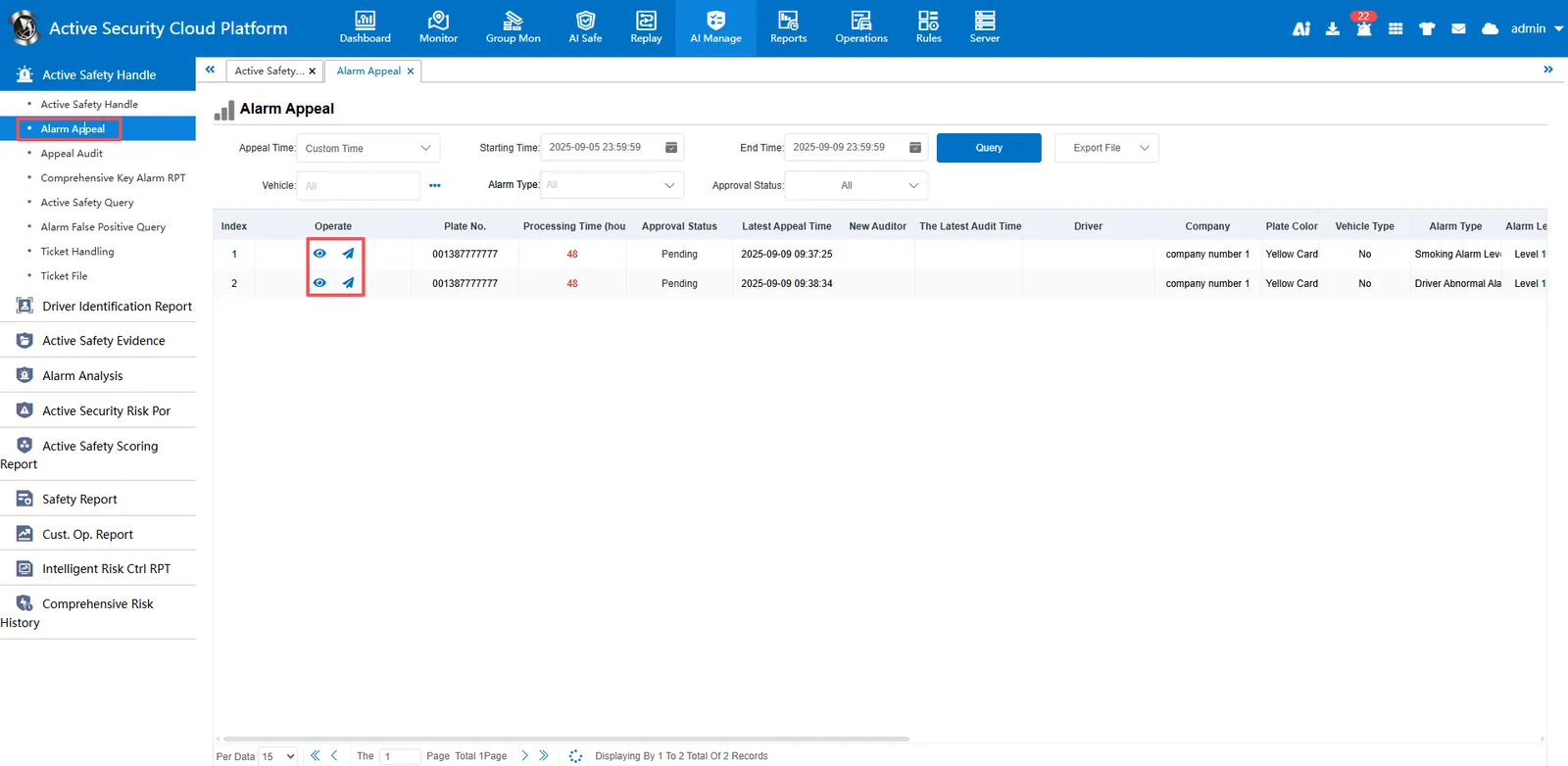
"Active security alarm appeal" can view the appeal details and alarm track.
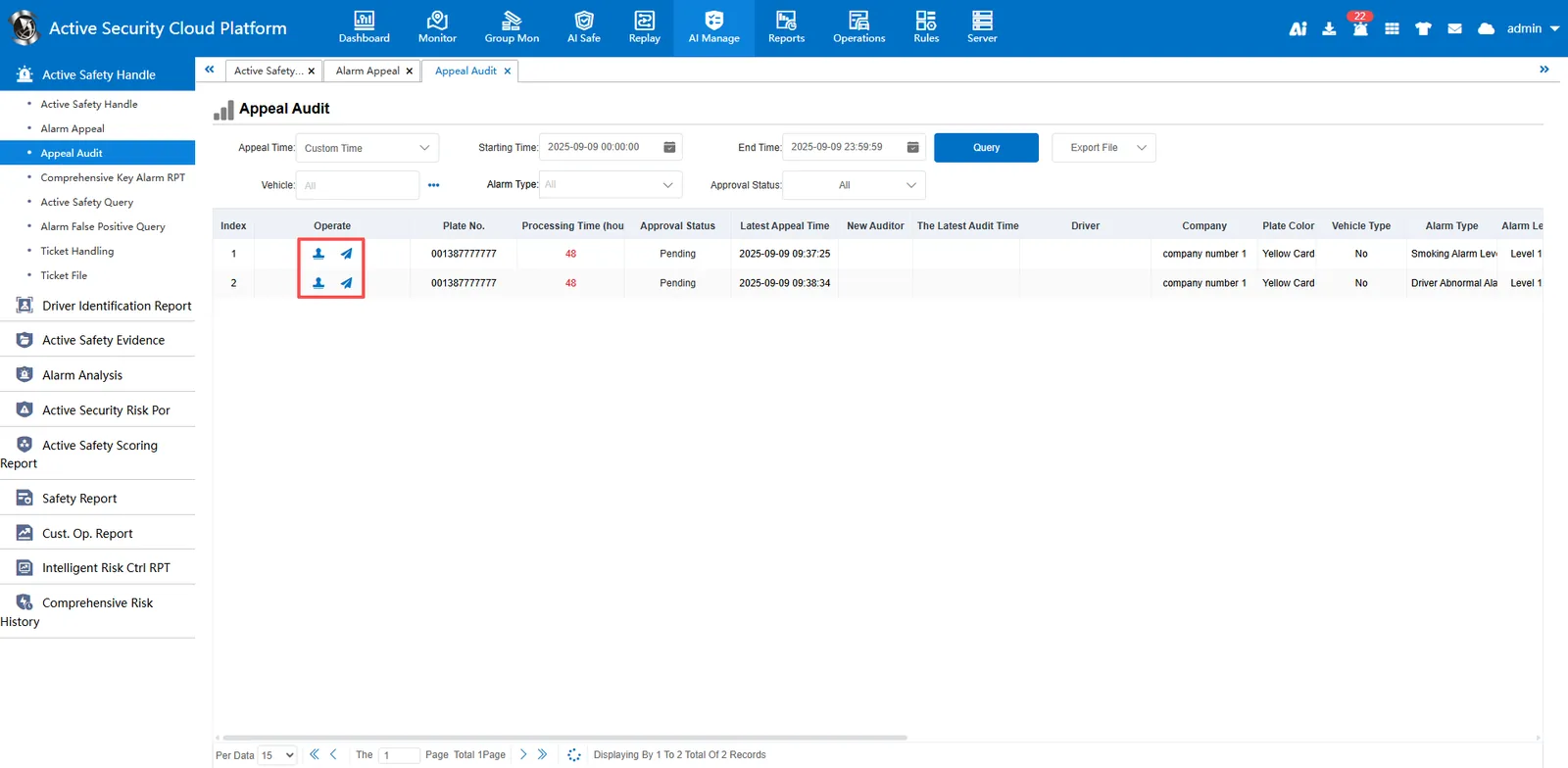
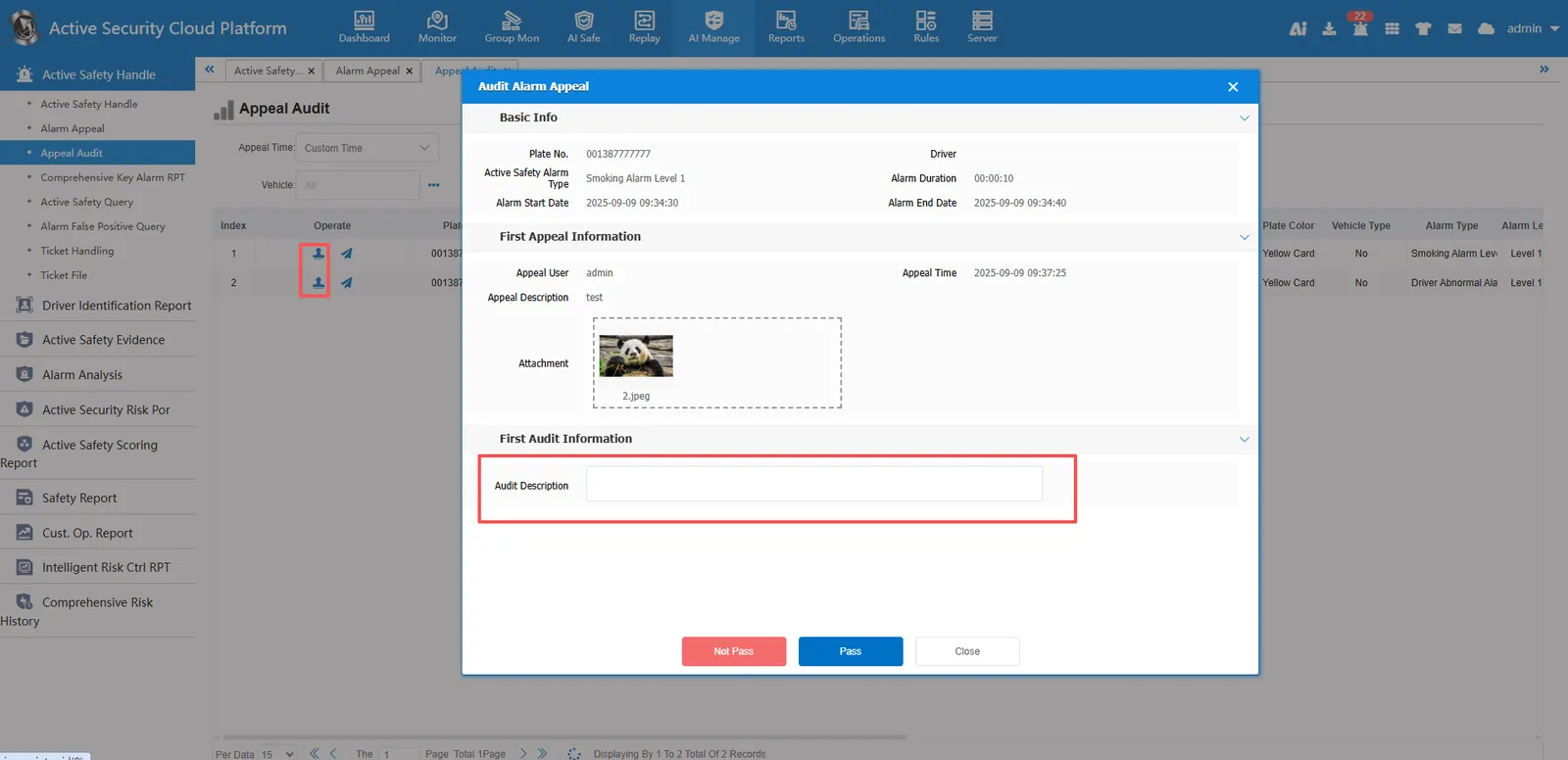
2.3、active safety alarm complaint review
After the complaint is reported, the company's main account can go to the "active security alarm complaint review" for complaint review.
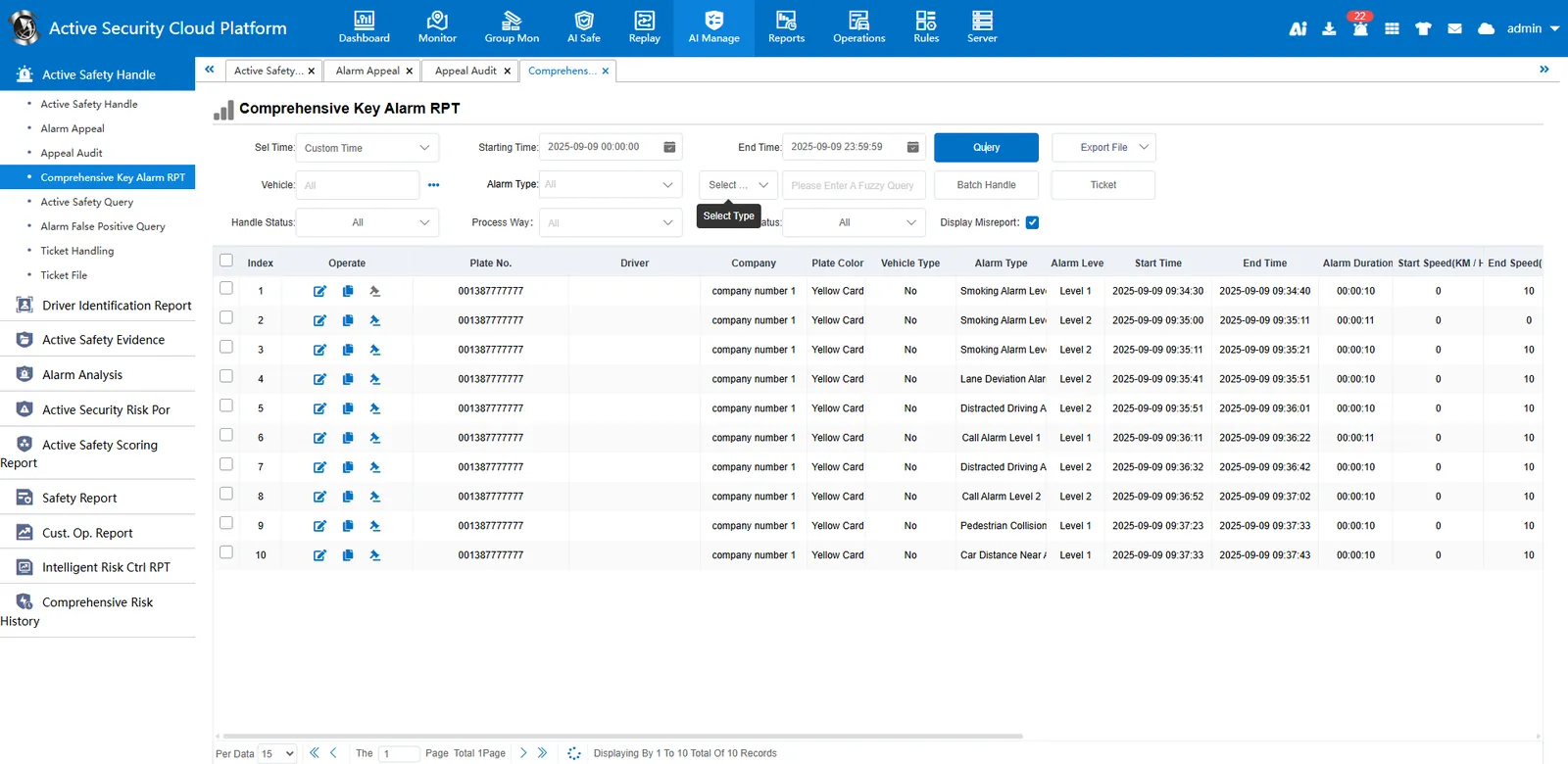
2.4、comprehensive key alarm report
"Comprehensive key alarm report" can query all alarms of vehicles, whether it is active safety, department logo or platform alarm. The alarm types that can be queried in this report are controllable. go to [server management]> [alarm configuration]> [comprehensive key alarm custom configuration] to control the alarm types queried.
2.5、 platform active safety alarm processing
Query and process active security alarm data generated by platform rules, and add rules to [Rule Management]> [Rule Maintenance]> [Alarm Rules]> [Platform Alarm Classification].
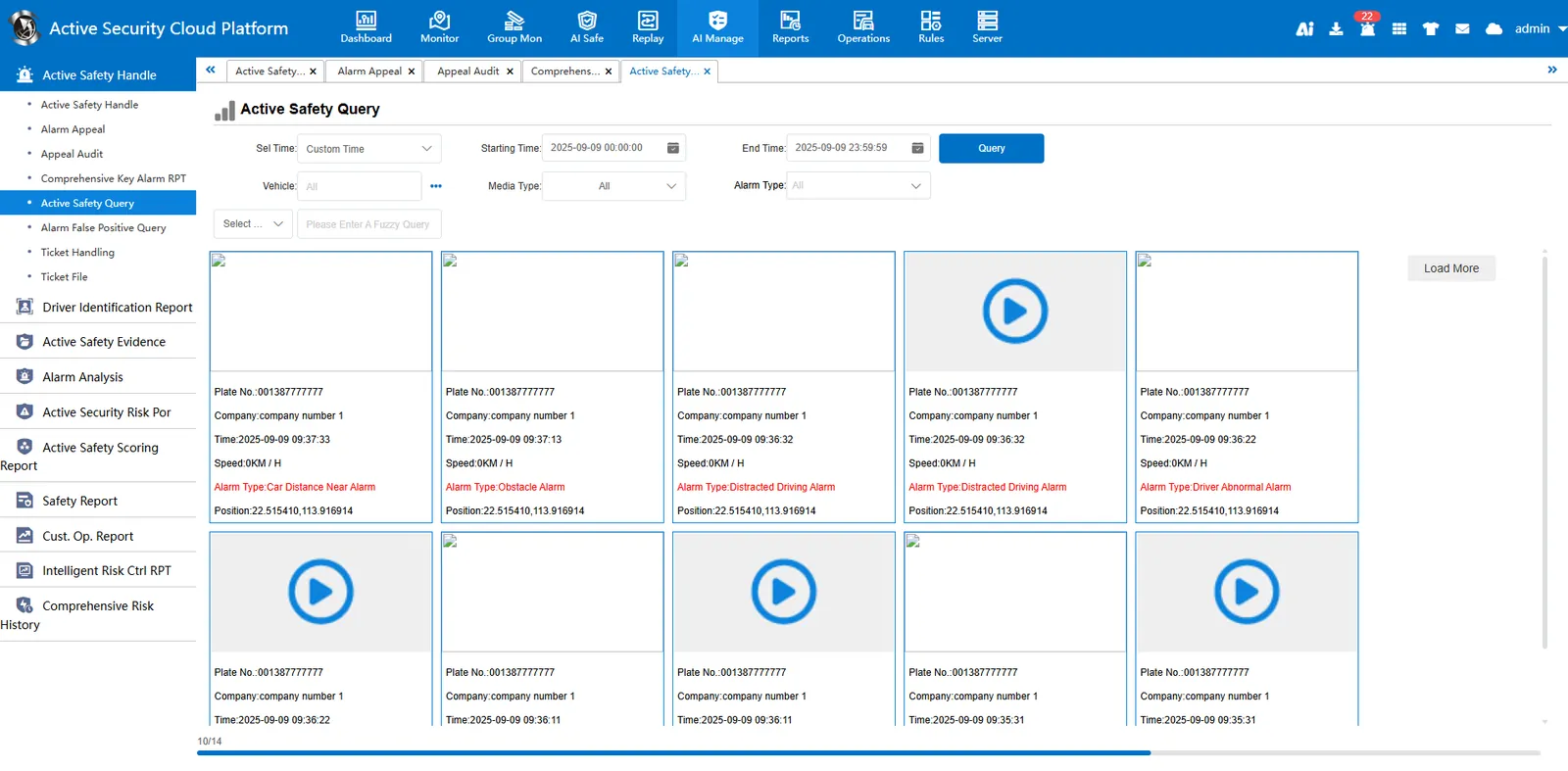
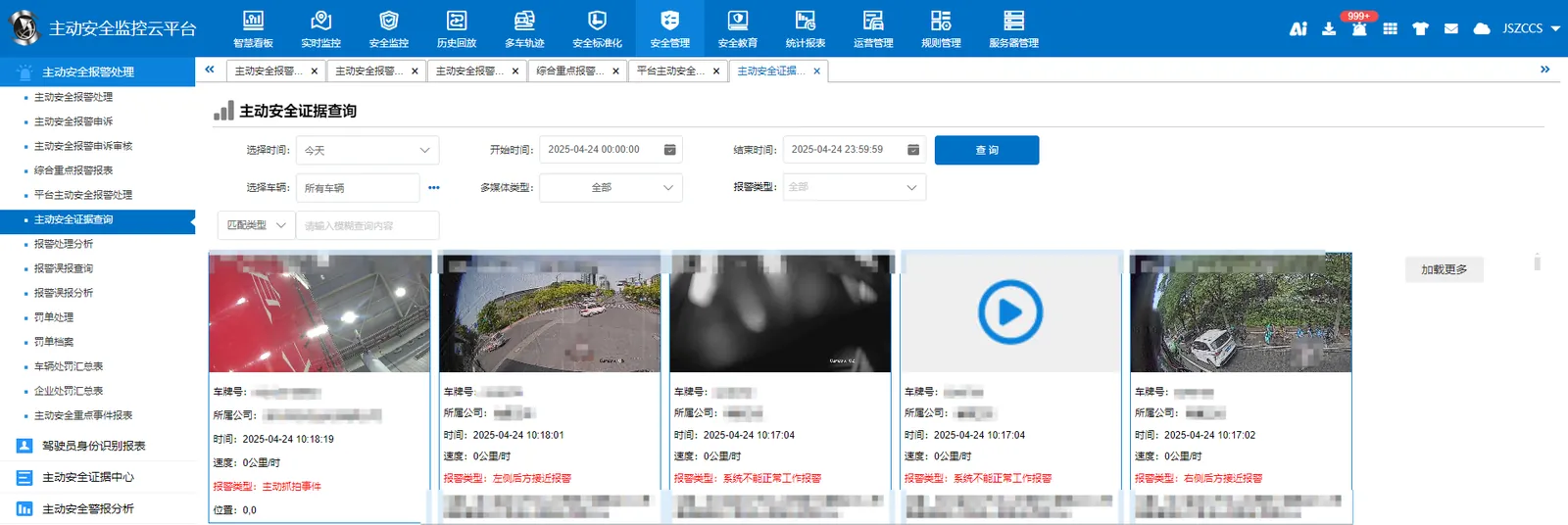
2.6、 active safety evidence query
Query active safety alarm attachments reported by vehicles. You can export the attachments.
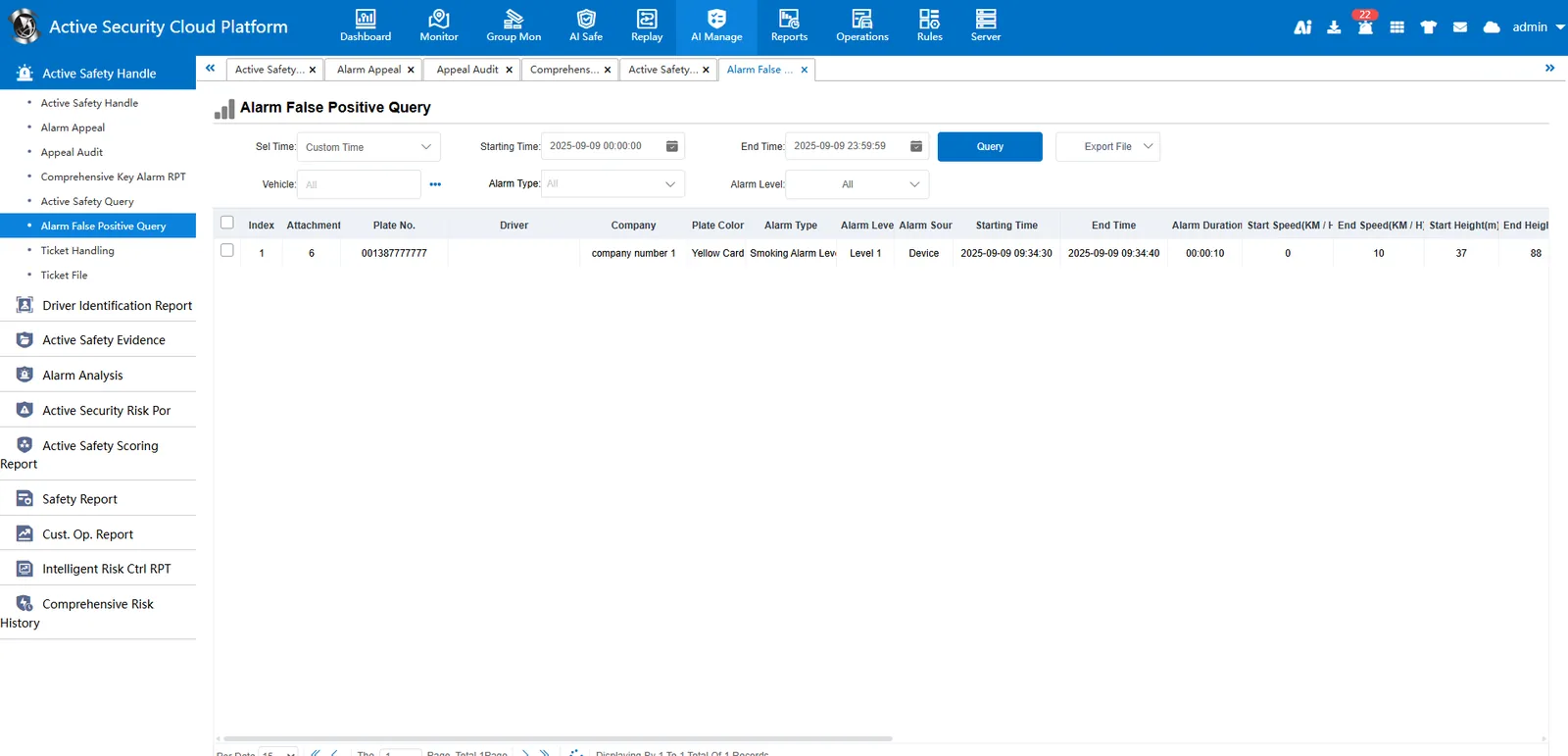
2.7、 Analysis of and false alarm
Analyze the causes of false alarms and the number of alarms.
2.8、 ticket processing
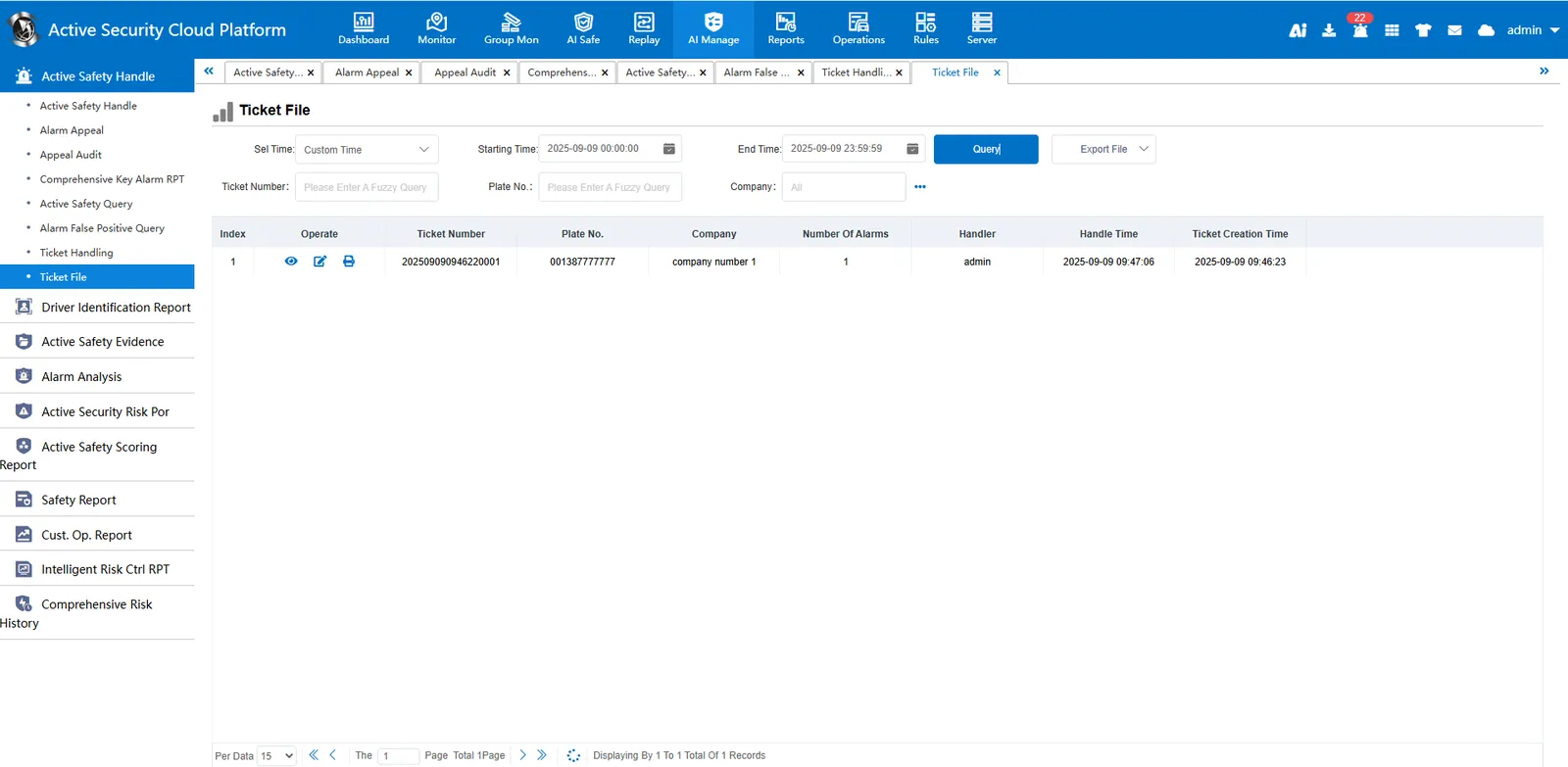
After the ticket is generated in the "active safety alarm processing", you can go to the "ticket processing" to process the ticket, modify the ticket content, and print the ticket operation.
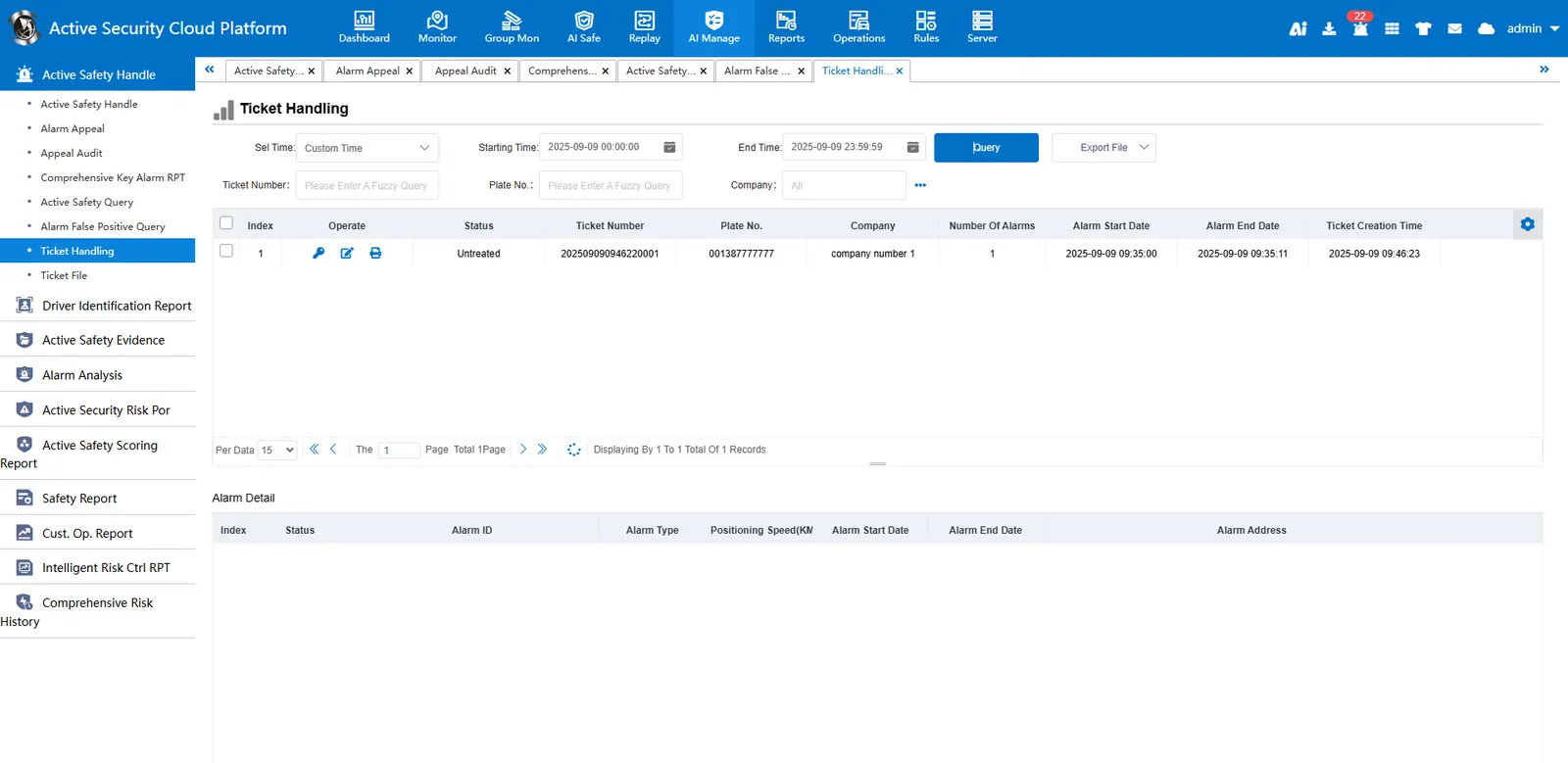
2.9、 ticket file
You can see the details of the ticket.