1、Function description
Generate custom alarm type reports for vehicles under company
2、operating instructions
2.1、customized daily report
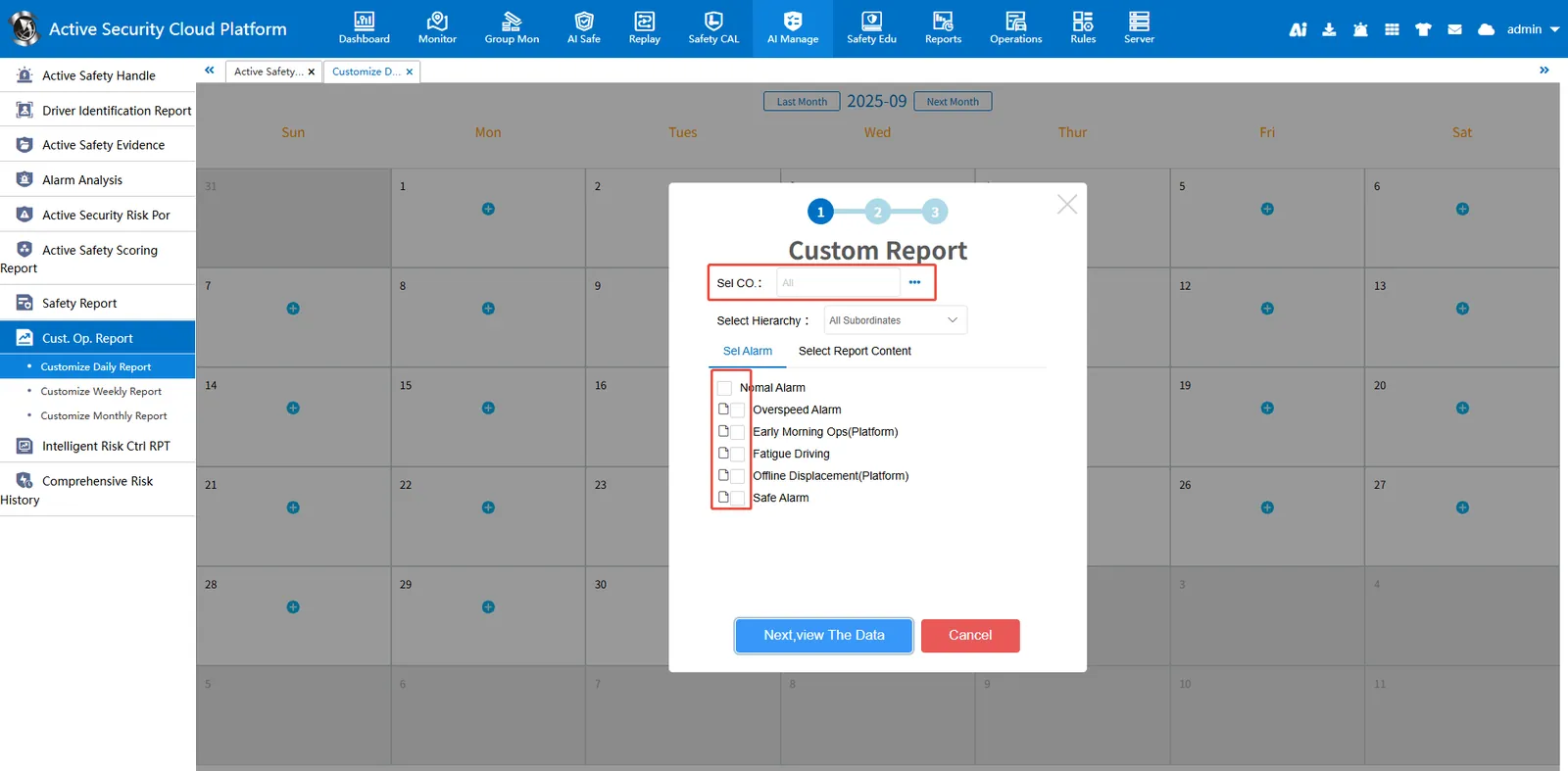
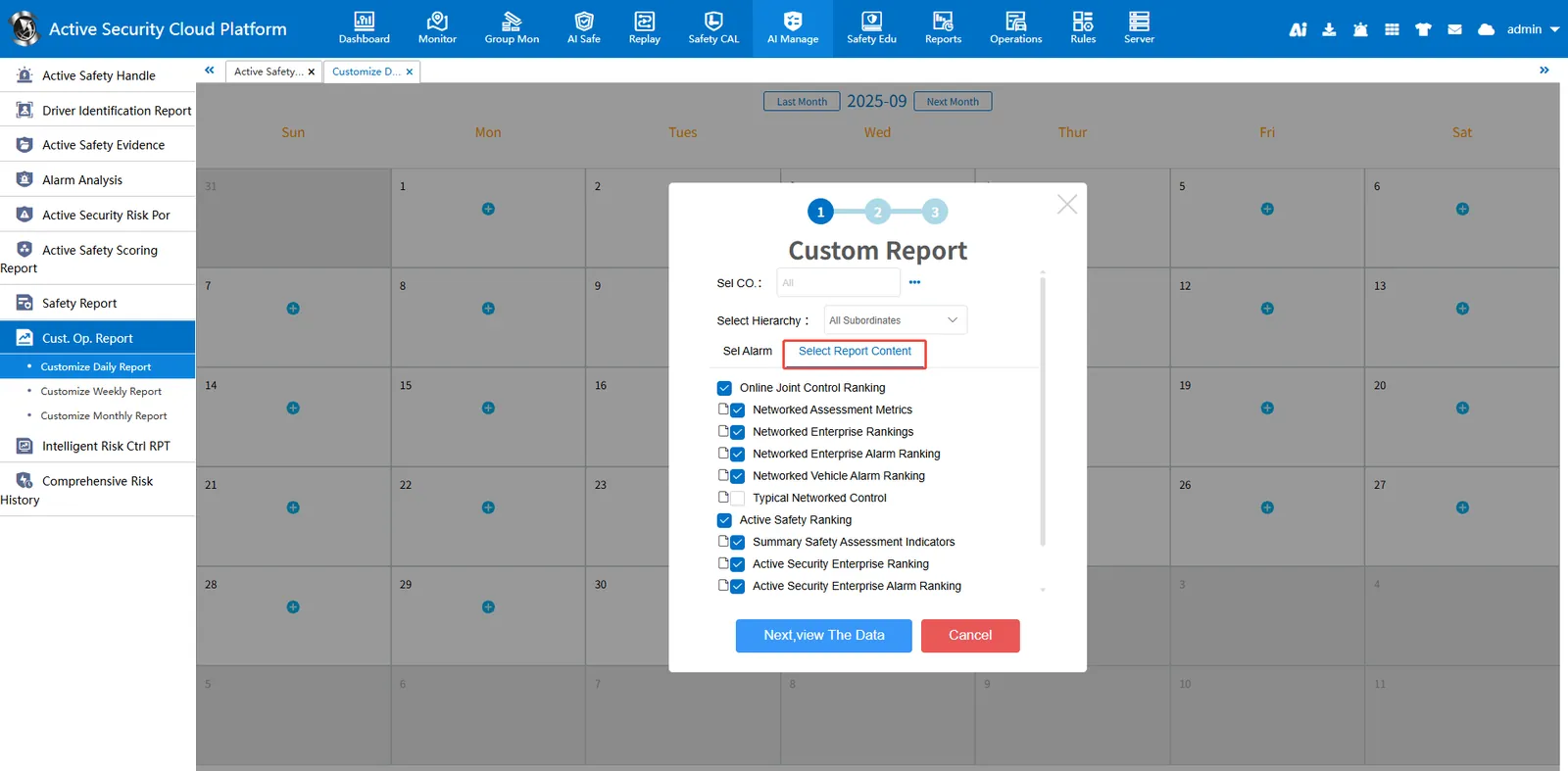
Generate daily report data for the selected company, alarm type and report content.
2.1.1、Customize Daily Report Data
Select the company that generates the data and the alarm type
Customizing Report Contents
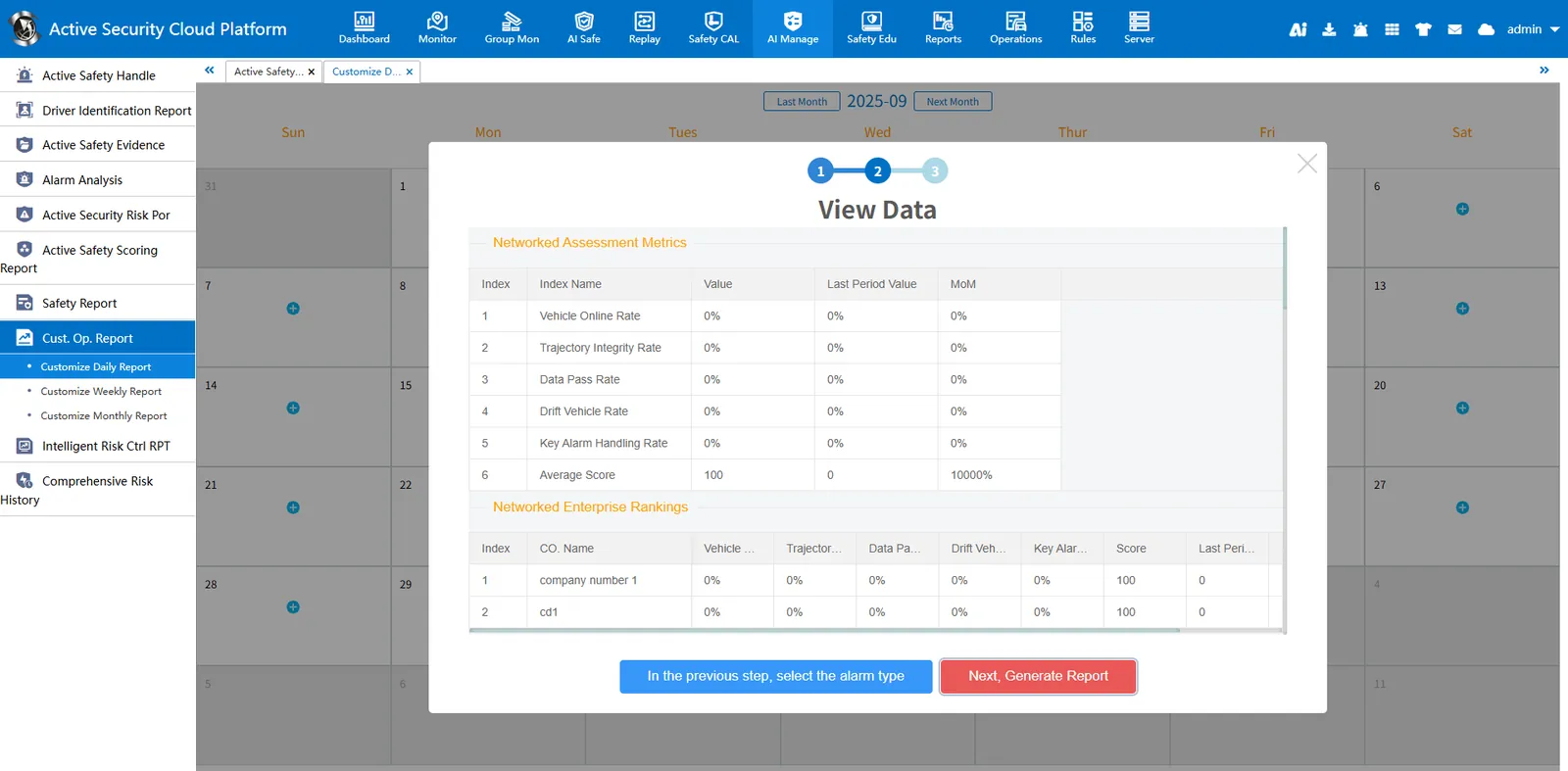
2.1.2、Generate report data
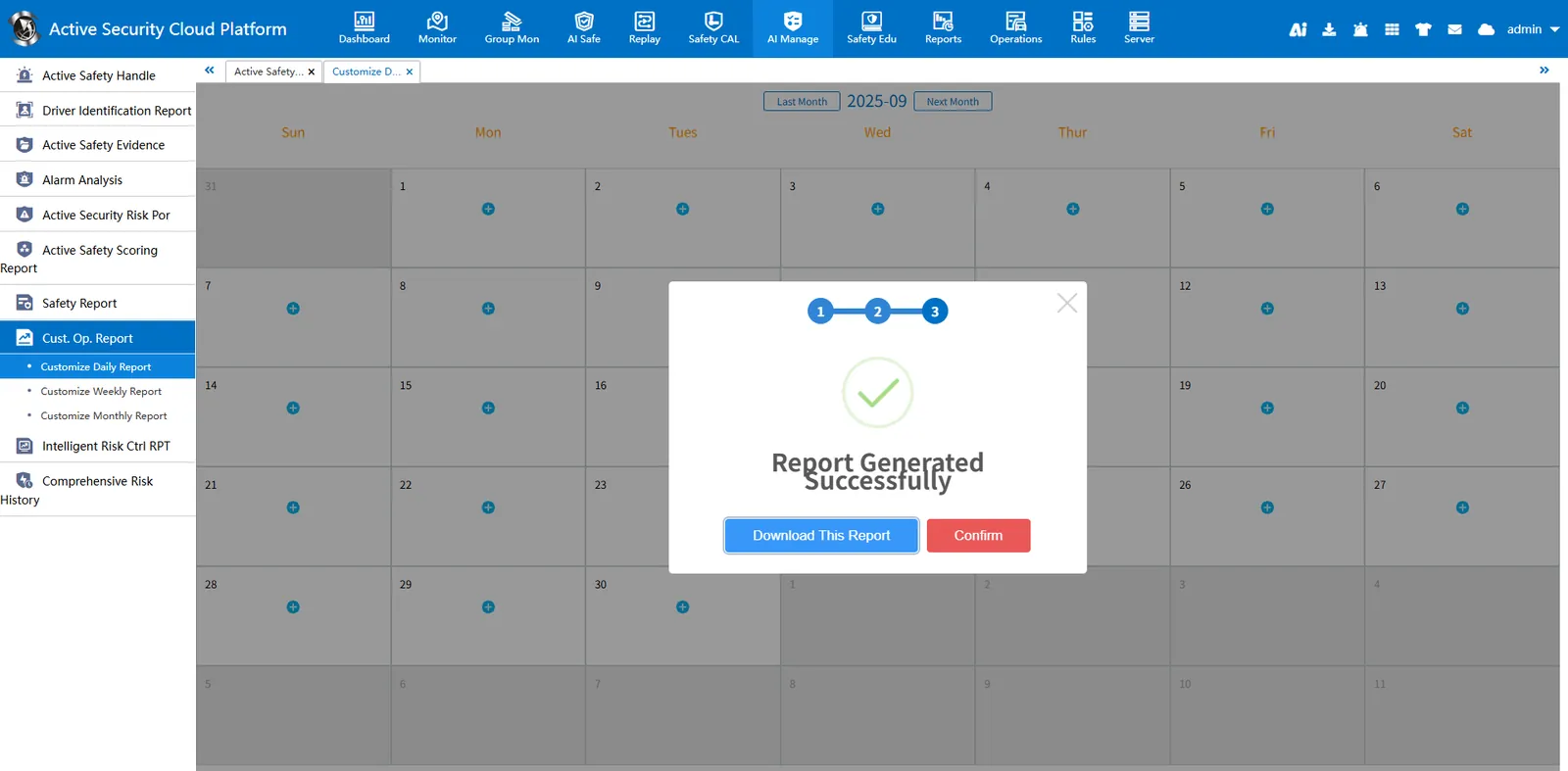
Download Report
2.1.3、View Report Document
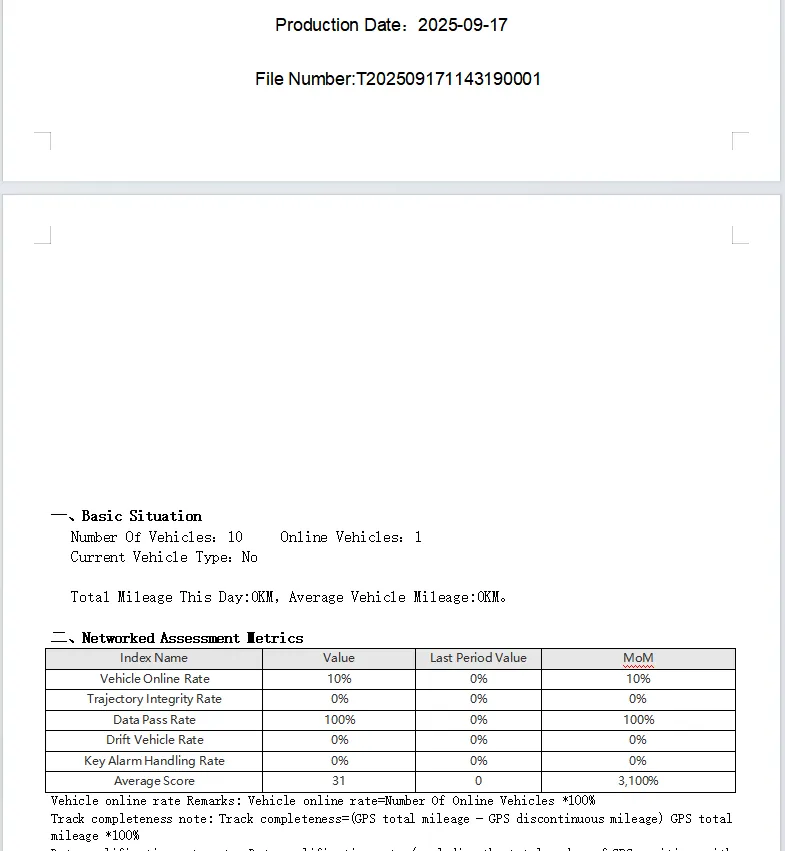
2.2、Customize Weekly Report
Generate weekly report data for the selected company, alarm type and report content.
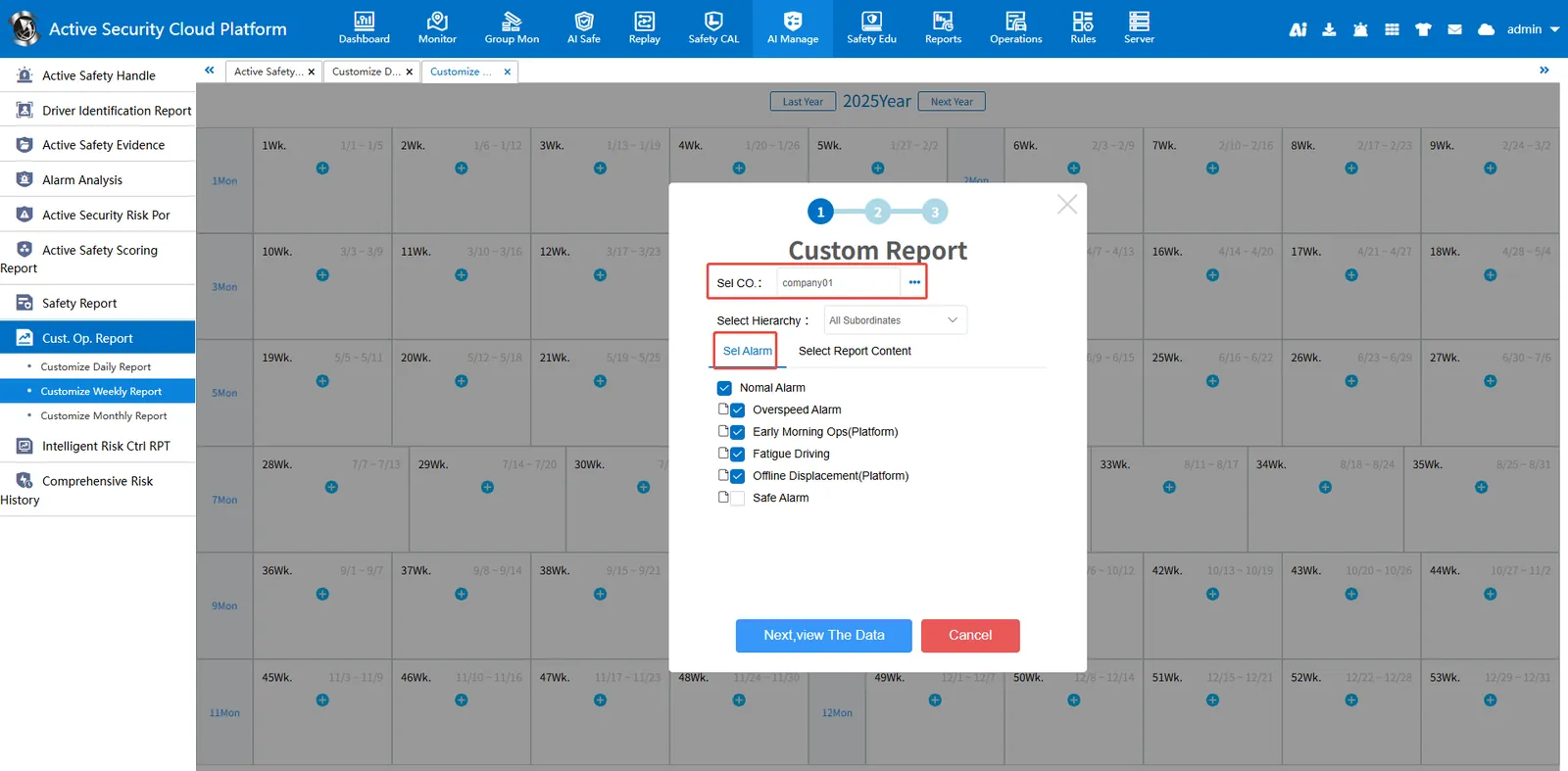
2.2.1、Customize Weekly Report Data
Select the company that generates the data and the alarm type
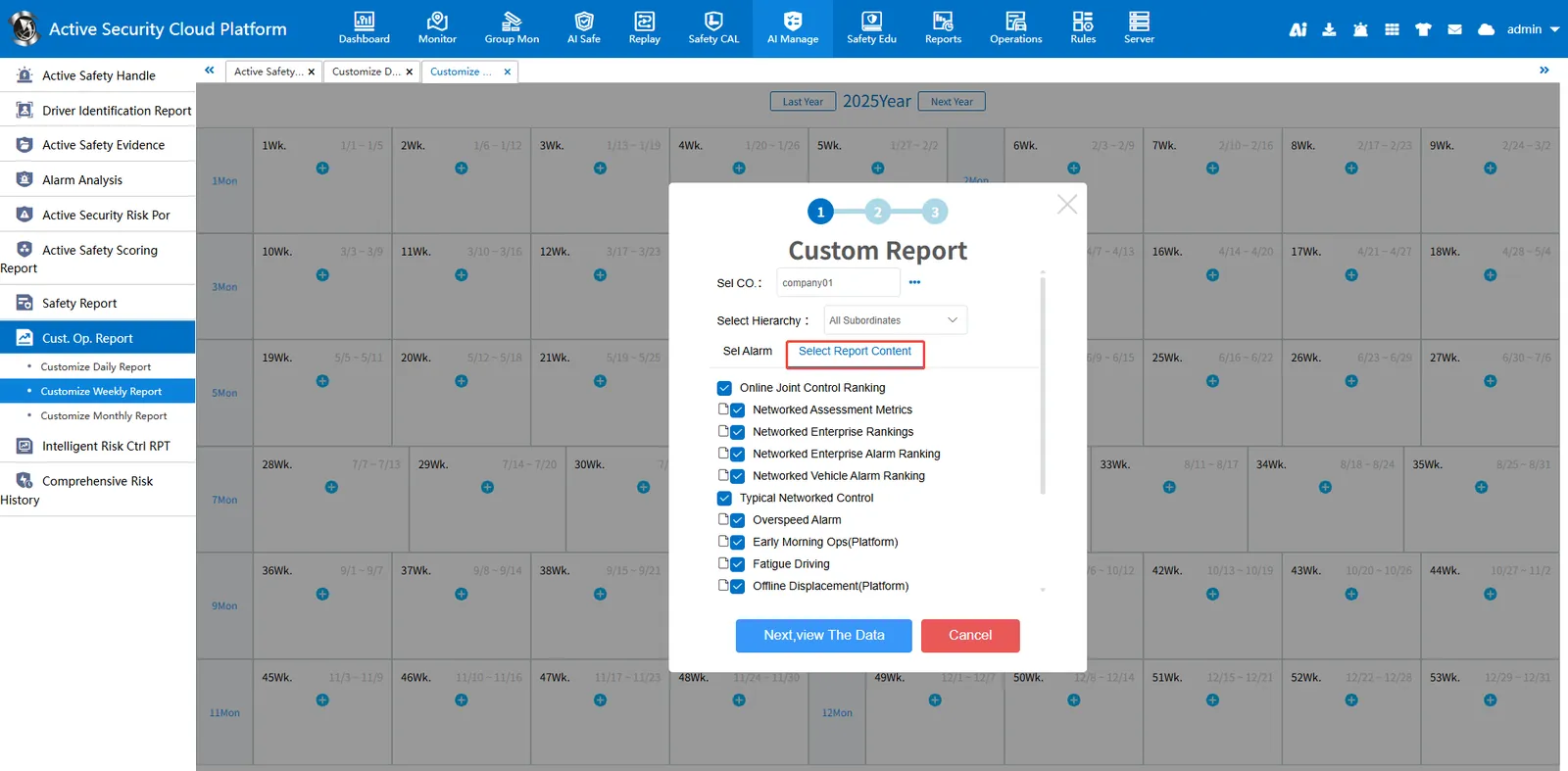
Customizing Report Contents
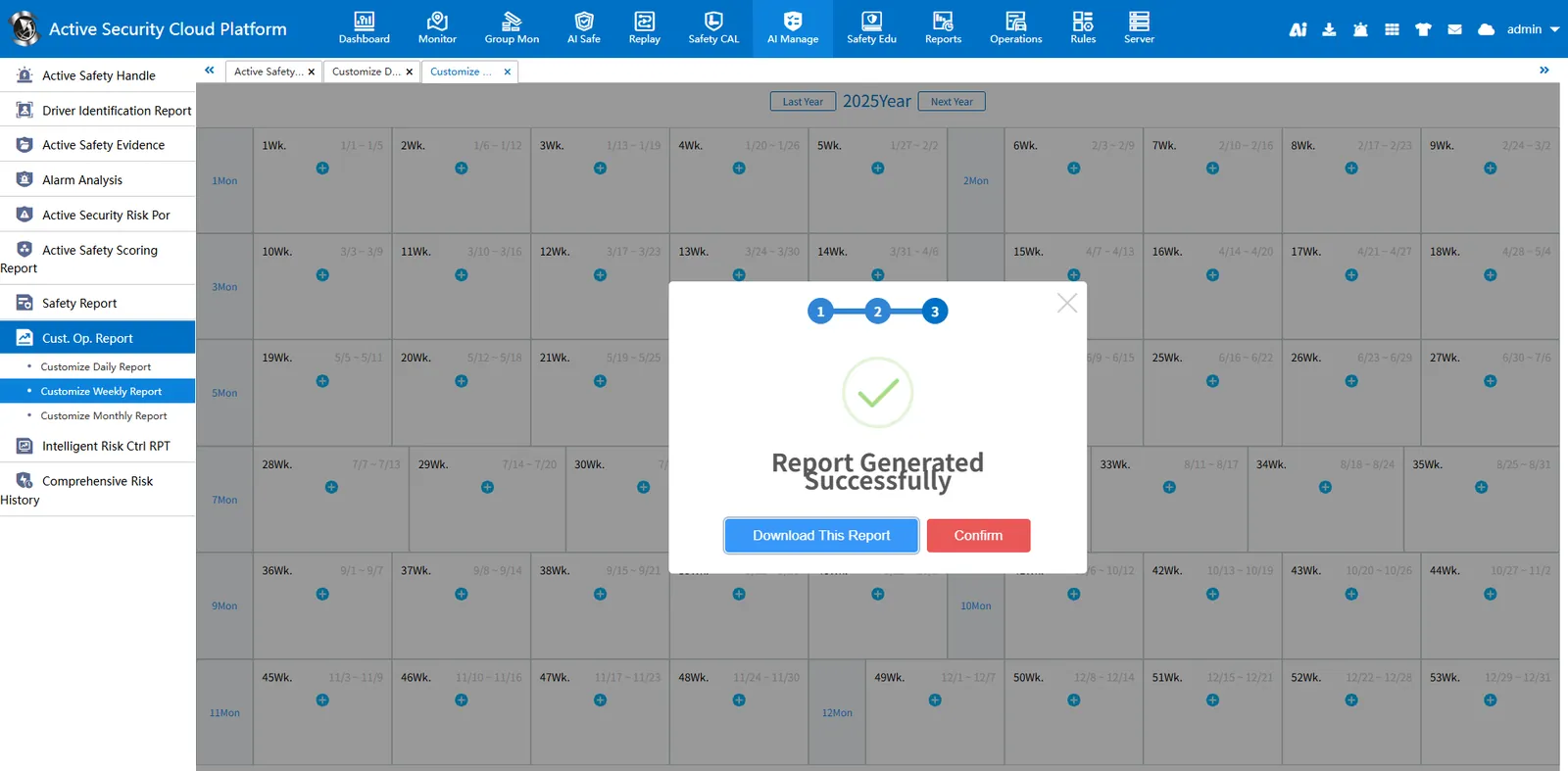
2.2.2、Generate report data
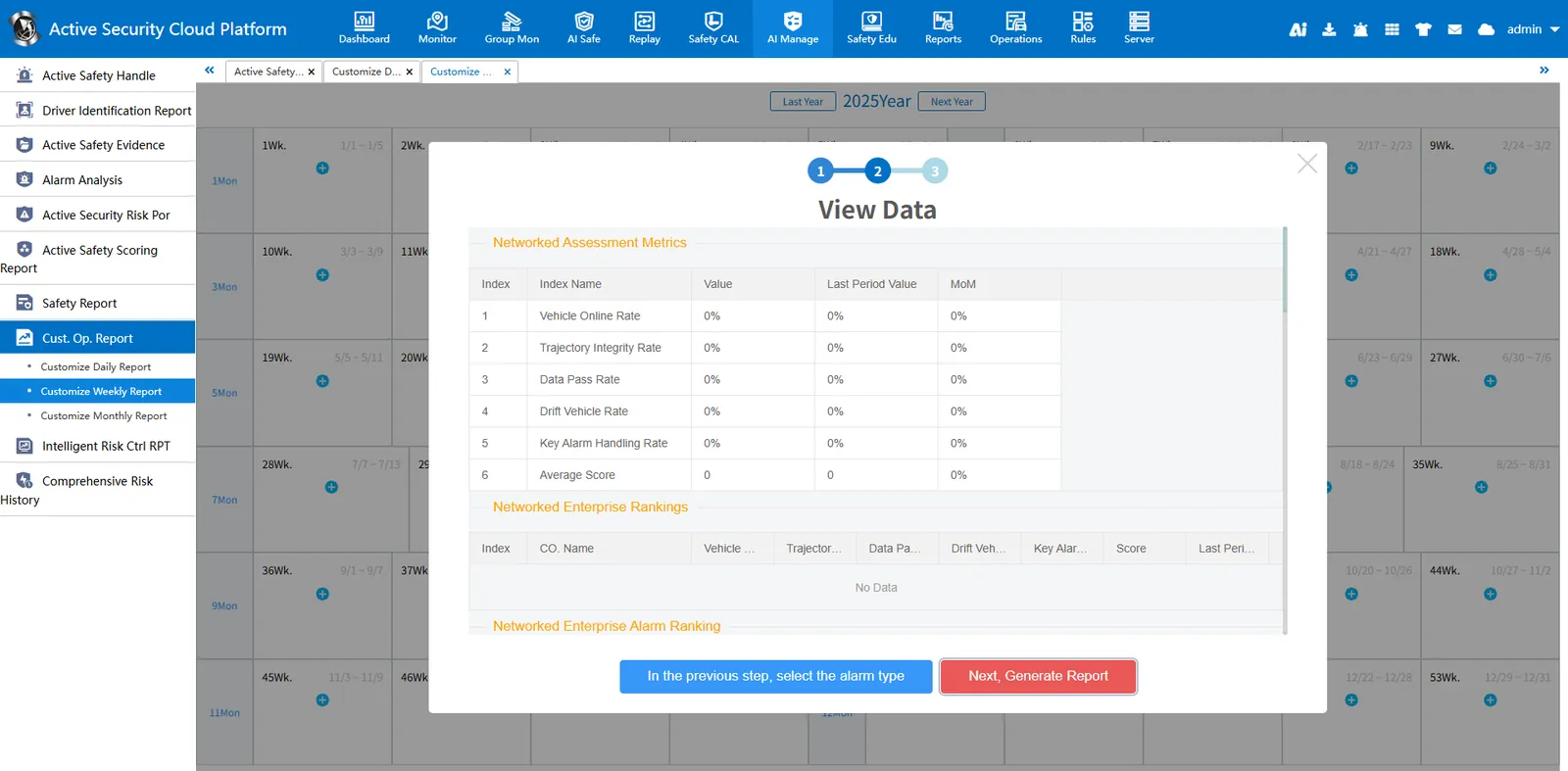
Download Report
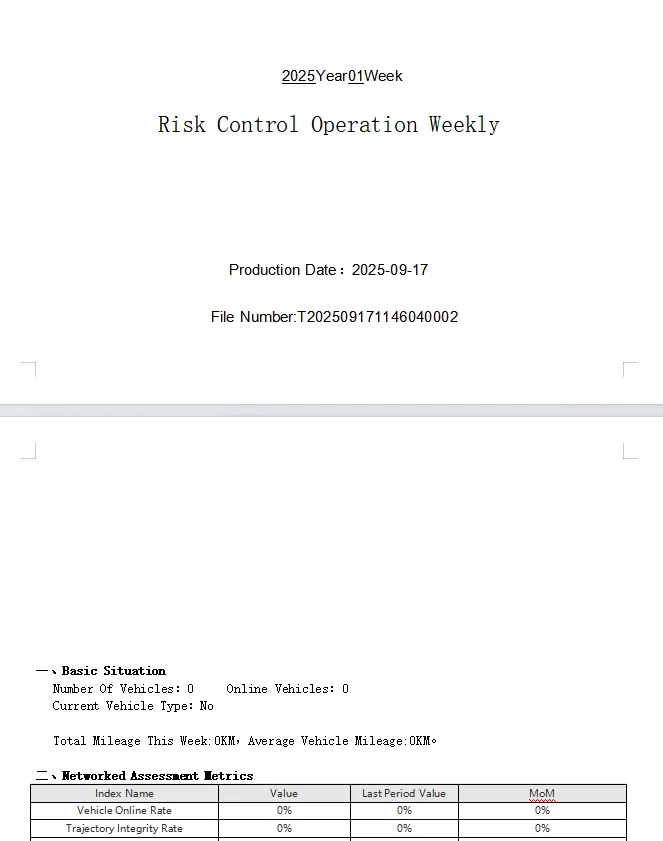
2.2.3、View Report Document
2.3、customized monthly report
Generate monthly report data for the selected company, alarm type and report content.
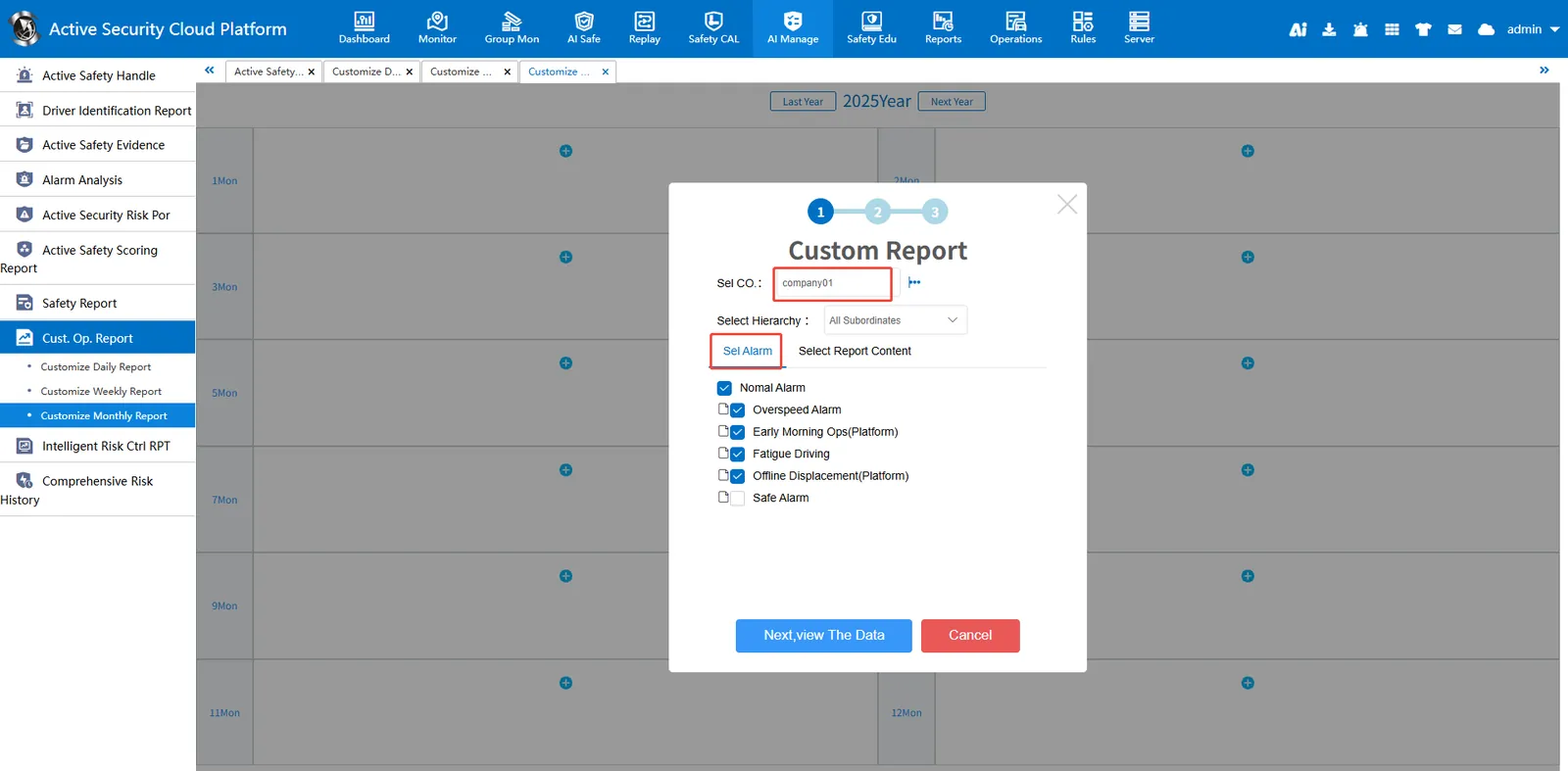
2.3.1、Customize Weekly Report Data
Select the company that generates the data and the alarm type
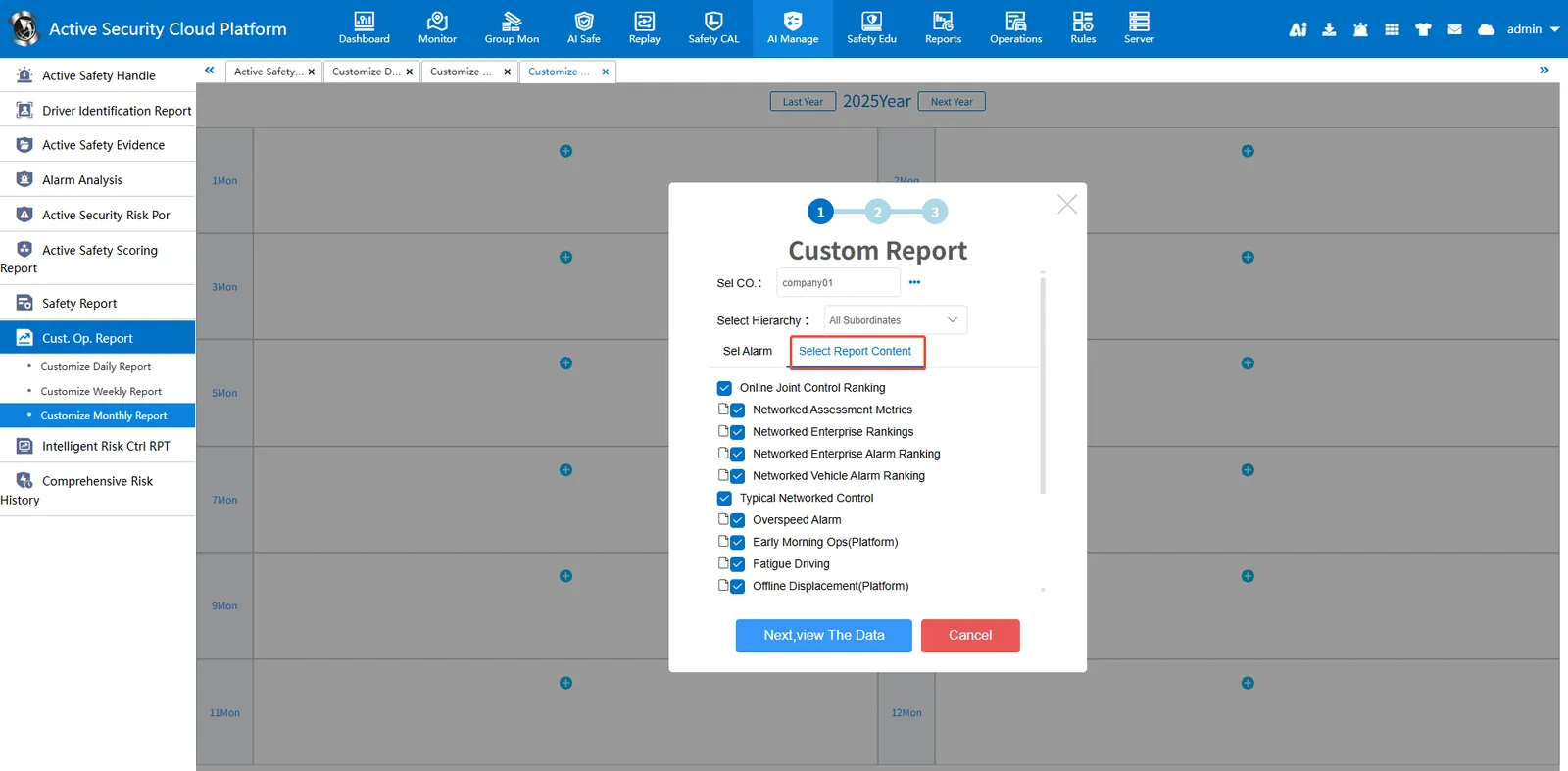
Customizing Report Contents
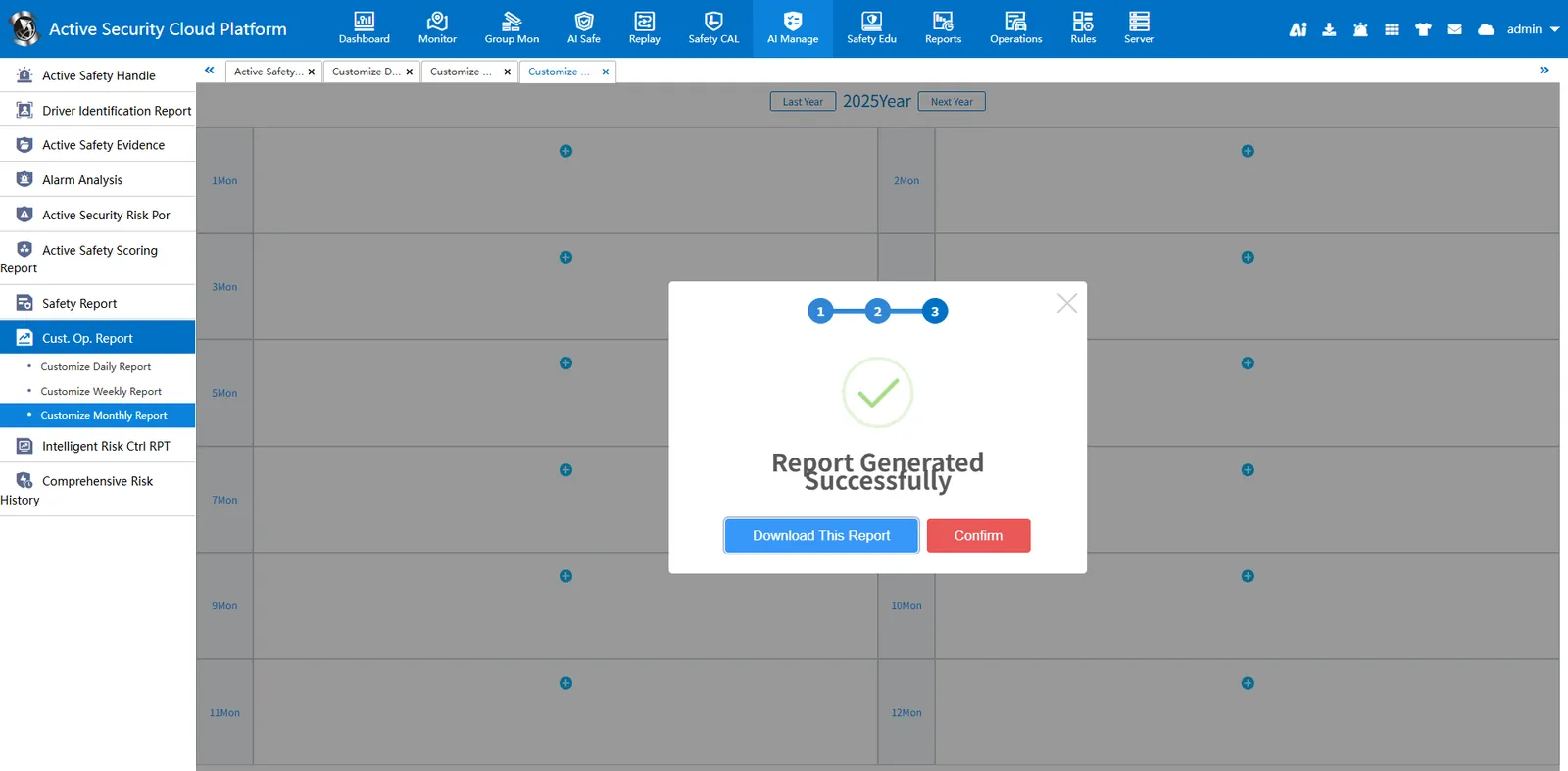
2.3.2、Generate report data
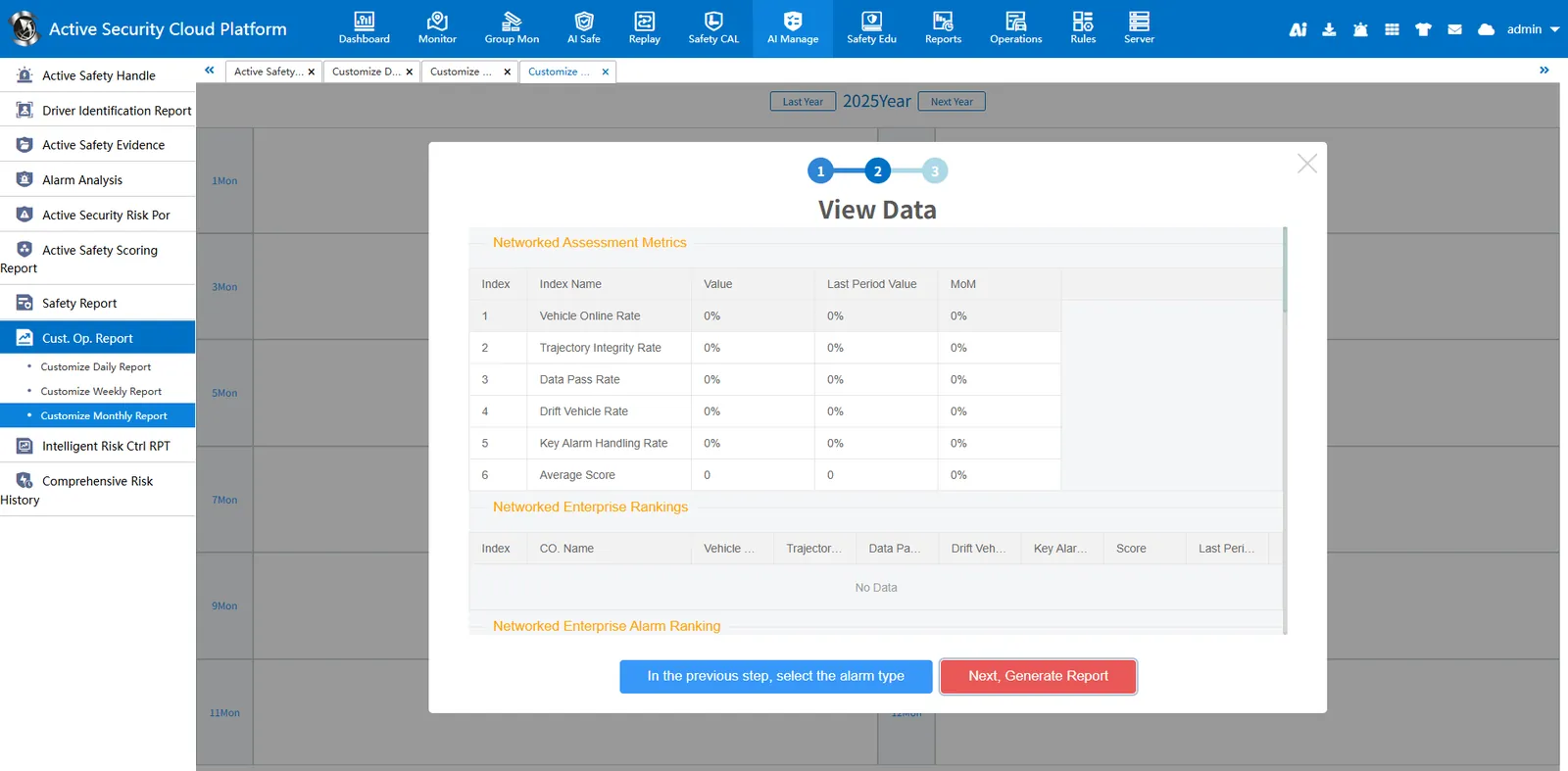
Download Report
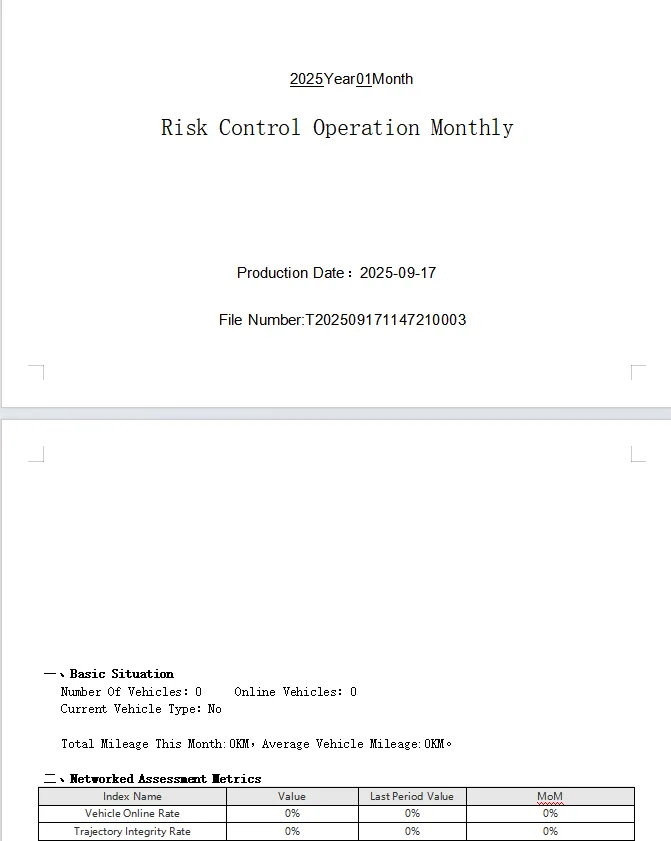
2.3.3、View Report Document
Precautions
**The alarm type can be configured in [Server Management]> [Alarm Configuration]> [Security Report Key Alarm Custom Configuration]. **
