1、Function description
The vehicle false positive active safety alarm is processed and marked, and the data can be queried in the false positive report.
2、operating instructions
2.1、handling false alarm alarm
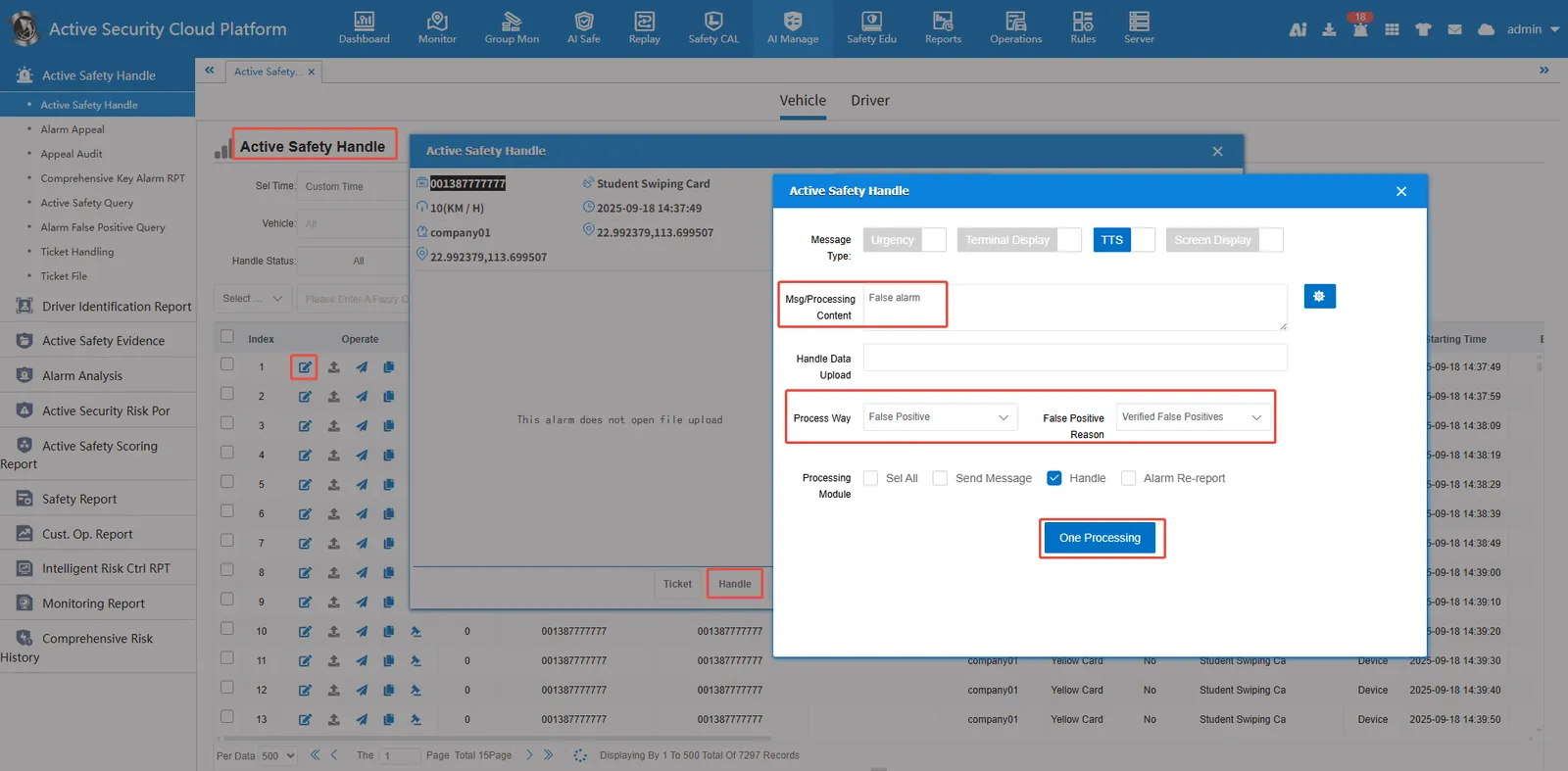
As shown in the following figure, [Active Security Alarm Processing]> [Alarm Processing] Select the alarm processing method as false alarm, then select false alarm reason, check alarm processing, and then click one- click processing.
2.2、query false alarm data
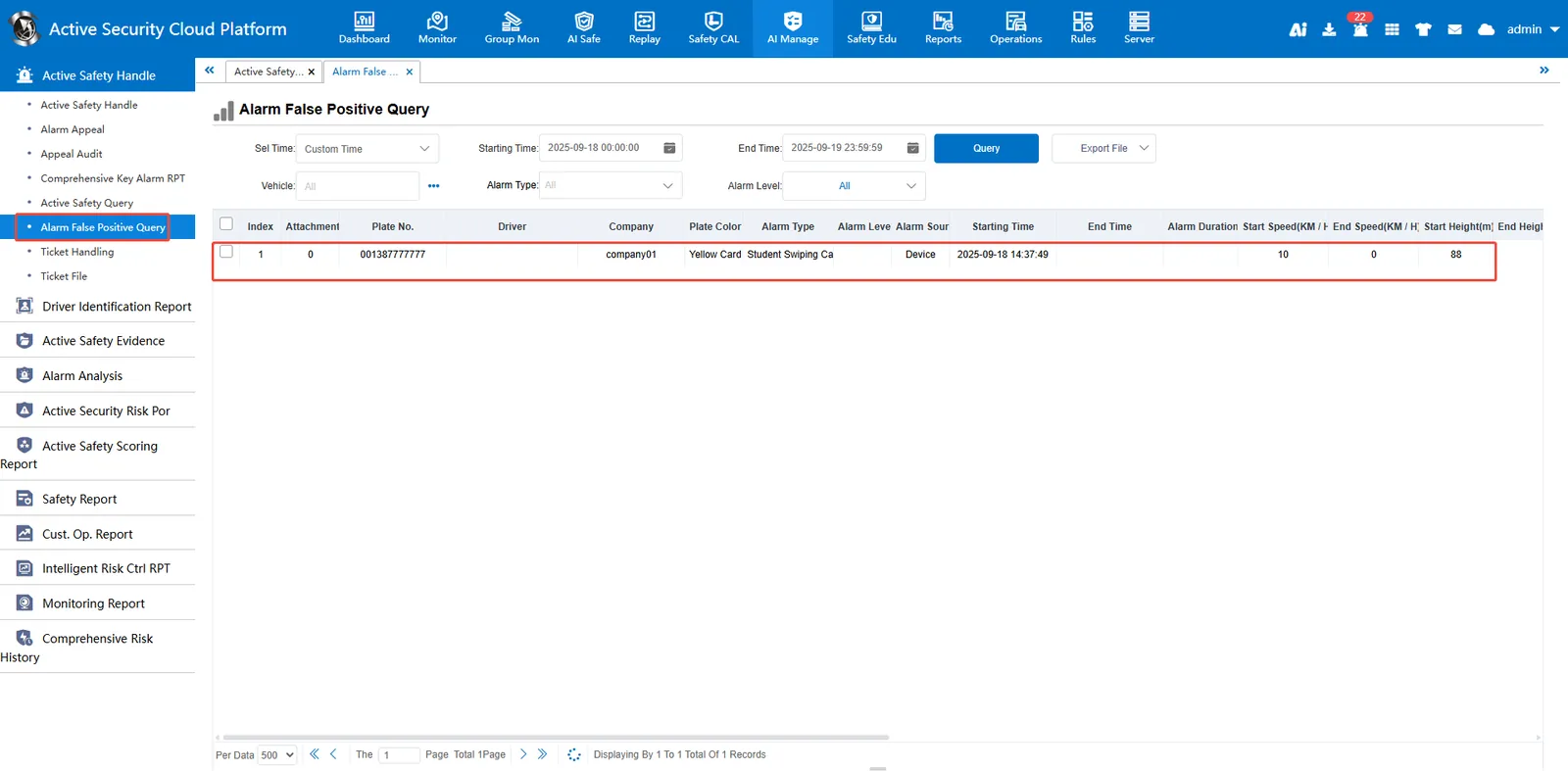
Go to Alarm False Alarm Query and click Query. The data queried by this report is all the alarm data marked as false alarm.
Note:
After the alarm is marked as false alarm, it will not be counted in the following modules.
[Intelligent Wind Control Operation Report]
[Smart Kanban]> [Security Kanban]> [Company Alarm Ranking]
