1. Function description
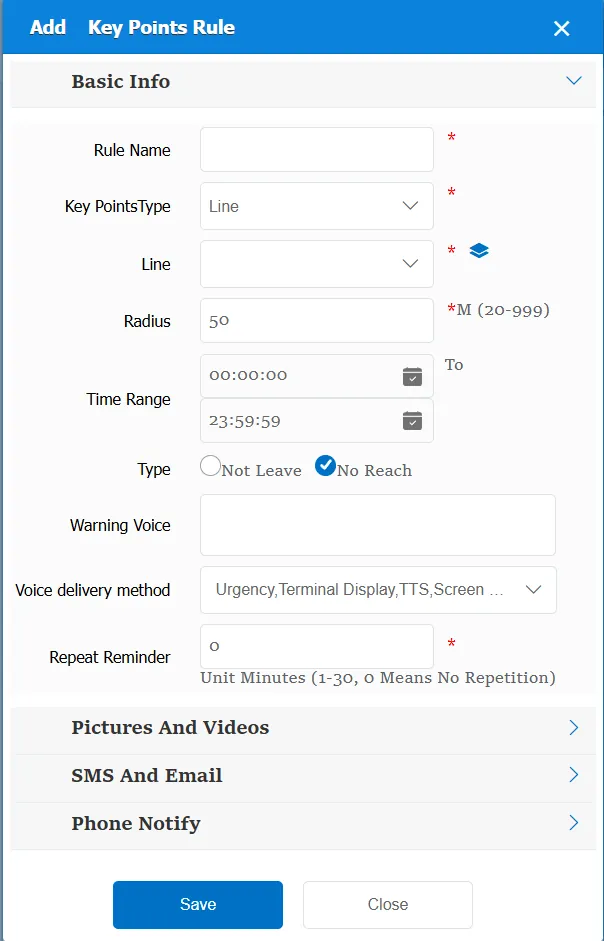
A circular area is formed with the radius of the key point as the center point; it is used to judge whether the vehicle has left or reached the specified position.
2. operating instructions
2.1 basic information
Rule Name: Customize, customize the name according to the actual situation
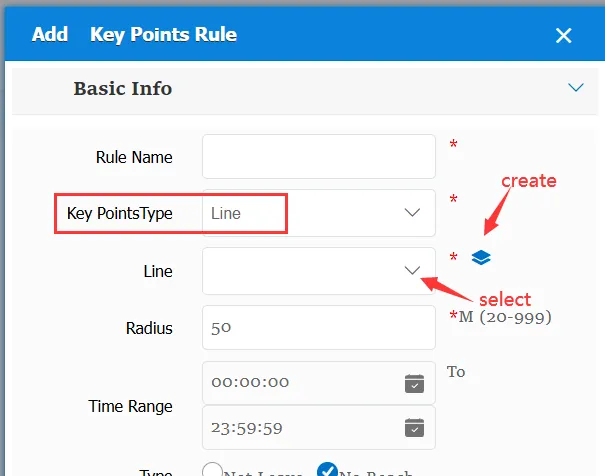
Key Type:
Line: The selected area is a line
Key: The selected area is a point
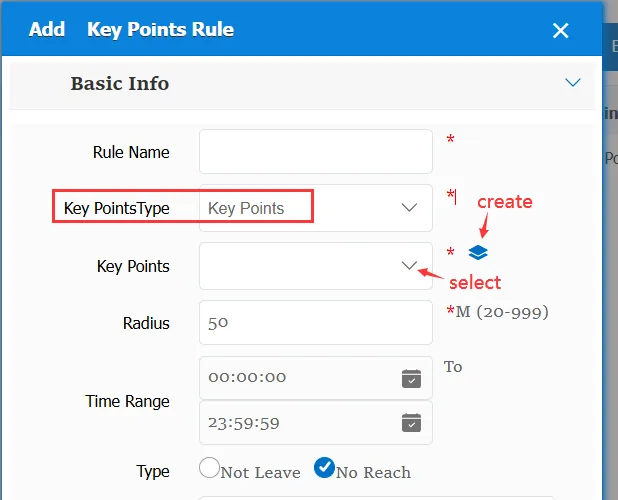
Cable and key points, two options, selected different, but the specified location range is different
Radius: The effective width of a key point or line
Time Range: the time period when the rule takes effect.
Type:
Not leaving: the vehicle did not leave the designated area within the specified time.
Not Arrived: The vehicle did not arrive at the designated area within the specified time.
Alarm Voice: the message sent to the device when the alarm is triggered.
Repeated Reminder: During the alarm continuation phase, an alarm voice is sent to the device every specified time.
Match all vehicles:
No: Only valid for vehicles assigned by this rule
Yes: this rule is effective for all vehicles of the company.
Global Share:
No: Only visible to this company
Yes: visible to all companies on the platform
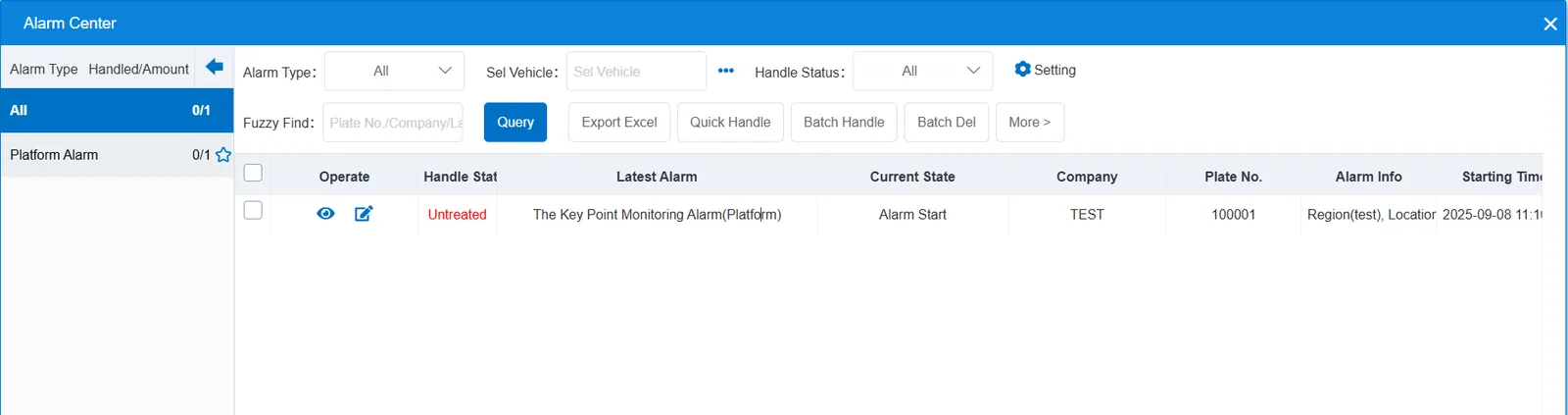
2.2 alarm information display
Vehicle bubble box alarm display:
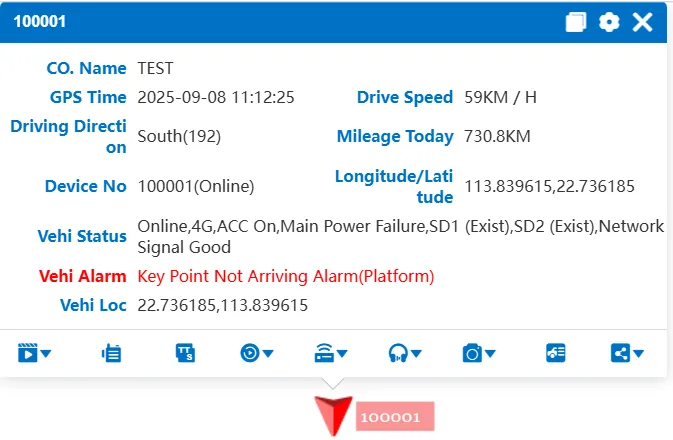
alarm center alarm display:
2.3 alarm information query
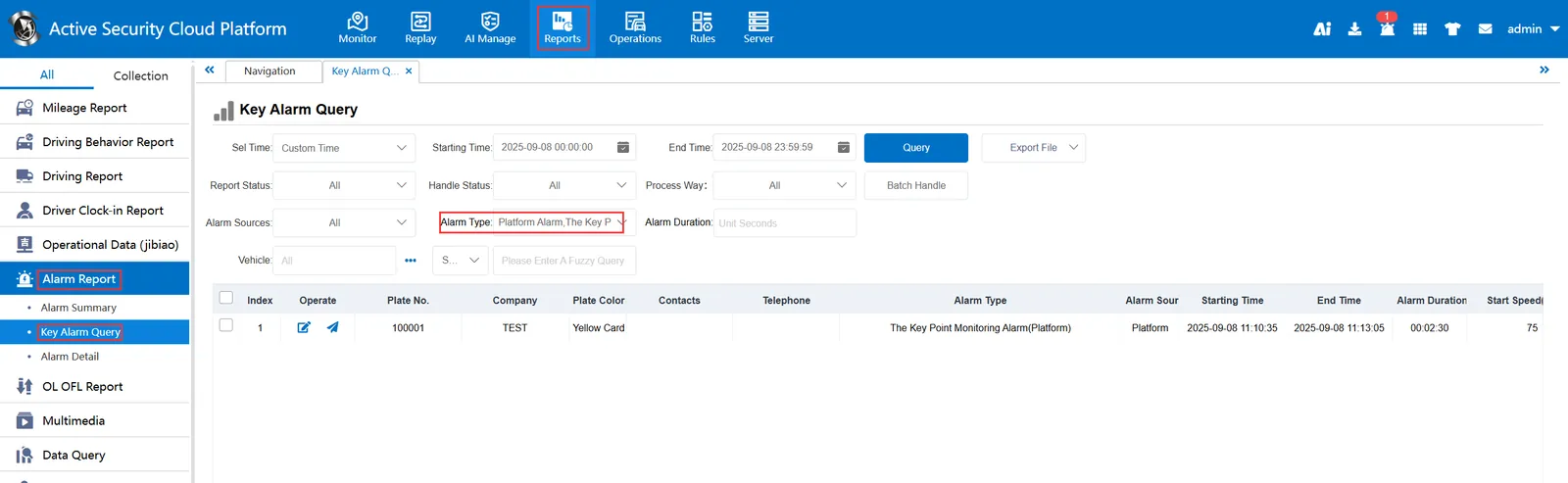
When querying alarms, you can select "The Key Point Monitoring Alarm(Platform)" for "alarm type" in the "Reports"- "Alarm Report"- "Key Alarm Query" report