1. Function description
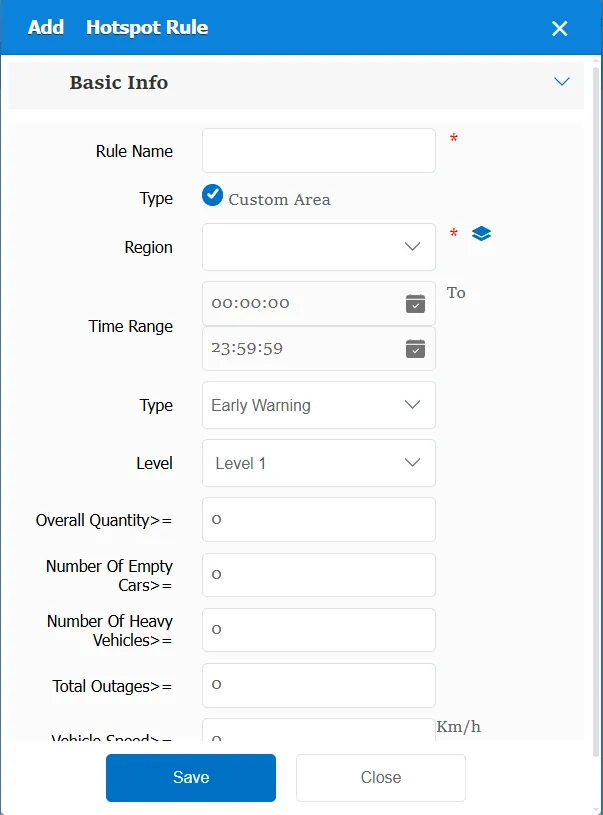
According to the preset settings of the electronic map, the key areas (such as airports, railway stations or bus terminals, etc.) are monitored in real time according to the preset conditions (total number, number of empty vehicles, number of heavy vehicles, number of suspended vehicles, speed), and different levels of early warning or alarm can be set.
2. operating instructions
2.1 basic information
Rule Name: Customize, customize the name according to the actual situation
Type:
Custom Area: Select or add a custom area
Time Range: the time period when the rule takes effect.
Type:
Alert: specifies whether to generate an alert or an alarm when triggered.
Alarm: Specify whether to generate an alert or alarm when triggered
Level: specifies the level at which an alert or alarm is generated when triggered.
Total Quantity> =: Number of vehicles when the alarm or alert was triggered
Empty> =: Number of empty vehicles when alarm or alert is triggered
Number of Heavy Vehicles> =: Number of heavy vehicles when alarm or alert is triggered
Number of outages> =: Number of vehicles out of service when an alarm or alert is triggered
Vehicle speed> =: Vehicle speed when alarm or warning is triggered
Match all vehicles:
No: Only valid for vehicles assigned by this rule
Yes: this rule is effective for all vehicles of the company.
Global Share:
No: Only visible to this company
Yes: visible to all companies on the platform
2.2 alarm information display
Vehicle bubble box alarm display:
The alarm is in the vehicle bubble box and is not displayed
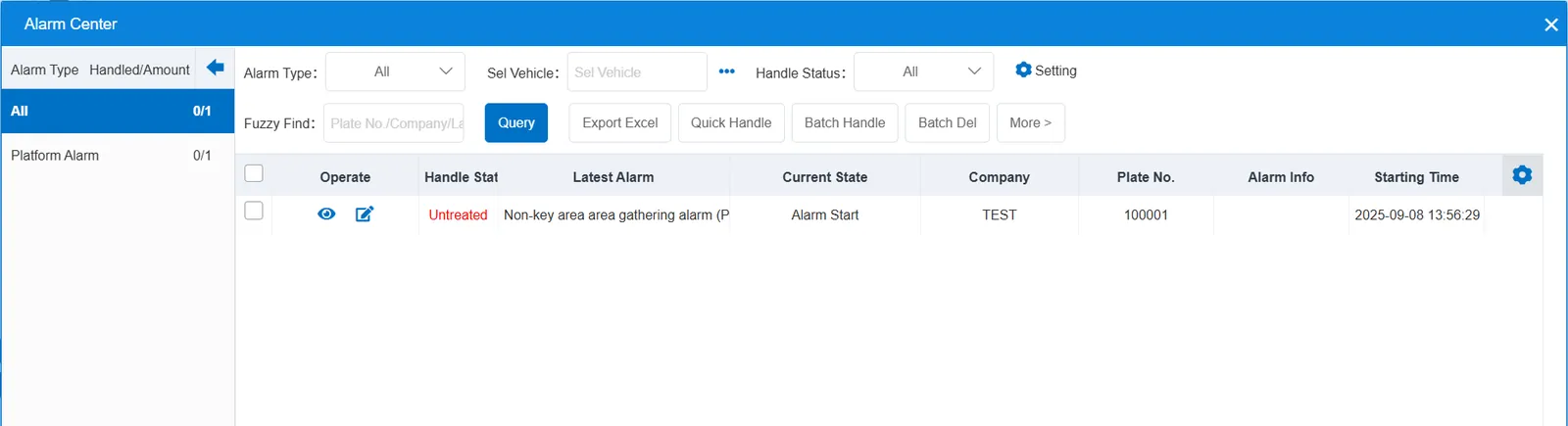
alarm center alarm display:
2.3 alarm information query
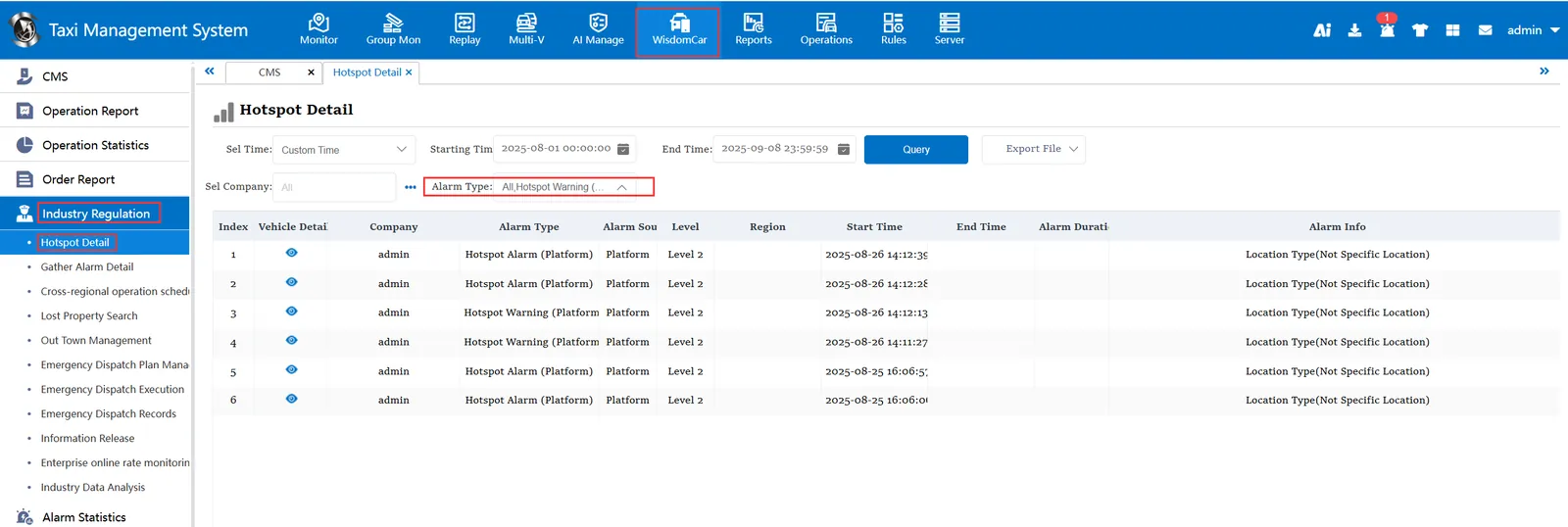
Alarm information is queried in the report of "smart car booking"- "industry supervision"-"key area schedule"
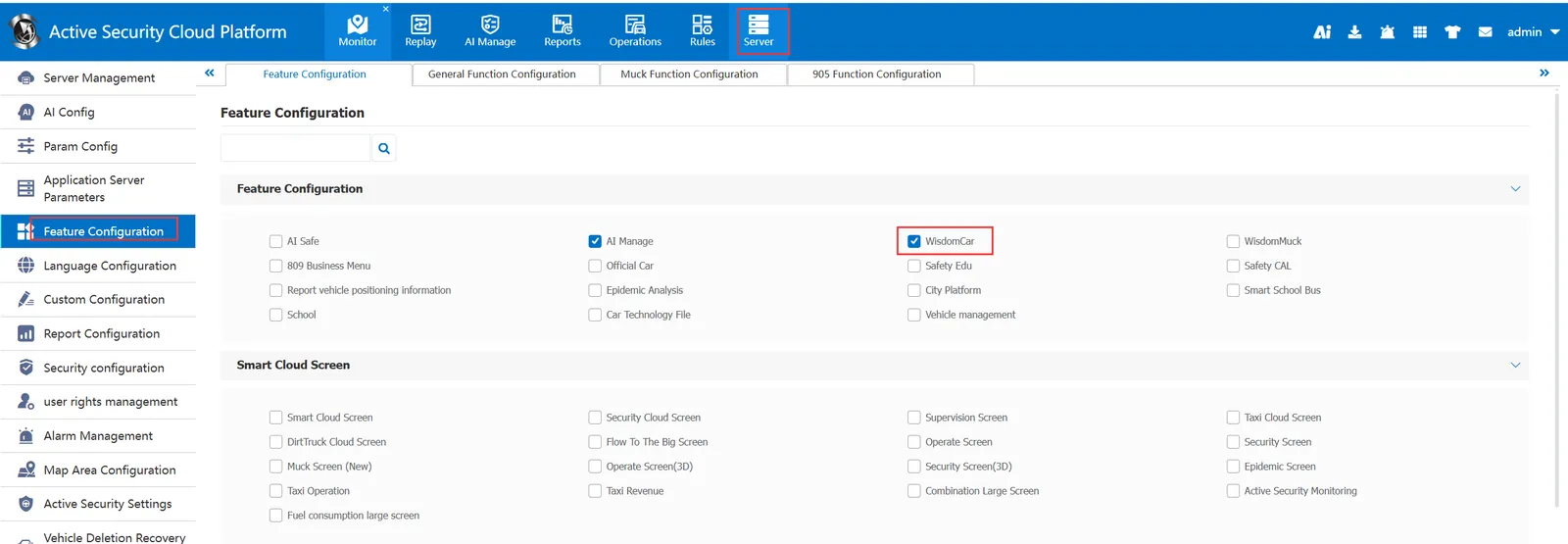
Note: "Smart Car Hailing" needs to be checked in the column of "Server Management"-"Function Configuration"-"Function Configuration"