1. Function description
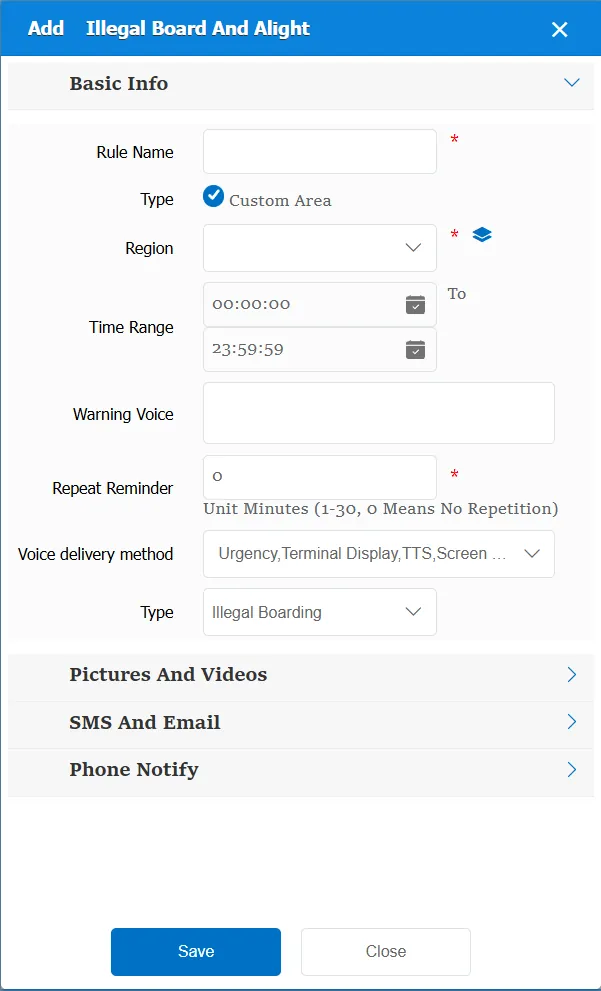
The taxi vehicle has been reported, and the sign indicates whether it is a passenger or a passenger. When this status is received, the rule will be triggered and the corresponding alarm information will be generated if the guest is picked up and picked up in the specified area.
2. operating instructions
2.1 basic information
Rule Name: Customize, customize the name according to the actual situation
Type:
Custom Area: Select or add a custom area
Time Range: the time period when the rule takes effect.
Alarm Voice: the message sent to the device when the alarm is triggered.
Repeated Reminder: During the alarm continuation phase, an alarm voice is sent to the device every specified time.
Match all vehicles:
No: Only valid for vehicles assigned by this rule
Yes: this rule is effective for all vehicles of the company.
Global Share:
No: Only visible to this company
Yes: visible to all companies on the platform
Type:
Illegal passenger: If the vehicle is in the designated area, the passenger will trigger this rule.
Illegal: This rule is triggered if the vehicle is within the designated area.
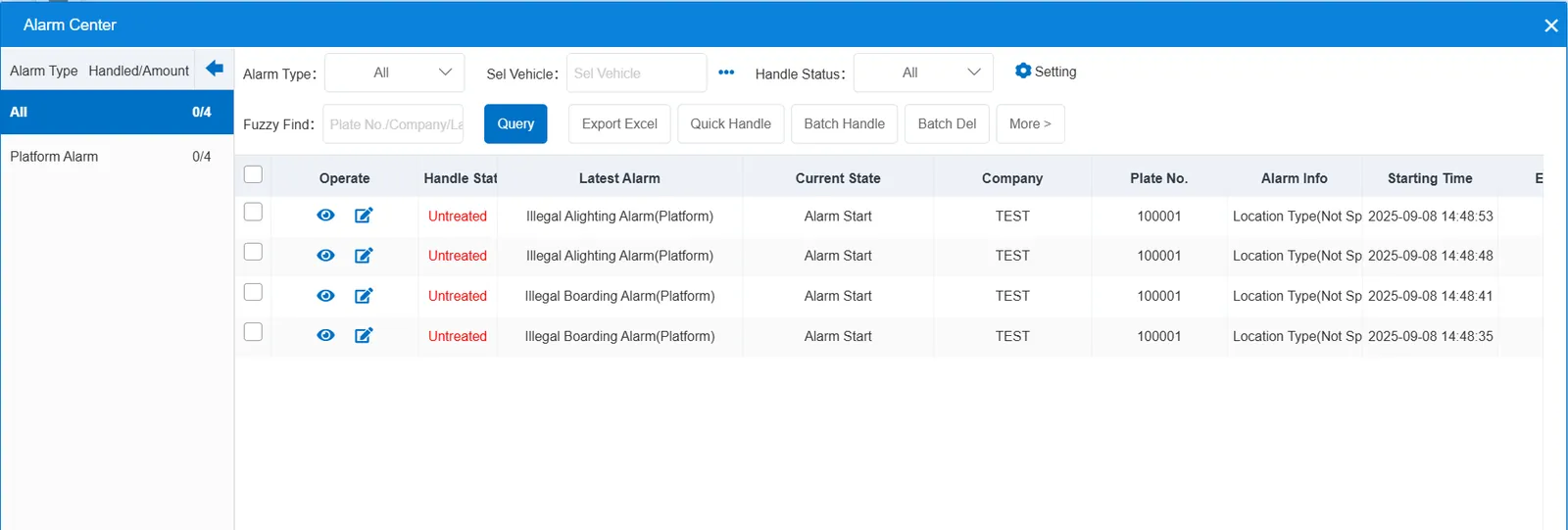
2.2 alarm information display
Vehicle bubble box alarm display:
The alarm is in the vehicle bubble box and is not displayed
alarm center alarm display:
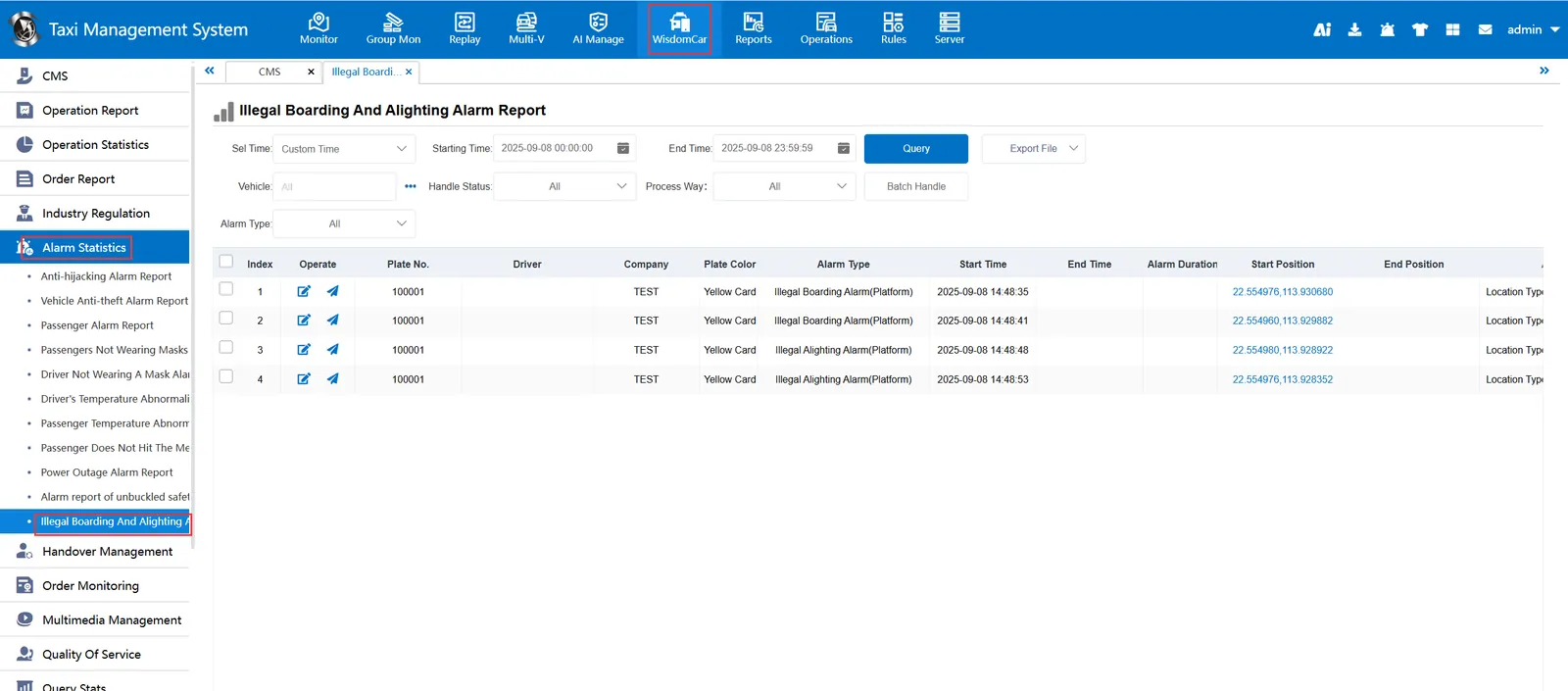
2.3 alarm information query
Alarm information is queried in the report of "smart car booking"- "alarm statistics"-"illegal passenger alarm report"
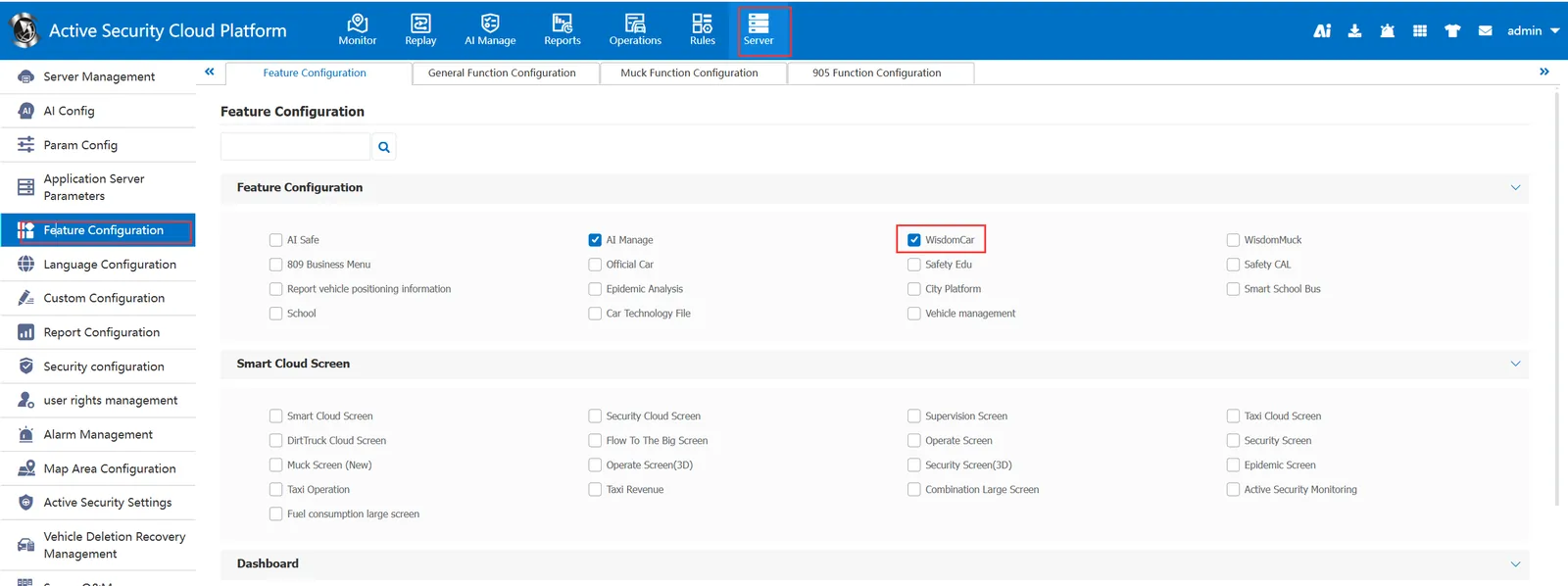
Note: "Smart Car Hailing" needs to be checked in the column of "Server Management"-"Function Configuration"-"Function Configuration"