1. Function description
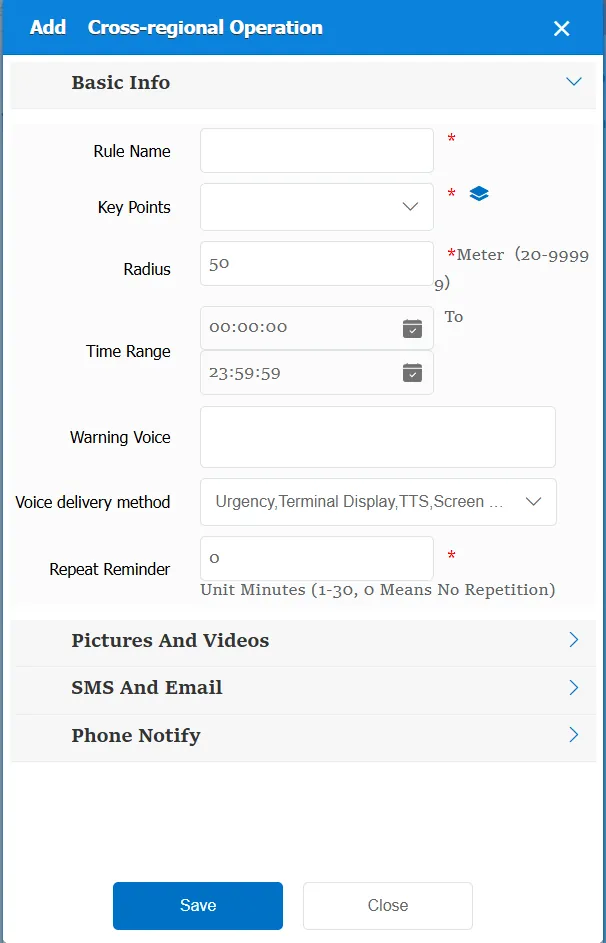
The rule will be triggered when the vehicle is in operation and leaves the designated area.
2. operating instructions
2.1 basic information
Rule Name: Customize, customize the name according to the actual situation
Key: Select or add a center point
Radius: The effective width of a key point or line
Time Range: the time period when the rule takes effect.
Alarm Voice: the message sent to the device when the alarm is triggered.
Repeated Reminder: During the alarm continuation phase, an alarm voice is sent to the device every specified time.
Match all vehicles:
No: Only valid for vehicles assigned by this rule
Yes: this rule is effective for all vehicles of the company.
Global Share:
No: Only visible to this company
Yes: visible to all companies on the platform
2.2 alarm information display
Vehicle bubble box alarm display:
The alarm is in the vehicle bubble box and is not displayed
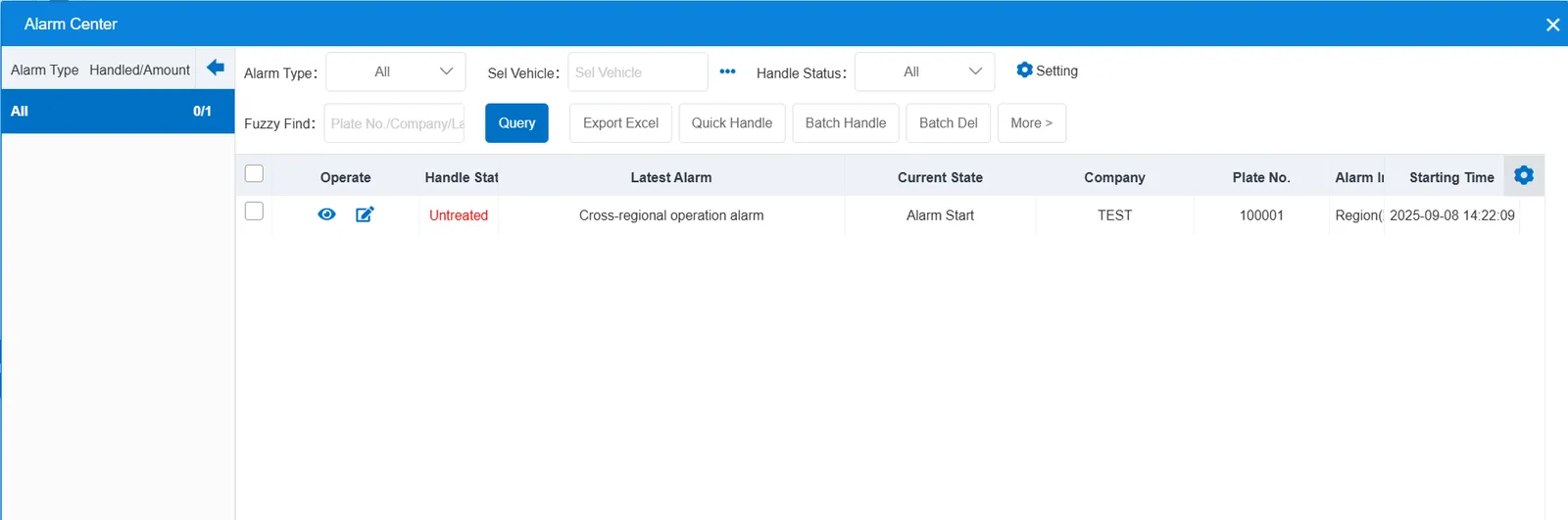
alarm center alarm display:
2.3 alarm information query
Alarm information is queried in the report of "smart car booking"- "industry supervision"- "cross- regional operation schedule".
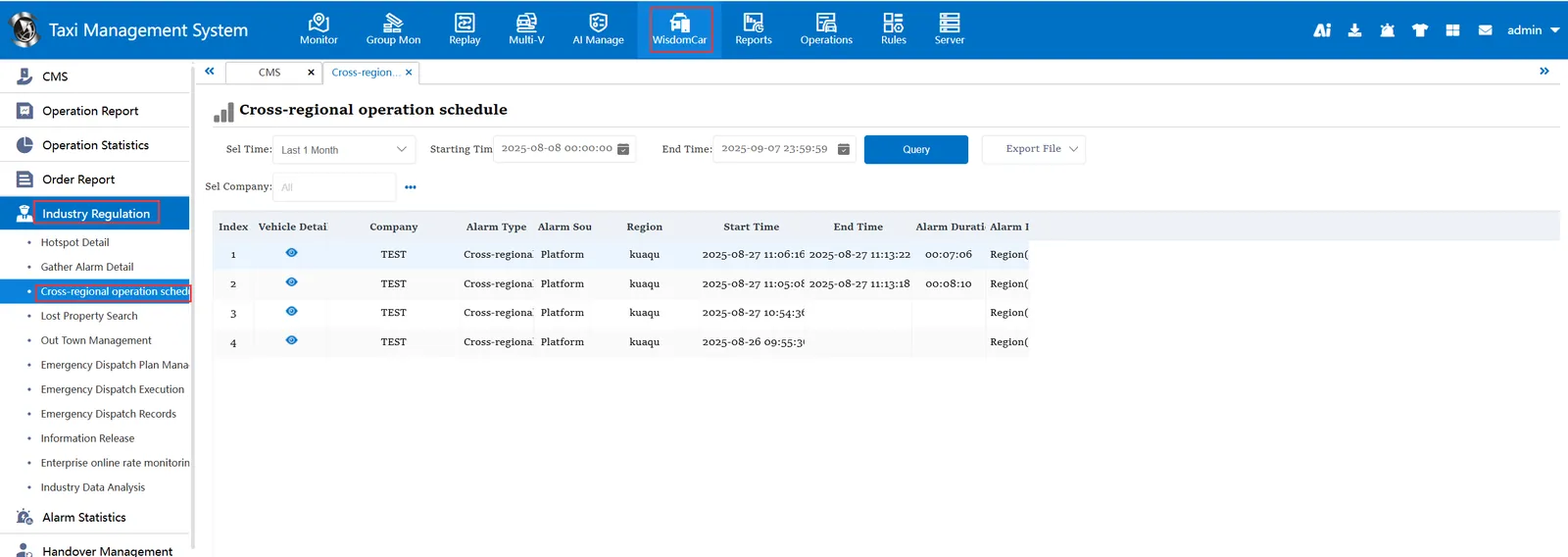
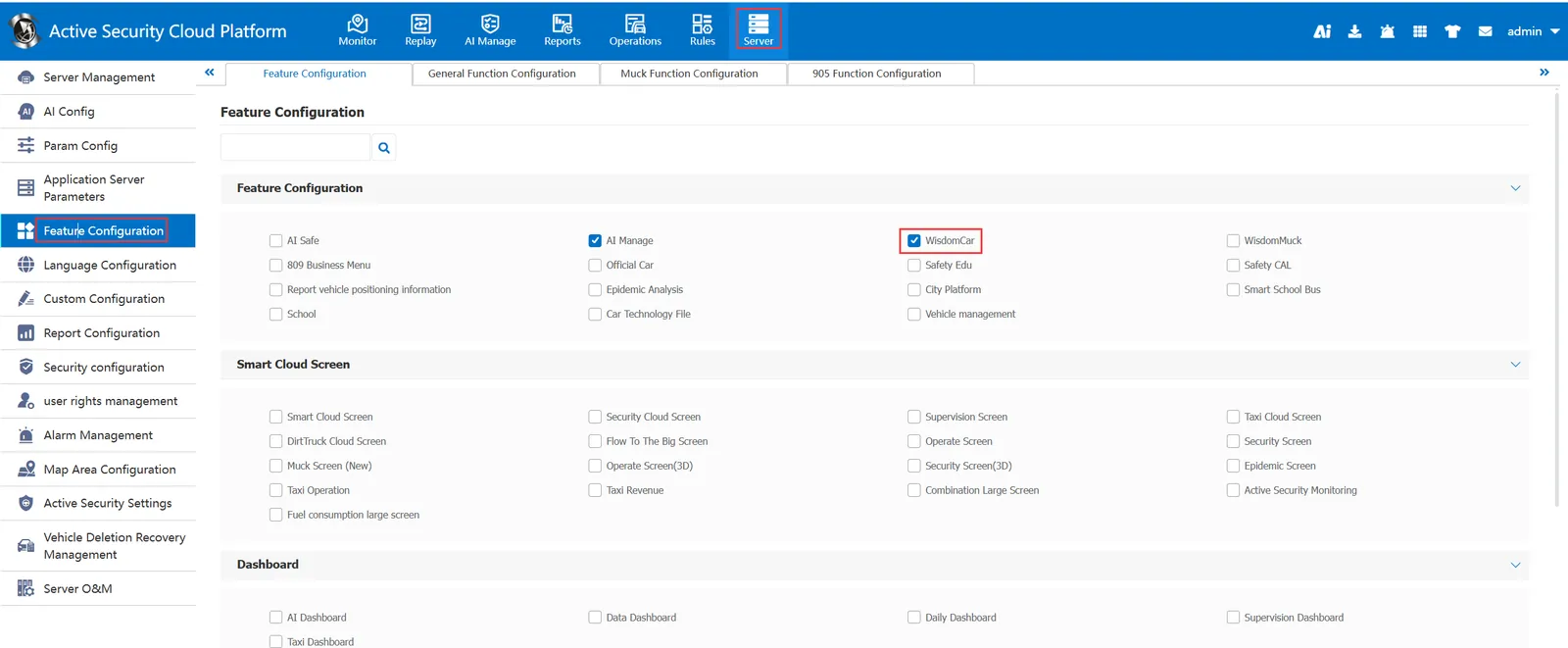
Note: "Smart Car Hailing" needs to be checked in the column of "Server Management"-"Function Configuration"-"Function Configuration"