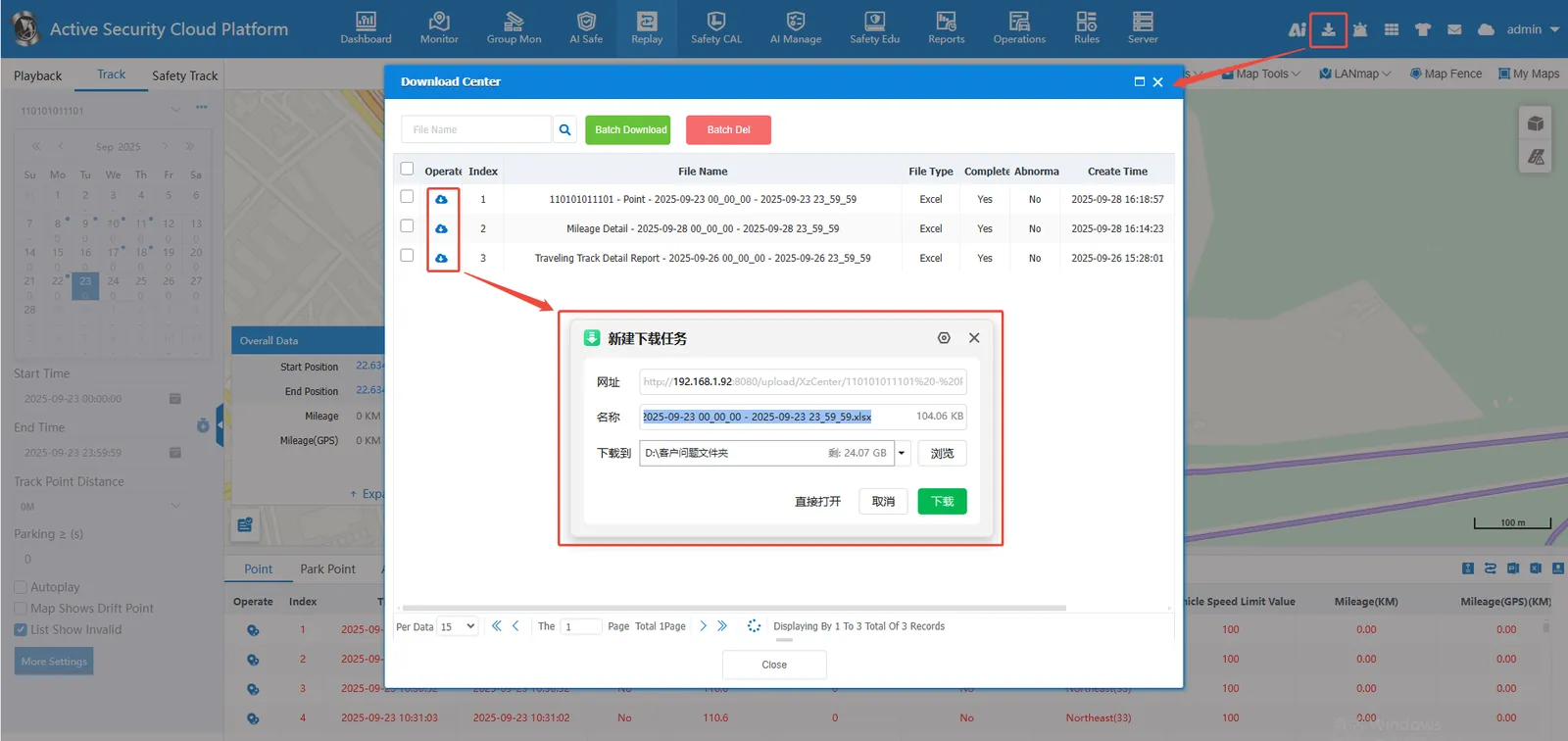
1. Function description
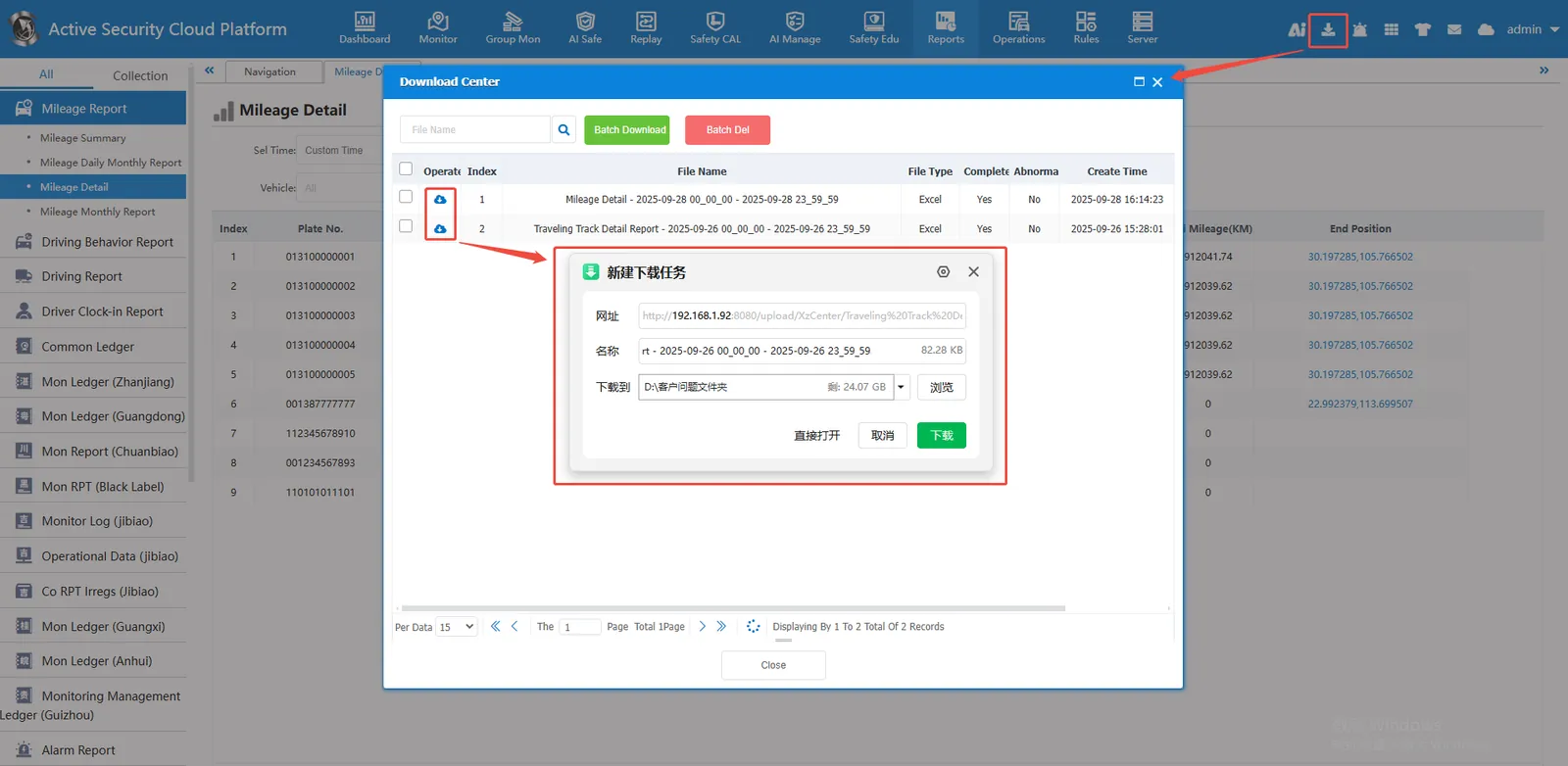
Download Center
Statistical reports, reports in track playback, and track export tasks will appear in the download center. After a file is generated in the background, it will be downloaded from the download center to the local
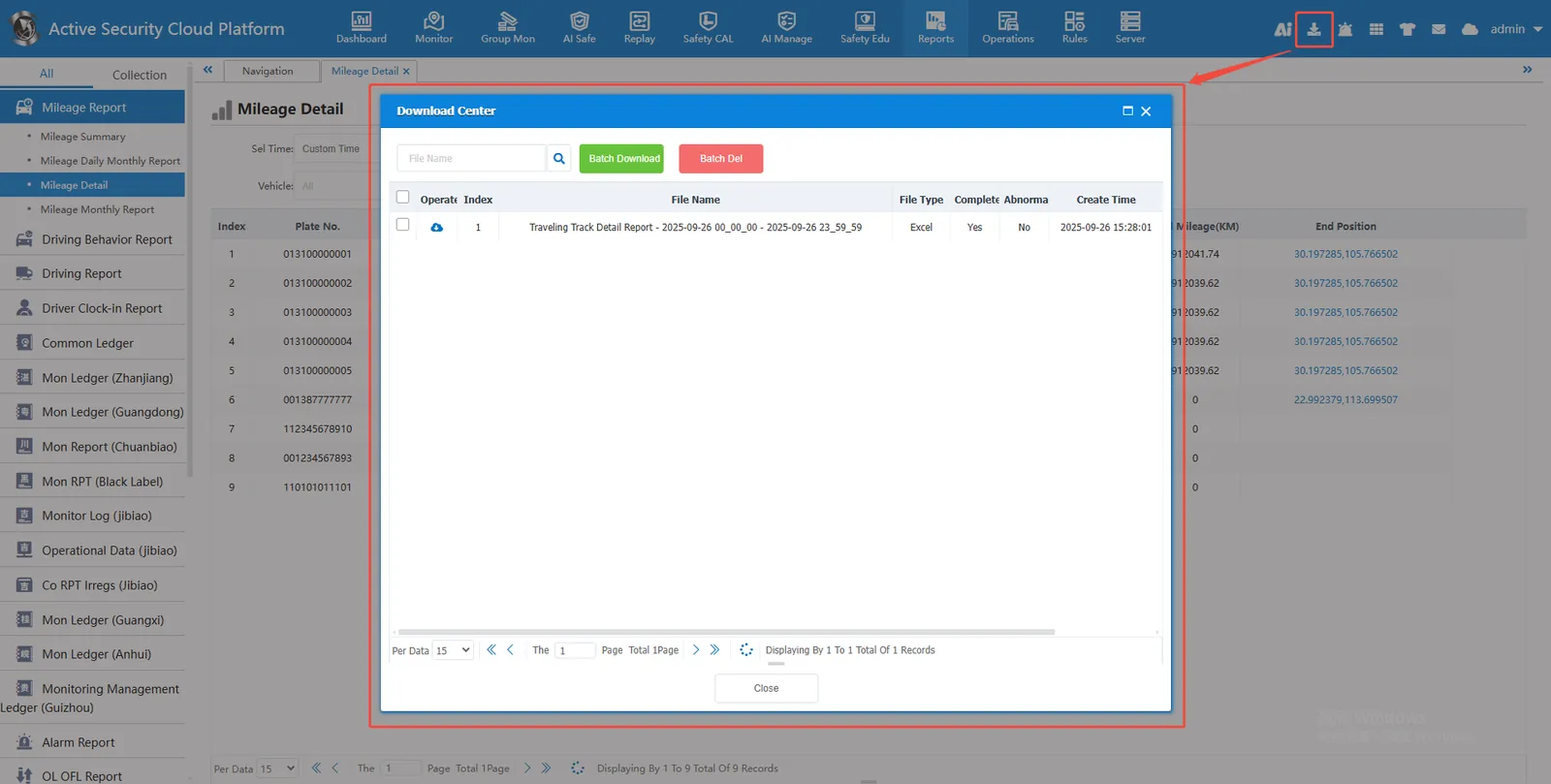
2, operating instructions
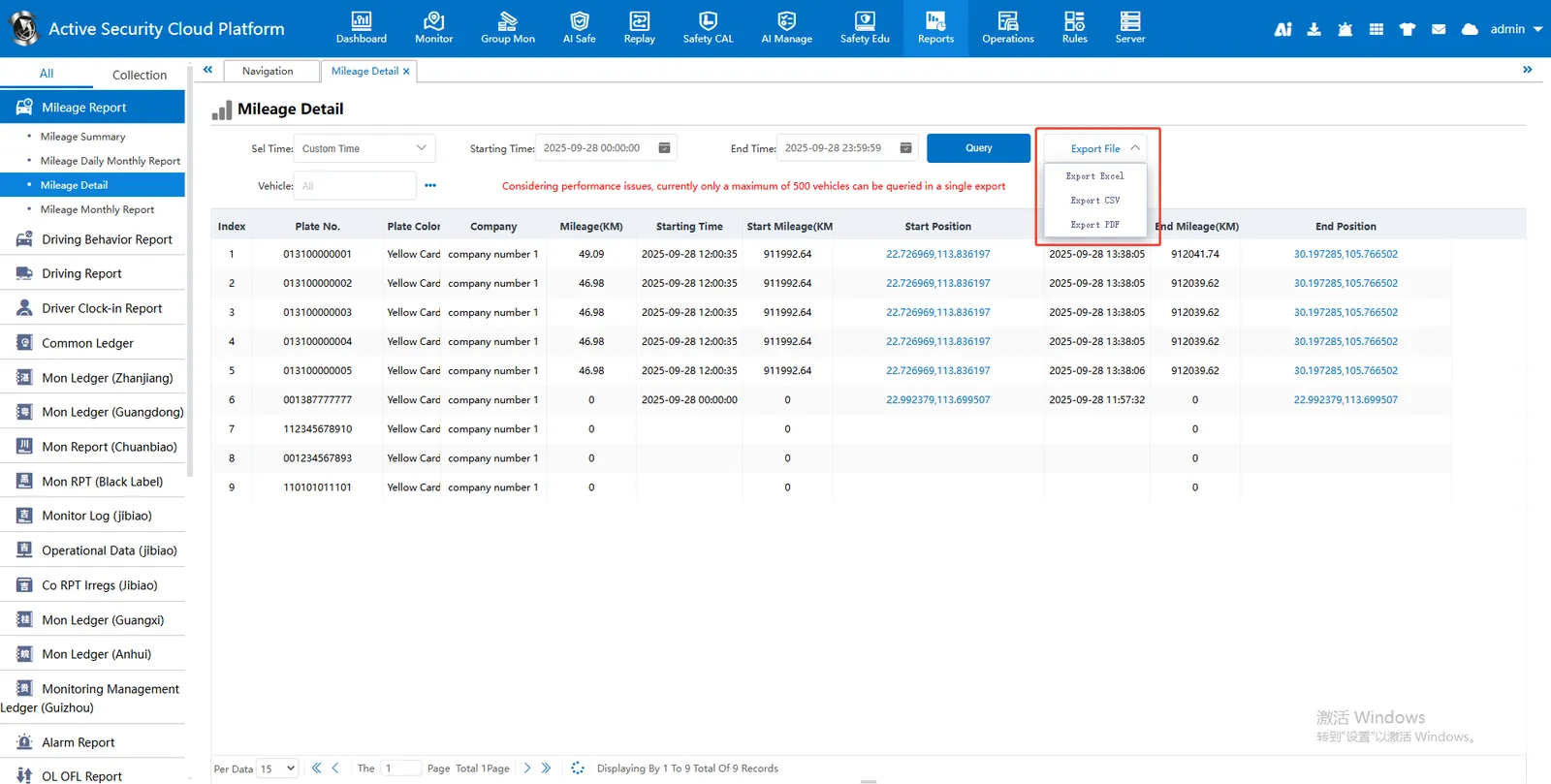
2.1, export report
After the report queries the data, click Export.
After the export file is uploaded, a download window will automatically pop up to facilitate downloading to the local
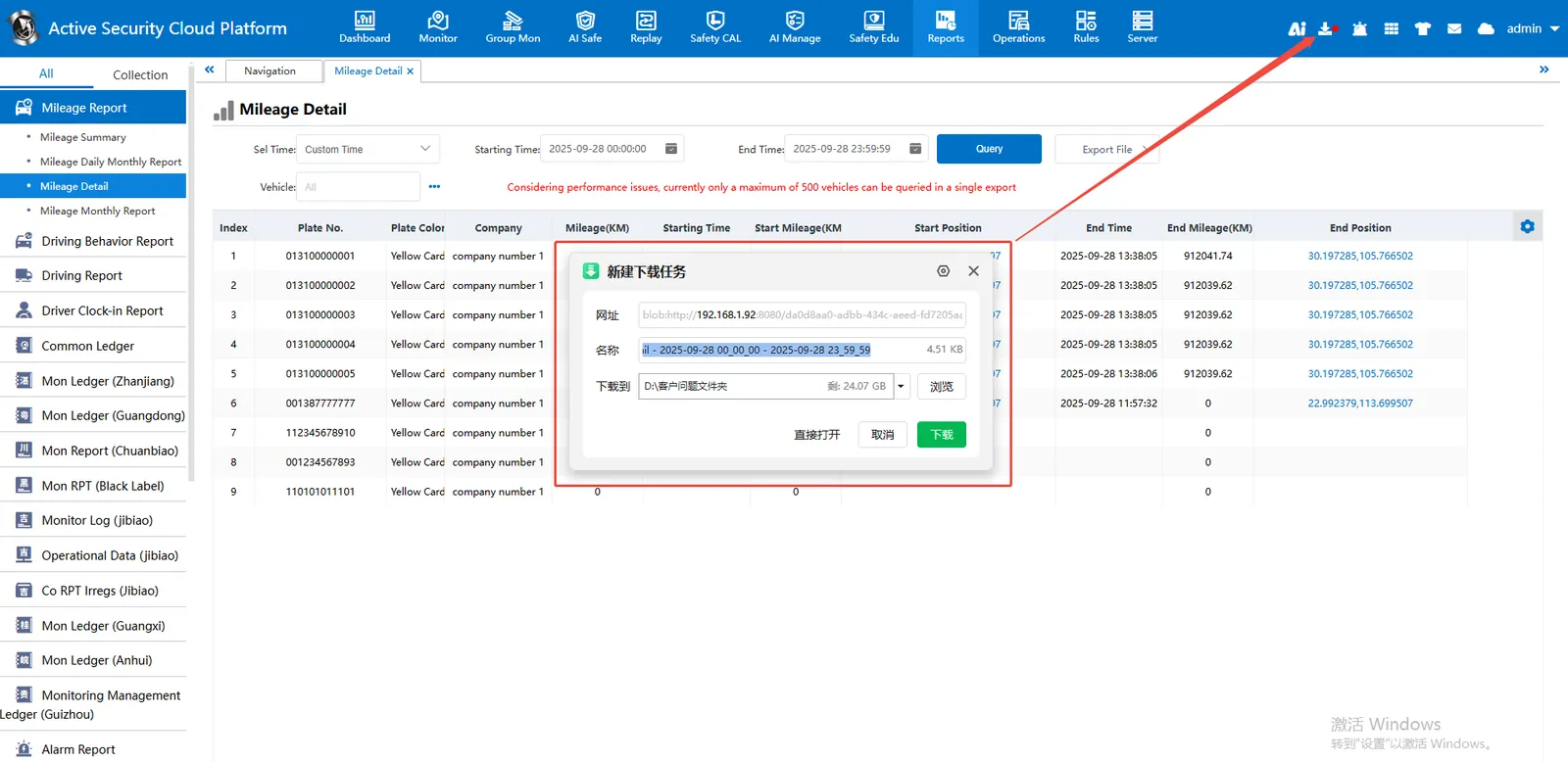
You can also manually click on the download center to download
2.1, export track
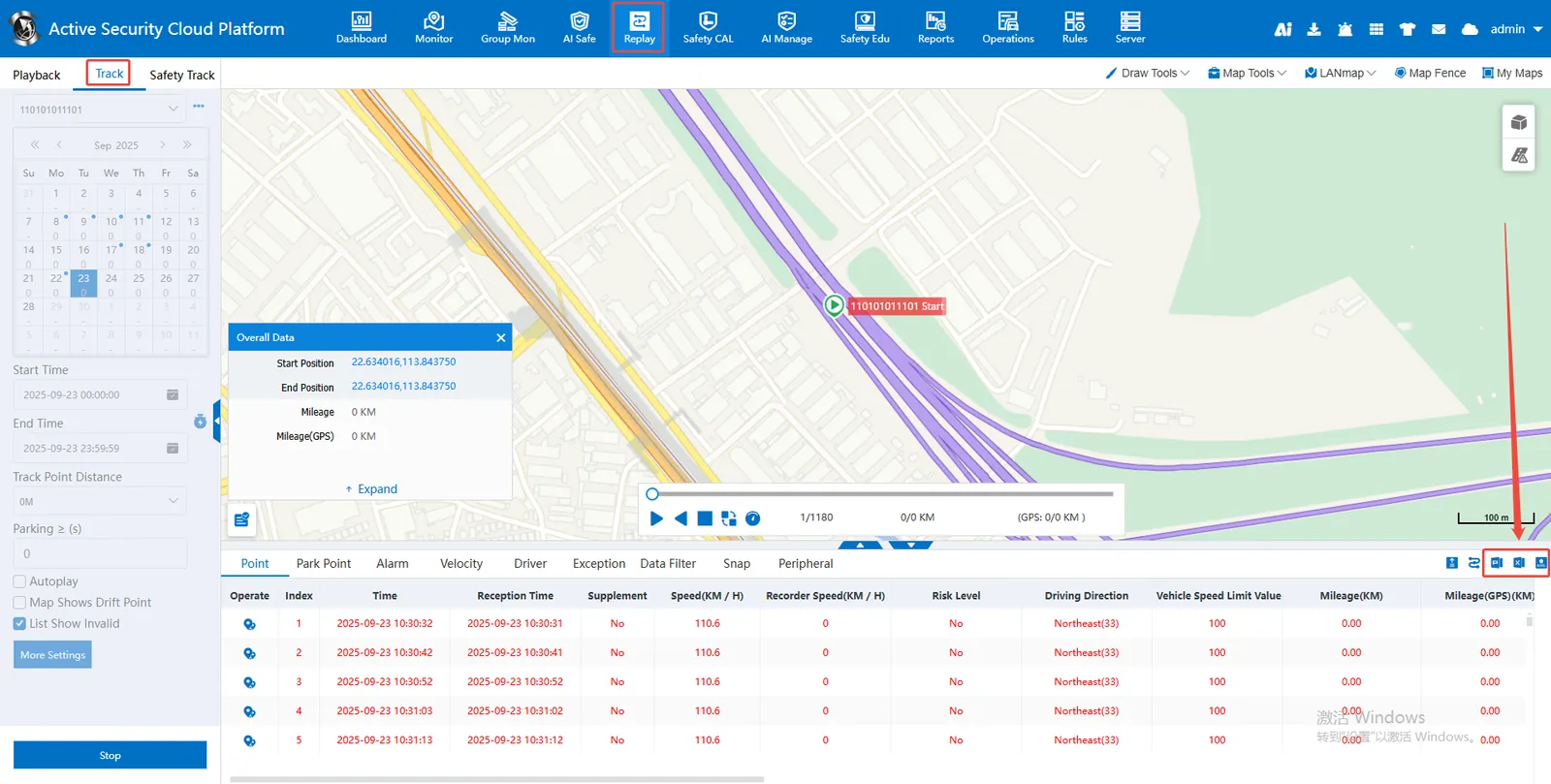
After the track data is queried on the track playback, click Export
After the export file is uploaded, a download window will automatically pop up to facilitate downloading to the local
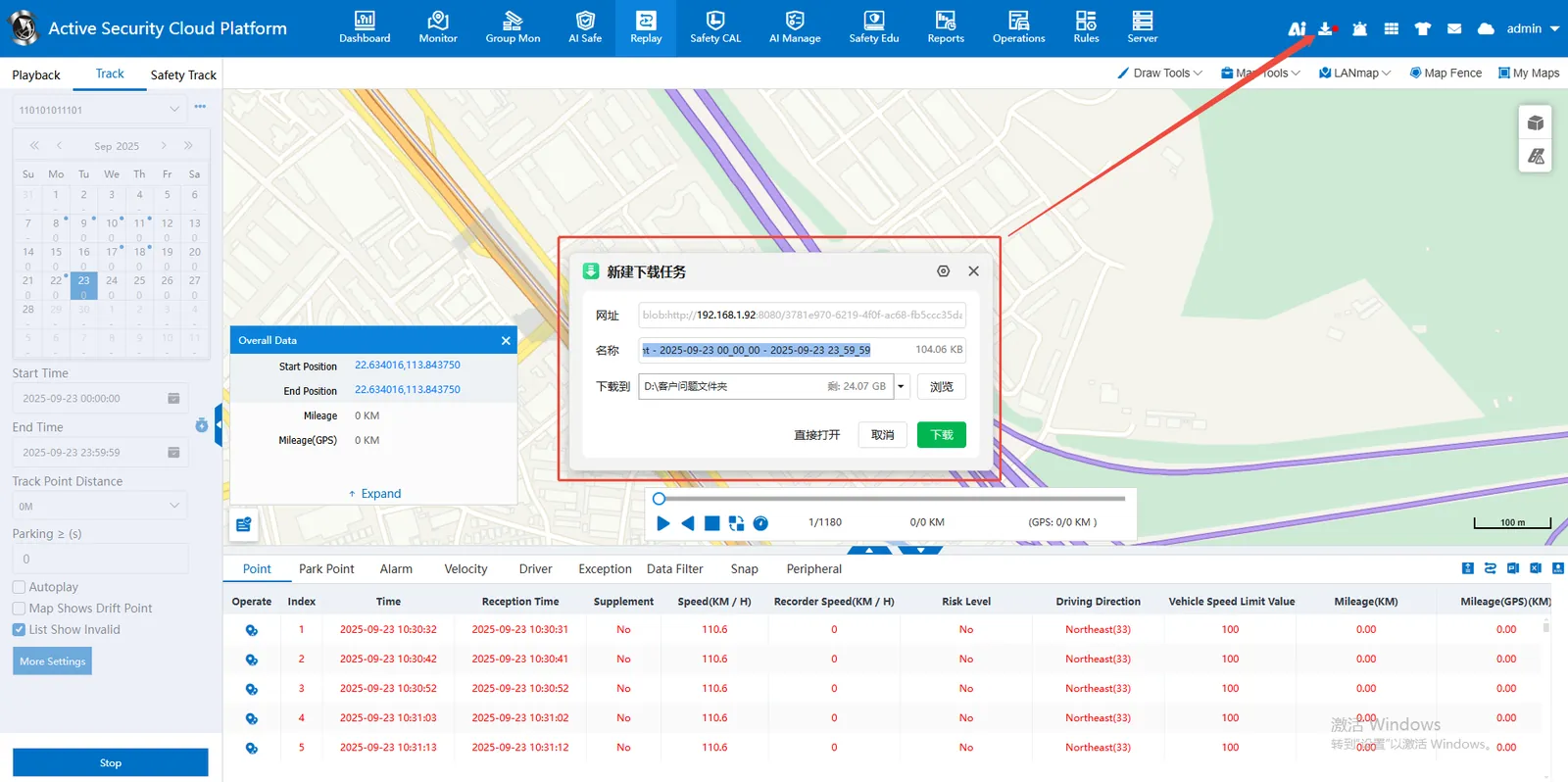
You can also manually click on the download center to download