1. Function description
The server supports regular data backup in different places. The following methods are available: Email backup, FTP backup, and OSS backup
2. operating instructions
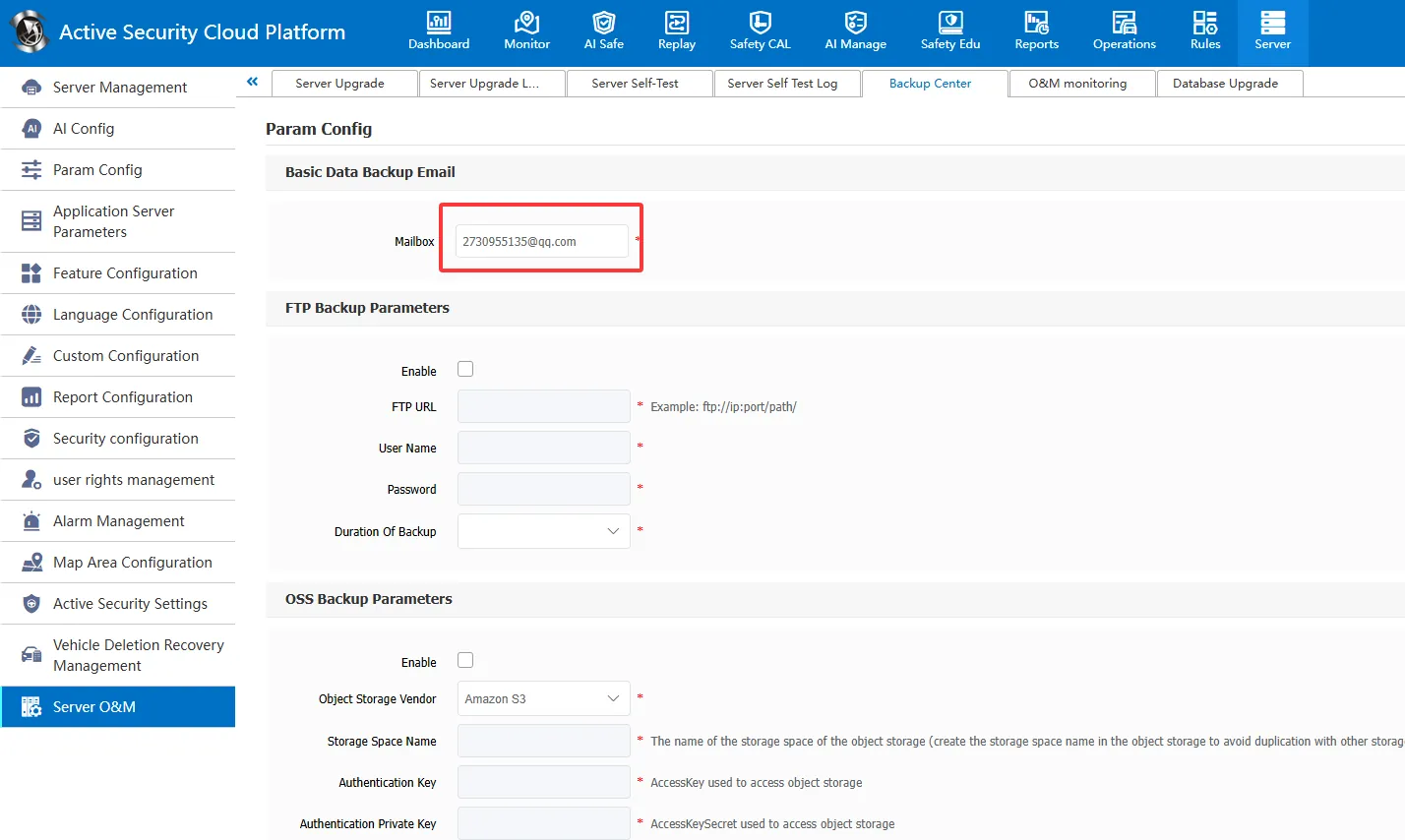
1、 backup email address
Configure the backup mailbox address to receive the basic data backup of the server. If you do not configure the mailbox, you cannot receive the backup data.
Enter [Server Management]> [Server O & M]> [Backup Center], fill in the email address for receiving data, and the backup information will be received in the next sending cycle.
2、 FTP Backup
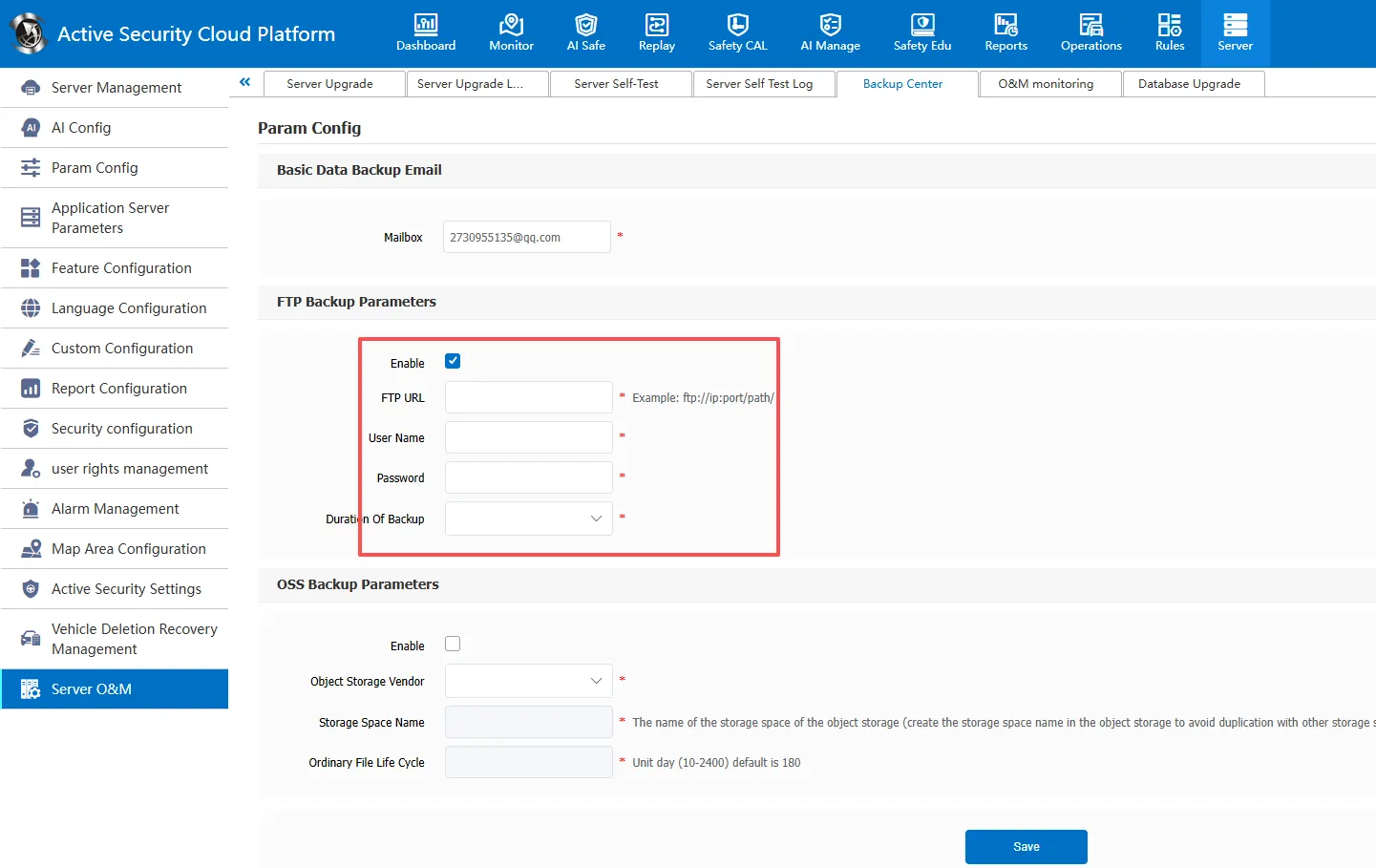
Deploy the FTP service on the remote server, select Enable FTP Backup, and complete the FTP address, username, password, and backup duration.
The following figure shows an example of FTP configuration:
Note 1: Make sure that the receiving server has enough disk space to store the backup data.
3. OSS Backup
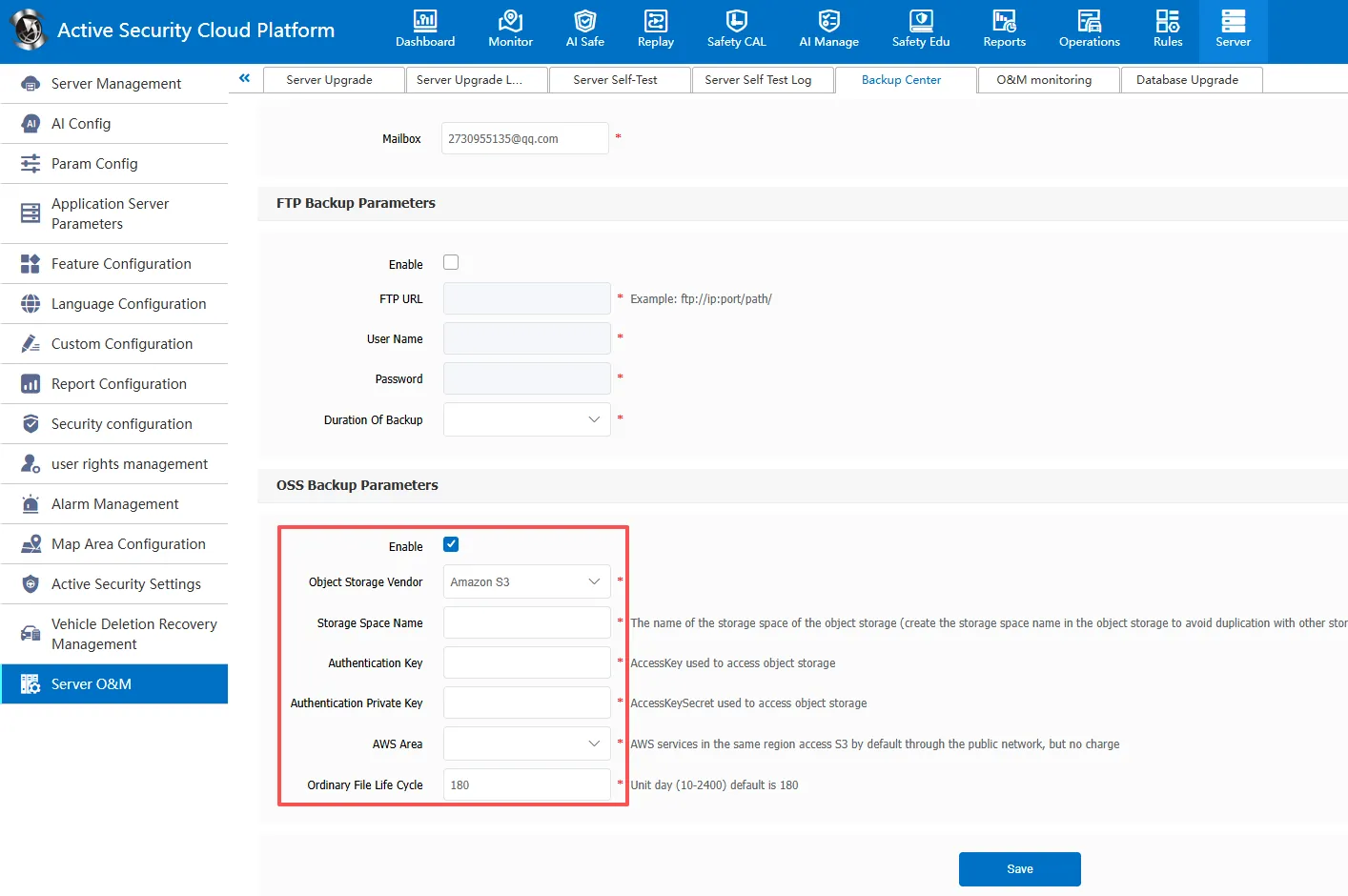
3.1 currently supports: Alibaba Cloud OSS, Huawei Cloud OBS, Tencent Cloud COS, Baidu Cloud BOS, Amazon S3, Mobile Cloud EOS, Tianyi Cloud OOS, Microsoft Cloud Blob
3.2 the storage space parameter to populate the object storage.
Alibaba Cloud OSS parameter acquisition reference: https://help.cmsv8.com/helpCenter/doc/index.html?isStudy=1&pageType=1&docId=977&type=1
Reference for Obtaining OOS Parameters of Tianyi Cloud: https://help.cmsv8.com/helpCenter/doc/index.html?isStudy=1&pageType=1&docId=1164&type=1
4. download recovery
4.1 because it takes a long time to download, you need to download the backup file to the local before restoring it, and then use the restore function of the server to restore it.
4.2 the basic backup file, only the latest copy is required for restoration
** Backup frequency : VIP server once a day, non- VIP server once every three days, intranet server cannot back up mail
Backup mechanism**: Email backup only backs up basic data, FTP backup and OSS backup are used to back up big data.
Note 2: The GPSDBBackup folder on the server is backed up to the receiving server.
