1 Functional Description
The WiFi download server is stored for historical files (pictures and videos)
2 Operating Instructions
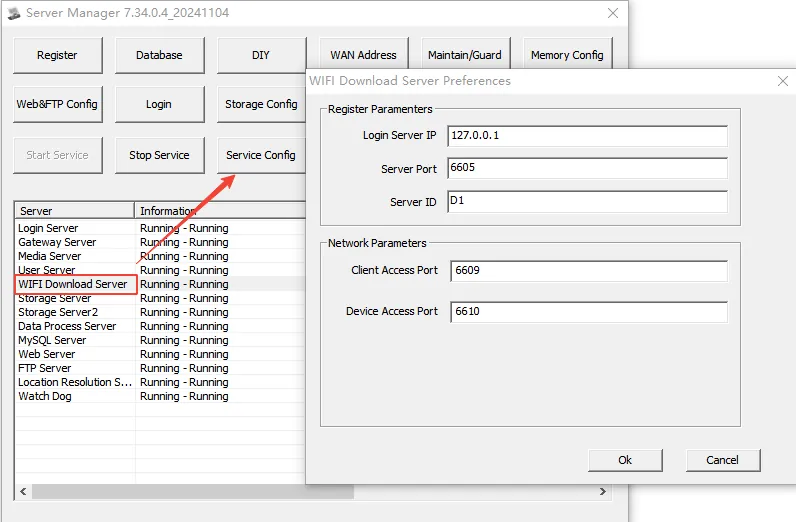
2.1 Configure WIFI download server and open ports 6609, 6610 TCP and UDP
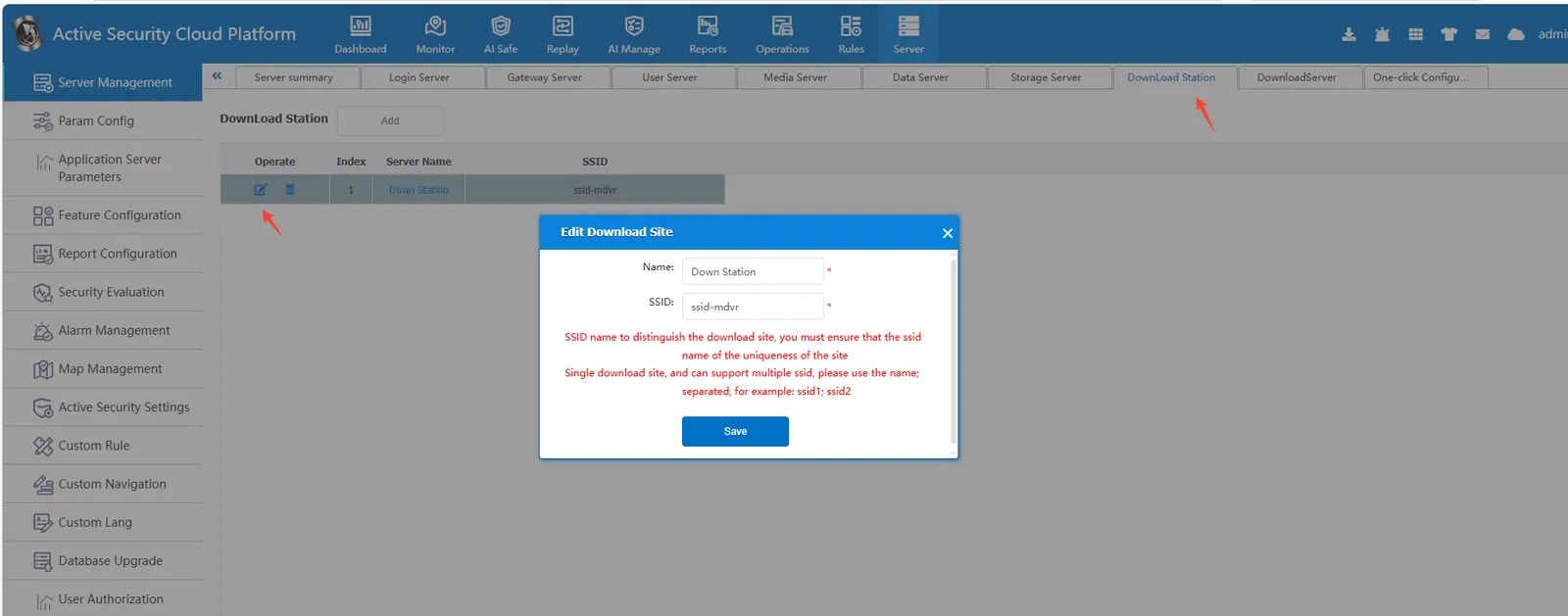
2.2 Login with admin account and configure download site
SSID is the name of the on-site WIFI, and the two must be consistent
2.3 2.3 Configure WiFi download server and associate it with the download site set in 2.1
A site can only correspond to one WiFi download server.
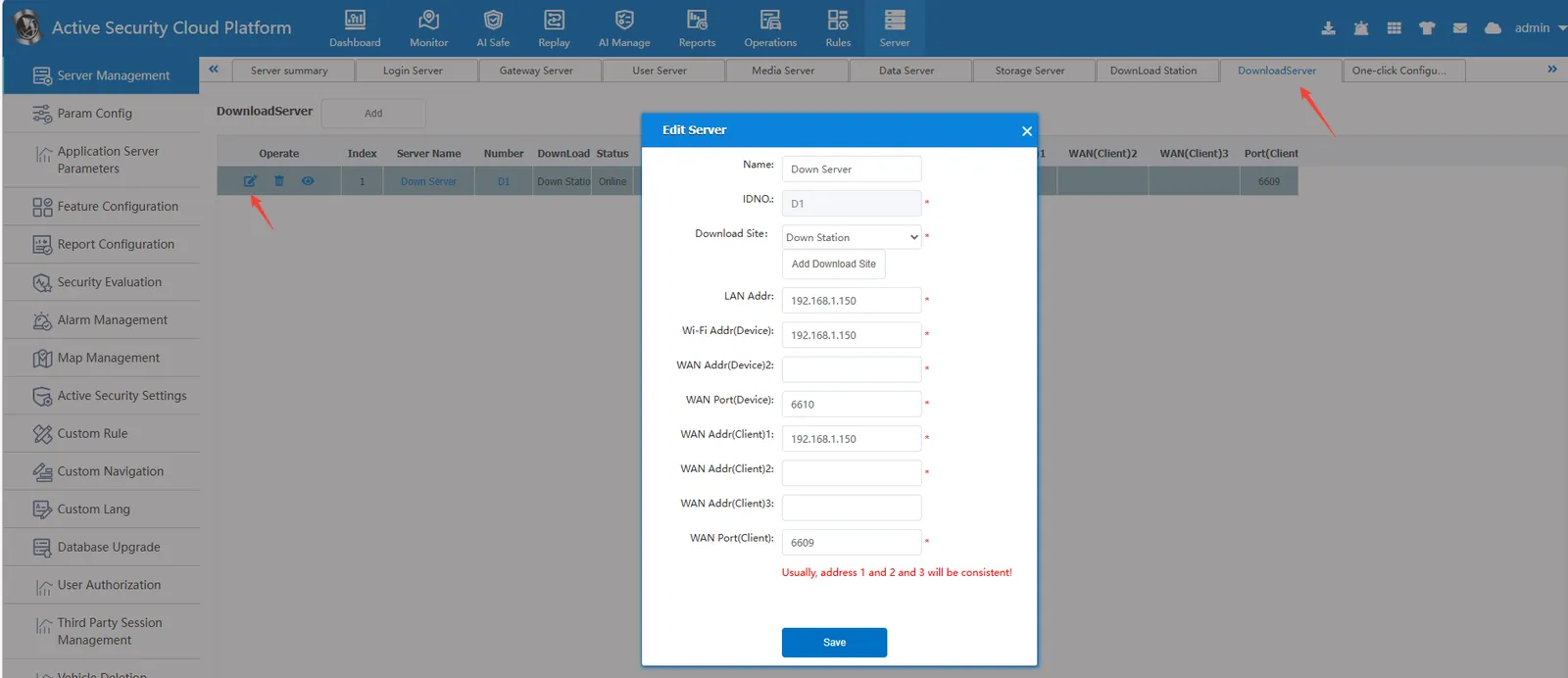
Device service address (WiFi): Fill in the server's public IP address:
Vehicles (devices) in any local area network, as long as they connect to the WiFi of the server and download the WiFi of the SSID name corresponding to the download site of the server.
When the vehicle (device) and the WiFi download server of the server are in the same local area network:
If access to the local network is not allowed within the LAN, filling in the server's public IP address for the device service address (WiFi) will result in searching for the corresponding file (image or video), but there will be a situation where it cannot be downloaded. The device service address (WiFi) must be filled in with the server's LAN IP address to achieve this.
If access to the local network is allowed within the LAN, the device service address (WiFi) can be downloaded by filling in the server's public IP address. The device service address (WiFi) can also be downloaded by filling in the server's LAN IP
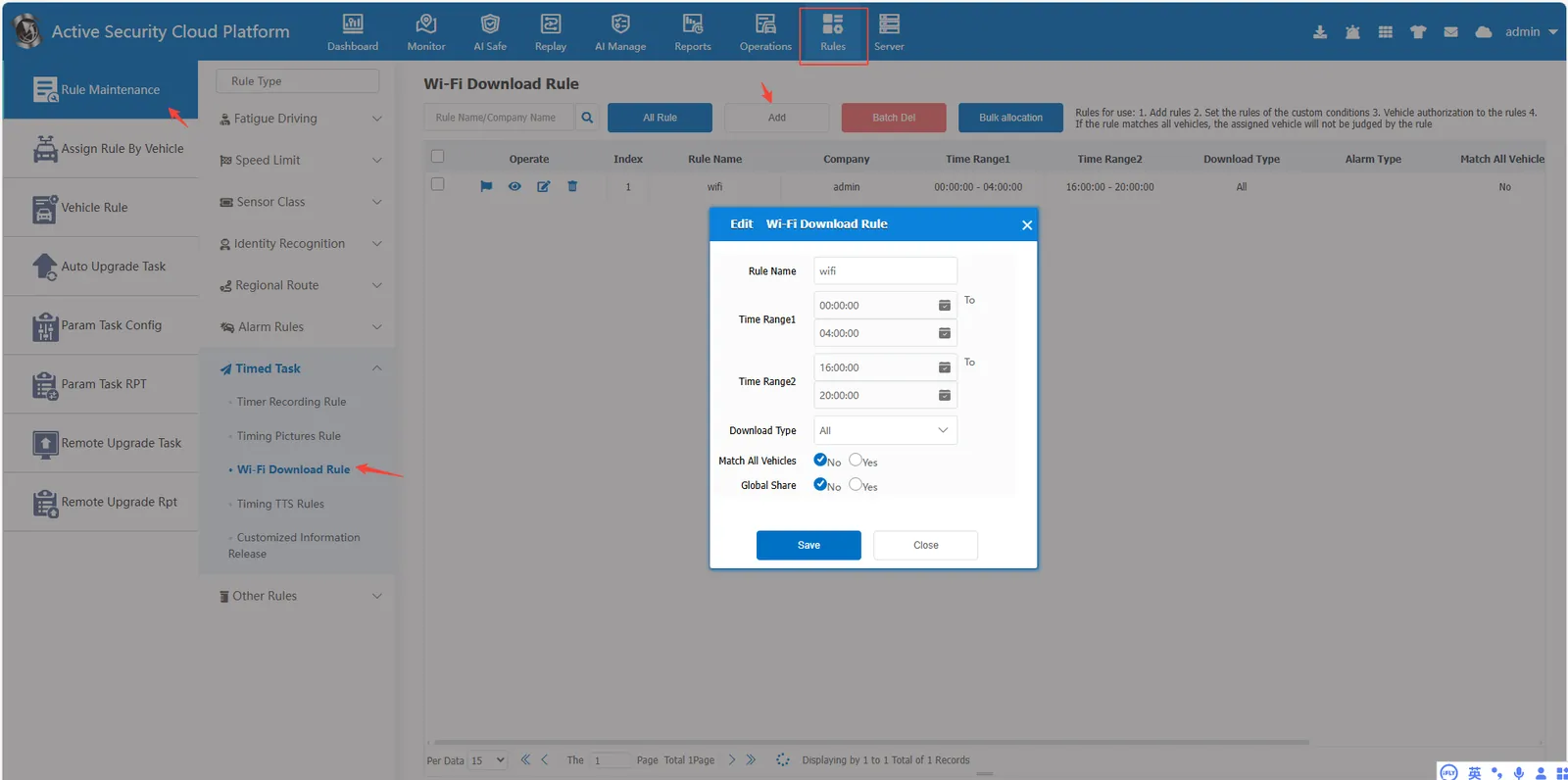
2.4 Set WiFi download rules and allocate vehicles
Set time range, the server only downloads media files within the set time range