1. Function description
Block or enable platform ACC alarms and parking timeout alarms, so that platform reports and real-time monitoring cannot query and receive ACC alarms and parking timeout alarms (non device triggered alarms, but platform triggered alarms based on 0200 data uploaded by devices)
2. operating instructions
2.1 shielding overtime parking alarm
[Server] > [Application Server Configuration] > [Device Network Library Parameters] Set the parking timeout to be larger
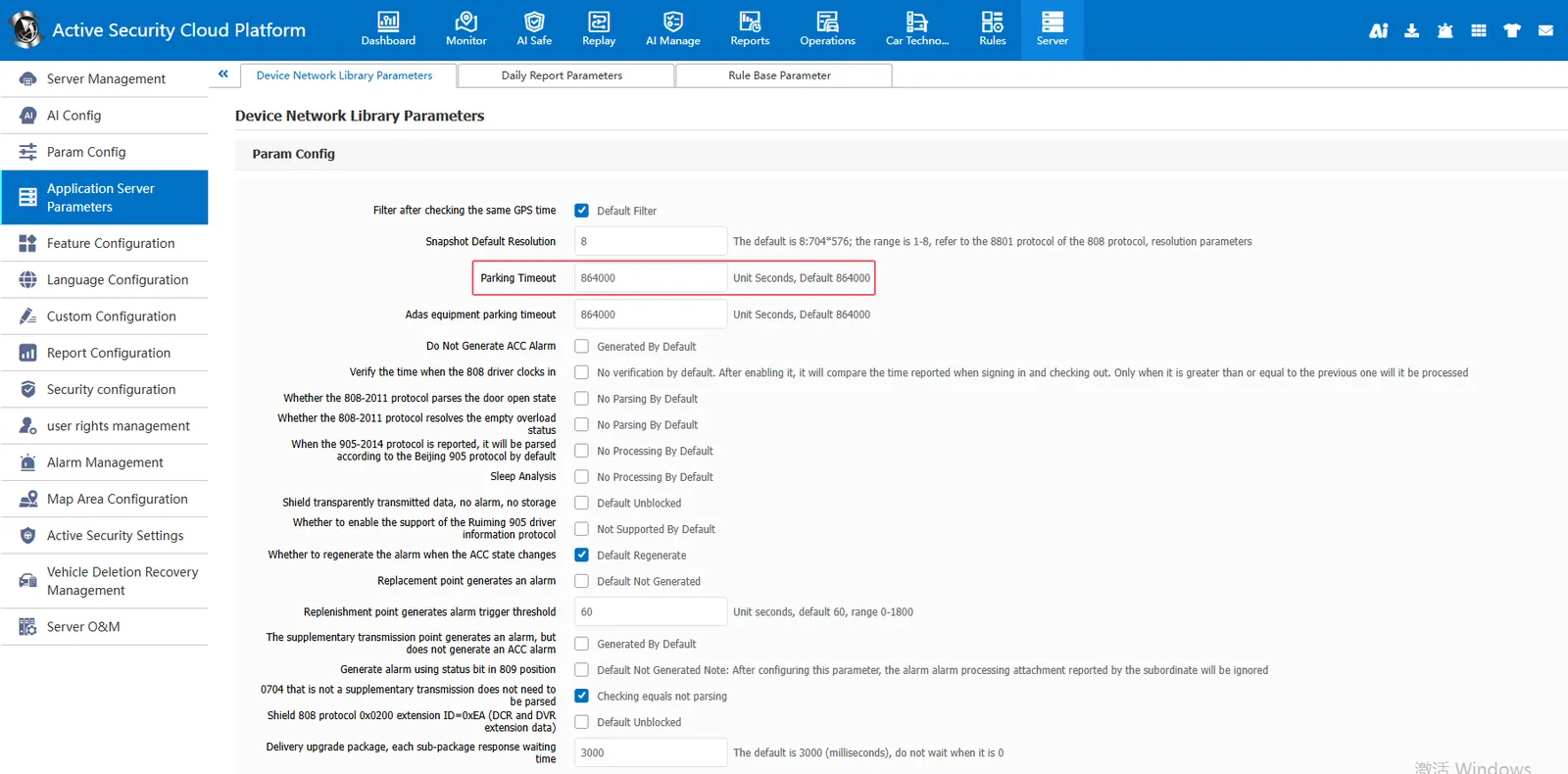
When the parking time exceeds the set parking timeout, the platform will trigger a timeout parking alarm. If the parking timeout is set too short, it will cause the platform to trigger the timeout parking alarm frequently. To block the timeout parking alarm triggered by the platform, the parking timeout can be set larger.
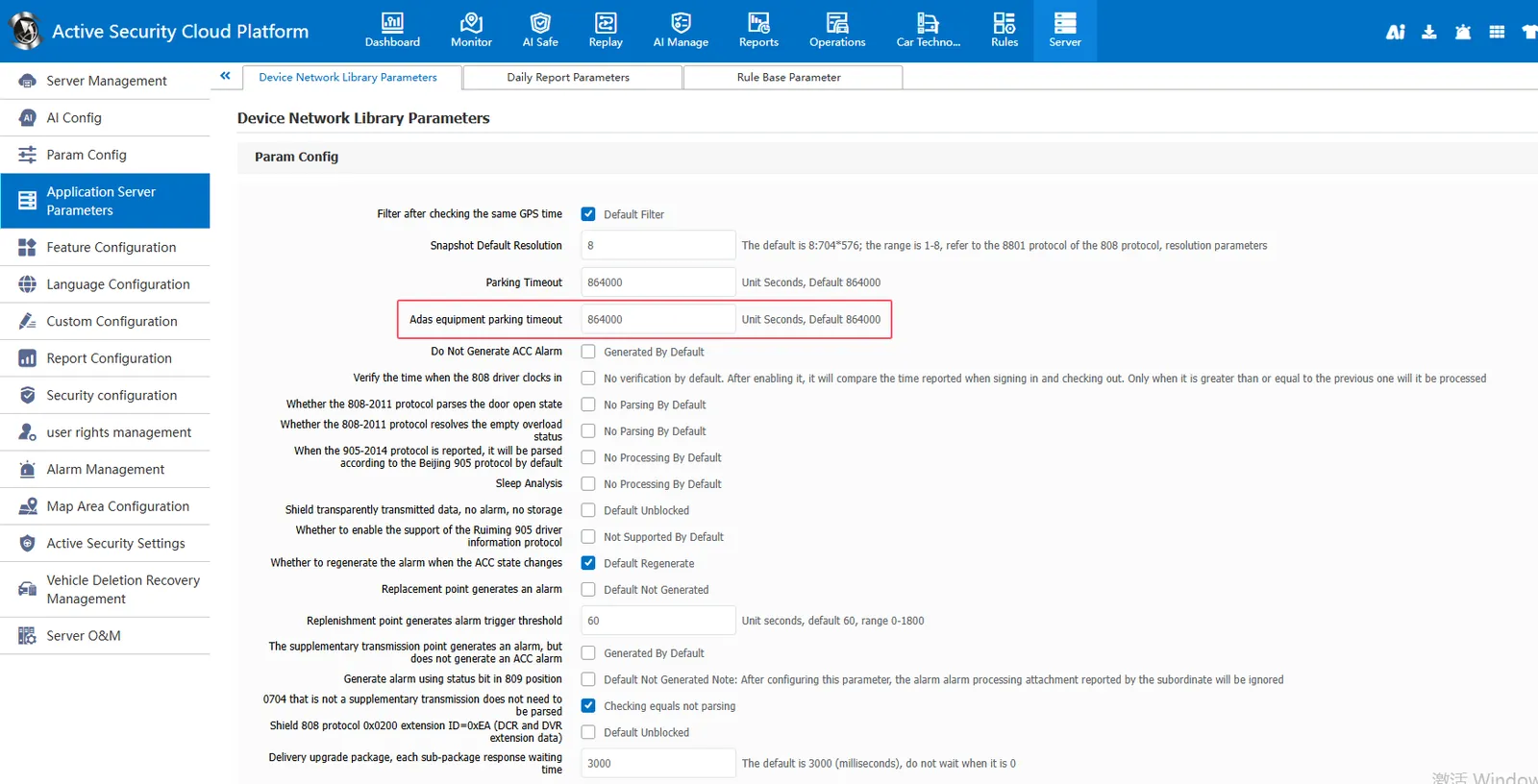
2.2 blocking Adas equipment overtime parking alarm
[Server] > [Application Server Configuration] > [Device Network Library Parameters] Adas Device Parking Timeout Set Larger
2.3 shielding ACC alarm
[Server] > [Application Server Configuration] > [Device Network Library Parameters] Check to not generate ACC alarm
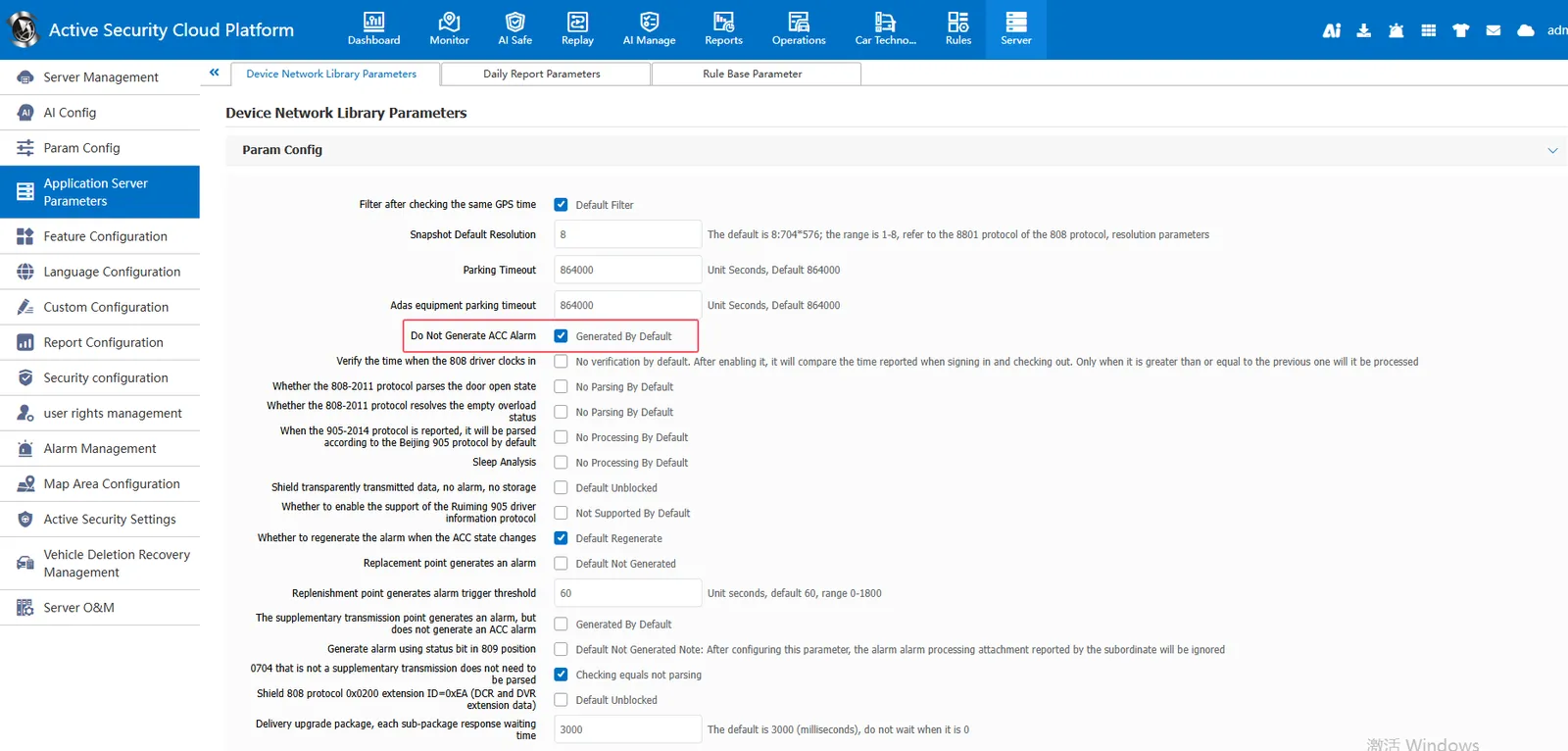
The platform will trigger the ACC alarm according to the ACC status bit. If you want to block the ACC alarm, you can check the No ACC Alarm
3. Precautions
- Attention: After blocking, the data will not be stored in the database, and even when checking the alarm report, there will be no ACC alarm or timeout parking alarm