1. Function description
when calling api, you need to log on to the platform to obtain the corresponding session number, but the session number obtained by logging on to the platform is time- sensitive (4 hours). if you need to generate a permanent session number without time- sensitive, you can add it on the permanent session number management
2, operating instructions
2.1, add permanent session number
[Server] - [User Rights Management] - [Permanent Session Number Management] Click Add, click the user name input box, select the user who needs to generate a permanent session number, then fill in the session number, and finally click Save
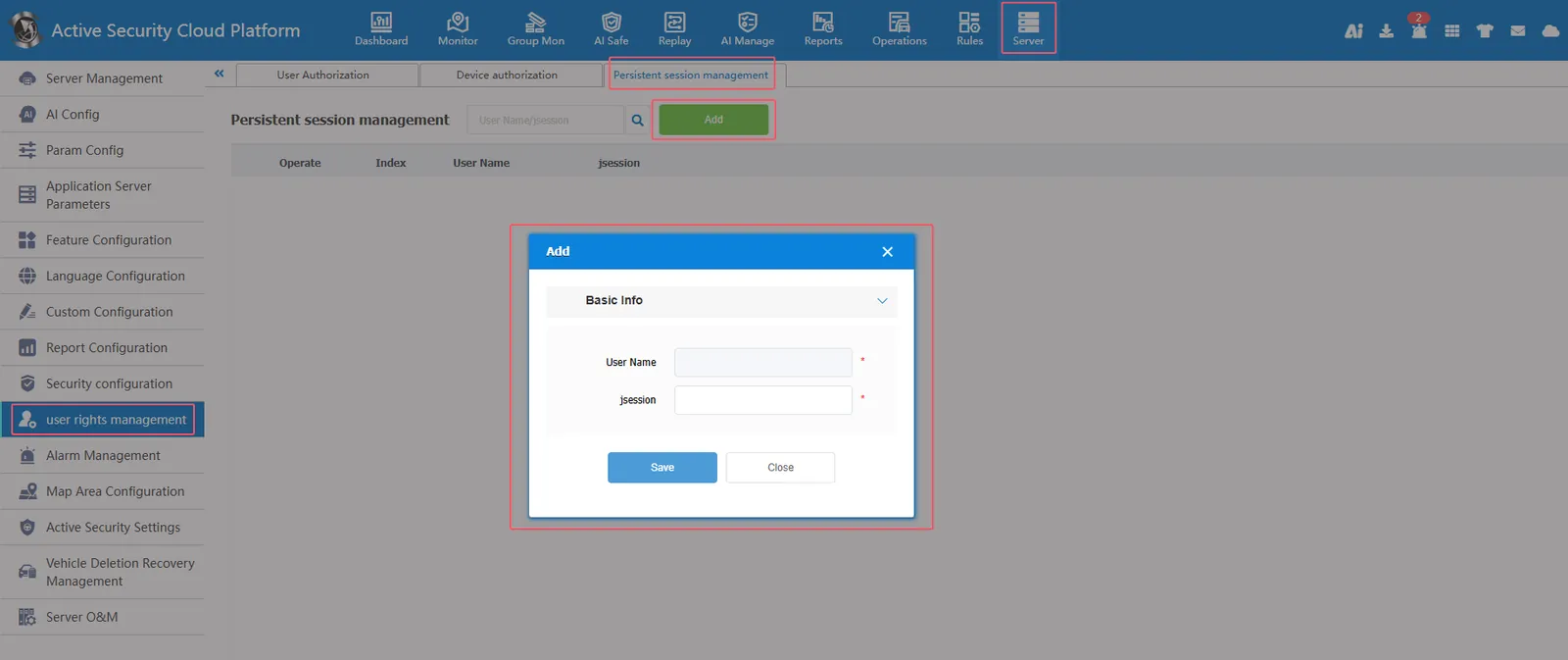
Select the user who needs to generate a permanent session number
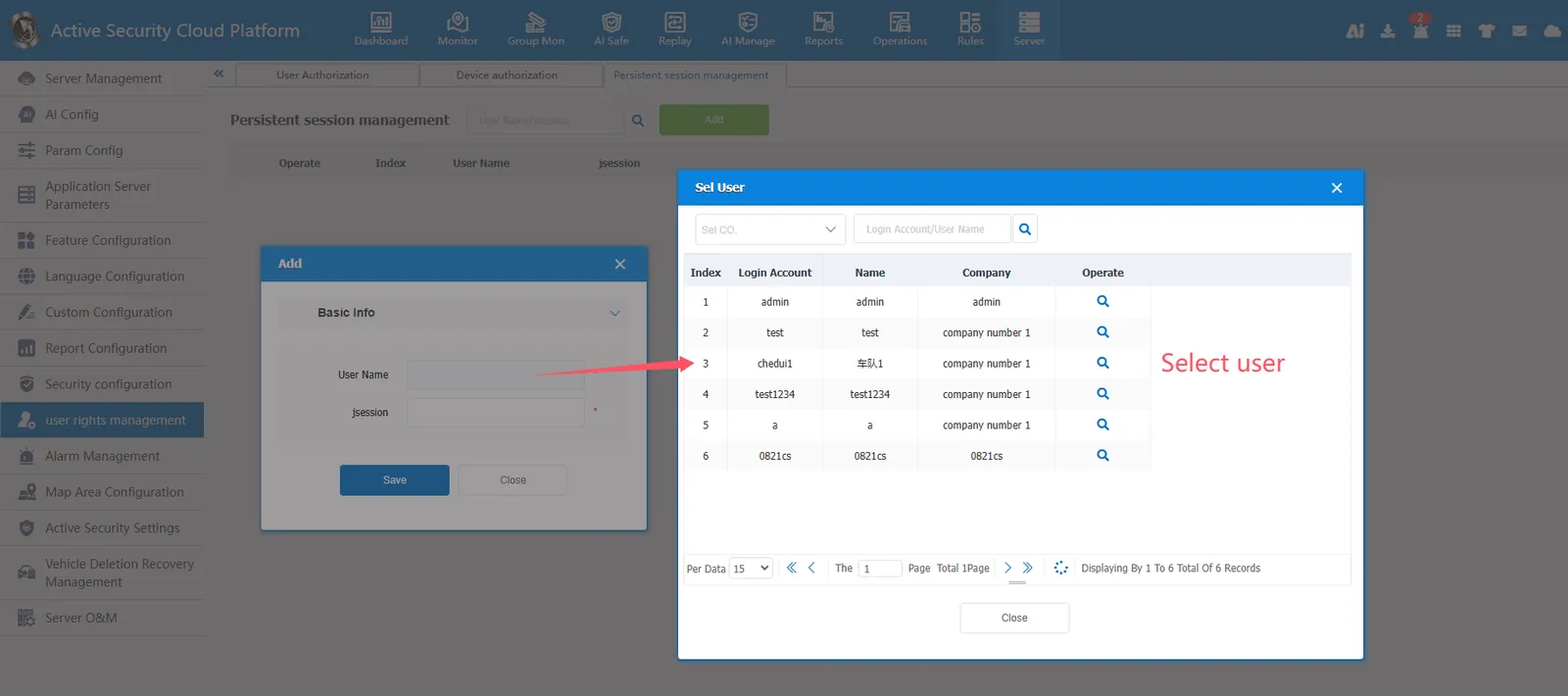
Fill in the session number and click Save
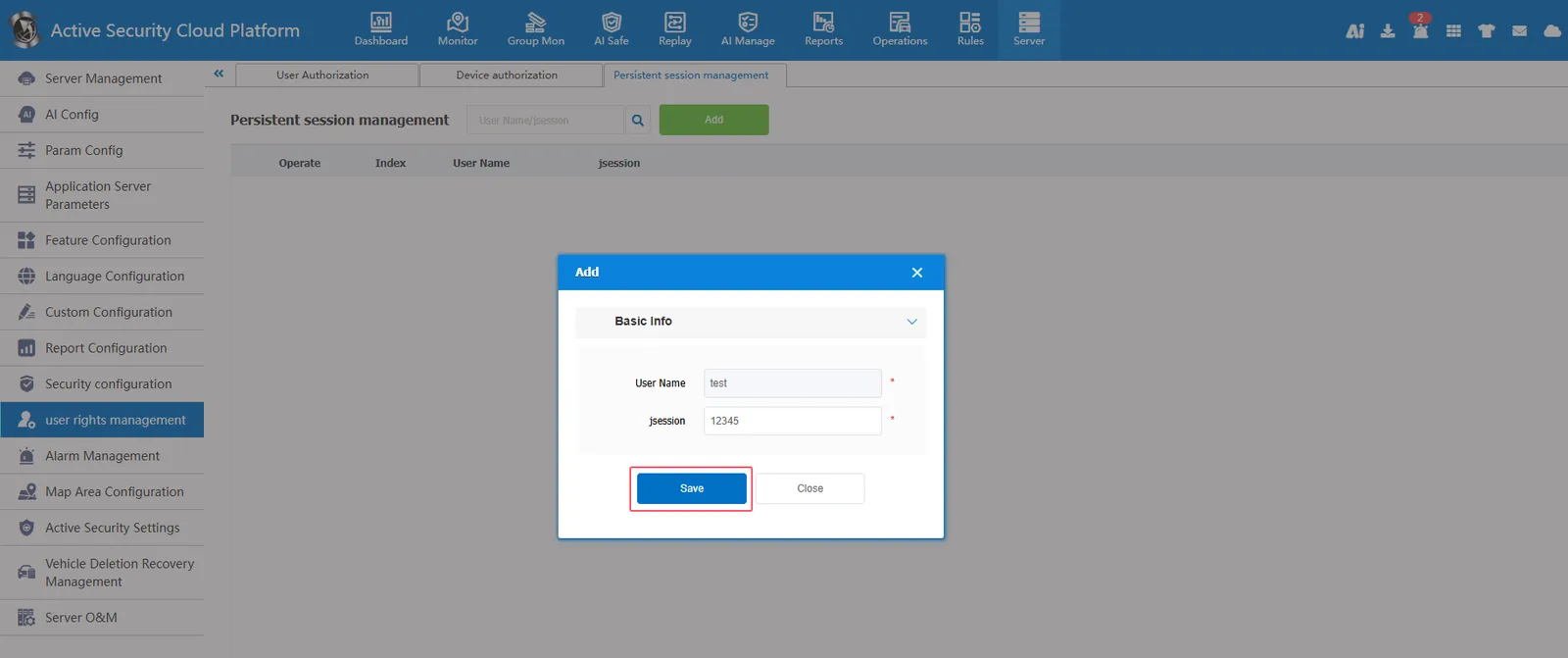
Permanent Session Number Add Complete
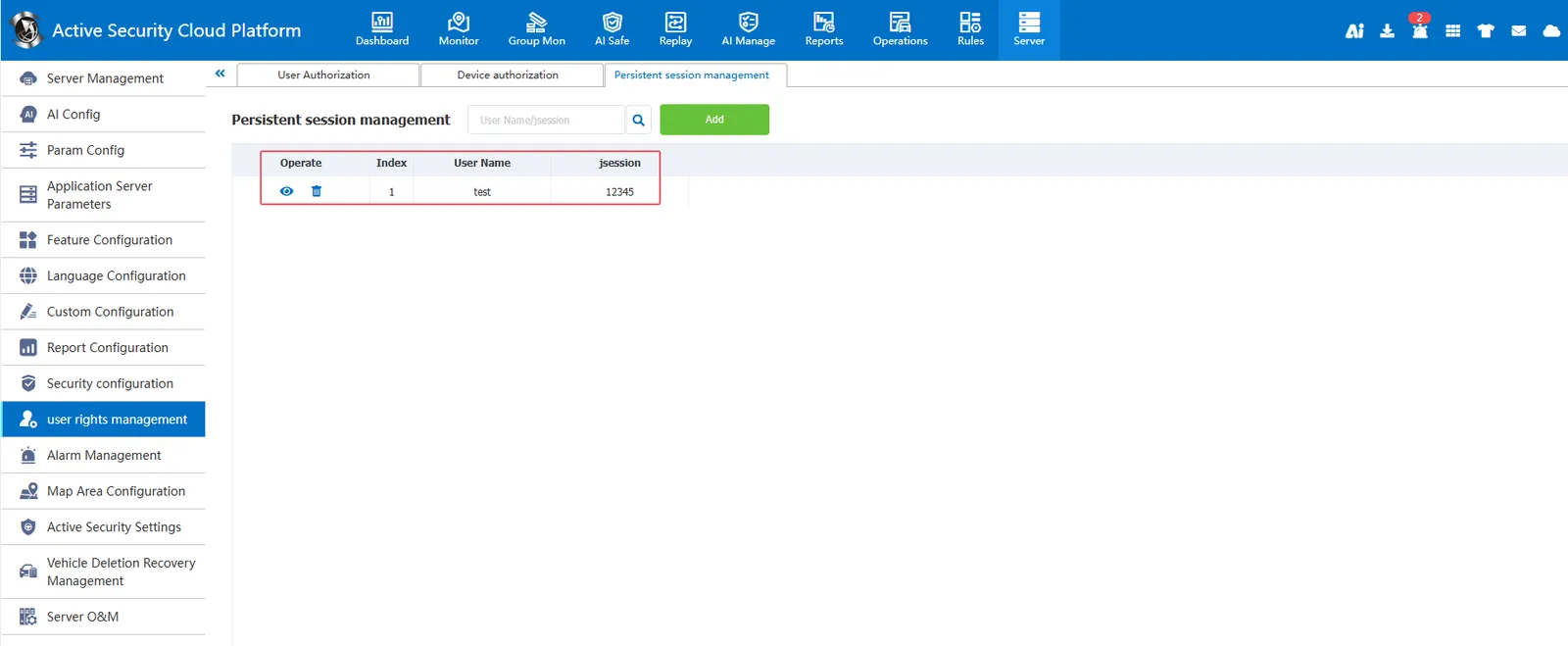
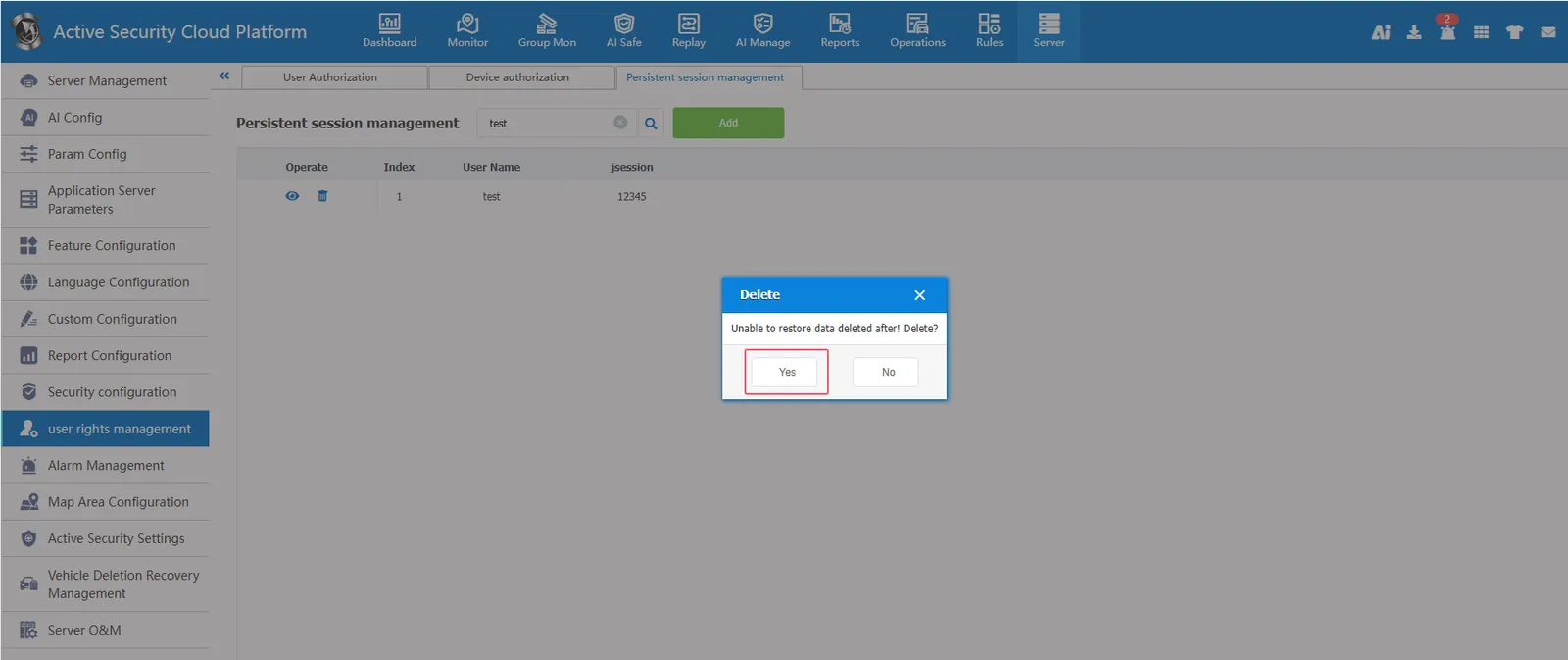
2.2, delete permanent session number
[Server] - [User Rights Management] - [Permanent Session Number Management] Enter the user name or session number in the search box, click Search, search out the records, and click the Delete button to delete the permanent session number.
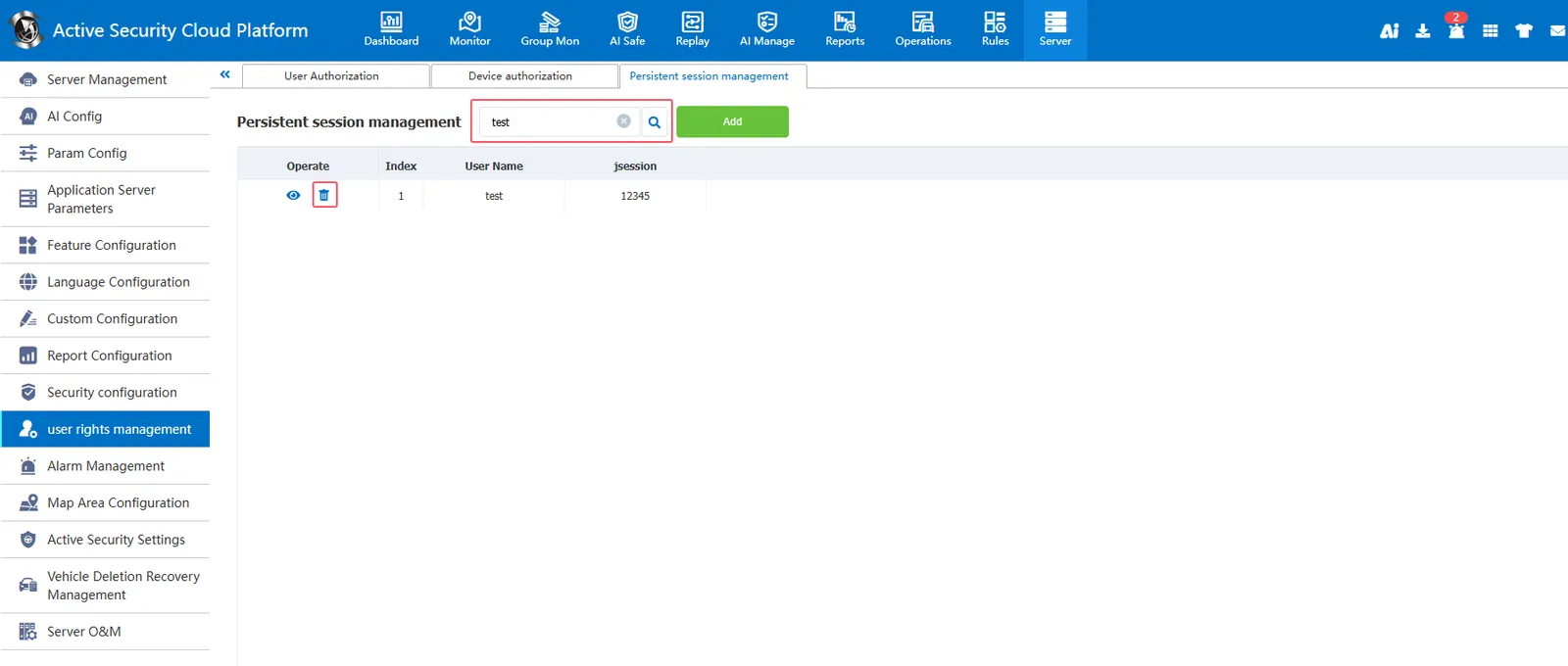
Click Yes to complete the deletion