1 Function description
The Handover Management function is designed to help users efficiently manage and record the process of work handover and ensure the continuity and accuracy of work transfer. This feature is suitable for work environments that require shift or shift changes.
2 operating instructions
2.1 function enabled
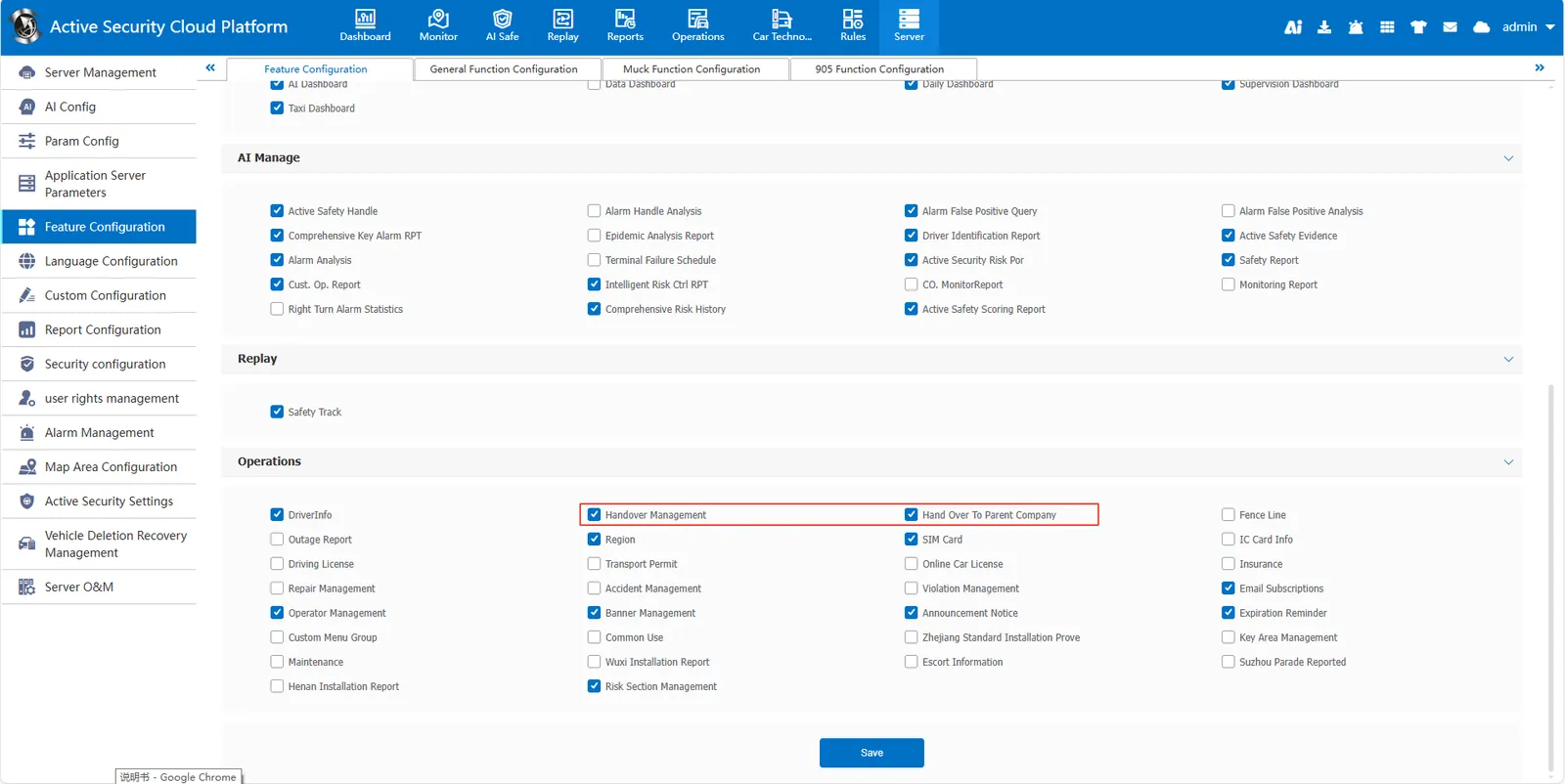
[Server]> [Feature Configuration], check Handover Management to enable the function. Check " Hand Over To Parent Company " to hand over to the account number of the parent company.
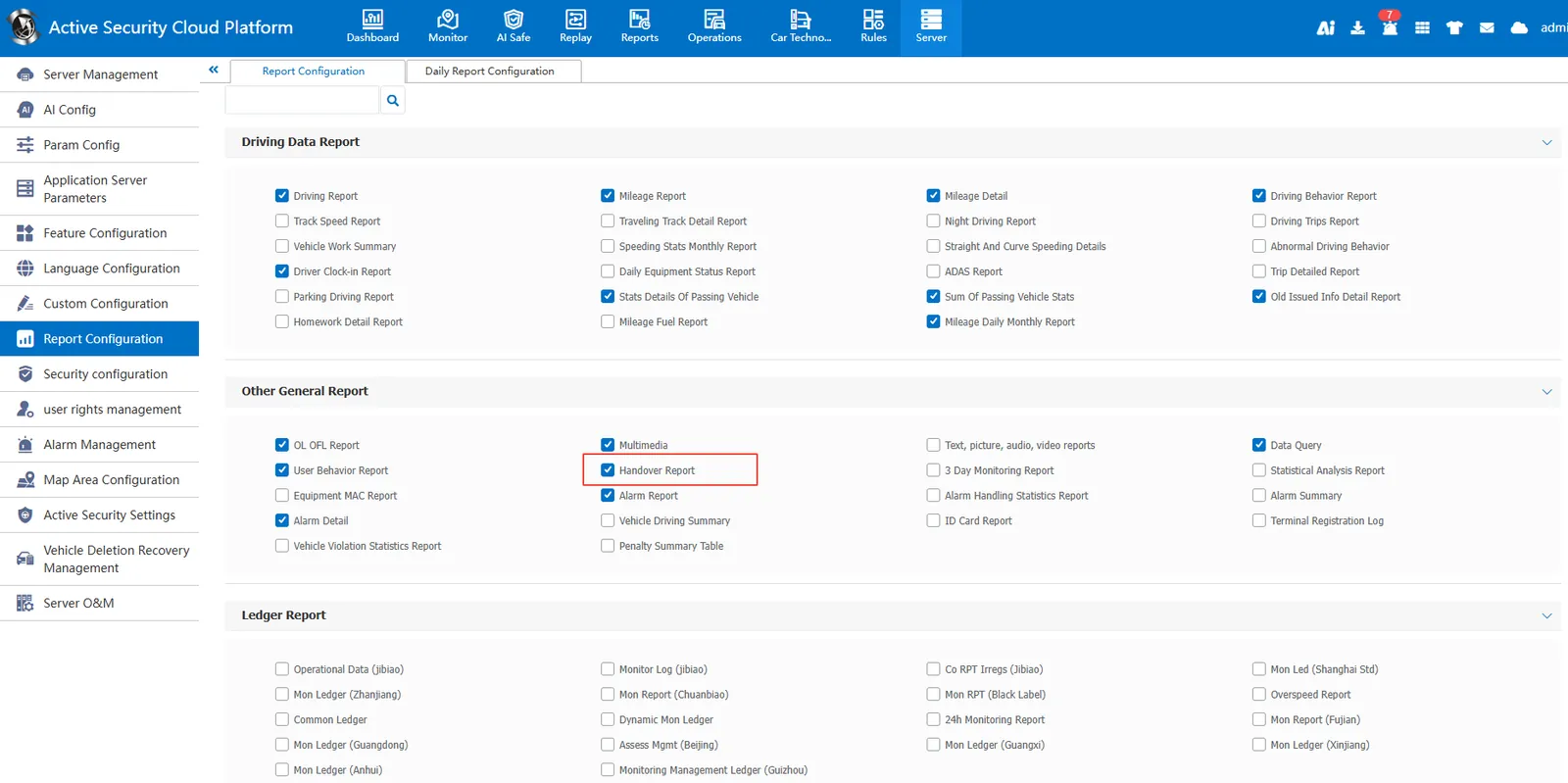
[Server]>[Report Configuration] , check the Handover Report
2.2 shift handover
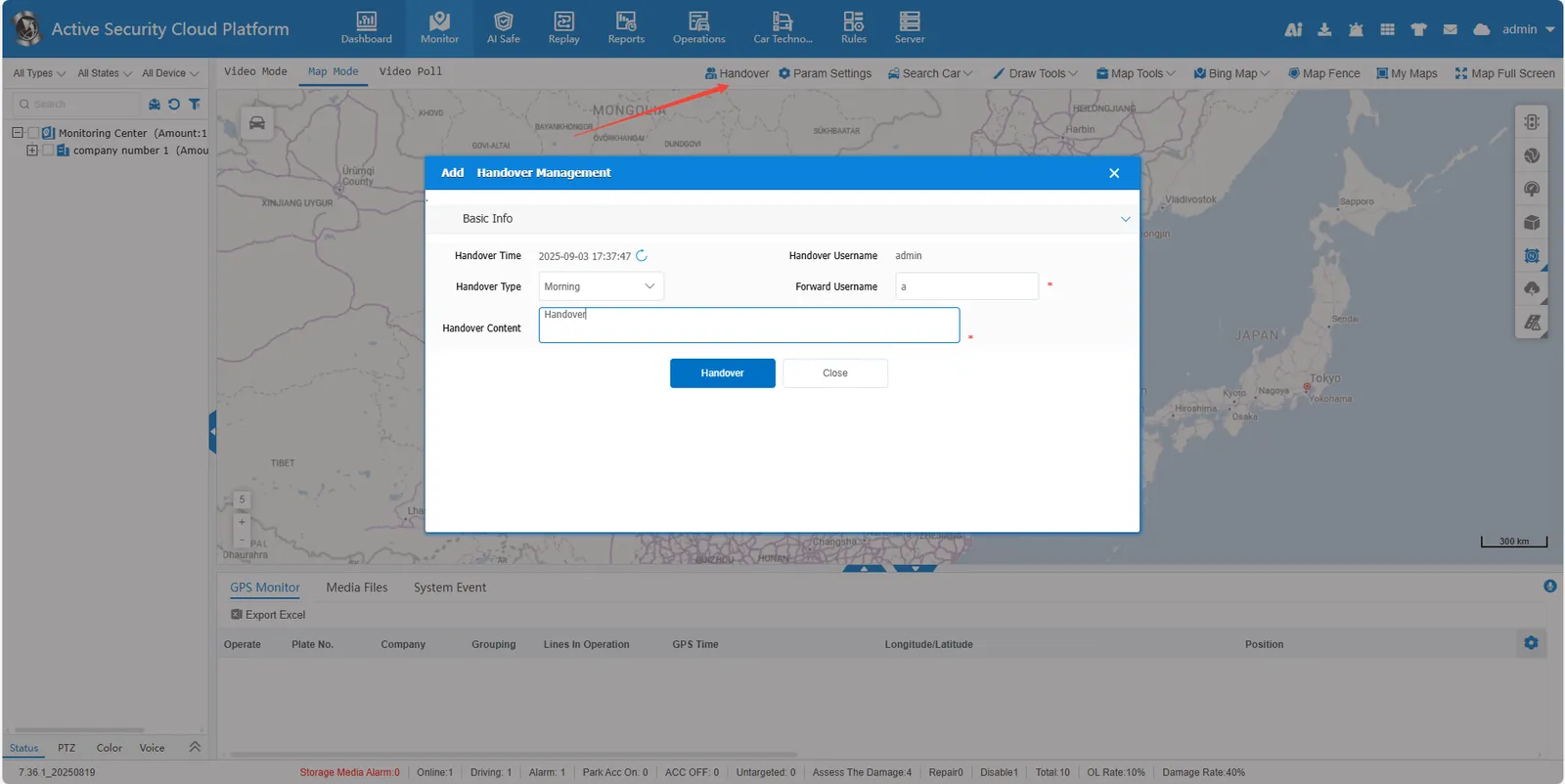
Click the shift button on the map, fill in the corresponding information, and click the shift button.
2.3 succession
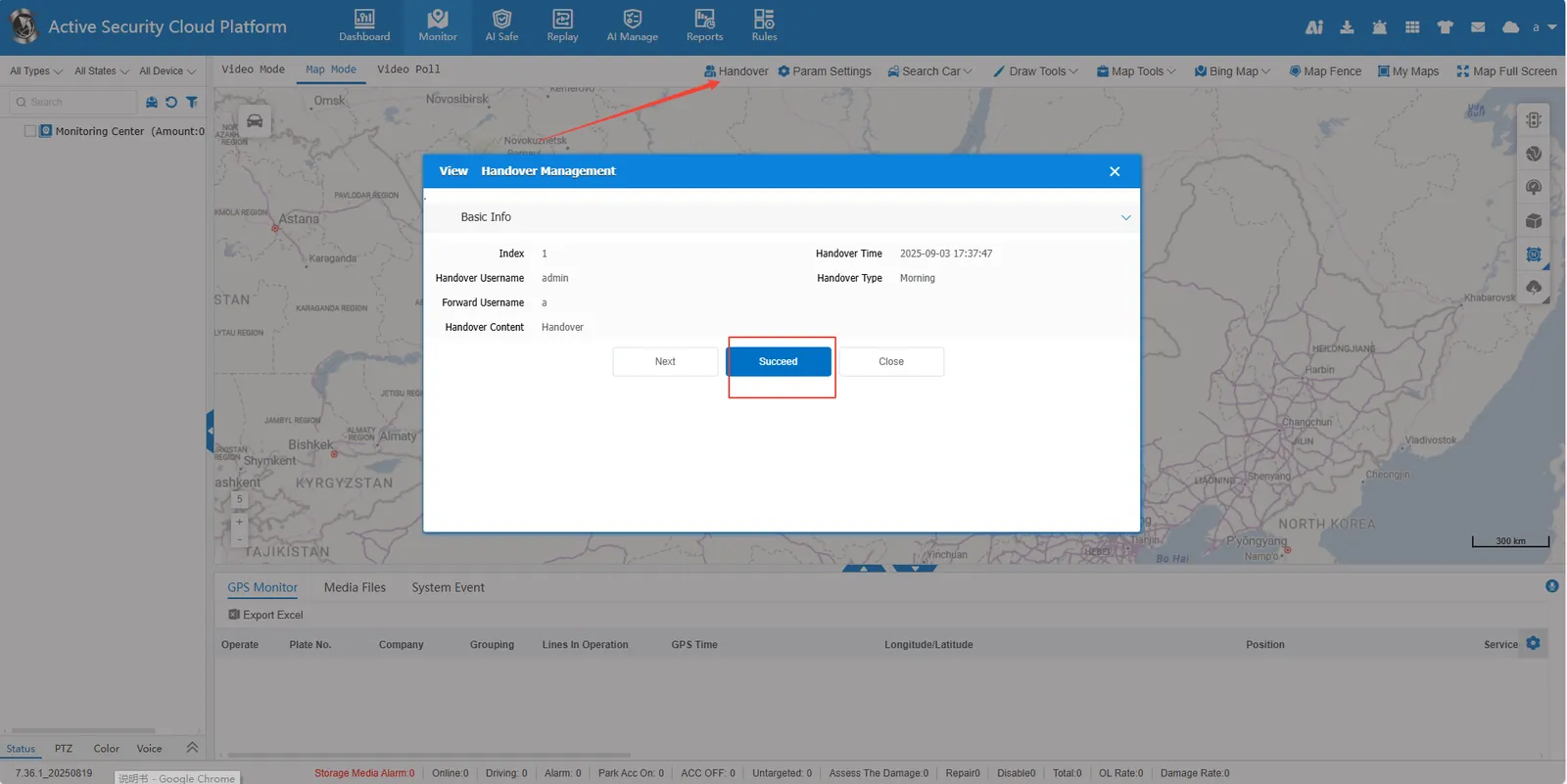
The successor logs in the succession account, clicks the succession button on the map, views the succession content, and clicks the Succeed button.
2.4 Shift handover record query
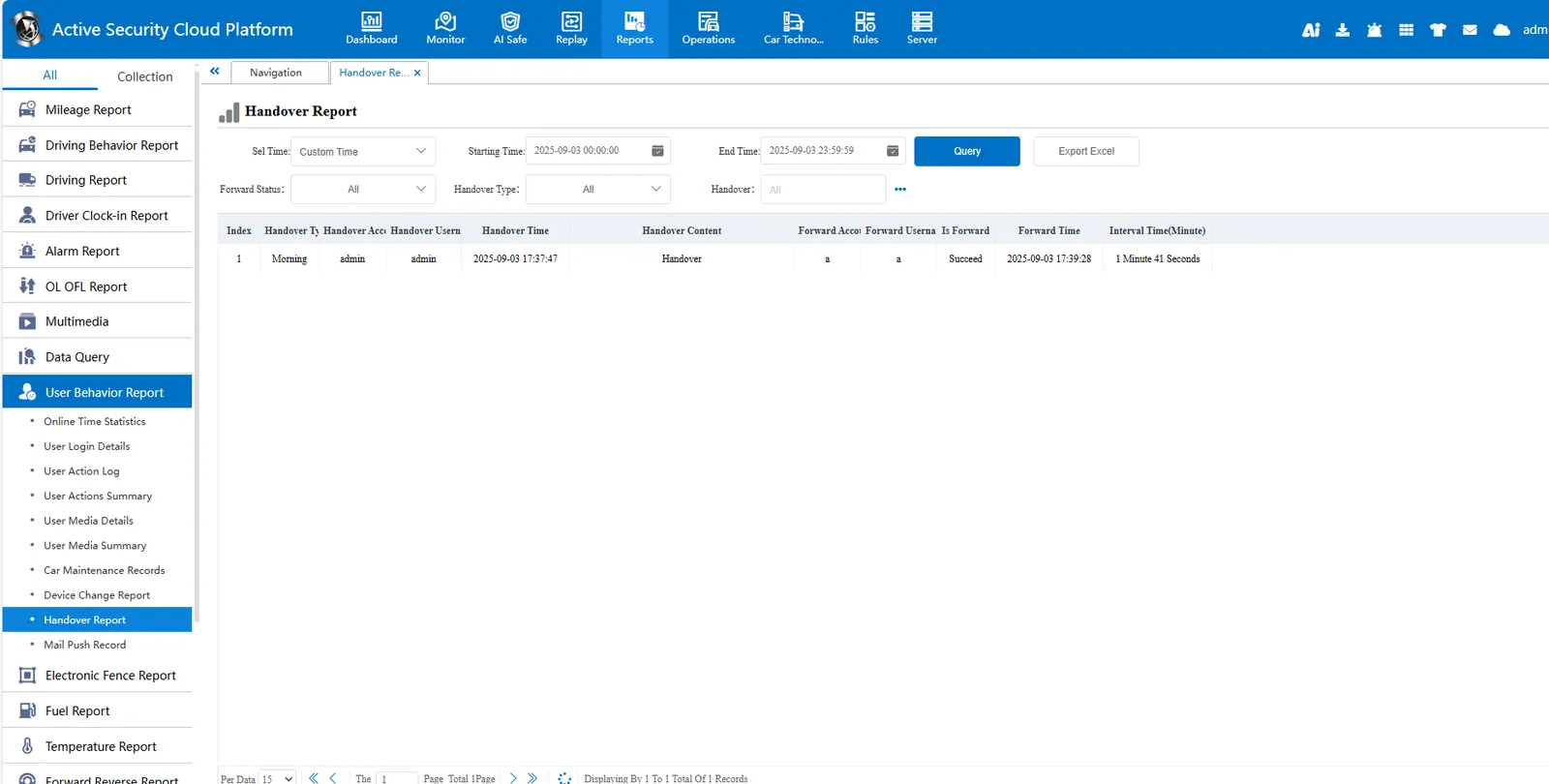
Shift records can be queried in [Reports]>[Handover Report].