1 Function description
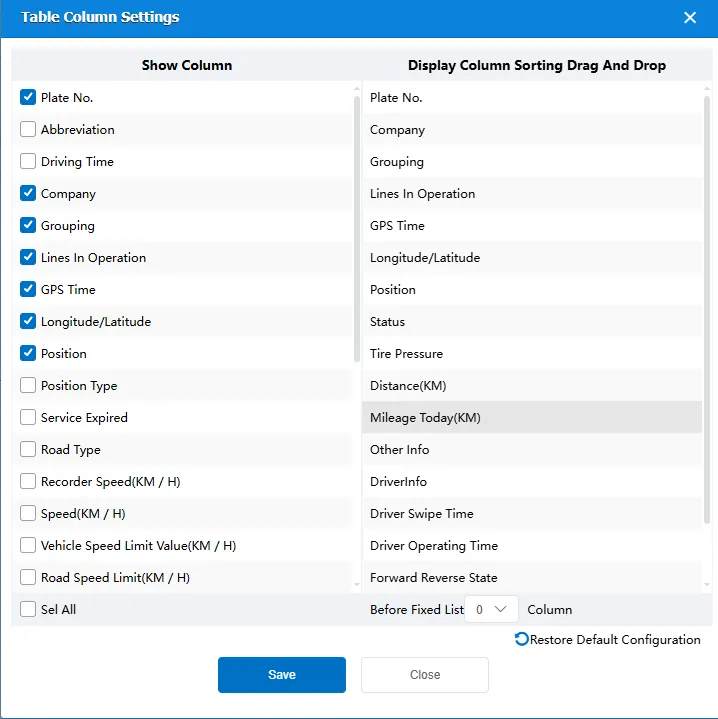
By customizing the location monitoring data list items, you can select to display/hide fields such as license plate number, company, group, operation line, location and time in the list as required, and flexibly configure the display content of monitoring data.
2 operating instructions
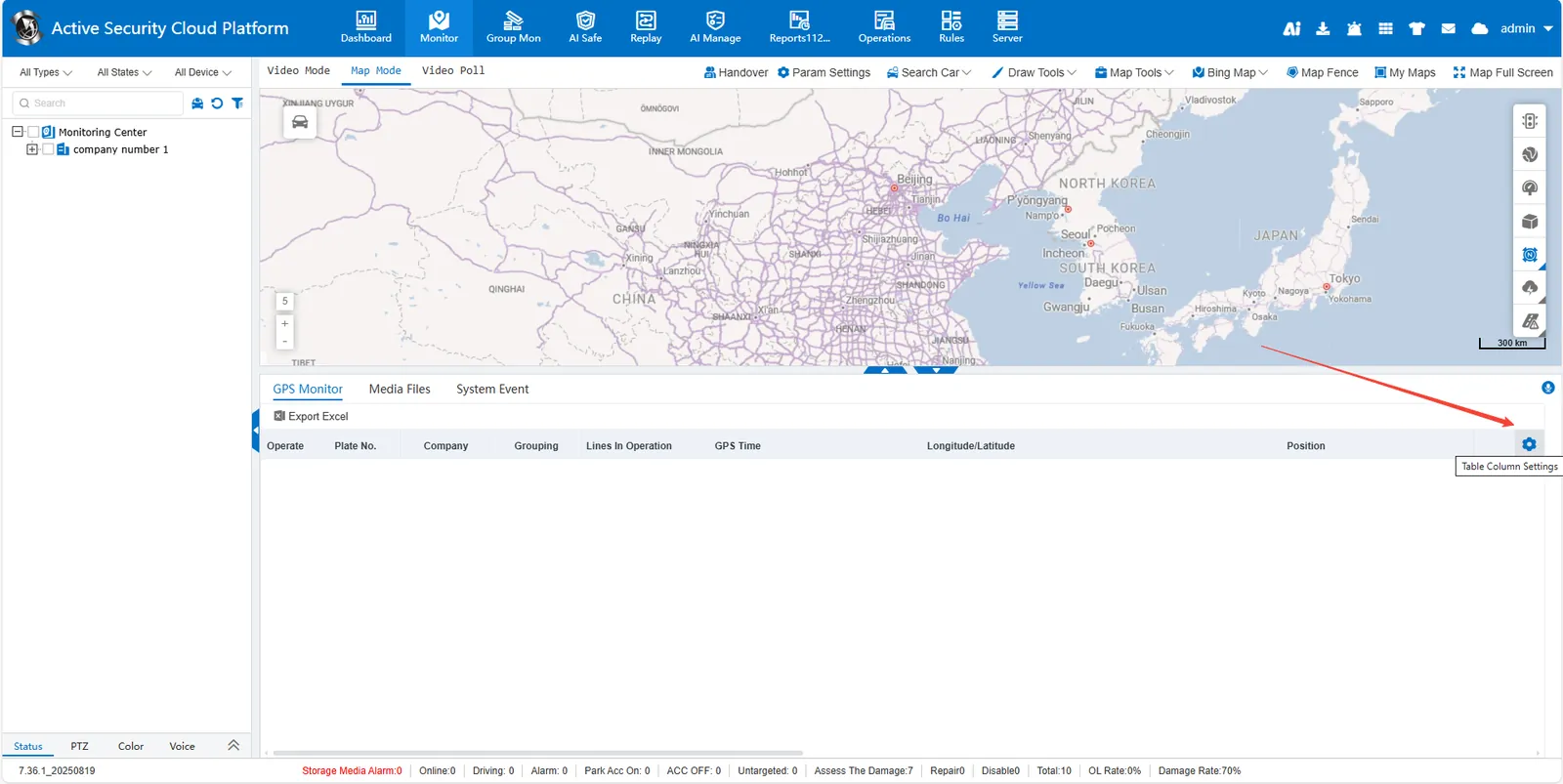
- Enter the setting interface
Move your mouse to the upper right corner of the list and click the Settings button that appears
-
Field Display Control
Left area Check/uncheck field check box
Support Select All quick operation -
Sort Adjustment
Right area Drag field entries to adjust order -
Fixed column settings
Select the number of columns that need to be fixed at the front of the list through the drop- down box -
Configuration Management
Click Save to apply the current layout
Click Restore Defaults to reset to initial settings