1、 function description
Modify the terminal vehicle icon size and terminal text size in the monitoring map.
2、 operating instructions
2.1 Open Vehicle Monitoring Tree Parameter Settings- > Map Parameter Options
Adjustable terminal text size 12px/14px/16px (default 12px)
Adjustable terminal vehicle icon size 24px/32px/40px (default 32px)
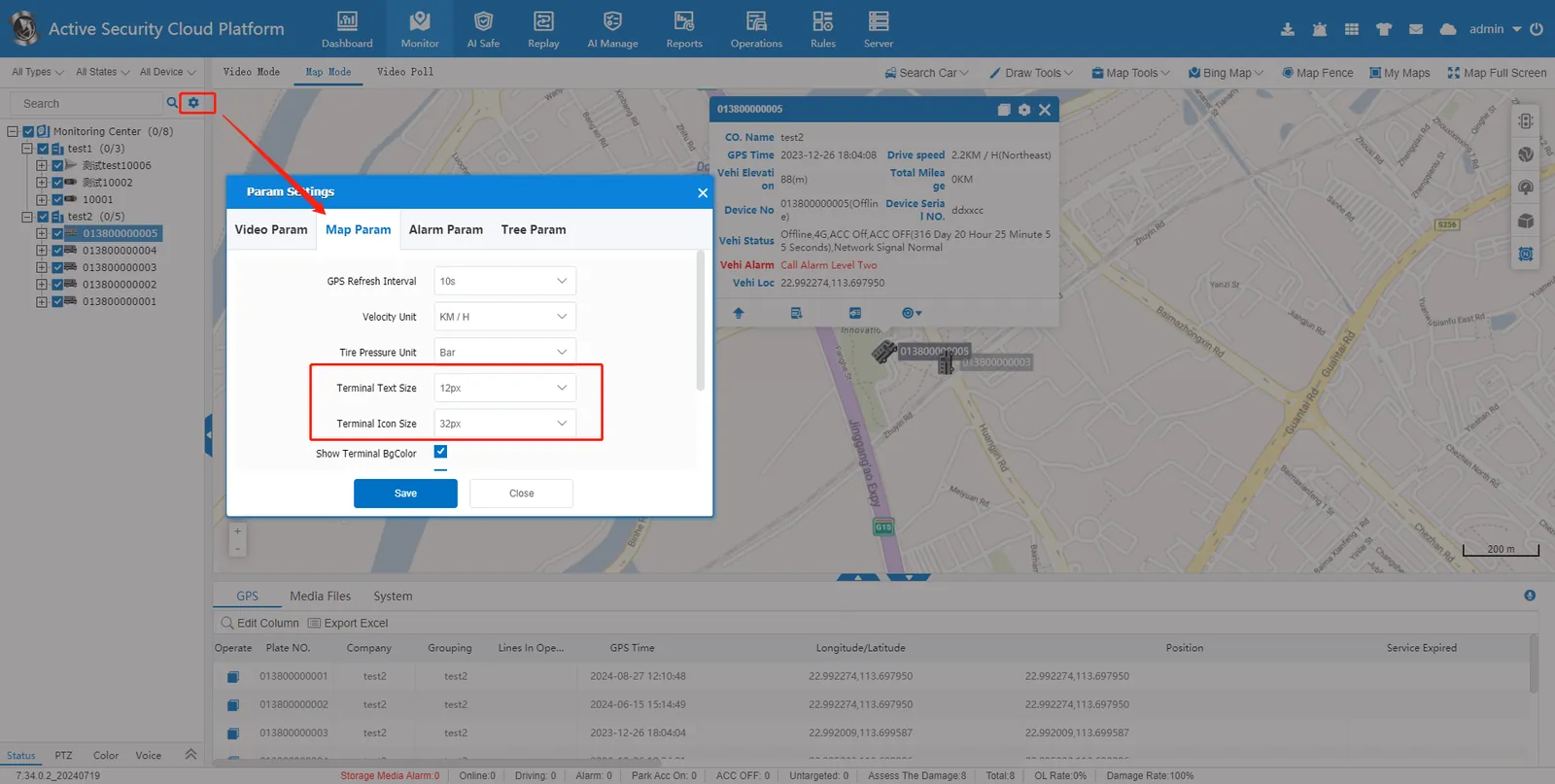
2.2 adjustment parameters are saved, refresh the browser webpage.
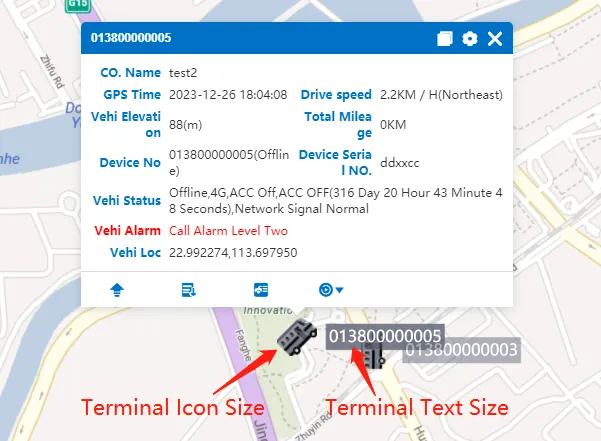
3、 Precautions
The vehicle icon size option provided by the platform is not suitable, and the size can also be customized by modifying the file in the server background.
3.1 open file path \CMSServerV6\tomcat\webapps\gpsweb\js\ttxmap\ttxmap2.0.js
3.2 modify the line code value as shown in the figure below
symbol: [
{
markerFile: item.icon,
markerWidth: item.markerWidth || 12,
markerHeight: item.markerHeight || 12,
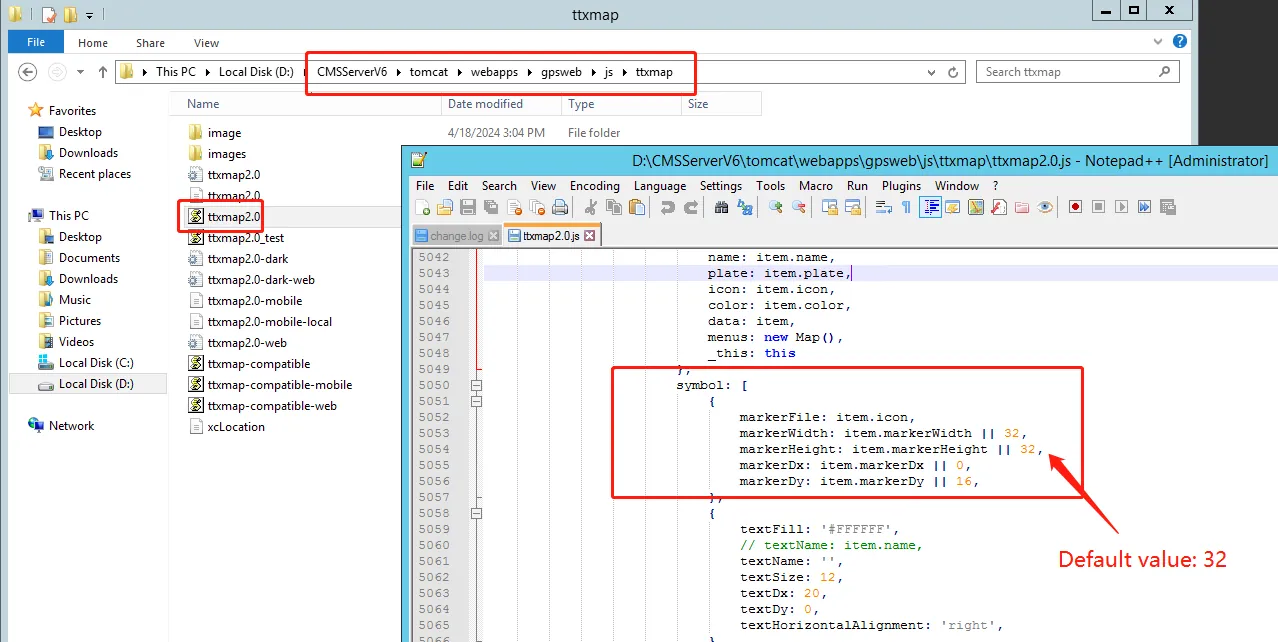
3.3 save the changes, clean up the browser cache.
