1. function description
1.1 PC Client
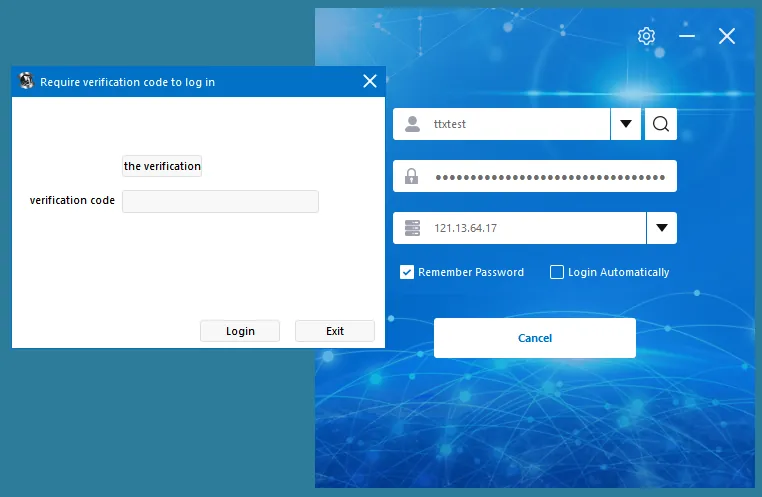
1.2 web page side
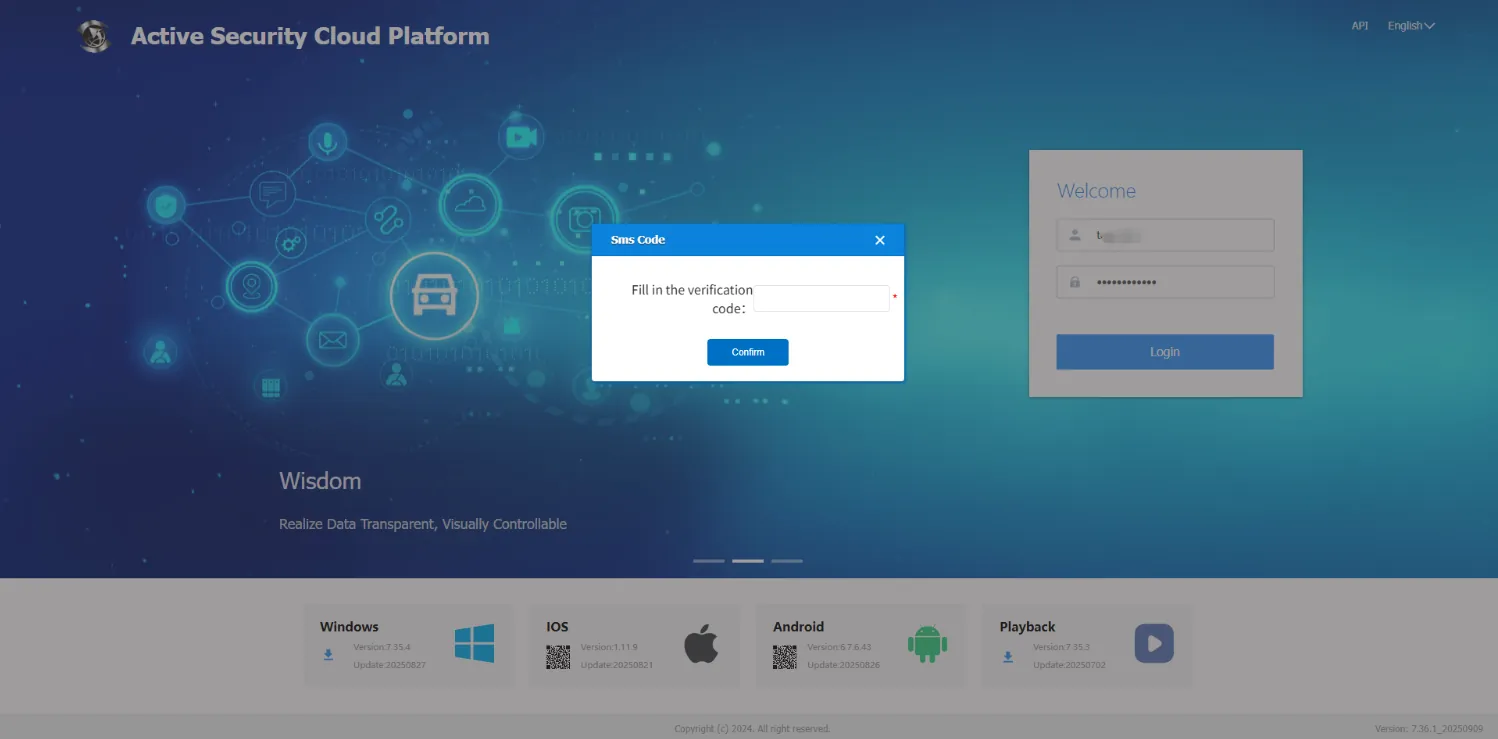
2. operating instructions
2.1 enable the "login mobile phone verification code" function configuration.
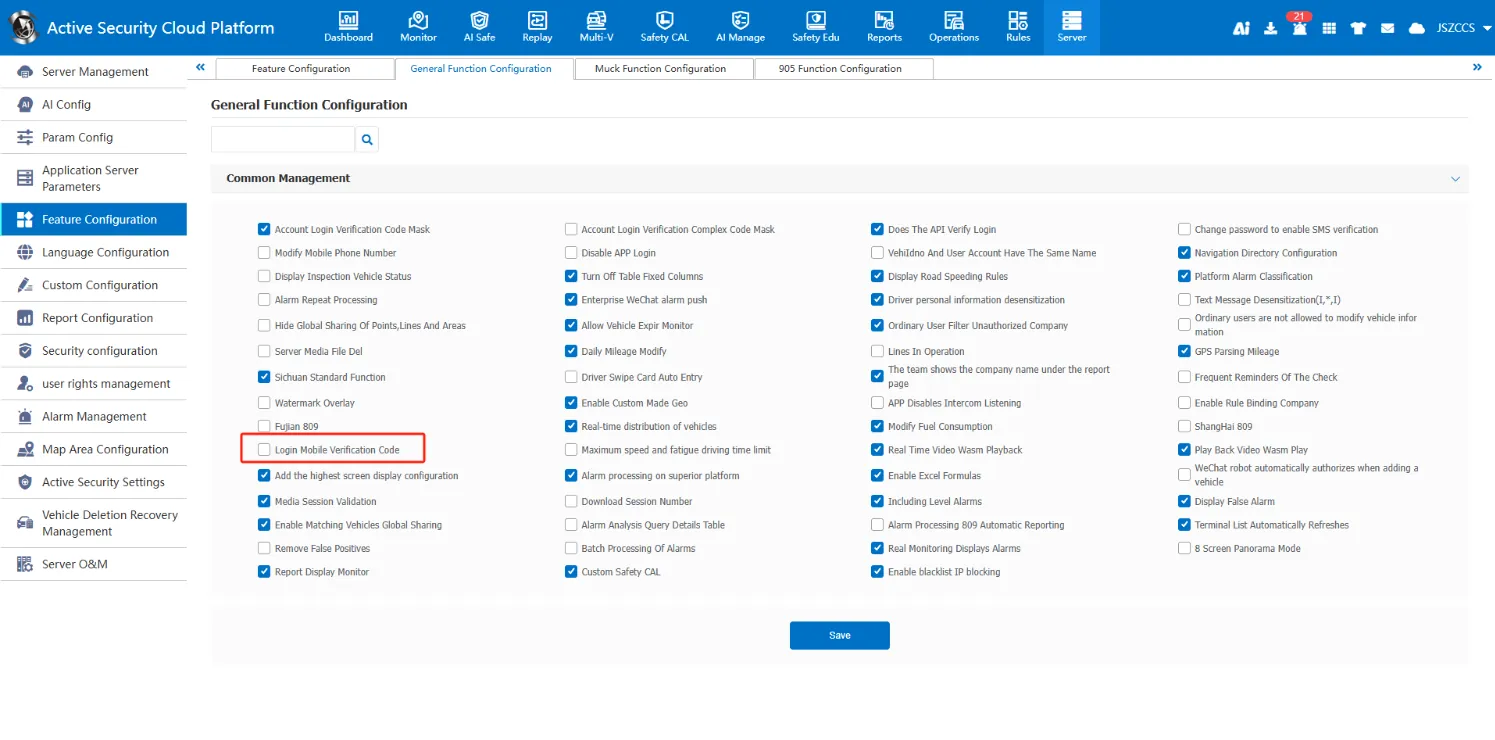
2.2 Enter "mobile phone number"in the user information.
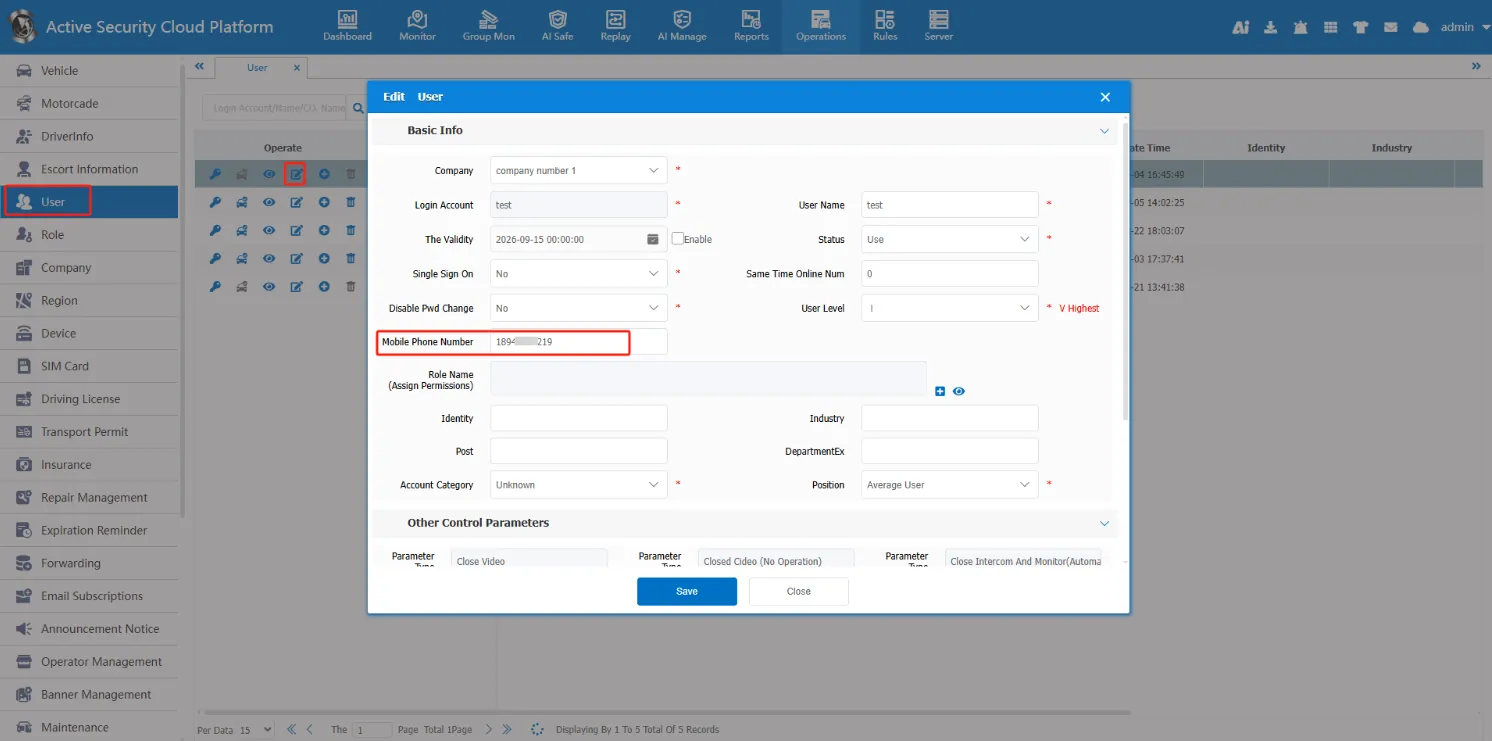
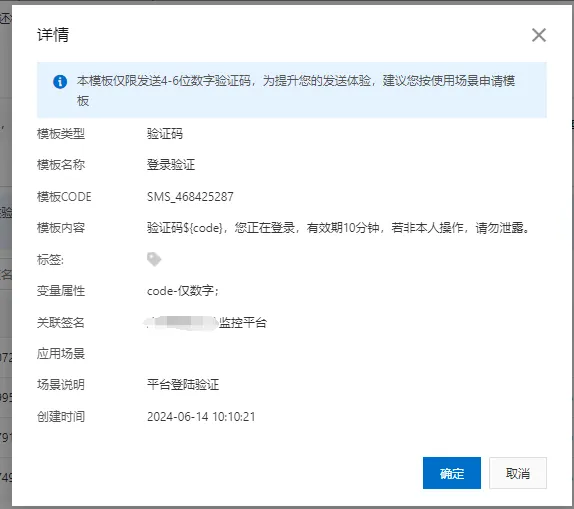
2.3 Configure Aliyun SMS Service and add a verification code template.
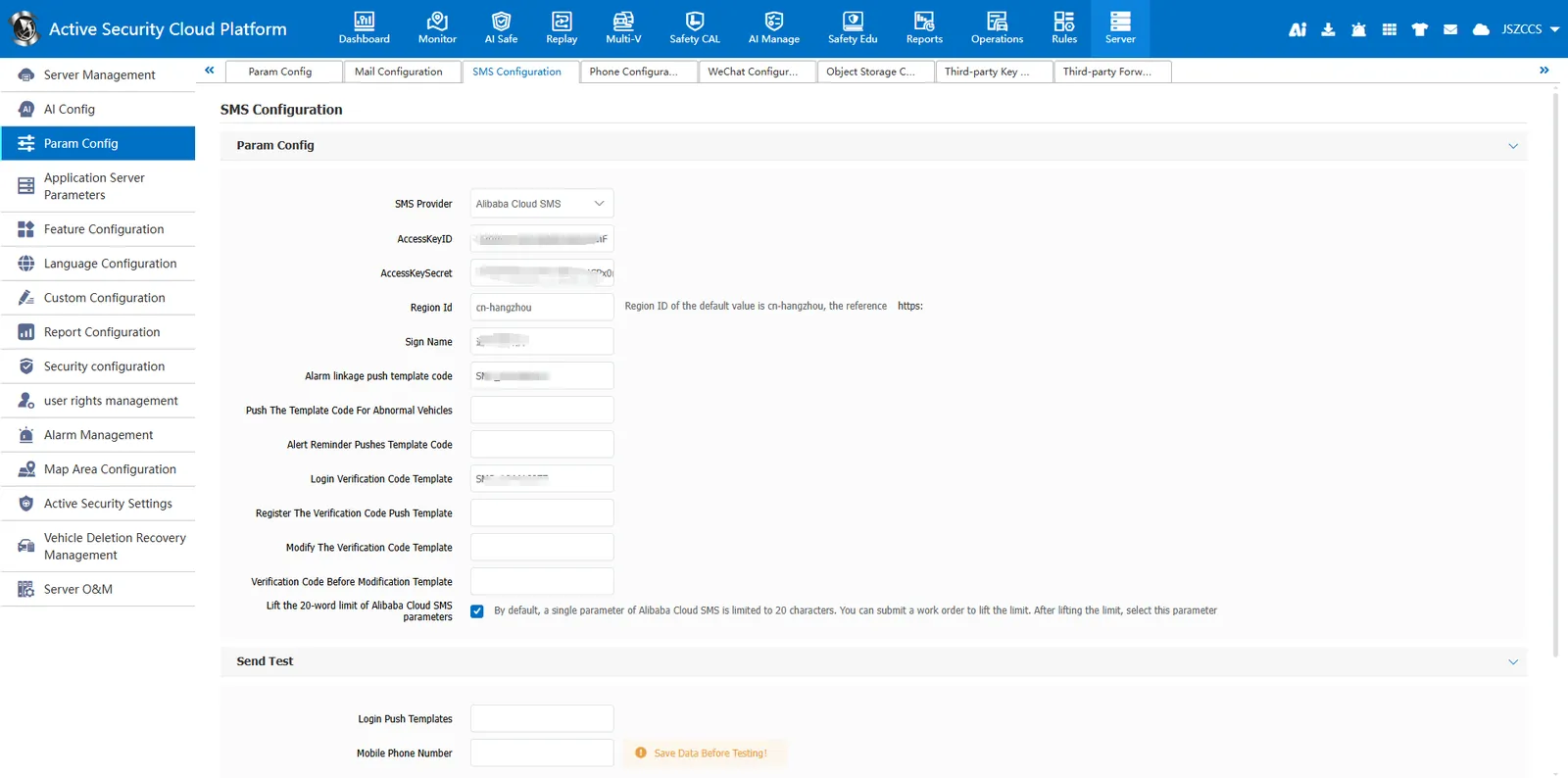
Template content reference: 'verification code ${code}, you are logging in, valid for 10 minutes, if not personally operated, please do not disclose. '
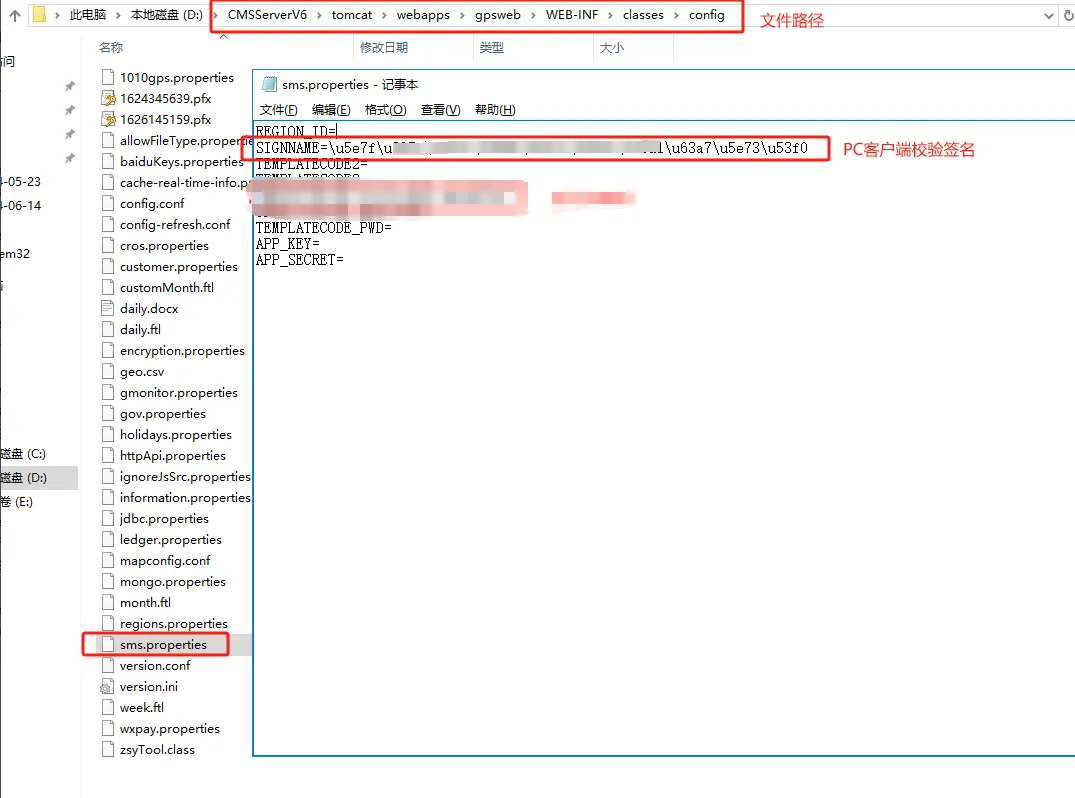
2.4 server configuration SIGNNAME = signature name, used for PC client verification signature.
Configuration file path: 'CMSServerV6\tomcat\webapps\gpsweb\WEB- INF\classes\config\sms.properties'
3、 Precautions
Note: The signature content is converted from Chinese characters to unicode codes, for example: "\u901a\u5929\u661f\u79d1\u6280" after "Tongtianxing Technology" is converted"
Configure 'SIGNNAME =\u901a\u5929\u661f\u79d1\u6280'
Chinese unicode code interchange: https://www.uutils.com/enc/zh_cn_unicode.htm
