1. Function description
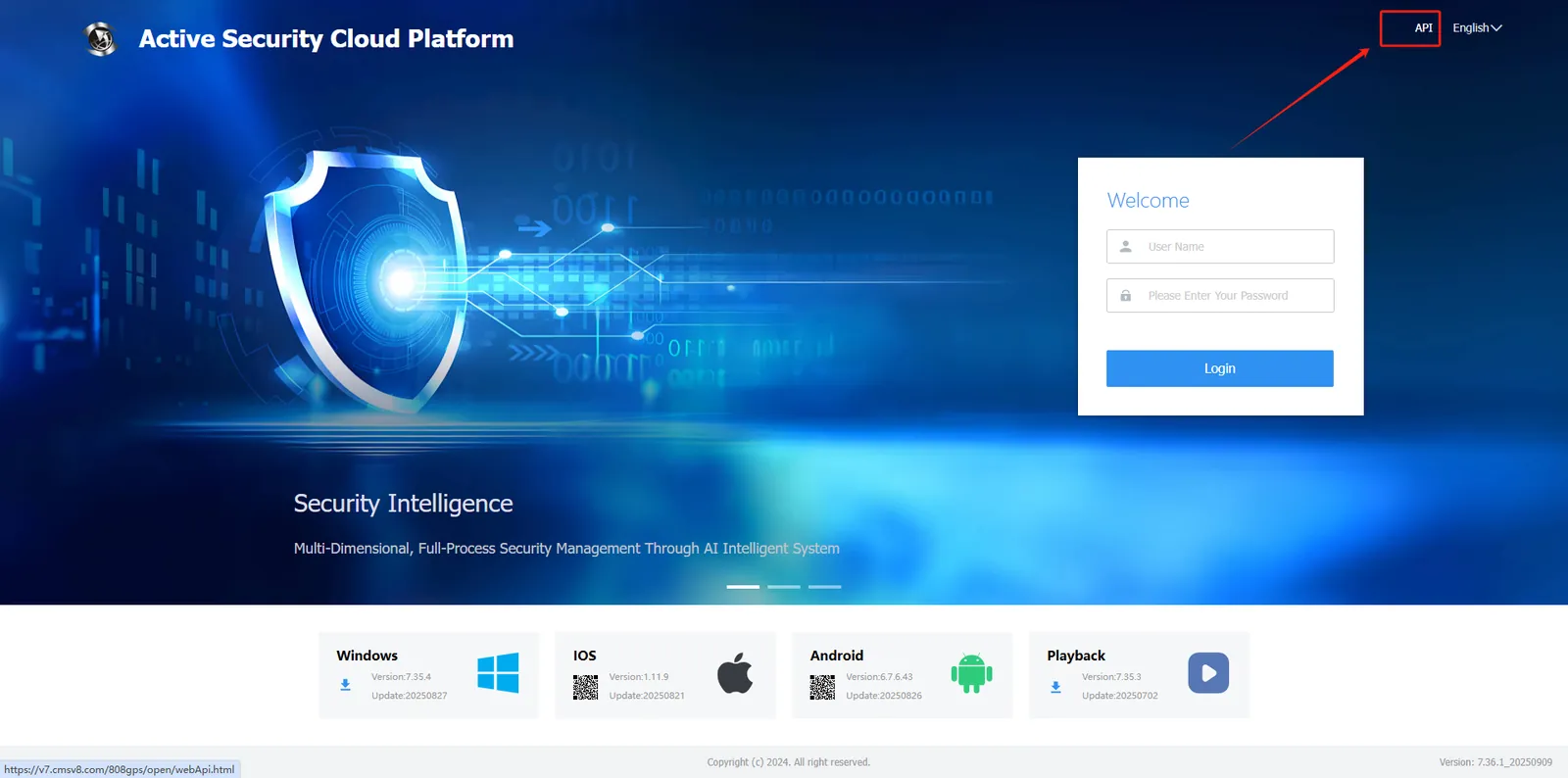
- WEB login home page has the API interface entrance of the system, if you don't want to show it, you can block it.
- After shielding, the entry will not be displayed, but the API interface will not be affected.
2. operating instructions
2.1 operation shielding from the platform
Log in to the platform with admin account, enter 【server management】- > 【security configuration】- >【security evaluation】, check "API not displayed in login interface", and then save.
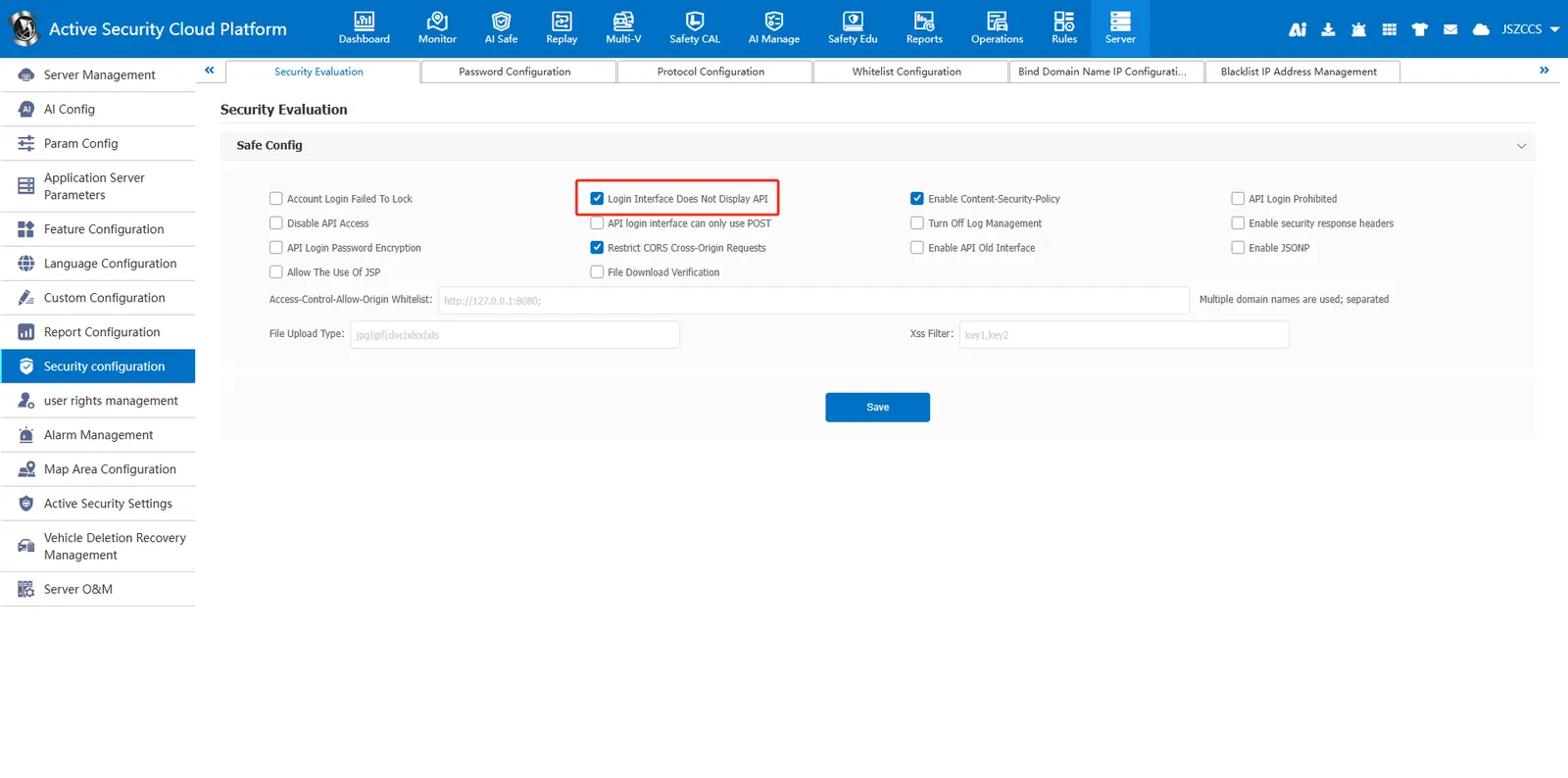
After blocking, the API entry will no longer be displayed on the web login home page.
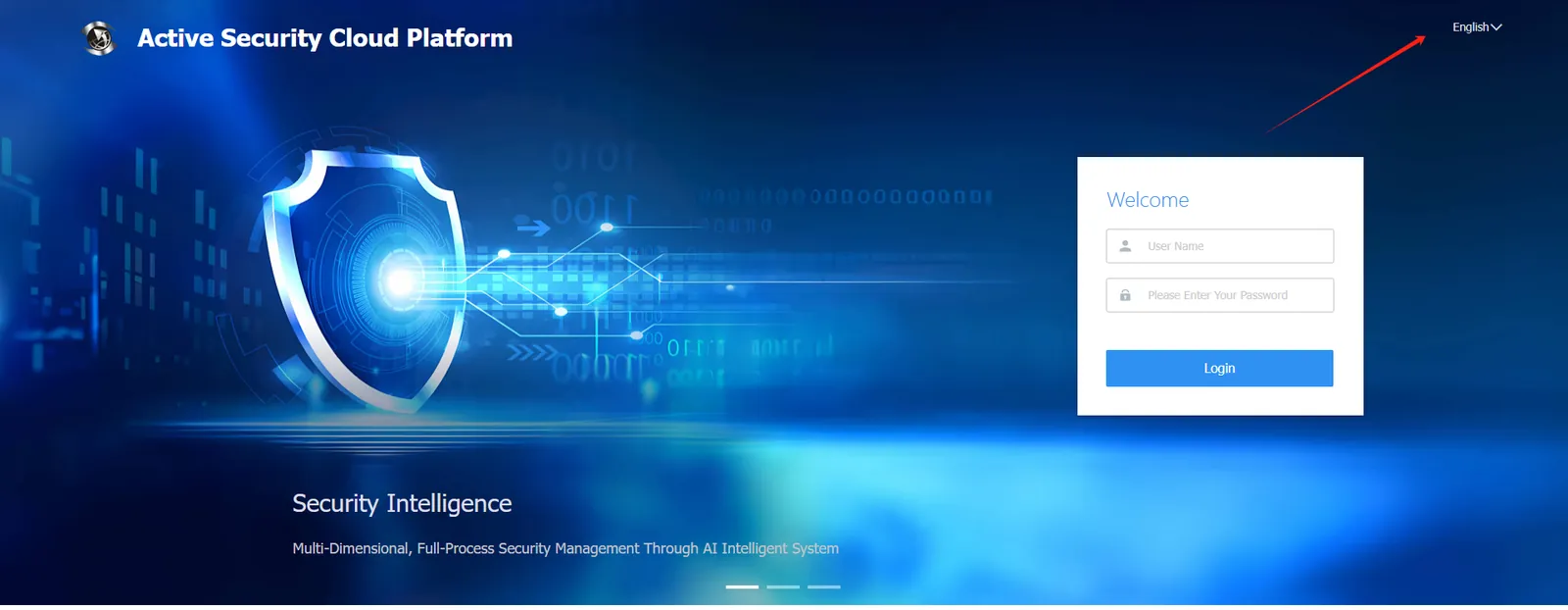
2.2 shielding in the server background
-
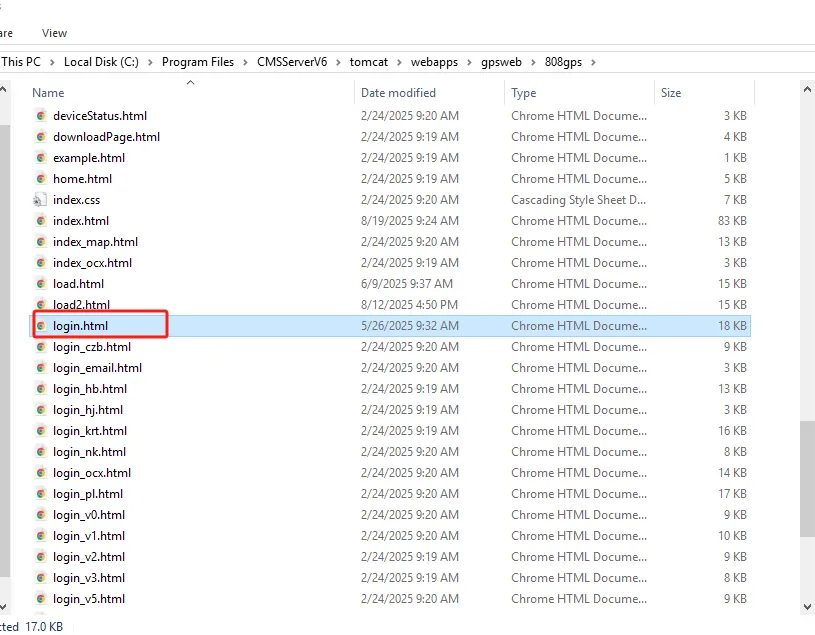
Edit login.html file; Path: CMSServerV6\tomcat\webapps\gpsweb\808gps
-
delete the following line of code, save.
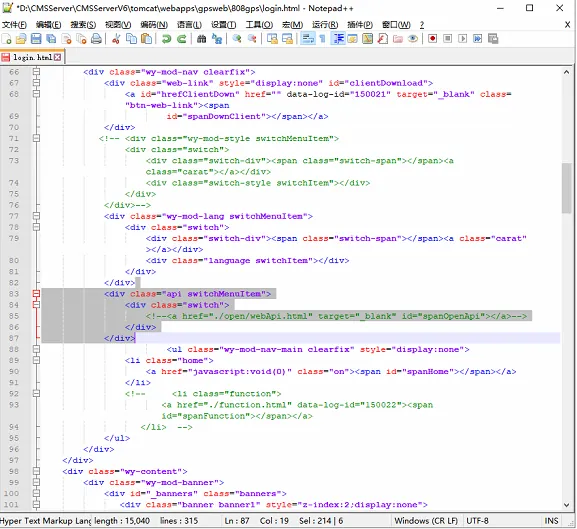
<div class="api switchMenuItem"> <div class="switch"> <!--<a href="./open/webApi.html" target="_blank" id="spanOpenApi"></a>--> </div> </div> -
It will take effect after restarting the web server.
