1. Function description
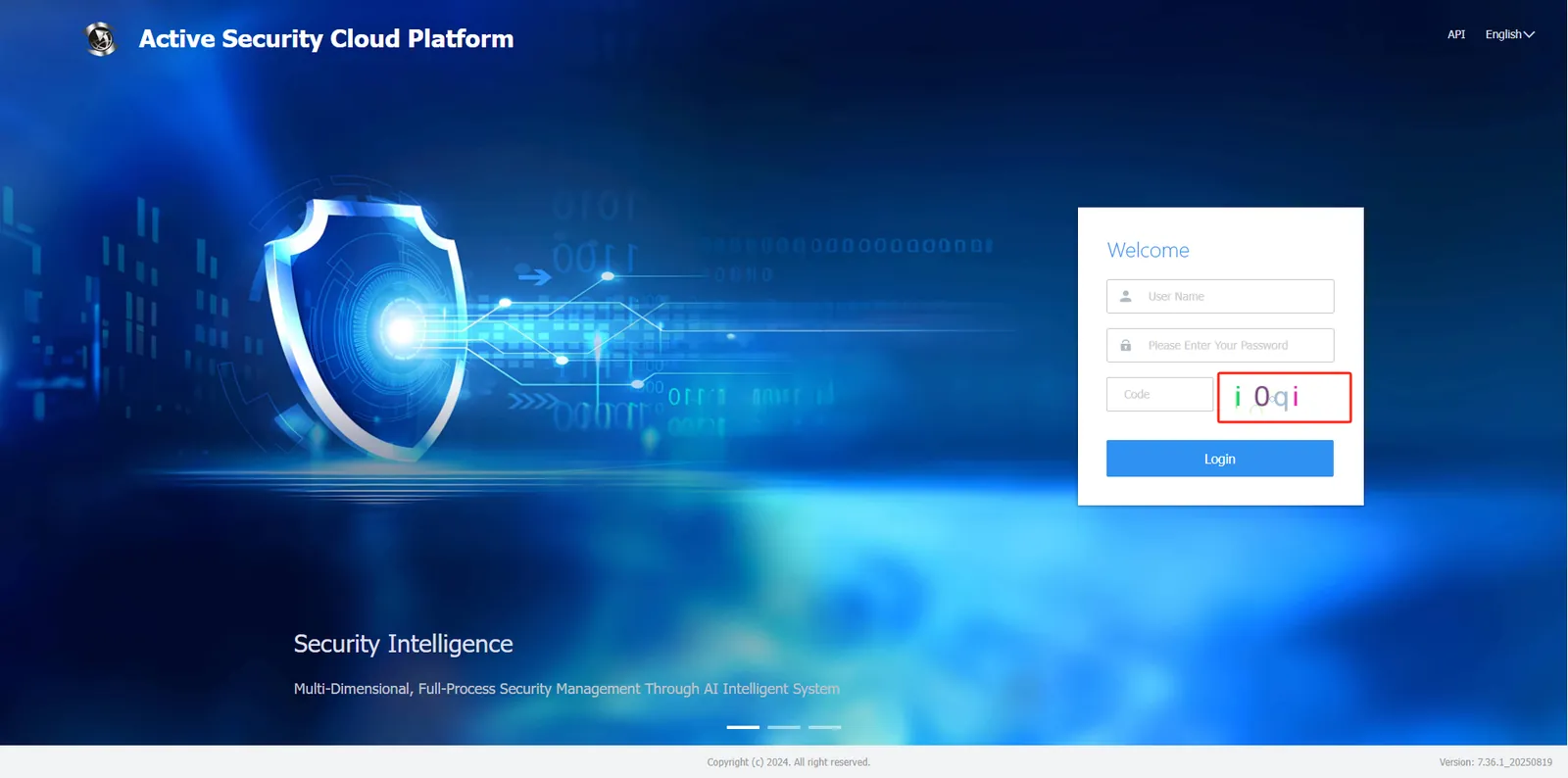
- The platform checks the login verification code by default and can be set to a complex verification code.
- Normal verification codes consist of 4 digits, complex verification codes consist of 4 uppercase and lowercase alphanumeric digits.
2. Preconditions
- The login verification code function must be turned on
3. Operating Instructions
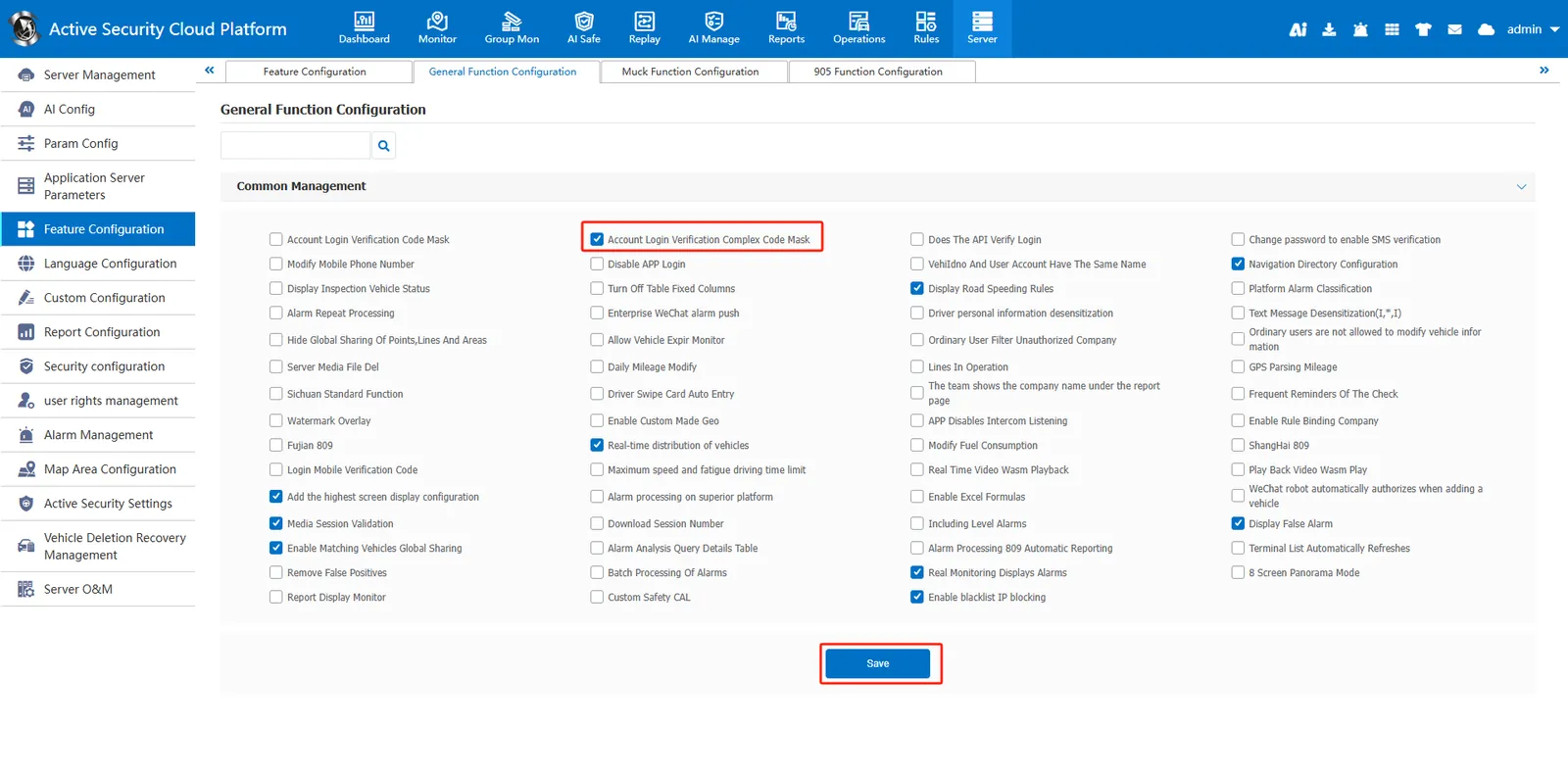
Admin logs in to the platform, enters 【Server Management】- 【Function Configuration】- 【General Function Configuration】, checks "Account Login Complex Verification Code", and then "Save"
After configuration, the verification code of the login home page will become a verification code composed of uppercase and lowercase letters and numbers.
