1. function description
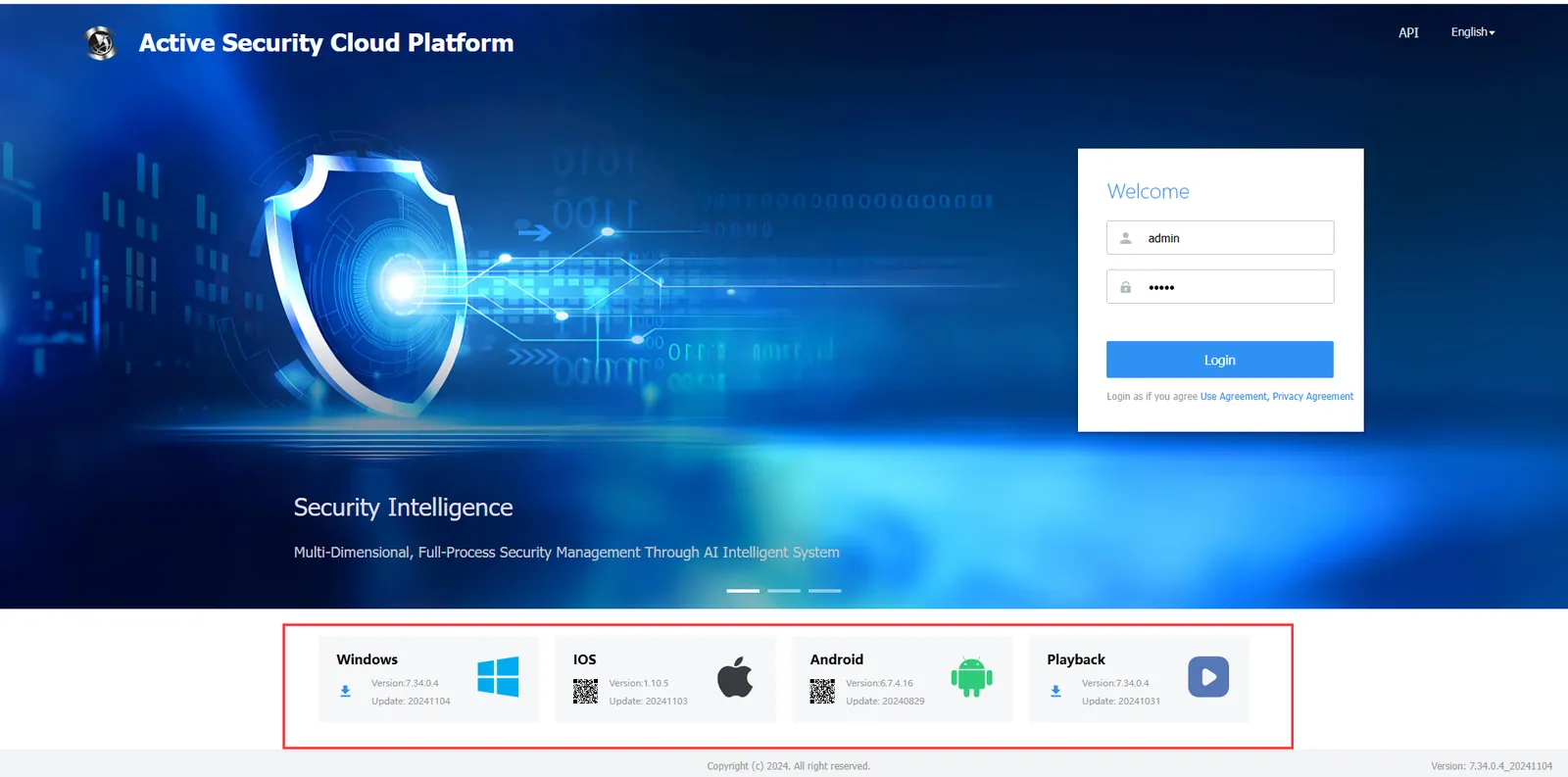
- Update login interface software download version method, as shown in Figure 1
2. operating instructions
-
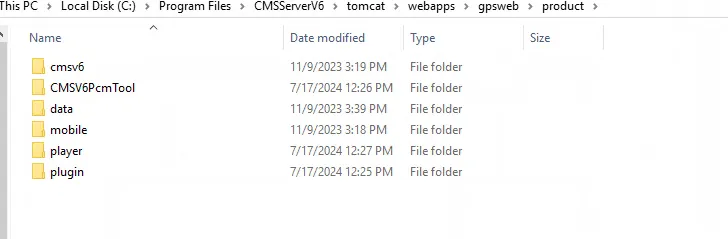
2.1 The storage path of the download software of the Web login interface is CMSServerV6\tomcat\webapps\gpsweb\product. as shown in fig. 2,cmsv6 is the client, mobile is the mobile phone APP, player is the player, and plugin is the offline map plug- in. put the new version of the software on the corresponding path and delete the old version of the software, then restart the web server and the user server.
-
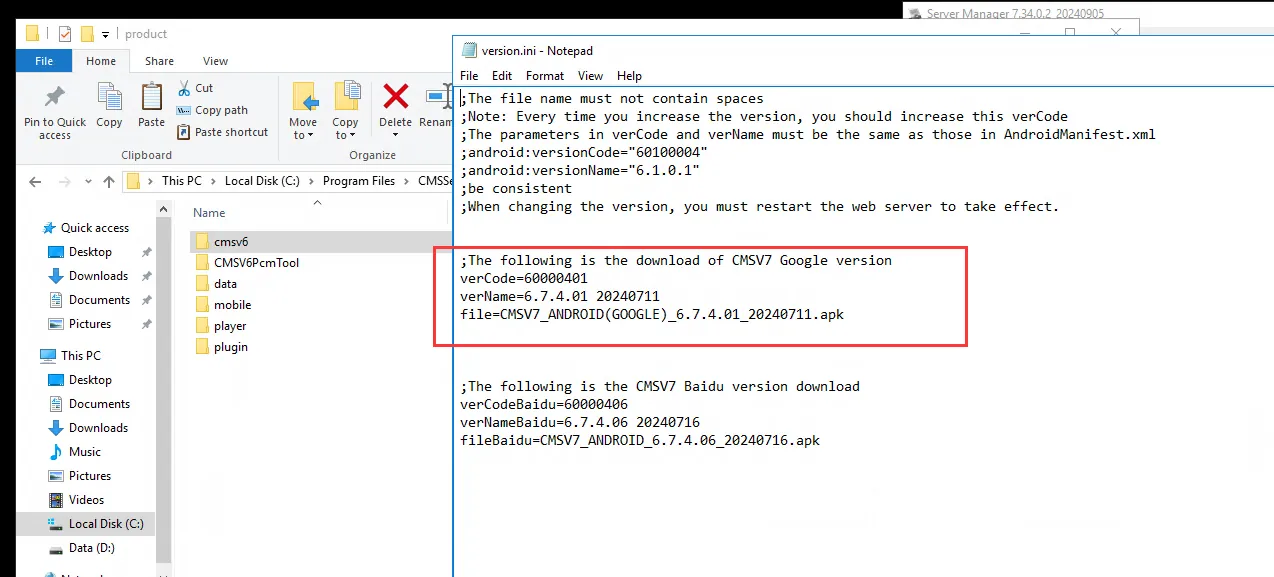
2.2 Android- side app update version also needs version configuration, as shown in fig. 3, put the new version of Android app into the corresponding path, then modify the version.ini file, modify the red box content to the new version of software information, and then restart the web server.
3. Precautions
- verName naming without underscore, file naming with underscore
4. Frequently Asked Questions:
- After replacement, the WEB page is not updated normally or the download item is not displayed. You can clear the browser cache or check the modified configuration information.