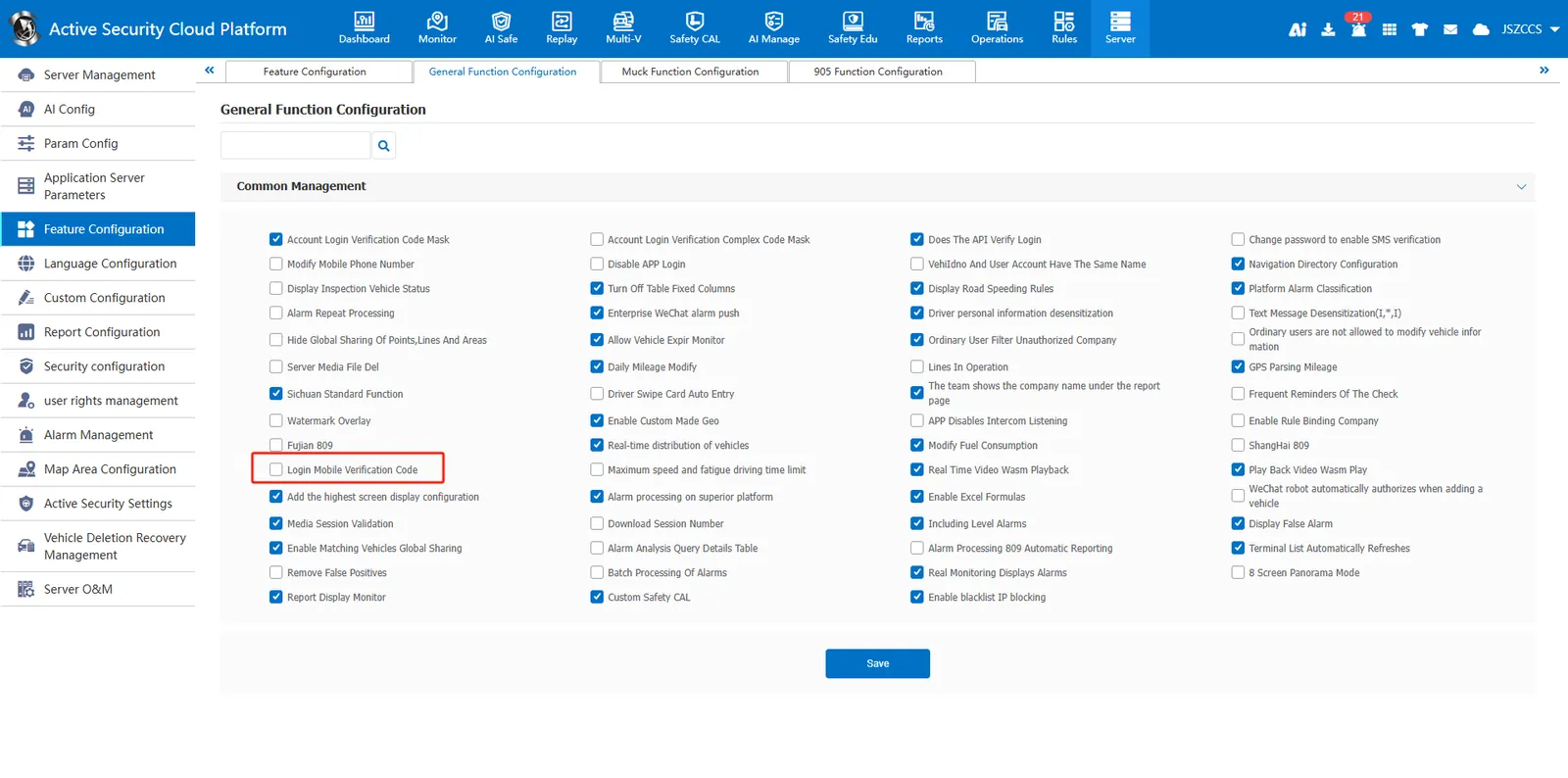
1. Function description
2. operating instructions
2.1 Turn on the mobile phone authentication function (effective for single user):
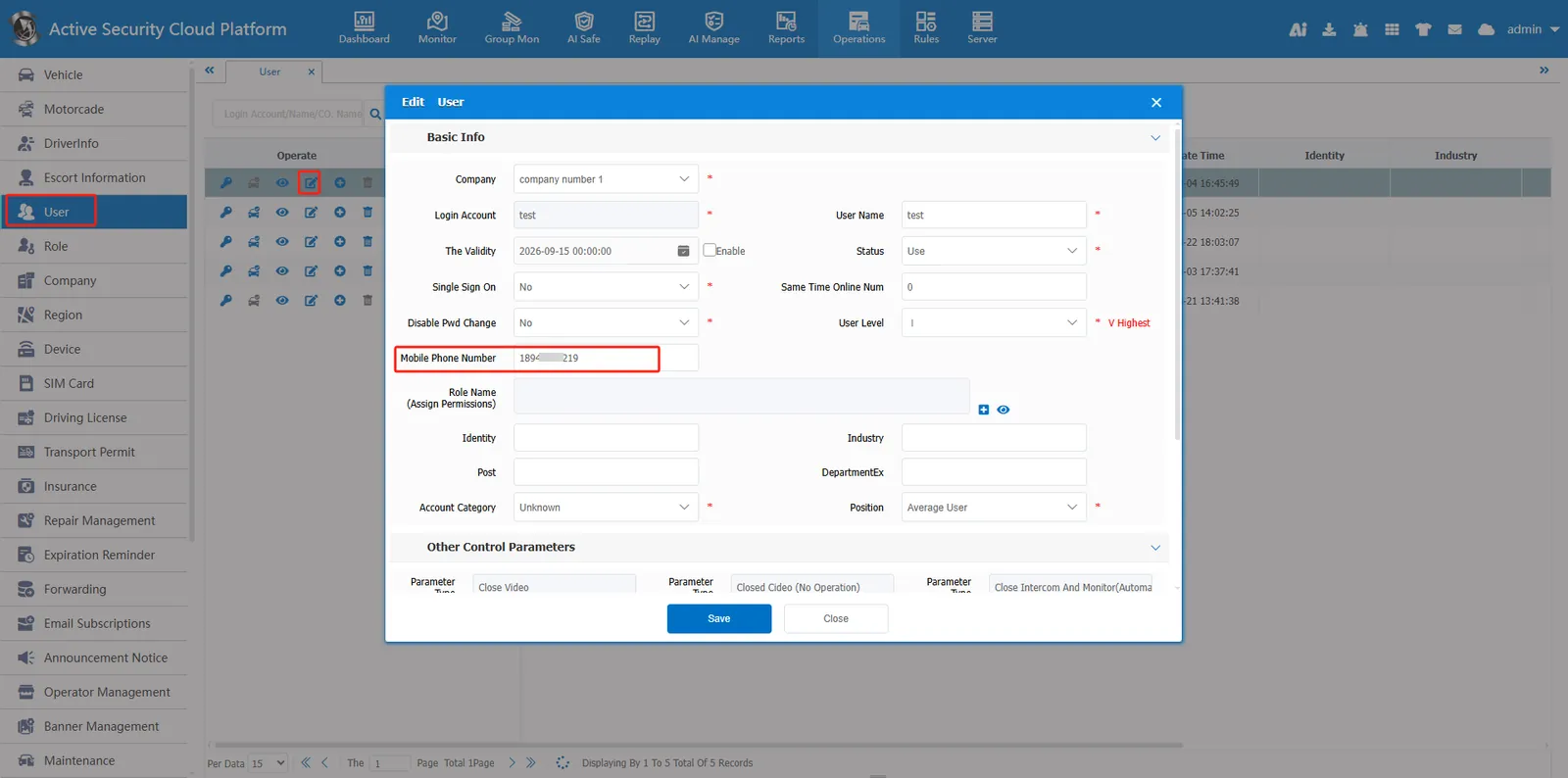
1、 user information input mobile phone number
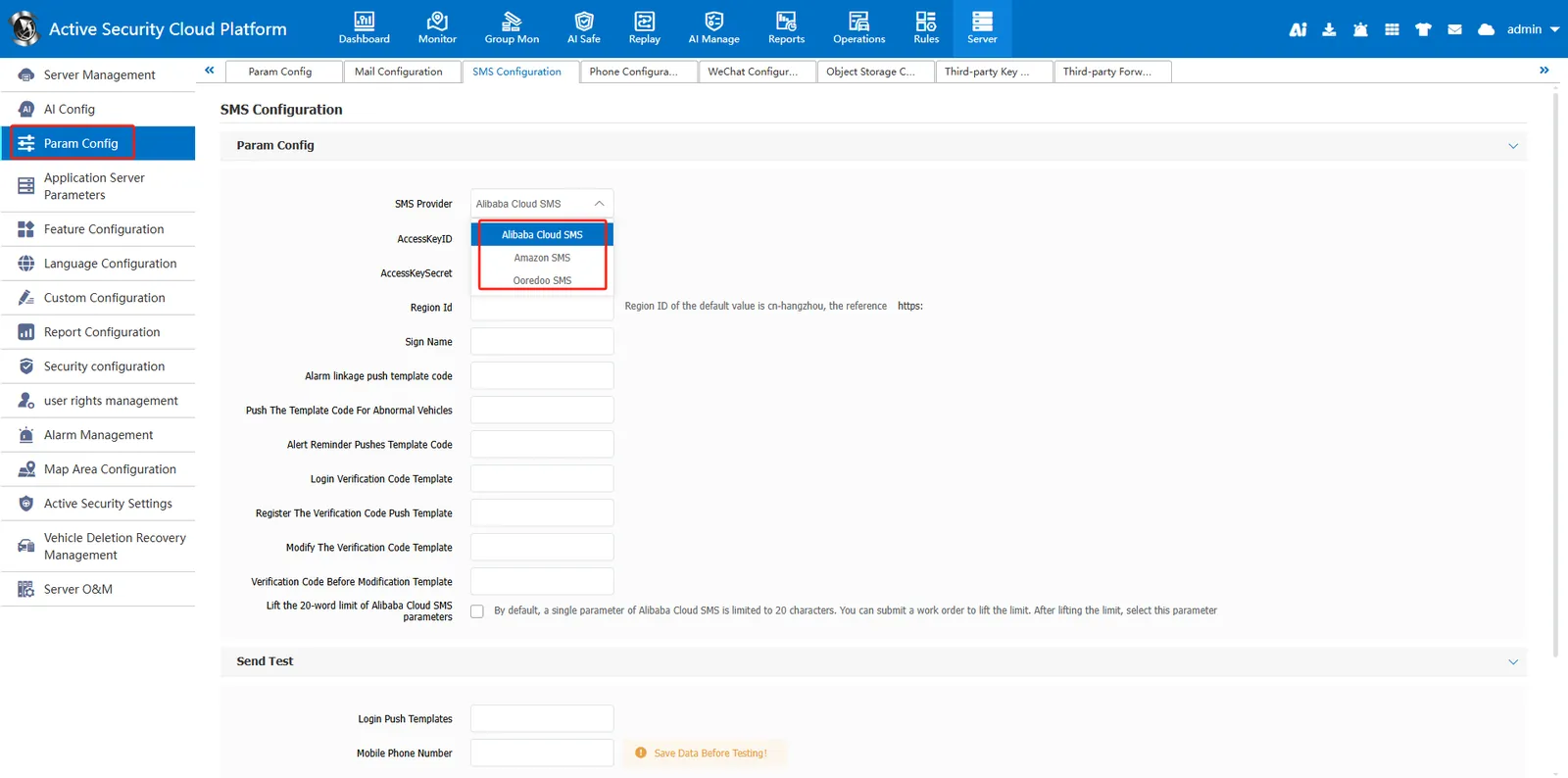
2、Server Management-- Parameter Configuration-- Configure Aliyun SMS Parameters in SMS Configuration
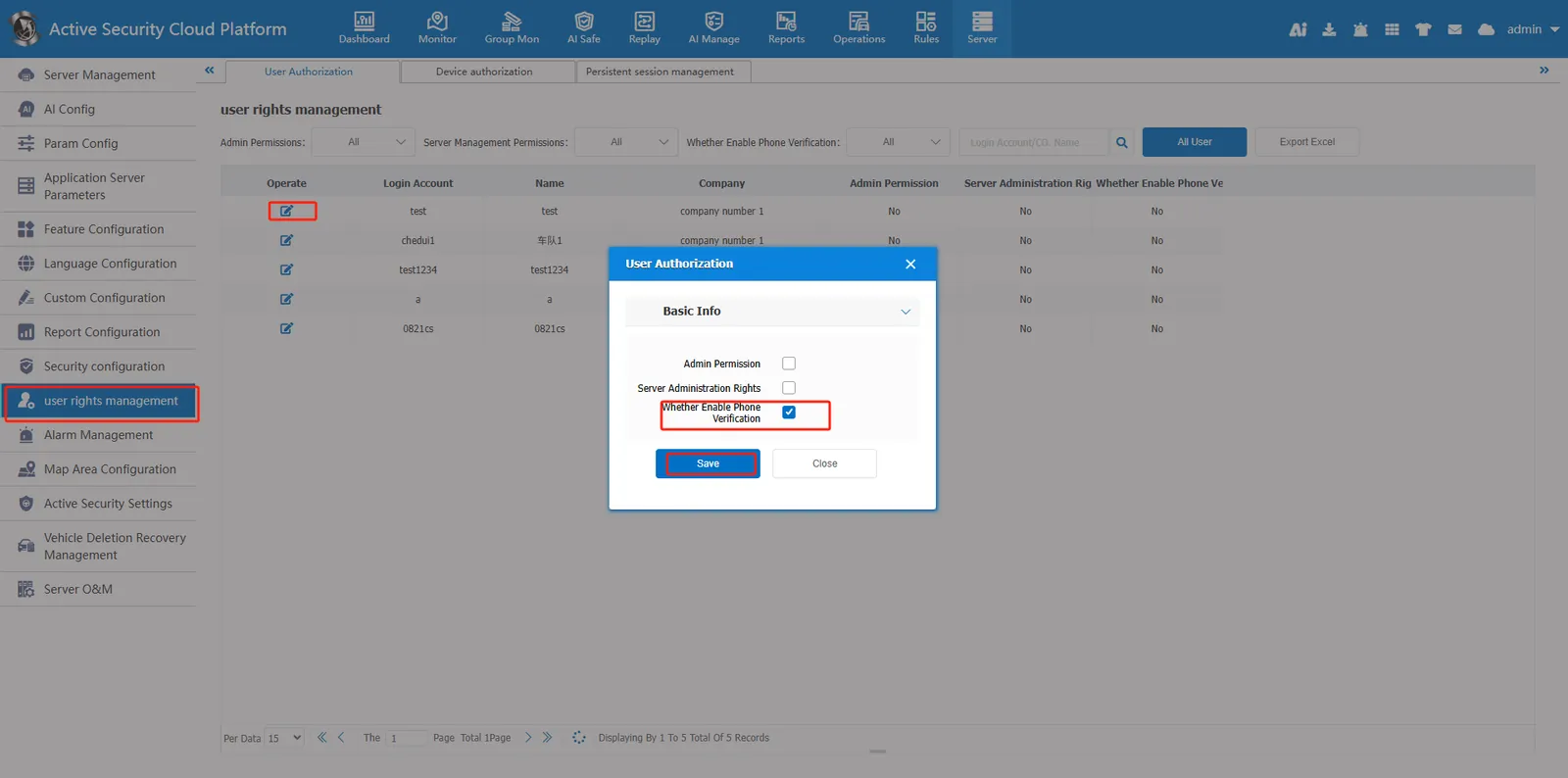
3、 The user authorizes editing of the specified account and checks whether to enable mobile phone verification
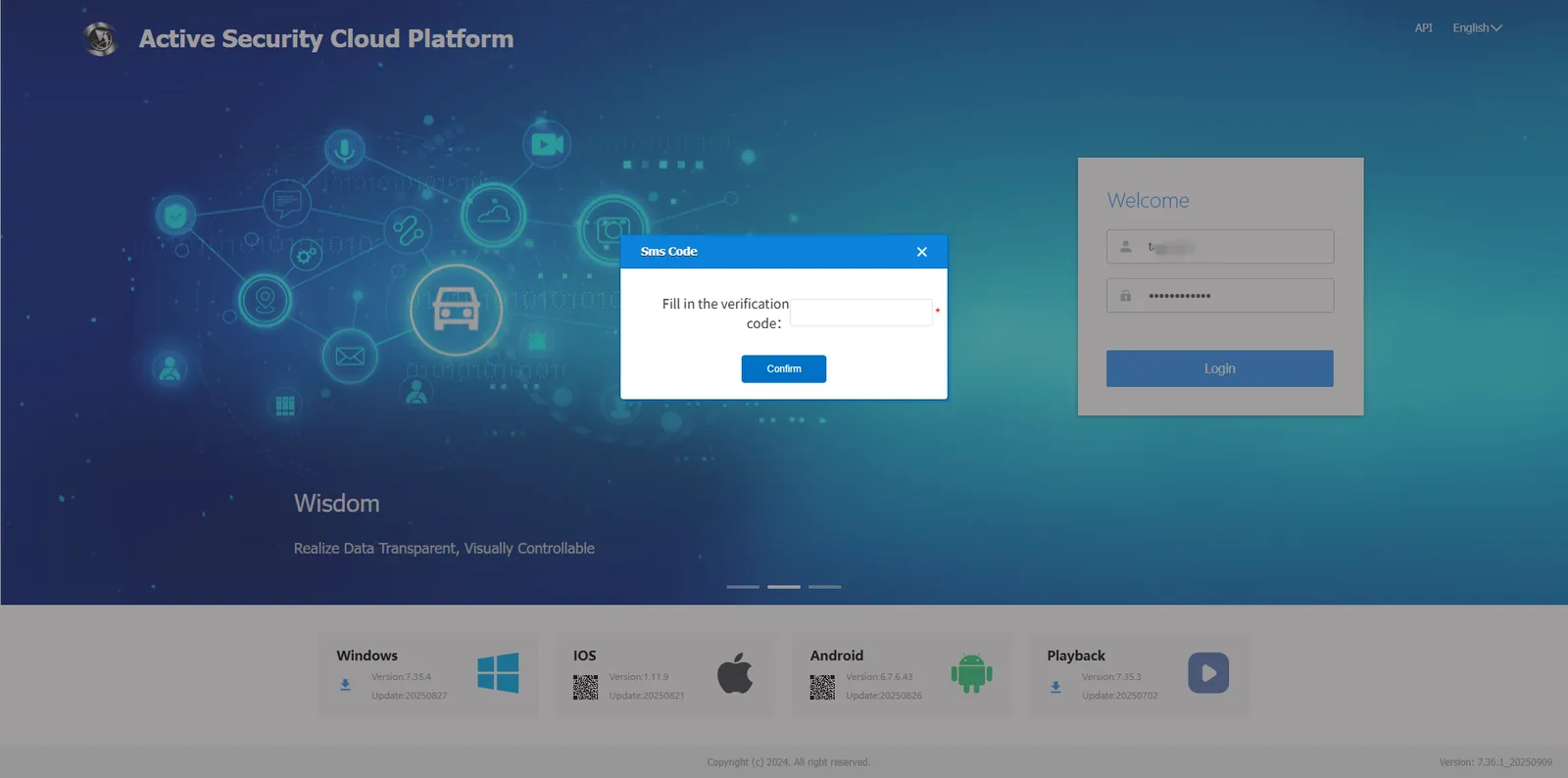
4、 Effect display
3. Precautions
Server Management- Function Configuration- General Function Configuration If the login mobile phone verification code is checked, the mobile phone verification function will be enabled for all accounts on the platform except the admin account.