1. Function description
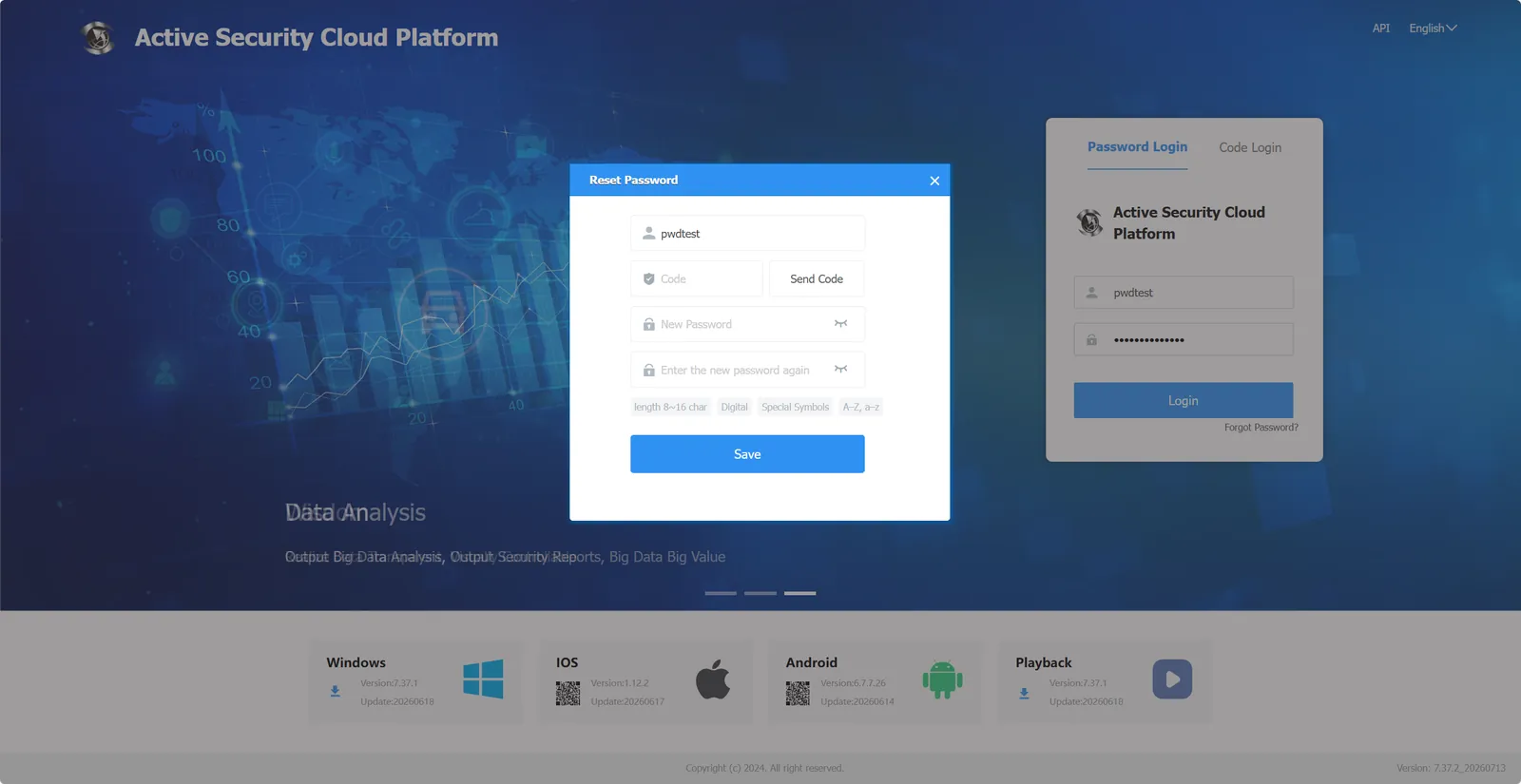
- Customers can collect the verification code through the reserved mobile phone number to retrieve the password.
2, operating instructions
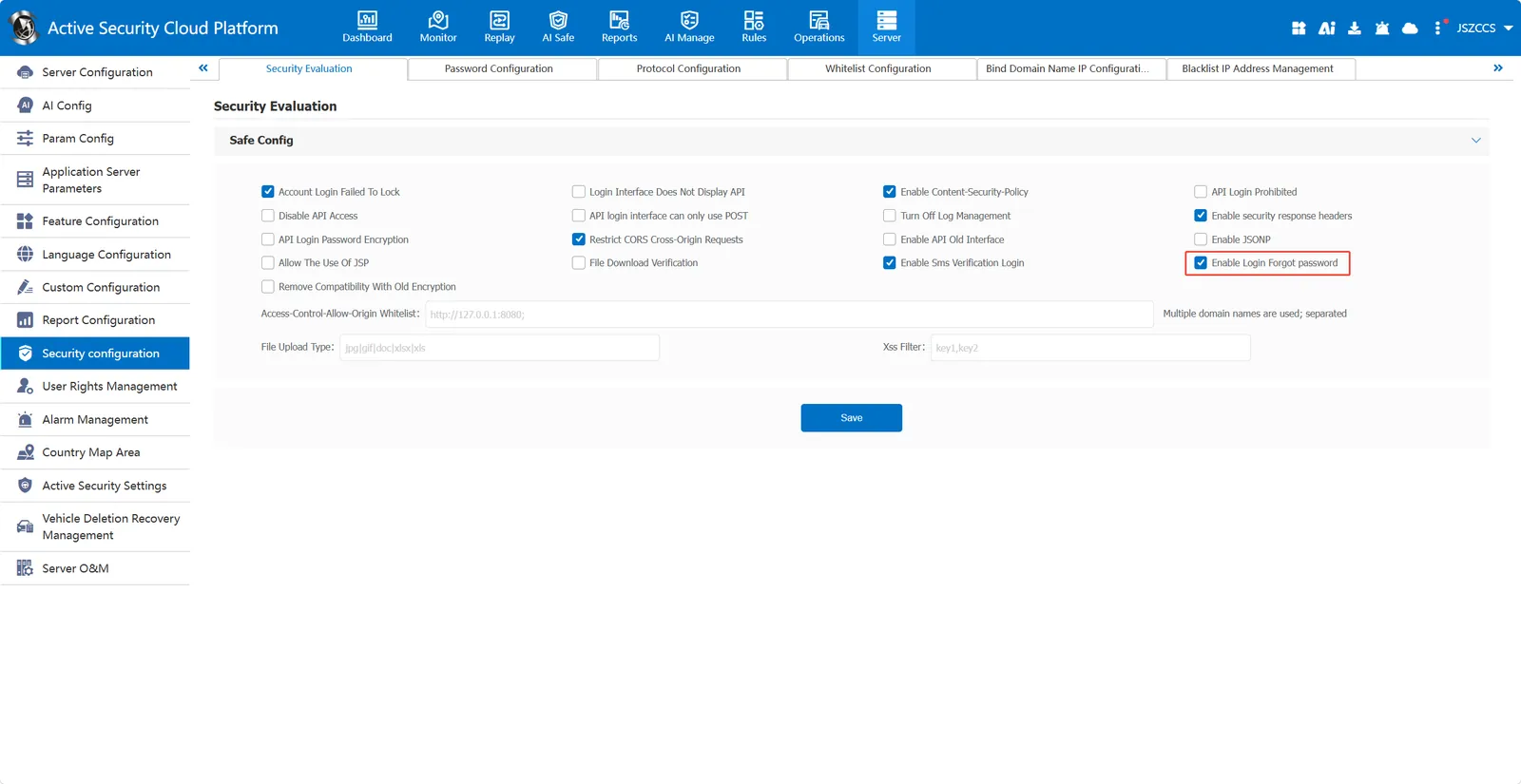
2.1 enable login and forget password
Admin logs in to the platform, enters [Server Management]- [Security Configuration]- [Security Evaluation], selects "Enable Login Forgot Password", and then clicks "Save".
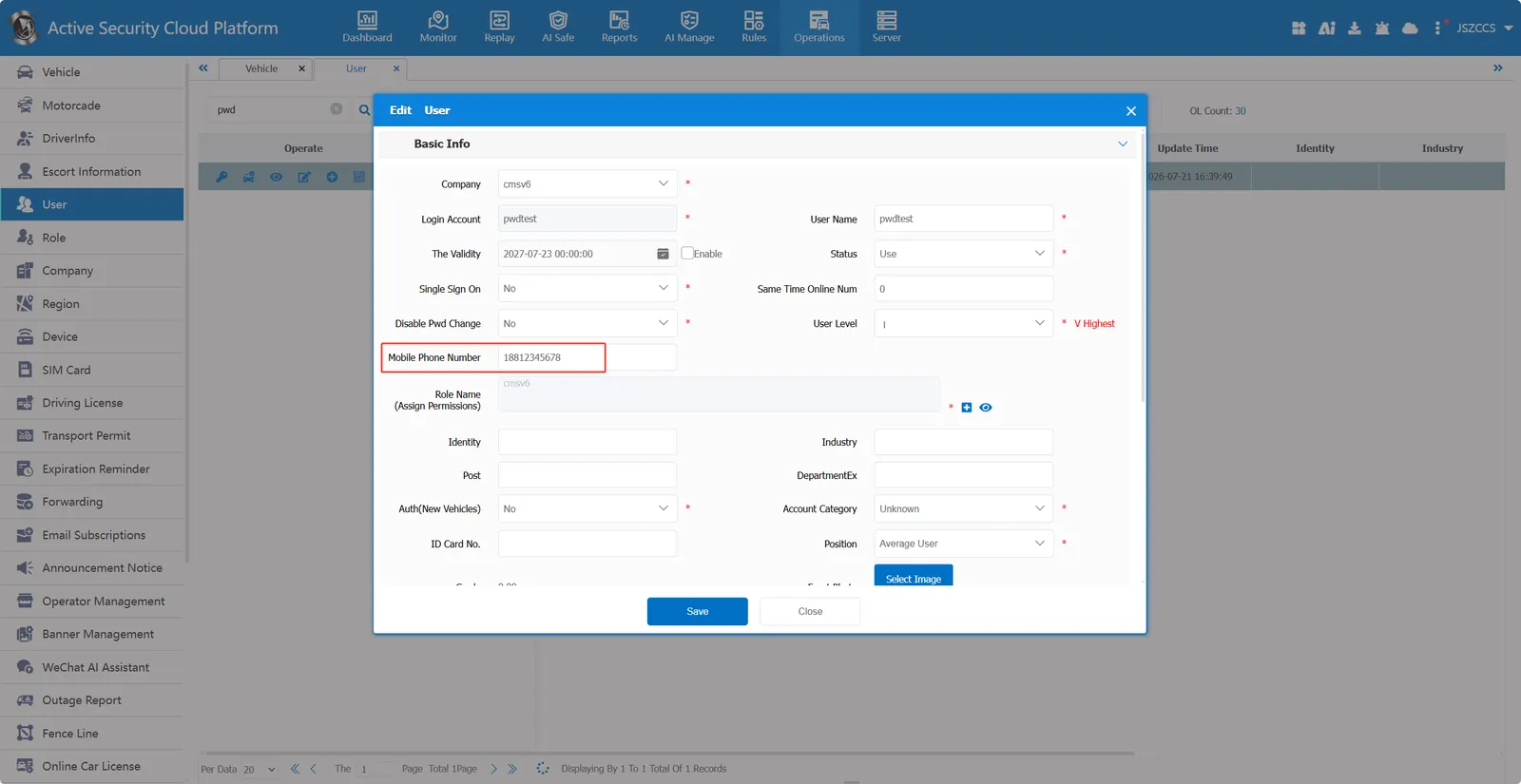
2.2 improve user information
Fill in the mobile phone number in the user information that needs to retrieve the password through the mobile phone verification code, and then save it.
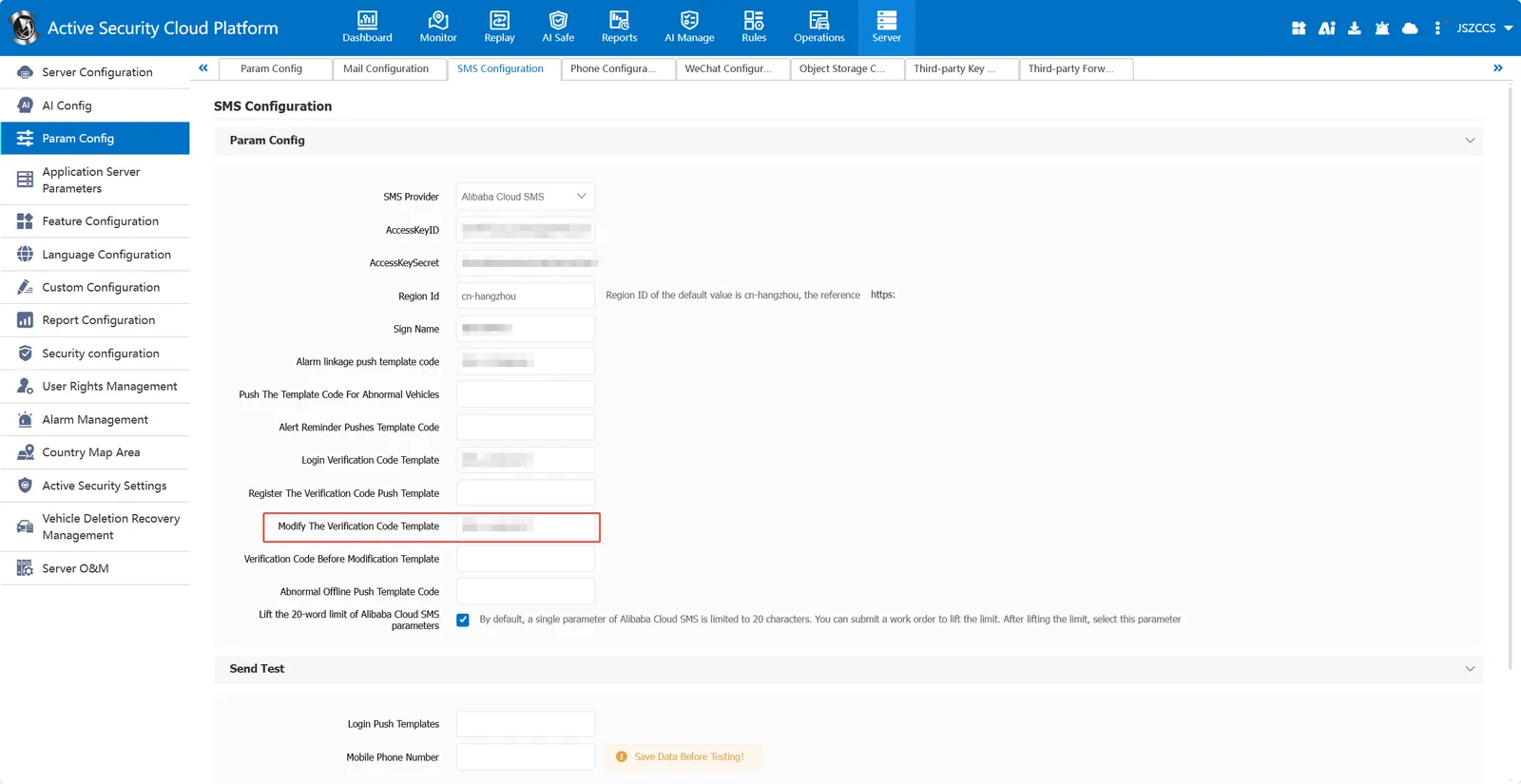
2.3 perfect SMS parameter configuration
Register a push template to modify the password verification code and enter the template code.
Template content reference: 'verification code ${code}, you are retrieving the password, valid for 10 minutes, if not personally operated, please do not disclose. '
2.4 modify the account password through the mobile phone number verification code
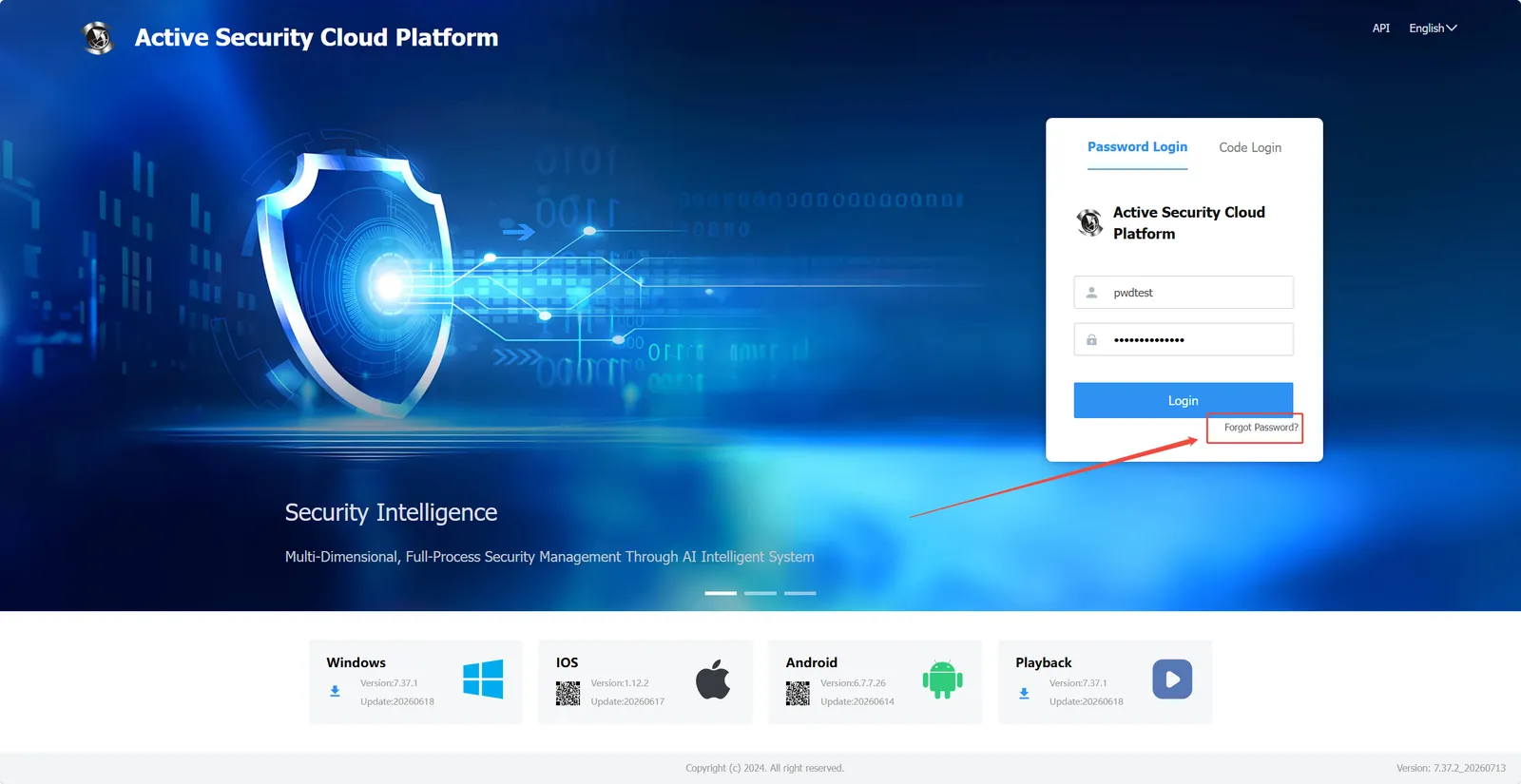
Select Forgot Password on the home page.
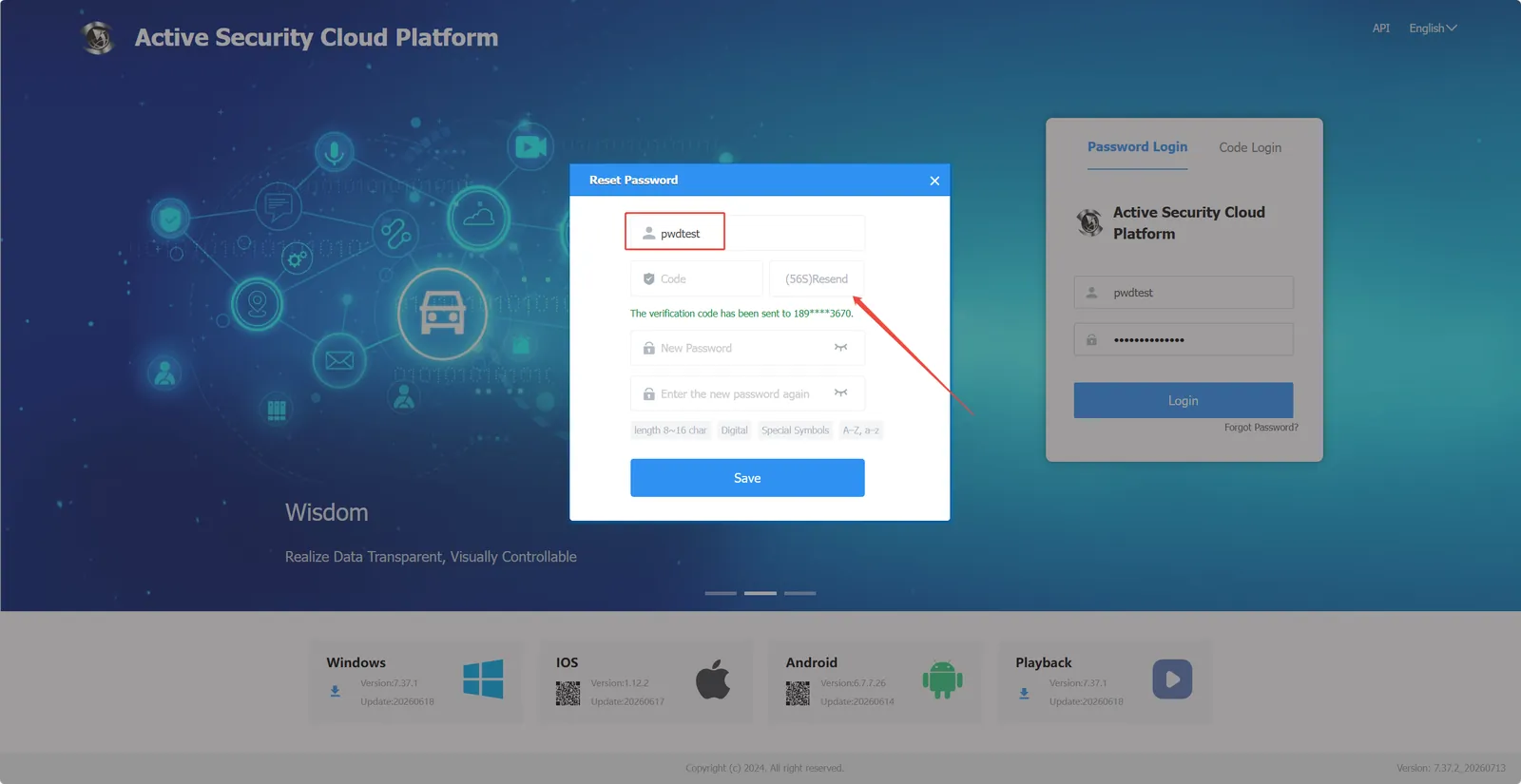
Enter the account name and click Send verification code.
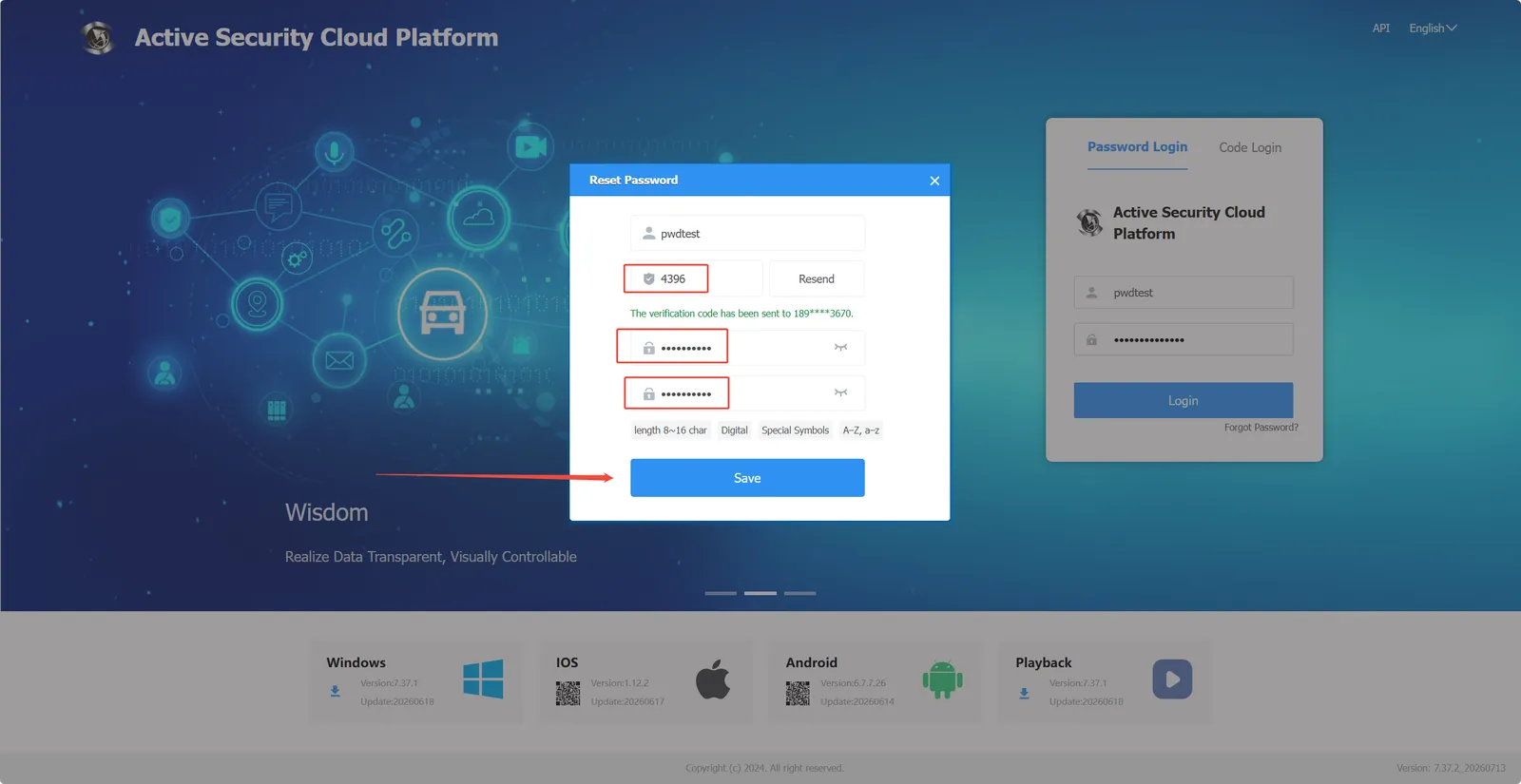
Enter the obtained verification code, fill in the new password, and click Save.
3. Precautions
- SMS service needs to be configured to use this function.
Alibaba Cloud SMS Configuration Reference: https://help.cmsv8.com/helpCenter/docNew/index.html?isStudy=1&pageType=2&docType=9&docId=2057&type=1&lang=en
